
Latest and Most Useful Tools in 2025: Easy Guide to AI, Productivity, and Creativity
Empowering Your Work and Life with Cutting-Edge Software
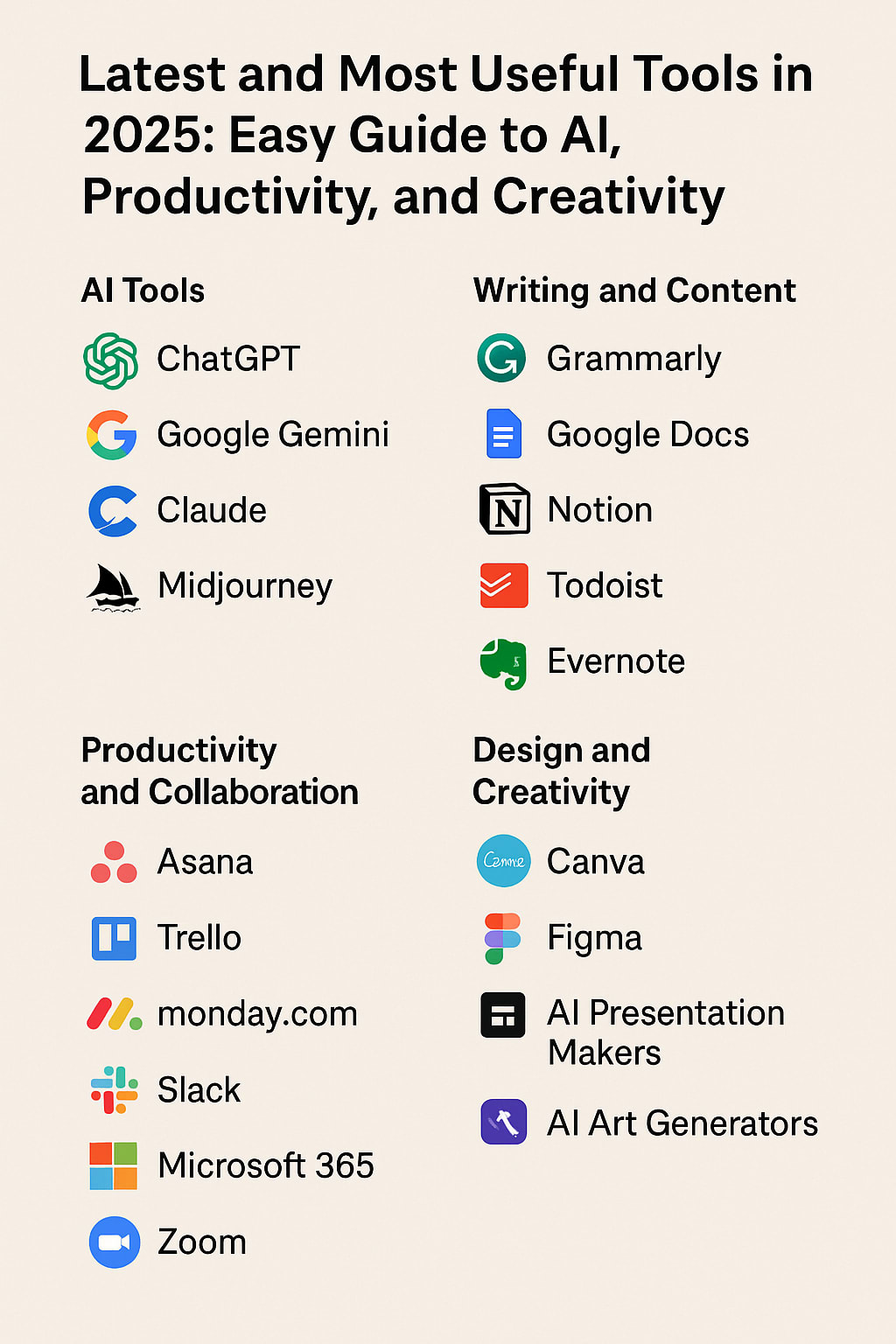
In 2025, technology is changing the way we live and work faster than ever. There are many amazing tools powered by artificial intelligence (AI) that help us write, create art, manage tasks, work together, and even code — all in simpler, smarter ways. Whether you’re a student, a business owner, or just someone curious about tech, this guide will explain the best tools you can use today — in simple, easy-to-understand language.
Smart AI Tools That Make Life Easier
AI tools are computers designed to think and help us with tasks, like chatting, writing, or creating images. Here are some of the best AI helpers in 2025:
ChatGPT by OpenAI: Your Friendly AI Chat Assistant
ChatGPT is like a super-smart chatbot that can talk with you, write emails, help with coding, or even brainstorm ideas. The newest version uses a very advanced AI model called GPT-4o. It can now:
- Chat with your voice instead of typing.
- Remember past conversations so you don’t have to repeat yourself.
- Help you search the web better, like finding product reviews or shopping suggestions.
- Save AI-generated images for you to use later.
- Has special versions for coding help.
You can use ChatGPT for free or pay a little for faster access. It’s popular because it makes writing and coding much easier, even if you’re not an expert.
Google Gemini (Bard): AI That Works With Google
Google Gemini, also called Bard, mixes AI chat with Google Search. That means you can ask it complex questions, get ideas, or create content, and it connects smoothly with Google apps like Docs and Drive. It understands text and images, making it a great free tool for everyday use — whether you want to write a report or find information fast.
Claude by Anthropic: Thoughtful AI Assistant
Claude is an AI designed to give safe and thoughtful answers. The newest version, called Claude 3.7 Sonnet, is great at solving tricky problems and even coding. It also has a special coding assistant called Claude Code, which helps developers fix or write code right from the command line. Both free and paid options are available, and it’s trusted by many businesses.
Midjourney V7: Create Amazing AI Art
If you love art or need pictures for projects, Midjourney is one of the best AI tools to create images from text descriptions. The newest version, V7, makes much clearer and more detailed pictures. New features include:
- A fast Draft Mode to quickly see your ideas.
- Tools to keep characters or styles consistent across images.
- Voice input, so you can speak your ideas instead of typing.
- It even turns text prompts into short videos.
Midjourney is subscription-based, but very popular with artists and creators.
Stable Diffusion 3: Open-Source AI Image Maker
Stable Diffusion is a free, open-source AI that creates images from text. The new version improves how it handles complex images and text. You can run it yourself or use their online service. It’s great for making art, designs, or concept pictures without cost.
ElevenLabs v3: Realistic AI Voices
ElevenLabs makes AI voices that sound very natural and emotional. The latest version supports over 70 languages and lets you add emotions like whispers or excitement to the speech. It’s perfect for audiobooks, game voices, or video narration. There’s a free version and affordable paid plans.
---
Easy Writing and Content Tools
Writing is easier than ever with AI helping you draft, check grammar, and organize ideas.
Grammarly: Your Writing Helper
Grammarly checks spelling, grammar, and style — and now it can even write text for you based on a few keywords. It can rewrite sentences to sound clearer or suggest email replies. There’s a free version for basic checks, and a premium subscription to unlock AI writing features.
Google Docs: More Than Just Documents
Google Docs now includes AI tools that can:
- Help you start writing by generating drafts.
- Summarize or rewrite paragraphs.
- Assist in proofreading your work.
If you have a Google account, you can use these features for free.
Notion: Organize and Brainstorm
Notion is a popular workspace where you can take notes, create to-do lists, and build databases. Its AI helps you brainstorm ideas, summarize notes, or rewrite text. Notion offers free personal use and paid plans for extra features. It’s great for individuals and teams.
---
Productivity and Teamwork Tools with AI
Keeping organized and working well with others is easier thanks to smart tools that manage tasks and communications.
Asana and Trello: Manage Your Projects
- Asana helps teams track tasks, deadlines, and projects with timelines.
- Trello uses simple boards and cards you can move around to organize work visually.
Both have free plans and paid options with extra features.
Monday.com: Customize Your Workflow
Monday.com lets you build your own system to manage tasks and projects. It uses AI to help automate responses and workflows. It’s a paid service, popular with businesses needing custom solutions.
Slack and Microsoft Teams: Chat and Meet
- Slack is great for team messaging with channels and file sharing. AI features now summarize conversations and help find past messages quickly.
- Microsoft Teams combines chat, video calls, and Office apps, adding AI to help write documents and take meeting notes.
Both are widely used for remote teamwork.
Zoom AI Companion: Smarter Meetings
Zoom’s AI Assistant can create meeting summaries, search through transcripts, and turn discussion points into documents or tasks. This makes online meetings more productive. Zoom offers a free basic plan and paid versions with more features.
---
Creative Tools for Design and Development
Canva and Figma: Design Made Simple
- Canva is perfect for creating graphics like social media posts or presentations with easy drag-and-drop and AI-generated content.
- Figma is a tool for designing user interfaces and websites, allowing real-time team collaboration.
Both offer free versions and paid upgrades.
Adobe Creative Cloud: Professional Design Software
Adobe tools like Photoshop and Illustrator now include AI features to speed up photo editing, graphic creation, and video editing. Adobe Firefly is their AI image and video generator, popular with professionals.
---
Developer Tools: Coding Made Easier
- Visual Studio Code is a free code editor with AI help for writing code.
- GitHub Copilot acts as an AI coding partner that suggests code and can even write and test code automatically.
- Postman helps developers build and test APIs with AI that can handle complex tasks from simple instructions.
These tools make software development faster and more efficient.
---
Video and Audio Creation Tools
Descript and Loom: Edit Videos and Record Screens Easily
- Descript lets you edit videos and podcasts by editing the transcript text, and AI removes filler words or repurposes content.
- Loom records videos and creates automatic outlines, chapters, and transcripts to save time.
Both have free and paid plans.
Hootsuite Owly AI: Manage Social Media
Owly AI helps create social media posts and captions, even generating images to match your brand voice. It works across platforms like Instagram and Twitter. Hootsuite is a paid service used by marketing teams.
---
Final Thoughts
The tools available in 2025 are designed to make work and creativity easier, faster, and more enjoyable — no matter your skill level. From AI chat assistants and image creators to writing helpers and team collaboration platforms, these smart technologies are changing the way we do everyday tasks.
Whether you want to write better, design stunning graphics, manage projects smoothly, or just get things done more efficiently, adopting these tools will give you a big advantage.
About the Creator
Keep reading
More stories from Ridhima Gandhi and writers in Education and other communities.
Meta's Next Big Move: Are We Ready for a Hyper‑Personalized AI Internet?
🧠 Meta Is Rebuilding the Internet - One AI Server at a Time Mark Zuckerberg doesn't just want Meta to be a social media company. He wants it to be the AI powerhouse behind how you interact with the entire internet. In 2025, Meta announced an unprecedented surge in investment toward AI infrastructure: giant data centers, server clusters, and high-performance computing units, all aimed at training and deploying smarter, more powerful AI models.
By Ridhima Gandhi6 months ago in Education
The Hidden Importance of Design Hierarchy: How Layout Guides Attention and Improves Readability
Design Hierarchy Is the Foundation of a Clear, Effective Website Design hierarchy is one of the most influential principles in web design — yet it’s often overlooked by users because a strong hierarchy feels seamless and natural. Hierarchy determines what people notice first, how they scan a page, and what they choose to engage with. When done correctly, it guides attention effortlessly, improves readability, and makes websites feel intuitive.
By Power Marketing International7 days ago in Education
Innovation and Adaptability in Action: How to Thrive in a Fast-Changing World
The modern world changes fast. New tools, new ideas, and new challenges appear every day. People and organizations must respond with speed and purpose. This is why innovation and adaptability matter more than ever. These skills help individuals, teams, and businesses stay strong during change. They support growth, learning, and long-term success. When change feels constant, the right mindset can turn risk into opportunity. Innovation and adaptability are not abstract ideas. They are daily actions. They guide how we solve problems, learn new skills, and adjust plans. They help us move forward when old ways no longer work. In a world shaped by technology, climate issues, and social shifts, these qualities are essential.
By Brian Ferdinandabout 16 hours ago in Education
Autonomy Is The Real Privilege
Good morning, freedom-seekers! Today we’re gonna be looking at autonomy. A strange word, I know; one many would probably look at blankly and run away from on sight. We’re gonna figure out what it actually means, consider how it’s achieved, and decipher just how deeply most of us are tangled up in dependence without realising it.
By That ‘Freedom’ Guy2 days ago in Humans



Comments
There are no comments for this story
Be the first to respond and start the conversation.