
How to Make a CV That Passes Recruiter Scans
How to Make a CV That Passes Recruiter Scans

How to Make a CV That Passes Recruiter Scans: The Ultimate Guide to Getting Noticed
Why Your CV Needs to Beat the System
Your CV gets only six seconds to impress a recruiter. After that, they move to the next person. Most job applications never reach human eyes today. They get filtered out by computer systems or rejected during quick scans.
Getting your CV noticed is harder than ever. You need to beat both computer systems and human reviewers. The good news is that you can learn these skills. This guide shows you exactly how to do it.
Summary
A good CV needs smart formatting and the right keywords. Focus on simple layouts that computers can read easily. Use job-specific words throughout your CV naturally. Show your achievements with real numbers and results. Put your best information at the top of your CV.
Understanding How Recruiters Work Today
Many job seekers don't realize how modern recruiting actually works. Professional CV writing has evolved to meet both human and computer requirements. Understanding this process is the first step to job application success.
How Recruiters Read Your CV
Recruiters don't read CVs from top to bottom like books. They scan for specific information in certain areas. They look at your name, summary, job titles, and key wins first.
The process happens in three steps. First, they spend six seconds deciding if you might fit. Then they spend thirty seconds on promising candidates. Finally, they read the whole CV for their top picks.
Most recruiters focus on the top part of your CV. This makes the first section extremely important. You need to grab their attention immediately.
Computer Systems Screen CVs First
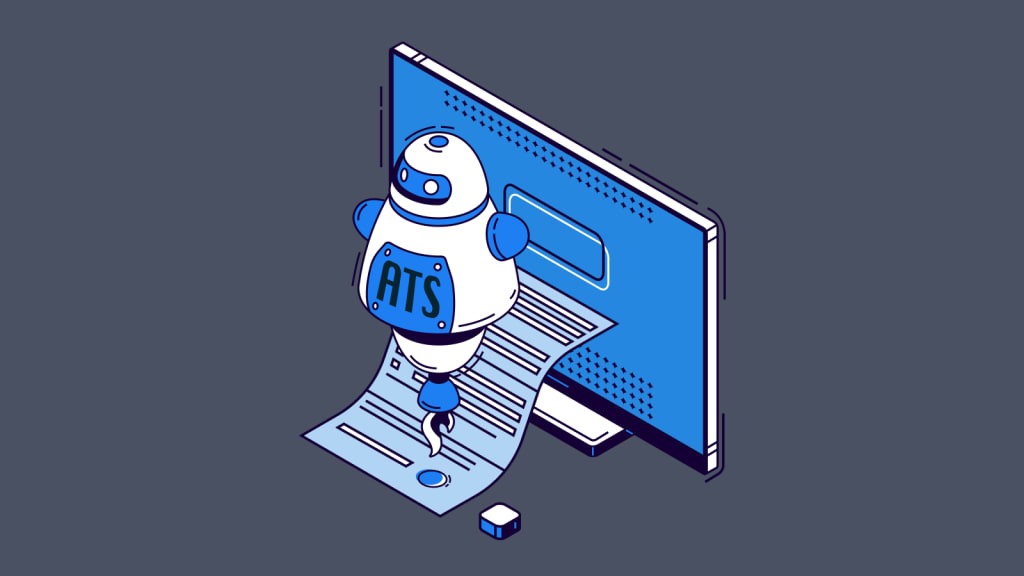
Before any human sees your CV, it goes through computer software. These applicant tracking systems look for specific keywords and simple formatting. They give your CV a score based on how well it matches.
These computer systems are getting smarter every year. But they still work best with simple, text-based CVs. Fancy designs and graphics often confuse them.
You need to make your CV work for both computers and humans. This means keeping it simple but still interesting to read.
Building Your CV Structure
Creating an ATS-friendly resume starts with proper structure and organization. Many people struggle with this step because they focus on content first. Smart CV formatting best practices help both computers and humans understand your qualifications quickly.
Creating a Strong Header
Your header should have your basic contact information only. Include your full name, phone number, email, and LinkedIn profile. Add your city and state but not your full address.
Keep your email address professional and simple. Use your name or initials, not nicknames or funny phrases. Make sure all your contact information is current and working.
If you have important certifications, put them under your name. This helps recruiters see your qualifications right away.
Writing a Powerful Summary
Your professional summary is like a movie trailer for your career. It should be three to four lines long. Focus on your experience, key skills, and biggest achievements.
Don't use generic phrases that could apply to anyone. Be specific about your industry knowledge and unique skills. Show what makes you different from other candidates.
This section should make recruiters want to read more. Think of it as your elevator pitch on paper.
Using Keywords the Right Way
Resume optimization depends heavily on using the right keywords effectively. This process can feel overwhelming without proper guidance. A good CV maker tool can help, but understanding the strategy matters more than the software.
Finding the Right Keywords
Start by reading several job posts in your field. Look for words and phrases that appear over and over. Make a list of these important terms.
Pay attention to how employers write these terms. If they say "project management" instead of "project manager," use their exact words. This small detail can make a big difference.
Include both hard skills and soft skills in your keyword research. Hard skills are technical abilities. Soft skills are people skills like leadership and communication.
Adding Keywords Naturally
Don't just stuff keywords everywhere in your CV. This makes it hard to read and looks fake. Instead, work them into your sentences naturally.
Use different versions of important keywords throughout your CV. For example, use both "digital marketing" and "online marketing" where they fit naturally.
The best places for keywords are your summary, skills section, and job descriptions. Make sure they flow well with the rest of your writing.
Making Your Work Experience Shine
Your work experience section makes or breaks your job application success. This is where you prove your value to potential employers. Creating a CV that passes recruiter scans requires showing clear achievements and measurable results.
Using Numbers to Show Impact
Numbers catch attention and prove your value to employers. Turn vague statements into specific, measurable results. Instead of "improved sales," write "increased sales by 23% in 18 months."
Think about different types of numbers you can use. This includes percentages, dollar amounts, time saved, team sizes, and project scope. Even small improvements matter when you can measure them.
If your job doesn't seem to have obvious numbers, get creative. Think about efficiency, accuracy, customer satisfaction, or process improvements you made.
Choosing Strong Action Words
Start each job description with powerful action verbs. These words show that you take initiative and get results. Use words like "led," "created," "improved," and "achieved."
Change up your action words to avoid repetition. This shows the different aspects of your abilities. Match your word choices to the type of job you want.
Avoid weak phrases like "responsible for" or "worked on." These don't show what you actually accomplished in your role.
Skills Section Strategy
Your skills section serves as a keyword hub for screening systems. Many free CV maker tools automatically format this section poorly. Getting this part right significantly improves your chances of passing initial screens.
Organizing Technical Skills
Create a separate section for your technical skills. Group similar skills together by category. List the most important skills for your target job first.
Include skills you're currently learning, not just ones you've mastered. Be ready to talk about any skill you list during interviews.
Consider adding skill levels for your most important technical abilities. This helps recruiters understand your expertise level.
Showing Soft Skills Through Examples
Don't just list soft skills like "good communication." Instead, show them through your work examples. Describe how your communication skills led to successful projects.
Soft skills are becoming more important in hiring decisions. Employers want to see how you work with others and solve problems.
Use your job descriptions to demonstrate soft skills in action. This is more convincing than simply claiming you have them.
Formatting Your CV for Success
Proper formatting determines whether your CV survives automated screening processes. Simple mistakes in this area eliminate thousands of qualified candidates daily. Professional CV writing services understand these technical requirements, but you can learn them too.
Keeping It Simple for Computers
Use standard fonts like Arial or Calibri in 11 or 12-point size. Keep your formatting consistent throughout the document. Avoid tables, text boxes, and graphics that might confuse computer systems.
Save your CV in both PDF and Word formats. Some systems prefer one format over the other. Having both options keeps you covered.
Use clear section headings and plenty of white space. This makes your CV easy to scan quickly.
Making It Easy to Read
Create a clear visual flow with bold headings and consistent spacing. Your name should be the biggest text on the page. Section headings should be smaller but still stand out.
Don't cram too much information onto each page. White space helps guide the reader's eye and prevents overwhelm.
Use the same bullet style and indentation throughout your CV. This creates a professional, polished look.
Common Mistakes That Hurt Your Chances
Even experienced professionals make critical errors that destroy their applications. These mistakes happen more often when people rush or use outdated advice. Learning what to avoid is just as important as knowing what to include.
Formatting Problems
Many good candidates lose opportunities because of formatting issues. Don't put important information in headers or footers. Computer systems often can't read these areas.
Avoid using images or charts to show important details. While they look nice, computers can't read them. This means important keywords might get missed.
Always double-check that your CV looks right when opened on different computers. What looks good on your screen might appear messy elsewhere.
Content Problems That Turn Off Recruiters
Generic CVs that could apply to any job show lack of effort. Customize your CV for each application. Show that you understand what the employer needs.
Spelling and grammar mistakes make you look careless. Use spell-check but also read your CV out loud. Have someone else review it for errors you might miss.
Don't include outdated or irrelevant information. Focus on recent experience and skills that matter for your target job.
Tips for Different Industries
Different fields have unique requirements that generic CV advice doesn't cover. What works in technology might fail completely in creative industries. Understanding these differences helps you target your applications more effectively.
Technology Jobs
Tech CVs should highlight programming languages and specific technologies prominently. Include links to your GitHub profile or portfolio website when relevant.
Show the impact of your technical work with specific metrics. This might include performance improvements, user adoption rates, or development timelines.
- List your technical skills in order of relevance
- Include both front-end and back-end technologies
- Mention specific frameworks and tools you've used
- Show measurable improvements from your technical work
- Include relevant certifications and training
Creative Fields
Creative professionals need to balance visual appeal with computer compatibility. Create two versions: one for humans and one for online applications.
Focus on measurable results from your creative work. This includes engagement rates, campaign performance, or client satisfaction scores.
- Create both visual and text-only CV versions
- Include portfolio links and relevant samples
- Quantify creative achievements with business metrics
- Show client results and project outcomes
- Highlight awards and recognition received
Advanced Strategies
Once you master the basics, these advanced techniques can set you apart. Most job seekers never learn these strategies, giving you a competitive advantage. These methods work especially well in competitive markets and senior-level positions.
Connecting Your LinkedIn Profile
Make sure your CV and LinkedIn profile tell the same story. Use LinkedIn for more detailed descriptions and multimedia content. Keep the basic facts consistent between both.
LinkedIn can show connections you have with target companies. This helps you understand company culture and priorities.
Your LinkedIn profile can include recommendations and longer project descriptions. Use this space to expand on achievements mentioned in your CV.
Customizing for Each Job
Create a master CV with all your experiences and achievements. Then make custom versions for different types of jobs. This ensures you don't forget important details.
Keep track of changes you make for different applications. This helps you stay consistent in interviews and follow-up conversations.
Tailor your professional summary and skills section for each application. Small changes can make a big difference in relevance.
Testing and Improving Your CV
Creating a perfect CV is an ongoing process that requires testing and refinement. Most people write their CV once and never update it again. Regular improvements based on feedback and results lead to much better outcomes.
Getting Outside Feedback
Ask people in your field to review your CV. Different perspectives can spot problems you might miss. Career counselors and professional services can also help.
Join professional groups where you can get informal feedback. This also helps you stay current with industry trends and expectations.
- Ask industry professionals for honest feedback
- Use career counseling services when available
- Join professional associations for networking opportunities
- Stay updated on industry-specific CV requirements
- Practice explaining your CV content out loud
Tracking Your Results
Keep track of how many interviews you get from applications. Look for patterns in which CV versions work best. This helps you improve over time.
Update your CV regularly as you gain new skills and experiences. Don't wait until you're actively job searching to make improvements.
Monitor industry changes that might affect keyword strategies. Job requirements evolve, and your CV should evolve too.
Conclusion
Creating a CV that passes recruiter scans takes planning and strategy. You need to satisfy both computer systems and human readers. Focus on simple formatting, relevant keywords, and clear achievement statements.
Your CV is a marketing tool designed to get you interviews. It doesn't need to include everything you've ever done. Focus on your most relevant and impressive accomplishments.
Keep improving your CV based on feedback and results. The job market changes constantly, and your CV should adapt too. Small improvements can lead to big differences in your job search success.
The time you invest in creating a strong CV will pay off throughout your career. A well-crafted CV opens doors to opportunities you might otherwise miss.
About the Creator
Keep reading
More stories from David Jone and writers in Education and other communities.
What is a Two Column Resume? Benefits, Tips, and Best Practices
A Two Column Resume splits your info into two sections side by side. This design uses space better and looks more modern than old-style resumes. It helps hiring managers find your key skills faster. The format stands out from other resumes in a stack. When done right, a Two Column Resume works with most job application systems.
By David Jone10 months ago in Education
Do you really need to take 10,000 steps a day?
While most people avoid spending the night in jail, Jean Béliveau jumped at the opportunity. For the past three years, Béliveau had been walking from country to country, with the goal of circumnavigating the globe on foot. This required sleeping in tents, strangers’ homes, and the occasional jail cell along the way. But this morning, as Béliveau was ready to leave, the police chief, who had agreed to his sleeping arrangement, was nowhere to be found, and the guards weren’t buying his story. Few people have the time or desire to walk such extreme lengths.
By Munesh Yadava day ago in Education
What’s the best position to sleep in?
In the 1970s, psychoanalyst Samuel Dunkell proposed a curious, albeit almost completely unsubstantiated, theory that the position you sleep in reflects your personality. For example, preferring to snooze in the so-called royal position indicated self-confidence, while sleeping semi-fetal meant you’re sensible and well adjusted. While Dunkell’s ideas lack any definitive proof, how we sleep can impact our health. So, what’s the best position to sleep in? Sleep positions go by countless creative names—
By Munesh Yadava day ago in Education

Comments
There are no comments for this story
Be the first to respond and start the conversation.