
How to Customize CRM Features for Your Nonprofit Needs
Customer Relationship Management (CRM) software assists organizations in dealing with volunteers, stakeholders, and donors


Customer Relationship Management (CRM) software assists organizations in dealing with volunteers, stakeholders, and donors. A customized CRM for nonprofits can simplify organizational tasks, improve fundraising, and increase nonprofit engagement. This guide explains how to modify CRM capabilities to successfully achieve nonprofit goals.
Why Nonprofits Need a Customized CRM
Unlike businesses, nonprofits focus on donor relations, fundraising, and volunteer management. A generic CRM will not suffice. This is why nonprofit CRMs are useful
- Engagement with donors through tracking interactions and preferences.
- Improved fundraising automation where donations are tracked without any manual input.
- Volunteer management with scheduling and communication tools.
- Event planning through registration and participation data.
- Complying with donor regulations and reporting requirements.

Essential CRM Features for Nonprofits
While customizing a CRM, make sure it caters to features related to nonprofit activities:
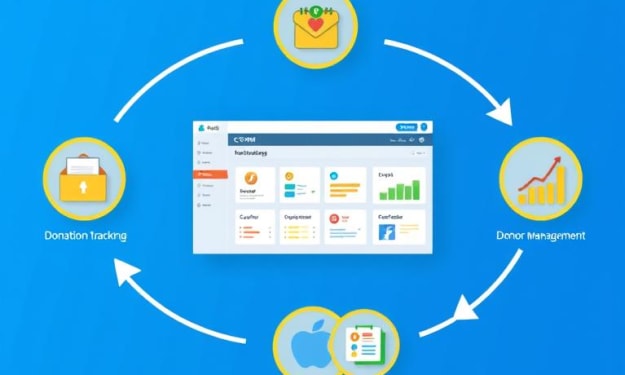
Donor Management
- Save contact details of donors.
- Track donations, preferences, and history.
- Automate thank-you emails and follow-ups.
Fundraising and Donation Tracking
- Facilitate secure online donations.
- Generate donation receipts.
- Analyze fundraising campaign performance.
Volunteer Coordination
- Maintain volunteer profiles and their availability.
- Schedule and assign tasks.
- Track contributions of volunteers.
Event Management
- Register participants of the event.
- Send reminders and updates of the event.
- Know event attendance and determine it’s impact.
Grant Tracking
- Monitor grant application deadlines.
- Store all grant paperwork and your documentation in one place.
- Ensure that you keep track of any funds that are received, as well as any expenses that are incurred.
Reporting and Analytics

- Prepare reports that detail income and expenses as well as those provided by donors.
- Create visuals depicting how campaigns perform.
- Evaluate how effective your organization is at retaining donors.
Steps to Customize Your CRM
Here’s how to customize your CRM so that it works for your nonprofit organization:
Understand Your Nonprofit’s Needs
- Review the current hurdles regarding the management of donors and volunteers.
- Establish primary objectives concerning the modifications to the CRM.
Choose the Right CRM Platform
- Take into account registered nonprofit CRMs like Salesforce for Nonprofits or Bloomerang or Donorbox.
- Make sure that it fits your organization’s workflow.
Configure Donor and Fundraising Workflows
- Put in place an automated email to acknowledge donations instantly.
- Make segmented donor lists for specific sets.
Automate Repetitive Tasks
- For new volunteers and donors, automate the creation of their records.
- Set and forget reminder systems for follow-ups or events.
Set Up Reporting and Dashboards
- Create reports that measure involvement from the donors.
- Set up dashboards that provide information about fundraising activities in real-time.
Integrate With Other Nonprofit Tools
- Connect CRM with email marketing software such as Mailchimp.
- Link with platforms that process payments, making it possible to donate without any hassle.
Most Popular Nonprofit CRM Solutions
Here are some solutions nonprofits should look at because of their easier functionality:
- Salesforce for Nonprofits: Customizable to a high degree, it also comes with integration with other fundraising software.
- Bloomerang: Great for tracking engagement and retention as donors.
- NeonCRM: Designed for managing fundraising, events, and volunteer work.
- DonorPerfect: Provides automation and donor segmentation functionalities.
- HubSpot for Nonprofits: Nonprofits are offered marketing automation and CRM services.
- Donorbox: A fundraising CRM for nonprofits that is easy to use and offers donation management, donor tracking, and multiple payment integration.
Best Practices for Customizing CRM
For maximizing the CRM's effectiveness, it is advisable to follow these practices:
- Keep It Simple: Workflows should not be so complex that they are difficult for staff and volunteers to comprehend.
- Train Staff and Volunteers: Adoption is smoother with training sessions.
- Regularly Update and Optimize Features: Adjust settings based on feedback. Features should no longer serve their purpose.
- Ensure Data Security and Compliance: Controls like encryption should be implemented to protect donor data.
Common Mistakes To Avoid
- Overcomplicating the System: Simplicity is key when it comes to customization, so do not overcomplicate it.
- Ignoring Employees Suggestions: Do not customize without the input from the people who will ultimately use the system.
- Neglecting Data Hygiene: Clean and update files constantly to ensure the accuracy of the records.
Conclusion
Having a proven CRM system allows nonprofits to automate the management of engagement with donors and volunteers alongside the donation and fundraising processes. After identifying key needs, alongside best practices, your organization will be able to make the most of CRM systems available. Focus on how to change today to help your operations for the better and strengthen your mission!
About the Creator
Sarah Lin
Hey, I’m Sarah Lin, a digital marketing specialist for nonprofits based in San Francisco. I’ve spent the last 8 years helping organizations amplify their online presence and boost donations through SEO, social media, and email campaigns.
Why Do Fundamental Constants Have Their Values?
What Are Fundamental Constants? Fundamental constants are fixed numerical values that define how the universe behaves. They are not measured in the usual sense like length or mass, but instead act as conversion factors between physical quantities or as pure numbers that shape reality.
By shahkar jalala day ago in Education
Frontier Strategies: Navigating Global Markets with Data-Driven Risk Management Solutions
Global companies face increasing uncertainty as they expand across continents, and they depend on sophisticated analytics to understand the forces shaping international performance. Moreover, leaders strengthen competitive positioning by integrating global risk signals into their planning, helping them anticipate disruptions before they intensify. Additionally, data tools reveal patterns across regulatory systems, regional economies, and supply chains that manual analysis would overlook. Consequently, organizations gain the clarity they need to make informed decisions as they adapt to rapidly changing global environments.
By Ehab Al Kuttub3 days ago in Education
Time to change your life.
Is it even possible for you to change your life? A lot of people, more than there should be, are unhappy with their lives. But what are they doing about it? Usually nothing. People talk about how shitty their lives are and want change, but are they not taking the actions to change?
By Jen Phillipsabout 23 hours ago in Humans



Comments
There are no comments for this story
Be the first to respond and start the conversation.