
How To Create and Sell Ebooks For a Living
A simple $10 ebook can elevate your money game.


A simple $10 ebook can elevate your money game.
Sell 5 a day = $1.5k /month
Sell 10 a day = $3k/month
Sell 20 a day = $6k/month
Is the idea of selling eBooks online causing you some anxiety?
You’re aware that eBooks can generate passive income for your business, and you might already have amazing eBook ideas or even a finished eBook ready for sale.
However, the process of getting your eBook out there can be overwhelming. How do you handle online payments? Should you set up a PayPal account or an internet merchant account? How do you ensure the security of people’s card details? What about accounting, tax, and credit card fraud concerns? And once customers have made a purchase, how do you deliver the eBook to them automatically?
Dealing with all these headaches on your own used to be the norm. But not anymore!
Thanks to incredible internet tools like Gumroad, you can now say goodbye to these worries. With Gumroad, you can make your eBook available for purchase and download in just 30 minutes!
Curious to know how it’s done? You’ve come to the right place. By the time you finish reading this tutorial, you’ll have your eBook up for sale on Gumroad and linked from your own website. In just half an hour, you’ll be ready to start taking orders for your book.
Excited to make some money? Let’s dive in!
Assuming you already have a completed PDF eBook that you’re eager to sell (if not, don’t worry — you can still add your product on Gumroad as a pre-order and start taking orders even before the official launch!).
Why is Gumroad the perfect choice for selling eBooks? Well, it simplifies the entire sales process, from secure payment handling to delivering the digital file and depositing the earnings directly into your bank account. With Gumroad, all you have to think about is how to spend your newfound earnings!
If you’re selling digital products to consumers in Europe, you may also be concerned about handling VAT (European sales tax). But fret not! Gumroad has you covered. From a tax perspective, Gumroad supplies your eBook to the customers, not you. This means that Gumroad takes care of all the VAT-related matters. Convenient, right?
Gumroad offers more than just eBook sales. You can sell various digital products, including music and videos (even creating albums with multiple MP3 files), subscription content with regular payments for email-based content, membership content for access to an archive, and even physical products like CDs and T-shirts.
Now, let’s talk about the fees associated with Gumroad. It’s worth mentioning that Gumroad charges a higher percentage compared to platforms like PayPal or internet merchant accounts. However, if you value an easy, hassle-free selling experience for your digital products, it’s definitely worth paying the slightly higher fees.
Currently, you have two main fee options:
1. Pay no monthly fee - Gumroad will take 8.5% + 30 cents per sale.
2. Pay a $10 monthly fee - which reduces the transaction cost to 3.5% + 30 cents per sale. With this option, you also gain additional perks such as removing Gumroad branding from your sales emails, custom product delivery options for self-fulfillment, and more.
Naturally, once you start selling more than a few eBooks per month, the $10/month plan becomes more cost-effective. For instance, if you sell 50 eBooks priced at $20 each, you’ll be paying $100 per month with the first option and only $60 per month with the second.
It’s important to note that the $10/month plan covers up to 1,000 unique customers per year. If you have more customers, the monthly price will increase accordingly.
Now that you’re aware of the advantages and considerations of Gumroad, you’re ready to start selling your first eBook! The following steps will guide you through the process this ensures that your customers’ payment information is encrypted and secure during the checkout process. It’s an important step to build trust and protect sensitive data.
Now, let’s dive into each option and see how you can integrate Gumroad with your website:
1. Linking to the Gumroad product page: This method is straightforward and requires minimal setup. You can simply create a button or text link on your website that directs users to your Gumroad product page. When they click on the link, they’ll be taken to Gumroad’s platform to complete the purchase. To ensure a seamless user experience, you can set the link to open in a new tab or window, allowing your customers to return to your website after the transaction.
2. Overlay widget: If you prefer to keep your customers on your website during the purchasing process, the Overlay widget is a great option. It adds a “Buy Now” button to a page on your site. When clicked, a pop-up overlay appears, displaying your product details and an “I want this!” button. Users can enter their payment information and complete the purchase without leaving your site. Keep in mind that overlays may not work on mobile devices, so it’s important to test the functionality across different platforms.
3. Embed widget: The Embed widget provides a more integrated experience by allowing you to embed the product details directly into your webpage. This option is suitable if you want to showcase your product and provide a seamless checkout process within your site. The embedded widget displays the cover image, product details, and “I want this!” button. Customers can make the purchase without being redirected to Gumroad’s platform.
When choosing the right integration method, consider the design and functionality of your website, as well as your specific goals and preferences. Regardless of the option you choose, Gumroad provides simple instructions and code snippets to facilitate the integration process.
It’s important to note that with any of these integration methods, Gumroad handles the entire sales process, including secure payment transactions and digital delivery of your eBook. You can focus on creating and promoting your eBook while leaving the technical aspects to Gumroad.
Now that you have your eBook ready to sell and the integration options in mind, it’s time to start marketing and driving traffic to your product. Utilize your existing online presence, such as your website, social media channels, and email list, to spread the word about your eBook. Engage with your audience, highlight the benefits of your eBook, and provide compelling reasons why they should make a purchase.
Additionally, consider leveraging content marketing strategies such as guest blogging, creating promotional videos, or offering limited-time discounts to attract new customers. The more exposure your eBook receives, the greater the potential for sales and passive income generation.
Remember, with Gumroad handling the payment and delivery process, you can focus on growing your eBook business and expanding your digital product offerings.
So embrace the opportunity, overcome any initial fears or doubts, and start monetizing your knowledge and creativity through the power of selling eBooks online. Best of luck on your journey to success!
All you have to do is, sit back, relax, grab a cup of coffee and take action on what I teach in this guide.
You’ll have your ebook business up and running faster than you can imagine.
A simple $10 ebook can elevate your money game.
Sell 5 a day = $1.5k /month
Sell 10 a day = $3k/month
Sell 20 a day = $6k/month
About the Creator
Keep reading
More stories from Digital Survivor and writers in Education and other communities.
The Ultimate Beginner’s Guide to Selling T-Shirts on Etsy (2023)
Selling T-Shirts on Etsy (2023) Are you ready to tap into the immense potential of Etsy, the go-to destination for 89.1 million buyers and 5.5 million active sellers? If you want a piece of the lucrative t-shirt market, you’re in the right place.
By Digital Survivor2 years ago in Education
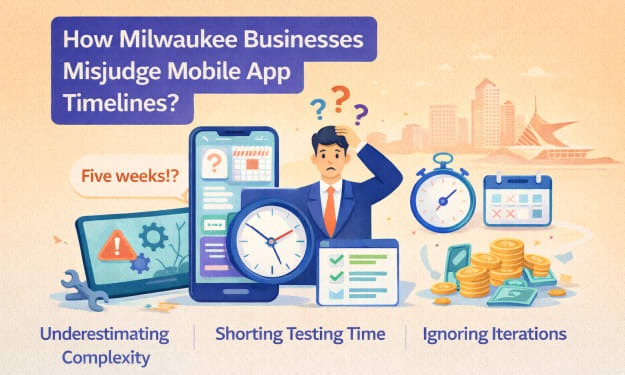
How Milwaukee Businesses Misjudge Mobile App Timelines?
Timeline optimism is one of the most expensive habits in software. In Milwaukee, it shows up quietly. A launch date is set to align with a trade show. A quarter-end deadline is chosen to please leadership. A six-month roadmap is approved because “the features aren’t that complex.” On paper, everything looks reasonable.
By Mary L. Rodriquez4 days ago in Education



Comments
There are no comments for this story
Be the first to respond and start the conversation.