
How To Create A WordPress Website
Creating A WordPress Website Within Few Seconds
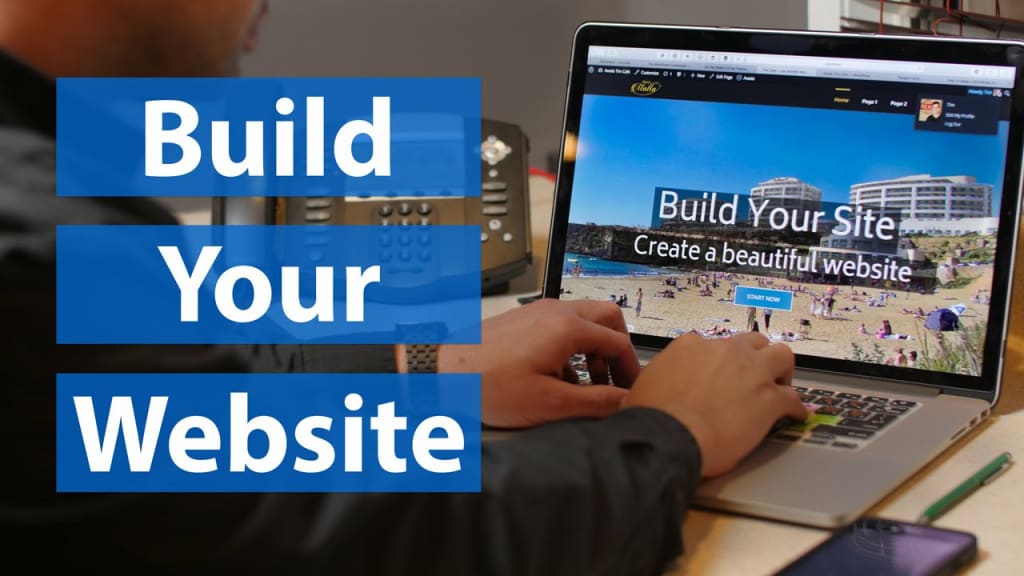
Creating a WordPress website is a relatively straightforward process that can be accomplished by following a few key steps. Here's a general guide to help you get started:
Set Up a Hosting Account: Choose a reliable web hosting provider that supports WordPress. Consider factors like performance, reliability, customer support, and pricing. Some popular hosting providers include Blue-host, Site Ground, and Dream-Host.
Register a Domain Name: Select a unique and memorable domain name for your website. Ideally, it should reflect your brand or the purpose of your site. You can register a domain through your chosen hosting provider or through separate domain registration services.
Install WordPress: Most hosting providers offer one-click WordPress installation, making the setup process incredibly easy. Log in to your hosting account, locate the WordPress installation option, and follow the provided instructions. Alternatively, you can download the WordPress software from the official website and manually install it on your hosting account.
Choose a WordPress Theme: A theme defines the design and layout of your website. Browse through the thousands of free and premium WordPress themes available and select one that suits your needs. Consider factors like responsiveness, customization options, and user reviews. You can install and activate a theme directly from your WordPress dashboard.
Customize Your Website: Once you've chosen a theme, you can start customizing your website's appearance and functionality. Navigate to the WordPress Customize or Theme Options panel (depending on your chosen theme) and modify elements like colors, fonts, header, footer, widgets, and menus. Many themes also provide additional customization options through dedicated plugins or page builders.
Install Essential Plugins: WordPress plugins add extra functionality to your website. Install essential plugins such as security plugins (e.g., Word fence, Sucuri ), SEO plugins (e.g., Yoast SEO, Rank Math), caching plugins (e.g., WP Super Cache, W3 Total Cache), and contact form plugins (e.g., Contact Form 7, WPForms). Additionally, explore other plugins based on the specific needs of your website.
Create Pages and Content: Begin creating the essential pages for your website, such as the homepage, about page, contact page, and any other pages relevant to your content or business. Use the WordPress editor or page builder plugins to create and format your content. Add images, videos, and other media to enhance your pages.
Configure Site Settings: Navigate to the WordPress settings and configure options like site title, tagline, permalink structure, and reading settings. These settings allow you to control how your website appears in search engines and how your content is organized.
Optimize for SEO : Install an SEO plugin like Yoast SEO or Rank Math to optimize your website for search engines. These plugins help you optimize meta tags, create XML sitemaps, generate breadcrumbs, and improve your overall SEO performance. Pay attention to keyword research, on-page optimization, and creating quality content.
Secure Your Website: Protect your WordPress website from potential security threats. Implement strong passwords, limit login attempts, and regularly update your themes, plugins, and WordPress core to the latest versions. Additionally, consider using a security plugin to add an extra layer of protection.
Regularly Back Up Your Website: Backup your website regularly to prevent data loss in case of any unforeseen events. Several backup plugins are available that can automate this process and store your backups on external servers or cloud storage.
Test and Launch: Before officially launching your website, thoroughly test its functionality, responsiveness, and compatibility across different devices and browsers. Ensure that all the links are working correctly and that your website is visually appealing. Once you're satisfied, it's time to launch your website and make it available to the public.
Remember, creating a successful website is an ongoing process.
NOTE:
Creating a WordPress website offers numerous advantages and benefits, which is why it is highly recommended for individuals and businesses alike. Here are some reasons why creating a WordPress website is important:
User-Friendly Interface: WordPress provides a user-friendly interface that makes website creation and management accessible to both technical and non-technical users. You don't need extensive coding knowledge to set up and maintain a WordPress website, allowing you to focus on your content and business objectives.
Extensive Theme and Plugin Options: WordPress offers a vast library of themes and plugins, providing a wide range of design and functionality options for your website. Whether you want a simple blog, an e-commerce site, or a portfolio website, you can find themes and plugins that cater to your specific needs. These customizable options allow you to create a unique and professional-looking website.
Flexibility and Scalability: WordPress is highly flexible and scalable. It can accommodate websites of all sizes, from small personal blogs to large e-commerce platforms with thousands of products. As your website grows, you can easily add new features, functionality, and content without major disruptions. WordPress also allows you to create multiple user accounts with different levels of access, enabling collaboration and delegation of tasks.
Search Engine Optimization (SEO ) Friendliness: WordPress is designed with SEO in mind, making it easier to optimize your website for search engines. It generates clean and structured code, provides customizable permalinks, and allows easy integration of SEO plugins. Plugins like Yoast SEO or Rank Math provide comprehensive SEO features, helping you improve your website's visibility in search engine results.
Responsive Design: In today's mobile-driven world, having a responsive website is crucial. WordPress themes are designed to be mobile-friendly, ensuring that your website looks and functions well across different devices and screen sizes. This responsiveness enhances user experience, reduces bounce rates, and positively impacts search engine rankings.
Robust Content Management System (CMS ): WordPress is renowned for its powerful content management capabilities. It allows you to create, edit, and organize your content efficiently, making it easy to publish blog posts, articles, images, videos, and more. With features like categories, tags, and custom taxonomies, you can effectively structure and organize your content for better navigation and user experience.
Community Support and Resources: WordPress has a vast and active community of developers, designers, and users who contribute to its continuous improvement. This means you have access to a wealth of resources, tutorials, forums, and support networks. If you encounter any issues or have questions, you can rely on the WordPress community to provide guidance and solutions.
Integration and Compatibility: WordPress integrates seamlessly with various third-party services, tools, and platforms. You can easily integrate social media sharing buttons, email marketing services, analytics tools, payment gateways, and more into your WordPress website. Additionally, WordPress is compatible with different web technologies, allowing you to leverage the latest advancements and functionalities.
Overall, creating a WordPress website offers a cost-effective, user-friendly, and versatile solution for establishing your online presence, promoting your brand, and achieving your website goals. Its extensive features and resources empower you to create a professional and engaging website without the need for extensive technical expertise.
About the Creator
Keep reading
More stories from Mr Frank Aban and writers in Education and other communities.
Adam Schiff
Introduction: Adam Schiff is an American politician and lawyer who has made significant contributions to the United States Congress. Serving as a Democratic representative from California's 28th congressional district, Schiff has been actively involved in shaping national policies and playing a key role in several high-profile political events. This topic explores Adam Schiff's political career, his notable achievements, and his impact on the American political landscape.
By Mr Frank Aban3 years ago in Education
How Intentional Listening Transforms Leadership and Team Excellence
Leadership has long been associated with decisiveness, direction, and the ability to articulate vision. While these qualities remain essential, the most effective leaders today are distinguished by a different capability: their ability to listen with intention. As workplaces become more collaborative and knowledge-driven, leadership success increasingly depends on understanding people rather than simply directing them. Intentional listening allows leaders to grasp not only what is being said, but also what remains unspoken. This deeper understanding strengthens relationships, improves decision-making, and fosters trust. In high-performing teams, listening is not passive but strategic, shaping how leaders connect with individuals and guide collective effort.
By Thomas Kuriakose, MD4 days ago in Education


Comments
There are no comments for this story
Be the first to respond and start the conversation.