
How Do Server Storage Support Virtualization and Big Data Needs
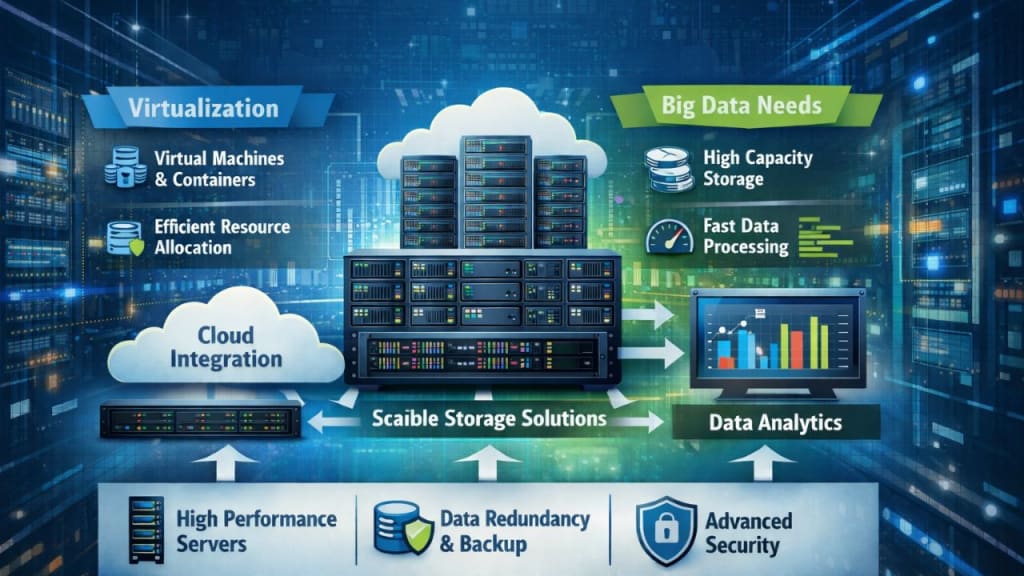
This article explains how server storage supports virtualization and big data needs.

Data keeps growing every single day. Businesses are creating and saving more files than ever before.
According to a global data report, around 221 zettabytes of data are expected to be generated in 2026.
This number keeps rising each year. Because of this growth, companies now rely on virtual machines and big data tools to stay fast and flexible. Here, server storage plays a big role. It helps systems stay stable. It helps apps run without delay. It also helps teams store and access huge data sets with ease. When storage works well, everything else works better.
This article explains how server storage supports virtualization and big data needs.
1. Strong Base for Virtual Machines
Virtual machines need a solid place to store files. They also need quick access to data. Server storage provides the foundation, while virtualization allows multiple systems to run on a single physical server, with each system requiring its own space for data. When storage stays slow, virtual machines slow down too. When storage stays fast, work stays smooth.
Server storage supports this by doing the following:
- Keeps virtual machine files in one safe place.
- Allows fast read and write speeds.
- Helps systems start and stop without delay.
Why Shared Storage Matters
Shared storage lets multiple virtual machines share the same pool of storage. This setup helps balance the load. It also avoids space waste. When one machine needs more space, it gets it fast. This makes virtualization easier to manage.
2. Easy Scaling for Growing Data
Big data never stays small. It grows every hour. Server storage helps systems grow without stress. Traditional storage feels rigid. Modern server storage feels flexible. Teams add more disks when data grows. They do not need to stop work. This matters for big data tools. These tools process large files. They scan data again and again. Storage must keep up.
Key benefits include
- Easy expansion without system downtime.
- Better support for analytics tools.
- Smooth handling of sudden data growth.
Role of SDS Storage in Scaling
SDS storage stands for software-defined storage. It uses software to manage space. It runs on regular hardware. This setup makes scaling simple. Teams add storage nodes as needed. The system adjusts on its own.
3. Faster Data Access for Big Data Tasks
Big data tools need speed. They read large data sets. They write results fast. Server storage supports this demand. Slow storage creates delays. Fast storage keeps workflows moving. Server storage uses caching and tiered systems to boost speed.
This helps with tasks like
- Data analysis
- Log processing
- Real-time reporting
How Smart Storage Design Helps
Modern server storage places hot data on fast disks. Cold data moves to slower disks. This balance saves cost and keeps speed high. Big data tools get the data they need at the right time.
4. Better Resource Use Across Systems
Virtualization shares resources. Storage must do the same. Server storage facilitates efficient use of available space. Without smart storage, some systems waste space. Others run out. Server storage pools all space together. Every system pulls what it needs.
This improves efficiency in many ways
- Reduces unused space
- Lowers hardware costs
- Simplifies management
How SDS Storage Improves Control
SDS storage gives clear control through software. Admins set rules. They track usage. They move data with ease. This keeps storage balanced across all virtual systems.
5. Strong Data Protection and Recovery
Data loss hurts both virtualization and big data work. Server storage adds strong protection. It supports snapshots and backups. It also supports quick recovery. When a system fails, data stays safe.
Protection features include
- Regular snapshots of virtual machines.
- Fast recovery after failure.
- Replication across locations.
Why This Matters for Big Data
Big data jobs run for hours. A crash can waste time. With strong server storage, teams can restore data fast. Work continues with less loss.
6. Simple Management for Complex Systems
Virtualization and big data create complex setups. Server storage keeps management simple. Modern storage tools use clear dashboards. They show space usage. They show performance. This helps teams act fast.
Benefits include
- Easy monitoring of storage health.
- Quick fixes for issues.
- Less manual work
Unified View with SDS Storage
SDS storage provides a single view of all storage. Teams manage everything from one place. This saves time. It also reduces errors. Simple tools help teams focus on growth instead of fixes.
Conclusion
Server storage plays a quiet but powerful role in modern IT. It supports virtualization by keeping systems fast and stable. It supports big data by easily handling growth and performance needs. From shared storage to smart scaling, each feature builds on the last. SDS storage adds even more flexibility through software control.
Together, these tools help businesses work smarter every day. As data keeps growing, the need for strong storage grows too. With the right server storage setup, teams stay ready for future demands. They stay fast. They stay flexible. And they stay confident in a data-driven world.
About the Creator
Jessica Stephen
Hello! My name is Jessica Stephen. I'm highly passionate about advanced technologies like high-powered computing, chip design, new software upcoming and so on. I have almost 10 years of writing experience on these topics.
Keep reading
More stories from Jessica Stephen and writers in Education and other communities.
How Data and Analytics Are Powering Hospitality Marketplace Growth
The hospitality marketplace is evolving fast, and success now depends on more than great service and competitive pricing. Platforms, hotels, vacation rentals, and travel brands are leaning on data and analytics to make smarter decisions, improve guest satisfaction, and stay ahead of shifting demand. From pricing to personalization, analytics is shaping how businesses attract customers and increase revenue.
By Jason Nissen5 days ago in Education
Ai Basics Everyone Should Know for the Future
Artificial Intelligence (AI) is no longer a distant concept reserved for scientists or tech companies. It’s already shaping how we work, learn, communicate, and make decisions. From recommendation systems on streaming platforms to AI assistants that help write emails, analyze data, or generate images, AI has quietly become part of everyday life.
By Anthony Bahamonde8 days ago in Education
Affection and Healing for Yourself
During the night of the last quarter moon, I gathered my ritual supplies. I carefully handled the chunk of black tourmaline that would protect me from your overall negative and narcissistic energy. I carefully walked the house with my stick of selenite in hand, asking the universe to cleanse our working space.
By Alisha Wilkins ✒️🦋🖋️7 days ago in Fiction



Comments
There are no comments for this story
Be the first to respond and start the conversation.