
Get your website in 12-15 minutes Using WORDPRESS
WordPress Easy Tutorial

WordPress is an open-source content management system (CMS) used for creating and managing websites. It was first released in 2003 and has since become the most popular website platform on the internet, powering over 40% of all websites.
WordPress is easy to use, customizable, and offers a wide range of features, including:
Customizable themes: WordPress has a large library of free and paid themes that can be used to customize the look and feel of a website.
Plugins: WordPress has a huge repository of plugins that can be used to add additional functionality to a website, such as e-commerce, SEO, and security.
Media management: WordPress has a built-in media library for managing images, videos, and other media files.
User management: WordPress has a user management system that allows multiple users to have access to a site, with varying levels of permission.
SEO friendly: WordPress is SEO friendly and has several SEO plugins available that can help improve a site's search engine ranking.
Mobile-responsive: Most WordPress themes are mobile-responsive, which means they will adjust to the size of the screen being used to view the site.
Easy to use: WordPress has a simple, intuitive interface that makes it easy for users to create, manage, and publish content on their website.
Overall, WordPress is an excellent choice for anyone looking to create a website, whether for personal or business use.
Here's a step-by-step guide to setting up a website in 12 minutes using WordPress:
Choose a web host: Select a reliable web host that offers a one-click WordPress installation.
Register a domain name: Choose a domain name that represents your brand and purchase it from a domain registrar.
Install WordPress: Login to your web host and install WordPress through the one-click installation process.
Customize your site: Select a suitable theme and customize your site using the WordPress customization tools.
Add pages: Create the main pages for your site, such as the Home, About, Services and Contact pages.
Install plugins: Install plugins to add functionality to your site, such as an SEO plugin, a contact form plugin, and a security plugin.
Add content: Create and publish content on your site, such as blog posts and product pages.
Create a menu: Create a navigation menu that links to your main pages.
Set up your contact form: Use a plugin to set up a contact form on your site.
Add images: Add images to your site to make it visually appealing.
Optimize your site: Use the SEO plugin to optimize your site for search engines.
Launch your site: Launch your site and make it live for the world to see.
Note: These are general steps, and the exact process may vary depending on your web host and plugins.
Website creation and management are made possible by the open-source content management system (CMS) WordPress. Over 40% of all websites are powered by this famous website platform, which was first made available in 2003.
WordPress is simple to use, adaptable, and provides a variety of functions, such as:
Themes that can be customized: WordPress includes a vast library of themes that can be used to alter the appearance and feel of a website.
Plugins: WordPress includes a vast library of plugins that may be used to give a website extra features like e-commerce, SEO, and security.
Media management: To organize photographs, movies, and other media assets, WordPress includes an integrated media library.
WordPress has a user management system, that is really reliable and safe
https://www.digistore24.com/redir/403206/ArnoldCurtis/
About the Creator
Keep reading
More stories from Arnold Mbici and writers in Education and other communities.
LEARN THE RASPBERRY
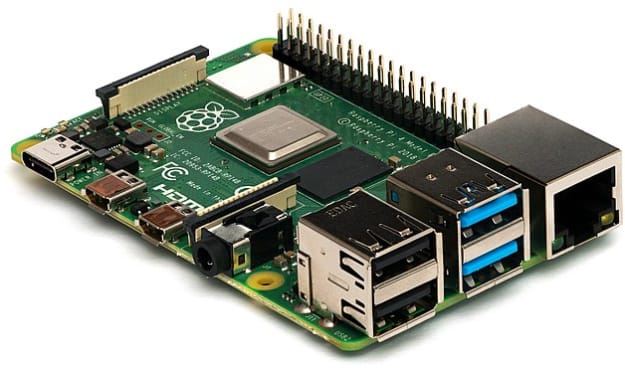
TO LEARN MORE CLICK https://www.digistore24.com/redir/271198/ArnoldCurtis/ Raspberry Pi is a single-board computer that has become increasingly popular in recent years, particularly among hobbyists and educators. This compact and affordable computer is capable of running a wide range of software, making it a versatile tool for a variety of projects. In this report, we will introduce Raspberry Pi for beginners and provide an overview of its features and capabilities.
By Arnold Mbici3 years ago in Education
Best Tools and Tips for Project Managers to Manage Projects Effectively
Project management plays a critical role in ensuring that business goals are achieved on time and within budget. In today’s fast-paced and competitive environment, project managers must balance multiple responsibilities, manage diverse teams, and adapt to constant changes. Using the right tools along with proven management techniques can significantly improve project efficiency and success.
By Muhammad Hussain7 days ago in Education
Rabbi Shlomo Slatkin, M.S., LCPC on Imago Dialogue, Repair, and Relationship Safety
Rabbi Shlomo Slatkin, M.S., LCPC, is founder and therapist at The Marriage Restoration Project in the Baltimore area. An ordained rabbi and Certified Imago Relationship Therapist and workshop presenter, he guides couples through intensives, retreats, and counseling aimed at restoring safety, communication, and connection after conflict or crisis. He holds a master’s in Counseling Psychology from Loyola University Maryland and trained with the Imago Relationship Institute. Slatkin earned a B.A. in Middle Eastern Studies, with undergraduate study at George Washington University and Oxford, and authored The Five Step Action Plan to a Happy & Healthy Marriage. He also co-edited curricula.
By Scott Douglas Jacobsen6 days ago in Education
Book Review: "The Queen" by Andrew Morton
You're probably wondering why on earth I would read this book. It was free and it was a fair length. That was basically it at first. But another reason is because I enjoyed the show The Crown and so, it only makes sense to read a book that goes through separating facts from fictions - and to be fair, there aren't a lot of fictions about the show it seems. From the birth of the little princess and the way in which her father was reluctantly to become the king, all the way to meeting and marrying the veteran prince, Duke of Edinburgh and even down to the death of her father, queendom and beyond, this book actually gives us a lot about a woman who basically embodied the greatness and modernisation of the British 20th Century.
By Annie Kapur7 days ago in Geeks


Comments
There are no comments for this story
Be the first to respond and start the conversation.