
Fun with Linux: Engaging Activities and Games for Kids
Unlocking Creativity: How Linux Makes Learning Fun for Kids

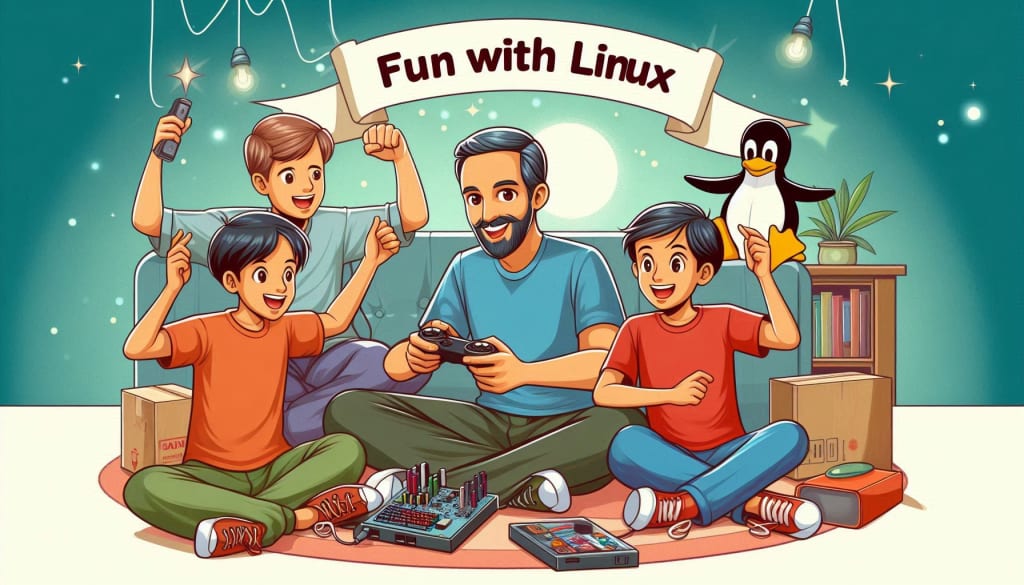
Linux, a powerful and versatile operating system, has often been associated with tech enthusiasts and professionals. However, it's also an excellent platform for children, offering numerous engaging activities and games that can help them learn and have fun simultaneously. In this article, we'll explore how Linux can be a source of entertainment and education for kids, and we'll highlight some of the best activities and games that can make their Linux experience enjoyable.
Why Choose Linux for Kids?
Before diving into the fun activities and games, it's essential to understand why Linux is a fantastic choice for kids. Here are a few reasons:
1. Free and Open-Source: Linux is free to use, which means parents don't have to worry about expensive software licenses. The open-source nature of Linux also means that children can explore and learn about the inner workings of the system if they're interested in programming and technology.
2. Security and Privacy: Linux is known for its robust security features. With fewer vulnerabilities than other operating systems, parents can feel confident that their children are using a secure environment.
3. Educational Value: Many Linux distributions come pre-loaded with educational software that can help children learn various subjects, from math and science to art and music.
4. Customizability: Linux can be tailored to fit the needs and interests of each child. Parents can install specific educational games and tools, ensuring a personalized experience.
Engaging Activities for Kids on Linux
One of the best ways to introduce children to Linux is through engaging activities that capture their interest. Here are some activities that can help kids get started with Linux in a fun and interactive way:
1. Exploring the Linux Desktop Environment
Kids can start by exploring the Linux desktop environment, which is often different from what they're used to on other operating systems like Windows or macOS. Parents can encourage their children to discover how to navigate the interface, customize the desktop, and learn basic commands in the terminal.
Activity Idea: Set up a scavenger hunt where kids have to find specific files, change the desktop background, or create folders. This helps them become familiar with the Linux environment while having fun.
2. Learning to Code with Scratch
Scratch is a popular visual programming language that runs seamlessly on Linux. It allows kids to create their own interactive stories, games, and animations by snapping together code blocks. Scratch is designed to be easy to use, making it perfect for younger children who are new to programming.
Activity Idea: Challenge your child to create a simple game or animation using Scratch. This activity not only teaches them basic programming concepts but also encourages creativity and problem-solving.
3. Tinkering with Tux Paint
Tux Paint is an award-winning drawing program for children, available on Linux. It features a simple, kid-friendly interface and a variety of fun tools, such as brushes, stamps, and special effects. Tux Paint allows children to express their creativity through digital art.
Activity Idea: Organize a drawing contest where kids can create their own digital masterpieces using Tux Paint. This activity is a great way to introduce children to digital art and graphic design.
4. Exploring Educational Software
Linux offers a wealth of educational software that can help kids learn while having fun. For example, GCompris is a comprehensive educational suite that includes over 100 activities covering a range of topics, from math and science to reading and writing.
Activity Idea: Set up a daily or weekly learning challenge where kids can complete different activities within GCompris. This can help them build essential skills in a playful and interactive manner.
5. Experimenting with Simple Linux Commands
Introducing kids to the Linux terminal can be an exciting experience. While it might seem daunting at first, there are simple commands that children can learn to execute. For instance, they can learn how to list files, create directories, or even play text-based games.
Activity Idea: Create a "command of the day" challenge where kids learn a new Linux command every day and use it to perform a specific task. This not only helps them become comfortable with the terminal but also empowers them to explore more advanced features of Linux.
Fun Games for Kids on Linux
Linux is home to a wide variety of games that cater to different age groups and interests. Here are some of the best games available on Linux that are sure to keep kids entertained:
1. SuperTuxKart
SuperTuxKart is a free, open-source kart racing game featuring Tux, the Linux mascot, and his friends. It's a fun, colorful game with a variety of tracks and modes, making it a hit among kids of all ages.
Why Kids Love It: The game is easy to pick up, with simple controls and a charming art style. Kids can race against AI opponents or play with friends in multiplayer mode.
2. TuxMath
TuxMath is an educational arcade game that helps kids improve their math skills. The game involves solving math problems to protect penguins from incoming comets. It's an excellent way for kids to practice addition, subtraction, multiplication, and division while having fun.
Why Kids Love It: The game combines fast-paced action with educational content, making learning math an enjoyable experience. The increasing difficulty levels keep kids engaged and motivated to improve their skills.
3. Pingus
Pingus is an open-source clone of the classic game Lemmings, where players guide a group of penguins to safety by assigning them various tasks. The game requires strategic thinking and problem-solving, making it both challenging and fun.
Why Kids Love It: Pingus offers a unique blend of puzzle-solving and strategy, with cute characters and engaging gameplay. Kids will enjoy figuring out the best way to guide their penguins through each level.
4. Frozen Bubble
Frozen Bubble is a popular puzzle game where players shoot colored bubbles to form groups of three or more, causing them to pop. The game is simple to play but becomes increasingly challenging as players progress through the levels.
Why Kids Love It: The game’s colorful graphics, catchy music, and satisfying gameplay make it a hit among younger players. It's also a great way for kids to improve their hand-eye coordination and problem-solving skills.
5. Minecraft: Pi Edition
While the full version of Minecraft is available on Linux, the Pi Edition is a simplified version designed for educational purposes. It allows kids to explore the world of Minecraft and learn basic programming skills by modifying the game with Python.
Why Kids Love It: Minecraft is a favorite among children, and the Pi Edition adds an educational twist by introducing them to coding. Kids can build and create within the game while learning valuable programming skills.
6. Childsplay
Childsplay is a suite of educational games for younger children, focusing on memory, spelling, and math. The games are designed to be both fun and educational, helping children develop essential skills in a playful environment.
Why Kids Love It: The variety of games within Childsplay ensures that kids stay engaged and entertained. The colorful graphics and simple gameplay make it easy for young children to pick up and enjoy.
Tips for Parents to Enhance the Linux Experience for Kids
To make the most of the Linux experience for your child, consider the following tips:
1. Set Up a Kid-Friendly Linux Distro: There are several Linux distributions specifically designed for children, such as Sugar on a Stick and Qimo. These distros come pre-loaded with educational software and games, making it easier for parents to provide a safe and engaging environment for their kids.
2. Encourage Learning Through Play: Use games and activities as a way to teach valuable skills, such as coding, problem-solving, and creativity. Many educational games on Linux are designed to be both fun and informative, making learning an enjoyable experience for kids.
3. Monitor and Guide Their Activities: While Linux is generally a safe environment, it's essential to monitor your child's activities and guide them as they explore new software and games. Encourage them to ask questions and experiment with different tools.
4. Introduce Them to Open-Source Projects: As your child becomes more comfortable with Linux, introduce them to open-source projects where they can contribute or learn from the community. This can be a rewarding experience and help them develop a deeper understanding of technology.
5. Make It a Family Activity: Involve the whole family in exploring Linux. Set aside time to play games, learn coding, or create digital art together. This not only makes the experience more enjoyable but also fosters a positive learning environment.
Conclusion
Linux offers a world of possibilities for children, from educational activities to entertaining games. By introducing kids to Linux, parents can provide them with a secure, customizable, and educational environment that encourages creativity, problem-solving, and learning. Whether your child is interested in coding, digital art, or just having fun, Linux has something to offer. So, dive into the world of Linux and discover the endless opportunities for fun and learning that await your child. Linux for Kids is not just a concept; it's a gateway to a world of knowledge, creativity, and endless possibilities.
About the Creator
Anand Khokhar
A resourceful and determined professional at Pixa Ocean, thrives on tackling challenges with creativity and innovation.
Keep reading
More stories from Anand Khokhar and writers in Education and other communities.
From Windows to Linux: A Kid-Friendly Transition Guide
Switching from Windows to Linux can be an exciting adventure for kids, offering them a new world of exploration, learning, and creativity. This guide aims to make the transition as smooth and enjoyable as possible, providing parents and educators with practical tips to introduce children to Linux in a kid-friendly manner. Linux for Kids is a journey that can be both educational and empowering, setting the stage for a lifetime of tech-savviness.
By Anand Khokharabout a year ago in Education
Navigating Economic Uncertainty with Strategic Property Investment
Economic uncertainty has become a constant presence in today’s financial landscape. From inflation and rising interest rates to global conflicts and supply chain disruptions, investors are increasingly concerned about protecting their assets and ensuring long-term financial security. Amid this volatility, real estate remains one of the most dependable investment vehicles. Its tangible nature, consistent income potential, and historical resilience make it a powerful tool for weathering financial storms.
By Accrue Real Estate6 days ago in Education


Comments
There are no comments for this story
Be the first to respond and start the conversation.