
From Windows to Linux: A Kid-Friendly Transition Guide
Unleashing Creativity and Learning with Linux

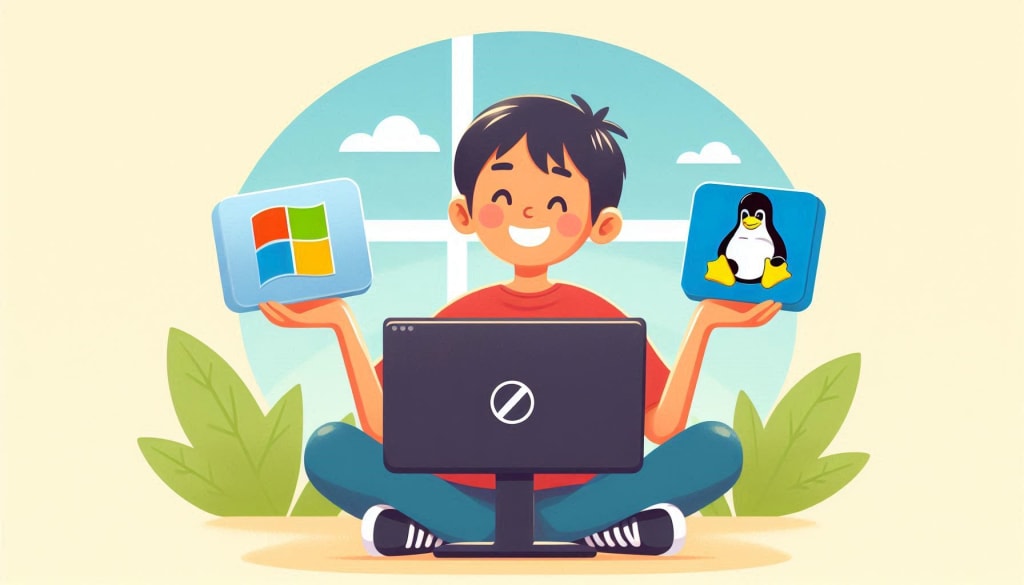
Switching from Windows to Linux can be an exciting adventure for kids, offering them a new world of exploration, learning, and creativity. This guide aims to make the transition as smooth and enjoyable as possible, providing parents and educators with practical tips to introduce children to Linux in a kid-friendly manner. Linux for Kids is a journey that can be both educational and empowering, setting the stage for a lifetime of tech-savviness.
1. Why Consider Linux for Kids?
Linux is an open-source operating system that provides a high level of customization, security, and freedom compared to other operating systems like Windows. It’s a great platform for kids to learn about computers, coding, and the underlying technology that powers digital devices. Here’s why Linux is a fantastic choice for kids:
- Educational Value: Linux encourages problem-solving and critical thinking. By learning to navigate a new system, kids develop valuable skills that go beyond simple computer usage.
- Customization: Kids can personalize their Linux experience, from the desktop environment to the software they use, fostering creativity and a sense of ownership.
- Security: Linux is known for its robust security features, making it a safe environment for kids to explore without the risks associated with malware and viruses.
- Community Support: The Linux community is vast and welcoming. If your child encounters any issues, there are numerous forums and resources available to help them out.
2. Preparing for the Transition
Before diving into Linux, it's important to prepare your child for the transition. Here’s how you can make the process smooth:
- Talk About the Change: Explain why you’re considering the switch from Windows to Linux. Highlight the benefits, like learning new skills and having more control over the computer.
- Start with a Familiar Interface: Choose a Linux distribution with a user interface similar to Windows. This will make the transition less overwhelming. For example, Linux Mint’s Cinnamon desktop environment closely resembles the Windows interface, making it a great starting point.
- Dual Boot for a Gradual Shift: If your child is hesitant about leaving Windows behind, consider setting up a dual-boot system. This allows them to switch between Windows and Linux, providing comfort during the transition phase.
3. Choosing the Right Linux Distribution
Not all Linux distributions are created equal, especially when it comes to kids. Here are some kid-friendly Linux distributions that are perfect for beginners:
- Edubuntu: Designed with educational purposes in mind, Edubuntu comes pre-installed with educational software and tools that make learning fun and interactive.
- Qimo for Kids: This distribution is tailored specifically for young children, featuring a simple and colorful interface. It includes games and educational software to engage kids from the start.
- Sugar: Sugar is not just a desktop environment; it’s an entire learning platform. Originally developed for the One Laptop per Child project, Sugar focuses on interactive learning through exploration.
- Ubuntu: For older kids who are ready for more advanced tasks, Ubuntu is a popular choice. It’s user-friendly, well-supported, and comes with a large repository of software.
4. Installing Linux: A Hands-On Experience
Getting kids involved in the installation process can be a great learning experience. Here’s a simple, kid-friendly way to install Linux:
- Backup Important Files: Before installing Linux, ensure all important files on the Windows system are backed up. This teaches kids the importance of data safety.
2. Download the Linux ISO: Visit the official website of the chosen Linux distribution and download the ISO file. Explain to your child what an ISO file is and its purpose.
3. Create a Bootable USB Drive: Use a tool like Rufus to create a bootable USB drive. This is a great opportunity to introduce kids to the concept of booting and how operating systems are installed.
4. Boot from the USB Drive: Restart the computer and boot from the USB drive. Most computers require you to press a key like F12 or ESC during startup to access the boot menu. Show your child how to navigate this process.
5. Follow the Installation Instructions: Guide your child through the installation process, explaining each step. Most Linux distributions have a straightforward installation process with on-screen instructions.
5. Getting Acquainted with Linux
Once Linux is installed, it’s time to explore! Here’s how to help your child get comfortable with their new operating system:
- Explore the Desktop Environment: Spend some time exploring the desktop environment with your child. Explain the different components, like the taskbar, start menu, and system tray.
- Install Kid-Friendly Software: One of the biggest advantages of Linux is the vast array of free software available. Introduce your child to educational programs, games, and creative tools. Some popular options include:
- GCompris: A suite of educational activities for children aged 2 to 10.
Tux Paint: A fun drawing program that’s easy for young children to use.
- KTuberling: A simple, kid-friendly game that encourages creativity.
- Learn the Terminal Together: The terminal is a powerful tool in Linux, and while it might seem daunting at first, it’s worth introducing to kids. Start with simple commands like ls (list files) or cd (change directory) to build their confidence.
6. Making the Most of Linux’s Educational Potential
Linux is a gateway to a world of educational opportunities. Here’s how to leverage Linux to enhance your child’s learning:
- Programming and Coding: Linux is an excellent platform for learning to code. Install programming environments like Scratch, Python, or even more advanced tools like Visual Studio Code. Encourage your child to experiment with coding projects.
- Open-Source Projects: Introduce your child to the concept of open-source software. Many Linux applications are open-source, meaning the code is freely available. This can inspire curiosity and even lead to contributions to projects.
- Digital Creativity: Linux offers a plethora of creative tools for budding artists, musicians, and writers. Programs like Blender (3D modeling), Audacity (audio editing), and LibreOffice (writing and presentations) are great for fostering creativity.
7. Troubleshooting Together
Learning how to troubleshoot issues is a valuable skill that Linux can help develop. Here’s how to tackle problems as a team:
- Search for Solutions Online: If you encounter an issue, search online forums like Ask Ubuntu or Linux Mint forums. This teaches kids how to seek out information and solve problems independently.
- Encourage Persistence: Some issues may require trial and error to resolve. Encourage your child to keep trying and to view mistakes as learning opportunities.
- Learn from the Community: The Linux community is one of its strongest assets. Engage with the community by asking questions, reading tutorials, and even contributing to discussions.
8. Staying Engaged: The Journey Continues
Transitioning to Linux is just the beginning. Here’s how to keep your child engaged and continue their learning journey:
- Join a Linux User Group (LUG): Many cities have Linux User Groups where enthusiasts meet to discuss and learn about Linux. This can be a great way for your child to meet like-minded individuals and learn from others.
- Explore New Distributions: Once your child is comfortable with their current setup, encourage them to explore other Linux distributions. This fosters curiosity and broadens their understanding of different systems.
- Contribute to Open-Source Projects: As your child’s skills grow, they might want to contribute to open-source projects. This can be an incredibly rewarding experience and a great way to give back to the community.
9. Conclusion: A World of Possibilities
Switching from Windows to Linux is more than just changing an operating system; it’s an opportunity to introduce your child to a world of possibilities. By guiding them through this transition, you’re setting them up with valuable skills that will serve them well in the digital age. Whether they’re interested in coding, creative arts, or just exploring new technology, Linux for Kids offers the perfect platform for growth and learning.
With patience, curiosity, and a bit of guidance, your child can become a confident and capable Linux user, ready to take on new challenges and continue their journey in the world of technology.
About the Creator
Anand Khokhar
A resourceful and determined professional at Pixa Ocean, thrives on tackling challenges with creativity and innovation.
Keep reading
More stories from Anand Khokhar and writers in Education and other communities.
Knowledge vs. Wisdom: Understanding the Key Differences and Their Impact on Personal Growth
In our journey through life, we often hear the terms "knowledge" and "wisdom" used interchangeably. While they are related, they are distinct concepts with unique roles in personal and professional growth. This comprehensive guide explores the differences between knowledge and wisdom, their significance, and how they contribute to decision-making, problem-solving, and overall success.
By Anand Khokhar2 years ago in Education
How to Create Secure Passwords: Guide
Every day, millions of people log in to email accounts, social networks, banking apps, and work platforms without giving much thought to what protects their digital lives. The password, a simple string of characters, stands between personal data and potential intruders. Yet despite its importance, weak password practices remain one of the leading causes of account breaches worldwide.
By News Trends Go3 days ago in Education
Casie Hynes and the Future of Math Education Reform
Mathematics has always been a cornerstone of formal education. It strengthens reasoning, supports problem solving, and underpins critical fields such as science, technology, engineering, and economics. Yet despite its importance, math remains one of the most challenging subjects for students across the globe. Many learners struggle not because they lack ability, but because the way math is taught no longer aligns with how students learn or how the world now functions.
By Casie Hynes6 days ago in Education



Comments
There are no comments for this story
Be the first to respond and start the conversation.