
Earning Money Online
Record Your Course and Earn with Udemy

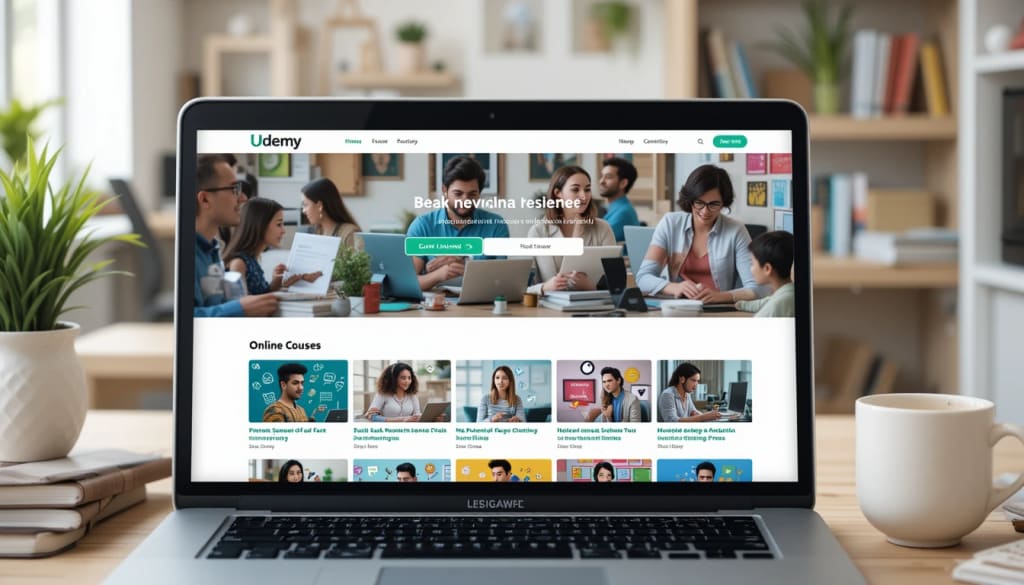
Today, many people want to learn new skills. Some want to learn how to cook, some want to learn how to speak English, and others want to learn how to start a business. People all over the world use the internet to learn these skills. One great way to help others and earn money is by recording your own online course.
Udemy is one of the biggest and most popular websites where you can sell your courses. Let’s learn how this works and why it’s a good idea.
What is Udemy?
Udemy is a website where people can learn many things. It has thousands of video courses in many topics like:
Business
Photography
Art
Coding
Languages
Fitness
Personal development
Students pay money to watch these courses. The teachers (or instructors) earn a part of that money. Udemy helps teachers put their courses online, so millions of people can find them.
Udemy started in 2010 and today has more than 60 million students around the world. People trust Udemy because it is easy to use and has good quality courses.
Why Record Your Own Course?
Recording your own course has many benefits:
✅ Share Your Knowledge
Maybe you are good at cooking, playing music, speaking another language, or using special software. You can share this knowledge with others who want to learn.
✅ Earn Money
Every time someone buys your course, you earn money. It can be a good extra income. Some people even earn full-time money by selling courses on Udemy.
✅ Work from Anywhere
You can record your videos at home. You don’t have to go to an office. You can work on your own time, whether it’s day or night.
✅ Help Others
When people learn new skills from your course, it helps them get better jobs, start businesses, or feel more confident. It feels good to help others succeed.
How to Record a Course for Udemy
Recording a course is not too difficult. Here are simple steps you can follow:
1. Choose a Topic
Think about what you know well. What can you teach? Try to choose something that other people are searching for online. For example:
How to use Photoshop
How to speak Spanish
How to bake cakes
How to write a resume
2. Plan Your Course
Make a plan. Write down the topics you will cover. Divide your course into small sections or lessons. People like short videos, usually 5-10 minutes each.
3. Prepare Your Equipment
You don’t need very expensive tools. You can start with:
A smartphone or simple camera with good video quality
A microphone for clear audio
A quiet place to record
Good lighting
Clear sound and good video are important. Students like to see and hear you well.
4. Record Your Videos
Speak clearly. Smile. Try to look friendly and confident. You can record yourself talking, show slides on your computer, or show how to do something step by step.
5. Edit Your Videos
Edit your videos to remove mistakes or long pauses. You can use free software like iMovie, DaVinci Resolve, or simple editors.
6. Upload to Udemy
When your videos are ready, create your Udemy account as an instructor. Upload your videos, write a good title, and add a description. Udemy will check your course to see if the quality is good enough.
7. Promote Your Course
Share your course link on social media, with friends, or on your website. The more people see your course, the more students you will get.
How Much Can You Earn?
Udemy pays instructors a percentage of each sale. How much you earn depends on:
How many students buy your course
The price of your course
If Udemy helped sell your course through ads or discounts
Some instructors earn a few dollars a month. Others earn thousands of dollars. It takes time and effort, but it’s possible to build a good income.
Final Words
Recording your own course and selling it on Udemy is a great way to earn money and help people around the world learn new skills. You don’t have to be a professional teacher. You only need to share what you know in a clear and simple way.
So, if you have a skill or knowledge, start planning your course today. You never know how many people you might inspire – and how much you might earn!
About the Creator
Bilal Mohammadi
welcome to Bilal Mohammadi articles please follow my page
Keep reading
More stories from Bilal Mohammadi and writers in Education and other communities.
Amazon Marketplace
Amazon is not just an online store anymore — it’s a global marketplace connecting millions of buyers and sellers across the world. As we step into 2025, selling on Amazon has evolved significantly, offering new tools, programs, and opportunities for both small businesses and individual entrepreneurs. If you’ve ever wondered how to start selling your products on Amazon, this article will guide you through the key steps, while sharing fresh insights relevant to this year.
By Bilal Mohammadi8 months ago in Education
Data Driven Private Investing: Why Deal Intelligence Determines Long-Term Returns
Private markets offer access to high-growth companies, specialized assets, and differentiated return streams. However, the complexity of private transactions requires more than capital commitment. Smarter investing begins with disciplined private deal intelligence, which transforms fragmented information into structured insight. Investors who rely on verified data rather than promotional narratives are better positioned to generate sustainable returns.
By Michael Christopher Venturino4 days ago in Education
How False Claims About Bill Gates and COVID-19 Spread Online
The COVID-19 pandemic was one of the most disruptive global events in recent memory. With fear, uncertainty, and rapidly changing science driving public discourse, misinformation spread almost as quickly as the virus itself. Among the many unfounded claims that circulated, one of the most persistent involved Microsoft co-founder Bill Gates — wrongly accused of using the pandemic for personal gain, control, or even population manipulation. But why did such false narratives take hold, and how did Bill Gates become a focal point of COVID-related conspiracy theories?
By Irshad Abbasi 4 days ago in Education




Comments (1)
Thanks