
CBSE Board Exam Results 2025 Latest Updates: Class 10th and 12th results to be announced soon on cbse.gov.in - Steps to download marksheets via DigiLocker and UMANG app
A Comprehensive Guide to Accessing Your CBSE Board Exam Results via DigiLocker and UMANG
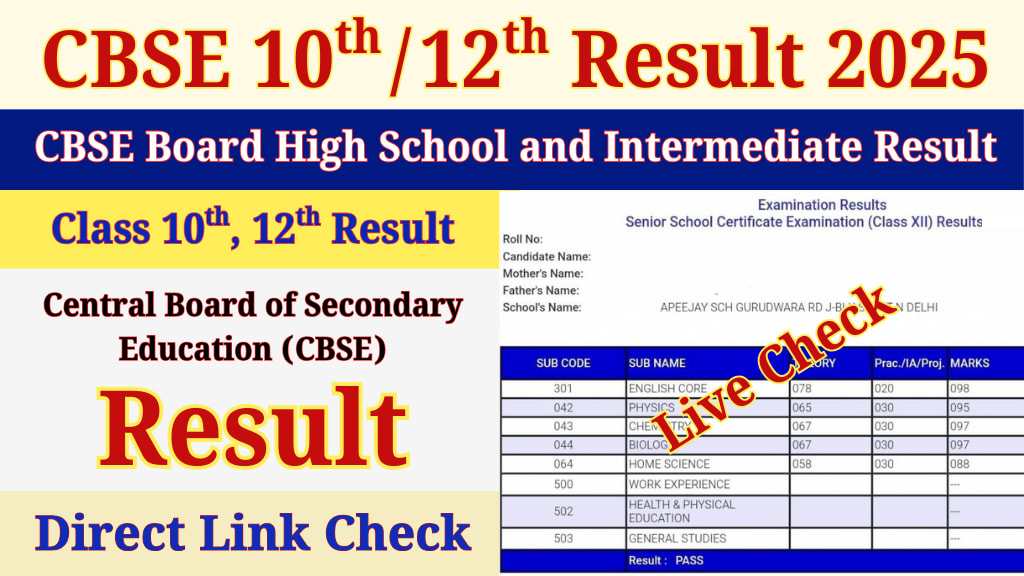
The CBSE (Central Board of Secondary Education) is expected to release the results for 10th and 12th class board examinations for the year 2025. Students all over India are anxiously waiting for the results of their efforts. With the release date being just around the corner, students along with parents are keen to know the proper means through which the results can be accessed. In this article, we will explain how students can view the results via DigiLocker and the UMANG app, streamlining the entire process.
Importance of CBSE Board Exams
The CBSE board examinations are an integral turning point in a student’s educational journey. The results not only symbolize the efforts made by students, but also open doors to many avenues in academia and career development. Be it progressing further with higher secondary studies or getting admission in reputed educational institutions, the class 10th and 12th results are significantly decisive. Thus, to obtain the marksheet without any further hassle, is very crucial.
Official Announcement and Result Date
As we know, CBSE is anticipated to announce the results on the cbse.gov.in official website. Normally the board publishes the Class 10th and 12th Results a few weeks after the exams are held. Learners are encouraged to keep checking the official website for updates on new announcements. Efforts are made to ensure seamless access to information no matter what platform or device students utilize which is why once the results are announced, they will be available on a variety of platforms.

How to Access CBSE Results Using DigiLocker
DigiLocker is an online platform set up by the government that allows users to store and access vital documents online. In an effort to provide easier access to board examination results, CBSE has collaborated with DigiLocker. To help you navigate using the app to access your marksheet, below are practical steps:
Step 1: Download the DigiLocker application from the Google Play and Apple App Store, or access the official website at digilocker.gov.in.
Step 2: Through the app, create an account using your mobile number and Aadhaar number. If you already have an account, log in.
Step 3: When logged in, you will go to the ‘Education’ section.
Step 4: Click ‘Central Board of Secondary Education’ under the listed options.
Step 5: Select from the options ‘Class 10 Marksheet’ or ‘Class 12 Marksheet’ and hit submit.
Step 6: Provide your CBSE roll number, date of birth, and school code as requested.
Step 7: Select ‘Get Document’ and view marksheet which can be downloaded.
Benefits of Using DigiLocker
- Safeguarded and legalized digital copy of the marksheet.
- No physical documents needed and can be accessed easily.
- Important papers can never be lost.
- Used for institutional verification without limitations.
Accessing CBSE Results on the UMANG Application
An additional official method to get CBSE results is the Unified Mobile Application for New-age Governance (UMANG). To obtain your marksheet, adhere to the following guidelines:
Step 1: Go to the application store and download UMANG.
Step 2: Enter a mobile number to register or use an existing account to login.
Step 3: Type ‘CBSE’ in the services section search bar.
Step 4: Hit ‘CBSE Results’ and pick your class (10th or 12th).
Step 5: Fill out the required fields which include roll number, date of birth, and school code.
Step 6: Hit ‘Submit’ and view marksheet.

Reasons to Download UMANG App
- All government services combined in a single application.
- CBSE results are simple to find and access instantly.
- Accessible on Android and iOS devices.
- Different Methods to Access CBSE Results
Besides DigiLocker and UMANG, students can also check their results through the official website of CBSE (cbse.gov.in) as well as SMS services offered by CBSE. Moreover, schools will issue printed marksheets a few days after releasing the results online.
Advice for Students After The Declaration of Results
Stay Calm: No matter what the outcome is, remember that the board exam results are just one part of the academic journey.
Cross Verify: The marks and personal information on the digital marksheet should be checked for accuracy.
Save and Print: Keep a copy for immediate academic purposes.
Immediate Action: Based on the outcome, start strategizing for the next academic or professional milestone.

With the expected date of CBSE Board Exam Results 2025 around the corner, students should be highly proactive to acquire their marksheets digitally. Both DigiLocker and the UMANG app are efficient and safe methods to access the results on time. Following the steps outlined in this article will ensure a smooth experience, allowing students to move ahead towards their academic and career aspirations. Stay informed, stay ready, and always remember your efforts matter more than the numbers reflecting on your marksheet.
About the Creator
SAYAN GURIA
Sayan Guria is a skilled and passionate article writer from Kolkata, India. Known for crafting engaging, well-researched content, Sayan’s writing combines storytelling with accuracy, leaving a lasting impact on readers through.
Keep reading
More stories from SAYAN GURIA and writers in Education and other communities.
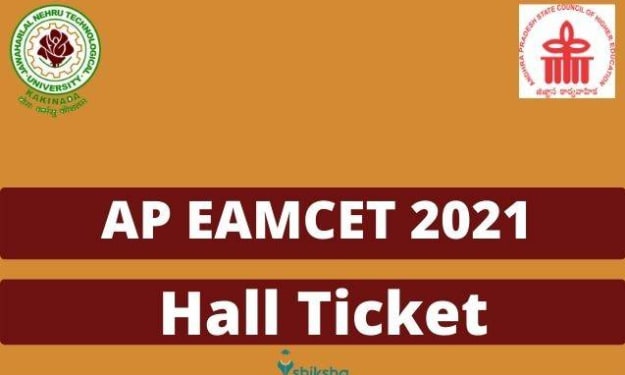
AP EAMCET Hall Ticket 2025: Admit Card to be Released Today - Direct Link for Download Inside
The Andhra Pradesh Engineering, Agriculture, and Medical Common Entrance Test(AP EAMCET) is perhaps the most sought-after examination for those wanting to study engineering, agriculture or medicine in the state. The examination is conducted by Jawaharlal Nehru Technological University (JNTU), Anantapur) on behalf of APSCHE, which means Hall Tickets can be collected now for JNTU EAMCET 2025. We are providing complete step-by-step guide which explains the process to download AP EAMCET admit card along with some basic details related with the examination.
By SAYAN GURIA8 months ago in Education
Creating a Calm and Confident Path Toward Retirement
Retirement planning often feels intimidating, especially when people imagine complex calculations and uncertain outcomes. However, when you approach the process with clarity and patience, it becomes far more manageable. Instead of focusing on stress, thoughtful planning helps you feel confident about the future you are building.
By Michael Petruska6 days ago in Education
The Night of Mi‘rāj: A Journey Beyond Time, Space, and Human Imagination
Mi‘rāj — A Night That Reshaped Human Understanding Among all the extraordinary events recorded in Islamic tradition, Mi‘rāj stands as one of the most profound. It is not merely a journey; it is a moment when the boundaries of time, space, and perception were transcended by the Prophet Muhammad ﷺ through the will of God.
By Muhammad Islam khan swati6 days ago in Education



Comments
There are no comments for this story
Be the first to respond and start the conversation.