
Best Laptop for Editing
Discover the best laptops for editing with powerful processors, color-accurate displays, and fast performance perfect for video, photo, and creative professionals.

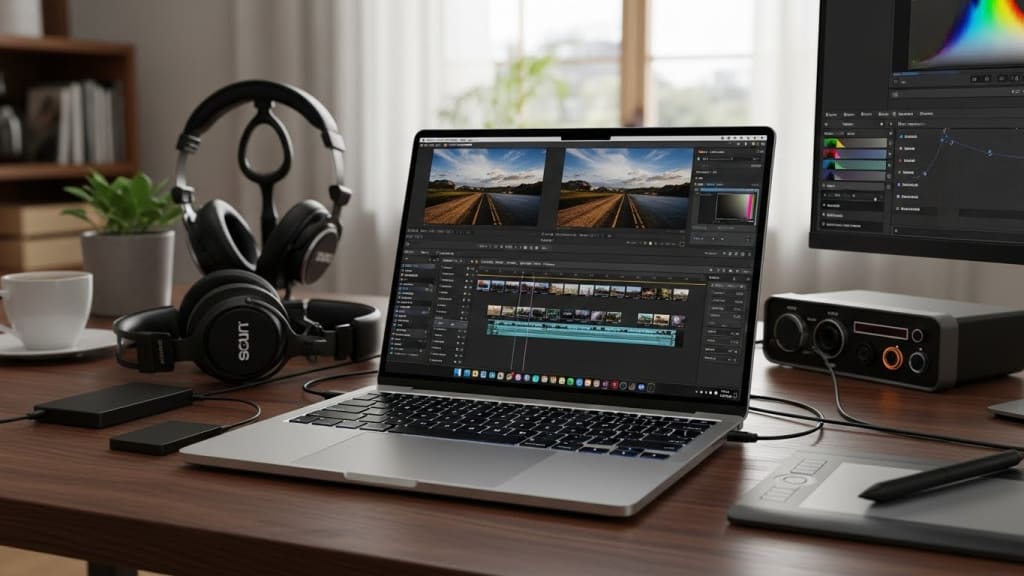
If you’re serious about video editing, photo editing, or creative work, you already know this truth.
A slow laptop kills creativity.
Dropped frames, long render times, overheating, and color-inaccurate screens can turn editing into pure frustration.
That’s why choosing the right editing laptop matters more than ever.
In this blogpost, I’ll show you the best laptops for editing, from premium creator machines to affordable options that still get the job done.
These laptops were chosen based on real-world editing performance, display quality, cooling, and long-term reliability.
And stay with me till the end, because I’ll also share a simple buying guide to help you choose the perfect editing laptop.
Best Premium: ASUS ZenBook Pro Duo 15

This laptop is built for editors who want maximum control and speed. The ZenBook Pro Duo features a stunning Fifteen Point Six inch Four K OLED display with deep blacks and ultra-accurate colors, making it perfect for color grading and professional editing.
The secondary Fourteen inch ScreenPad Plus adds massive multitasking power, letting you place timelines, tools, or previews on a second screen. Powered by an Intel Core i Seven processor and RTX Thirty Seventy Ti graphics, it handles heavy video renders and effects smoothly. The advanced cooling system keeps performance stable during long sessions.
This laptop is ideal for professional editors, motion designers, and multitaskers who want a true workstation experience. It’s expensive, but unmatched in flexibility and creative workflow.
Best High End: MSI Creator Z16
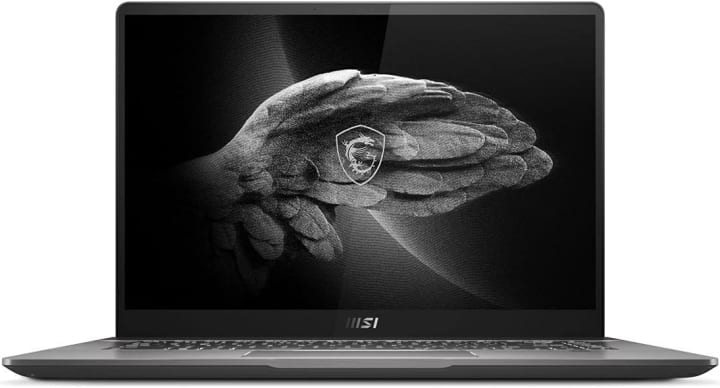
The MSI Creator Z Sixteen is designed for creators who want power in a sleek, modern body. Its Sixteen inch QHD Plus touch display with a Sixteen by Ten ratio gives you more vertical space for timelines and tools, which editors will appreciate. The Intel Core i Nine processor delivers fast rendering and smooth playback, even with complex projects.
Paired with RTX Thirty Sixty graphics, this laptop handles demanding creative software with ease. The lightweight design and large battery make it practical for creators who work on the move. MSI’s advanced cooling keeps everything running stable under pressure.
This laptop is perfect for high-end editors who want strong performance without carrying a bulky workstation.
Best Value: ASUS ProArt StudioBook

The ASUS ProArt StudioBook is one of the best value laptops for serious editing. It features a Sixteen inch Three Point Two K OLED display with perfect color accuracy, One Hundred Percent DCI P Three coverage, and Pantone validation. This makes it ideal for professional color work.
The Intel Core i Nine processor and RTX Forty Six Zero graphics deliver excellent performance for video editing, Three D work, and heavy rendering tasks. The ASUS Dial adds hands-on control for editing tools, speeding up your workflow. Military-grade durability ensures long-term reliability.
This laptop is perfect for professional editors who want premium features without paying flagship prices. Powerful, accurate, and built for creators.
Best Runner Up: Alienware M17 R5
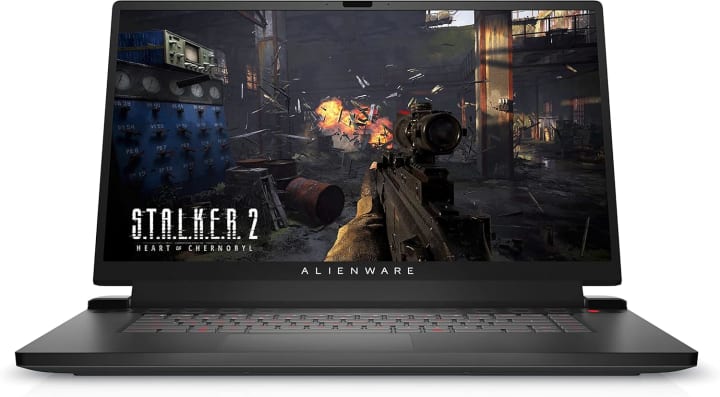
The Alienware M Seventeen R Five may look like a gaming laptop, but it’s a beast for editing. The large Seventeen Point Three inch Full HD display gives you plenty of workspace for timelines and previews.
The Ryzen Nine processor delivers excellent multitasking and rendering performance, while the RTX Thirty Seventy Ti graphics handle effects and exports smoothly. With fast DDR Five memory and a large One Terabyte SSD, file handling feels quick and responsive.
Cooling is strong, allowing long render sessions without throttling. This laptop is ideal for editors who also game or want maximum power for the price. It’s big, bold, and extremely capable.
Best All Rounder: MSI Creator 15

The MSI Creator Fifteen offers a great balance between performance, display quality, and portability. The Fifteen Point Six inch Four K OLED display delivers stunning colors and deep contrast, making it excellent for photo and video editing.
The Intel Core i Seven processor and RTX Thirty Sixty graphics handle most creative tasks smoothly, from editing to motion graphics. The lightweight design makes it easy to carry, while advanced cooling keeps performance stable.
This laptop is perfect for creators who want professional visuals without stepping into extreme pricing. It’s reliable, accurate, and well-rounded for daily creative work.
Best Smooth: Dell Precision 5480

The Dell Precision Five Four Eight Zero is built for professionals who value stability and smooth performance. This mobile workstation features a compact Fourteen inch display with a Sixteen by Ten ratio, offering sharp visuals and comfortable viewing.
The Thirteenth Gen Intel Core i Seven processor paired with RTX Two Thousand Ada graphics delivers reliable performance for editing, design, and professional workloads. With Thirty Two GB of memory, multitasking feels effortless, even with heavy software.
The build quality is premium and durable, making it ideal for long-term professional use. This laptop is perfect for editors who want smooth, consistent performance in a portable form.
Best Budget: Lenovo ThinkPad T16 Gen 2

The Lenovo ThinkPad T Sixteen Gen Two is a smart budget choice for editors who need reliability.
It features a large Sixteen inch display with a comfortable Sixteen by Ten ratio, perfect for editing timelines and documents. The Intel Core i Seven processor and Thirty Two GB of memory handle multitasking smoothly.
While it doesn’t have a dedicated high-end GPU, it performs well for light to moderate editing tasks. The legendary ThinkPad keyboard and strong build quality make it great for long work sessions.
This laptop is ideal for students, freelancers, and professionals on a budget who still want a dependable editing machine.
Best Affordable: Apple MacBook Air M2

The MacBook Air M Two is a fantastic affordable option for editors who value efficiency. The M Two chip delivers fast performance for video and photo editing, especially in Final Cut and Adobe software.
The Liquid Retina display offers sharp visuals, accurate colors, and excellent brightness. It’s ultra-thin, lightweight, and completely silent, making it perfect for editing anywhere. Battery life is outstanding, easily lasting a full workday.
This laptop is ideal for beginner to intermediate editors who want smooth performance without carrying heavy hardware. Simple, fast, and very efficient.
Best Cheap: HP Victus 15

The HP Victus Fifteen is the most affordable option on this list that still handles editing well. Powered by a Ryzen Five processor, RTX Twenty Fifty graphics, and Sixteen GB of DDR Five memory, it delivers solid performance for basic video and photo editing.
The One Forty Four Hertz display keeps everything smooth and responsive. It also offers good connectivity and upgrade options for future needs.
This laptop is perfect for beginners, students, or creators on a tight budget who want dedicated graphics without overspending. Affordable, capable, and surprisingly flexible.
Buying Guide
Before you buy, focus on a few key things.
First, choose a color-accurate display for proper editing results. Second, a dedicated GPU helps with rendering and effects. Third, enough memory is important for smooth multitasking.
And finally, good cooling ensures stable performance during long sessions.
Conclusion
To wrap it up, if you want the best multitasking experience, the ZenBook Pro Duo leads the way.
For value, the ProArt StudioBook is hard to beat. And for affordable editing, the MacBook Air M Two and HP Victus Fifteen are solid picks.
About the Creator
Home Care Ranks
Home Care Ranks provides trusted reviews, in-depth buying guides, and expert information to help you choose the best products for your home. From cleaning tools to appliances, we rank what matters for smarter home care decisions.
Keep reading
More stories from Home Care Ranks and writers in Education and other communities.
Leading in a Remote World: Tips for Virtual Team Success
In today’s fast-paced, interconnected world, remote work has become more than just a trend—it’s a fundamental shift in how businesses operate. Leaders now face the unique challenge of managing virtual teams while ensuring productivity, collaboration, and team morale. This article delves into practical tips for successfully leading remote teams and overcoming common obstacles.
By Sanjeev Kumar5 days ago in Education




Comments
There are no comments for this story
Be the first to respond and start the conversation.