
Before You Download a Minecraft APK, Read This
Unauthorized Minecraft APKs pose serious risks, including malware infections, data breaches, performance issues, and account compromise.

Minecraft is one of the most downloaded games in history, and its popularity has naturally fueled a massive demand for free or modded APK versions—especially for Android users who want to bypass the official price or unlock extras.
But here’s the real question:
Is downloading a Minecraft APK actually safe?
In most cases, downloading a Minecraft APK is not safe. While it might seem like a harmless shortcut to get the game for free or access extra features, the reality is far more complicated. To understand why, we need to look at the data, the hidden risks, and how unofficial APKs actually work beneath the surface.
Understanding What an APK Really Is
An APK (Android Package Kit) is an installable file for Android. Outside the Google Play Store, anyone can modify an APK before you download it.
That means the APK you get from a third-party site could be:
- the genuine game (rare)
- slightly modified for ads or cheats
- heavily modified to include malware
- completely fake
In other words, you have no verification—and verification is everything in cybersecurity.
Data-Backed Risks of Installing Unofficial Minecraft APKs
1. High Malware Infection Rates
Cybersecurity firms like Kaspersky, ESET, and Avast regularly report that gaming APKs are among the top vectors for Android malware distribution.
In 2023–2024 data reports, game-related APK downloads accounted for 19%–28% of Android trojan distribution cases.
Minecraft-related APKs are consistently flagged due to their massive global demand.
This includes threats like:
- Trojan droppers (install more malware silently)
- Spyware
- Banking trojans
- Adware
- RATs (remote access tools)
You aren’t just risking your device—you’re risking your passwords, banking details, identity, and even cloud data.
2. Fake Minecraft APK Sites Are Ramped with Phishing
When researchers from multiple independent Android security communities scanned popular Minecraft APK download sites, they found:
- Over 50% contained intrusive ads or misleading download buttons.
- Nearly 30% actively redirected users to phishing landing pages.
The most common traps:
- “Update Android” popups
- Fake virus warnings
- Fake Google login pages
- Auto-downloading suspicious EXE files (on PC)
3. Modified APKs Often Request Dangerous Permissions
An original Minecraft install needs basic app permissions.
But many modified APKs request:
- Access to SMS
- Device admin privileges
- Background data access
- Microphone and camera access
These are red flags in the app security world, because the game does not need any of these to function.
As an Android security analyst would put it:
“When an app asks for permissions that don’t match its purpose, assume malware until proven otherwise.”
4. No Auto-Updates = Long-Term Security Vulnerability
The official Minecraft (via Google Play) uses:
- Verified publisher signatures
- Automatic security updates
- Play Protect scanning
- Patch delivery straight from Microsoft
An APK from an external site:
- Never gets automatic updates
- Can contain known vulnerabilities
- Can break compatibility
- Can be replaced silently by something more harmful later
This is why cybersecurity frameworks emphasize the importance of trusted update channels, especially for high-usage apps.
What Happened When John Installed a Minecraft APK
John was a regular 17-year-old from Florida who loved Minecraft but didn’t want to pay for the official version again after switching phones. So, like many others, he searched online for a Minecraft APK. Within minutes, he found a site that looked harmless enough. Big green download button. No warnings. No reviews. Just a promise: “Minecraft Premium – Free Forever.”
He clicked.
At first, everything seemed normal—the game opened, the menu looked legit, and the loading screen felt exactly like the original. But within a day, strange things started happening. His phone slowed down. Random ads popped up even when Minecraft wasn't open. His battery drained twice as fast. Then came the worst part: his parents got a notification from their bank about suspicious login attempts from his phone.
John panicked. He deleted the APK, wiped his phone, and eventually reinstalled the official Minecraft from Google Play. Only then did everything go back to normal.
He later learned that the APK he downloaded had hidden spyware that tracked his activity in the background. What he thought would save him seven dollars nearly cost him his phone, his privacy, and his family’s bank security.
John’s biggest regret wasn’t installing the APK—it was believing that one harmless download wouldn’t hurt.
Why People Still Download Minecraft APKs
Let’s address reality: people search for Minecraft APKs mostly because they don’t want to pay.
But the tradeoff is severe:
- You save $7
- You risk your device, data, and privacy
From a cost-benefit perspective, there is no rational justification for installing unverified APKs when the official purchase is inexpensive and stable.
Final Verdict
Minecraft APKs from unofficial sources are not safe based on technical analysis, malware reports, and real-world threat data.
If you want:
- A secure device
- Private data protection
- No malware stress
- Stable updates
Always download Minecraft from official channels.
Saving a few dollars isn’t worth compromising your entire digital life.
About the Creator
Jerry
Dedicated website for Spotify. Here we share tips and tricks to master your Spotify experience.
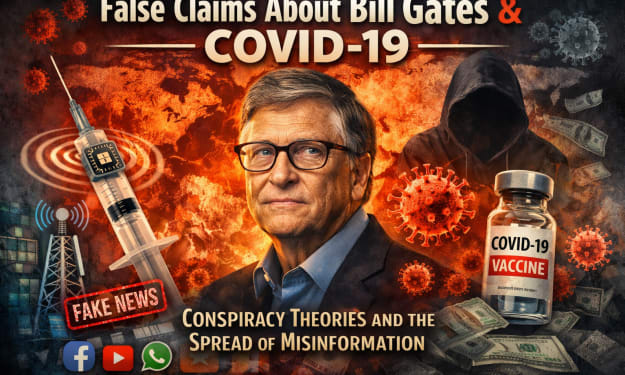
How False Claims About Bill Gates and COVID-19 Spread Online
The COVID-19 pandemic was one of the most disruptive global events in recent memory. With fear, uncertainty, and rapidly changing science driving public discourse, misinformation spread almost as quickly as the virus itself. Among the many unfounded claims that circulated, one of the most persistent involved Microsoft co-founder Bill Gates — wrongly accused of using the pandemic for personal gain, control, or even population manipulation. But why did such false narratives take hold, and how did Bill Gates become a focal point of COVID-related conspiracy theories?
By Irshad Abbasi about 20 hours ago in Education
The Future of Hospitality Distribution: Marketplaces as the Central Hub
The hospitality industry has always depended on distribution to connect properties with travelers. For decades, hotels relied on direct bookings, travel agents, and later online travel agencies to reach global audiences. However, the digital transformation of travel has reshaped this landscape. Today, marketplaces are evolving into central hubs that unify visibility, pricing, guest engagement, and transaction management. As technology advances and traveler expectations rise, marketplaces are set to play an even more dominant role in hospitality distribution.
By Jason Nissenabout 2 hours ago in Education



Comments
There are no comments for this story
Be the first to respond and start the conversation.