
Amazon Echo: Complete Information and Hidden Features
Trending Hidden features of Amazon Echo

Amazon Echo: Complete Information and Hidden Features
Amazon Echo is a smart speaker developed by Amazon. It integrates the voice assistant Alexa, which can recognize your voice and perform various tasks. This device can play music, control smart home devices, answer questions, set reminders, and much more.
1. Main Features of Amazon Echo
1.1 Voice Assistant Alexa
Alexa is an artificial intelligencebased assistant that understands your commands and responds accordingly. Simply say Alexa to activate it and give your command.
1.2 Music Streaming
Echo supports various music streaming services, such as:
Amazon Music
Spotify
Apple Music
Gaana
JioSaavn
1.3 Smart Home Control
Amazon Echo can control your smart home devices, such as:
Turning smart lights onoff
Controlling smart fans
Accessing doorbells and cameras
1.4 Calling and Messaging
Amazon Echo allows you to call and message your contacts using the AlexatoAlexa Calling & Messaging feature.
1.5 MultiRoom Audio
If you have multiple Echo devices, you can set up multiroom audio and play the same song throughout your house.
1.6 Scheduling and Setting Reminders
You can ask Alexa to set reminders for your daily routine, meetings, and appointments.
2. Hidden Features of Amazon Echo
2.1 Secret Conversations with Alexa
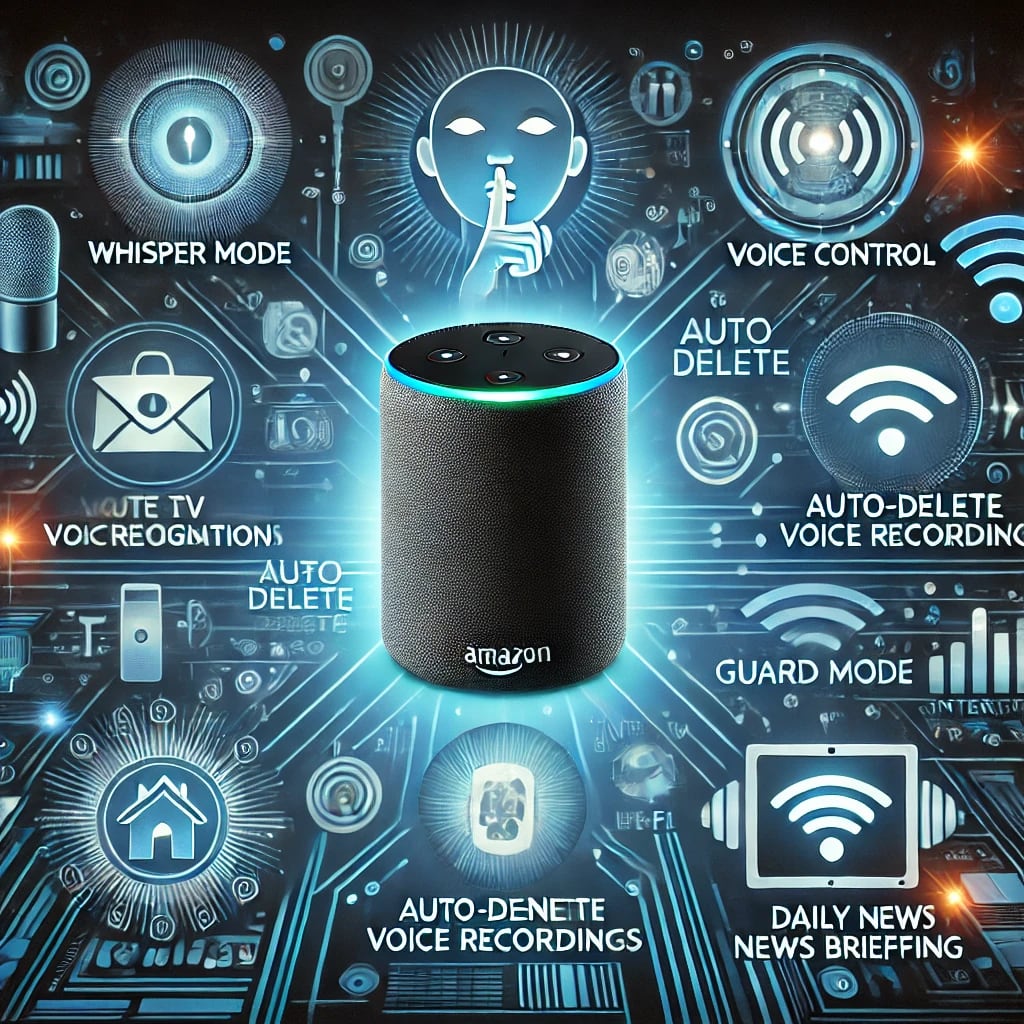
If you don't want Alexa to speak loudly, you can activate Whisper Mode by saying: Alexa, turn on whisper mode. Alexa will then respond in a soft voice.
2.2 SelfDestructing Messages AutoDelete Voice Recordings
If you don't want Amazon to save your voice recordings, you can set them to autodelete:
Open the Alexa App
Go to Settings Alexa Privacy Manage Your Voice Recordings
Turn on Automatically delete recordings
2.3 Teach Alexa to Recognize Voices
If multiple people use Alexa in your home, you can teach Alexa to recognize different voices:
Open the Alexa App
Go to Settings Your Voice Create Voice Profile
Record your voice
Now Alexa will understand who is speaking and respond accordingly.
2.4 Control TV and AC with Amazon Echo
If you have a Fire TV Stick or a smart TV, you can control it using Alexa. For example:
Alexa, turn on the TV
Alexa, set the AC temperature to 22 degrees
2.5 Keep Alexa in Detective Mode
You can activate Guard Mode to enhance home security:
Open the Alexa App
Go to Settings Guard Mode and turn it on
Alexa will now detect unusual noises at home and send alerts
2.6 Get Daily News Briefings from Alexa
If you want to hear the latest news daily, just say:
Alexa, give me my daily briefing
Alexa, what's the news today?
2.7 Use Alexa as an Intercom
If you have multiple Echo devices at home, you can use the DropIn feature to communicate like an intercom:
Alexa, drop in on the kitchen Echo
Alexa, announce that dinner is ready
3. How to Use Amazon Echo StepbyStep Guide
3.1 How to Set Up Echo
1. Plug in your Echo and turn it on.
2. Download the Alexa App iOSAndroid.
3. Log in with your Amazon account.
4. Connect to WiFi.
5. Give your Echo a name Living Room, Bedroom, etc..
6. Start giving voice commands!
3.2 Sample Alexa Voice Commands
Alexa, play my favorite song
Alexa, what's the weather today
Alexa, set a timer for 10 minutes
Alexa, turn off the lights
Alexa, remind me to call mom at 5 PM
Conclusion
Amazon Echo is an excellent smart speaker that can simplify your daily tasks. Its hidden features like Whisper Mode, Guard Mode, DropIn, and Voice Recognition make it even smarter. If you want to create a smart home, Amazon Echo can play a crucial role.
If you liked this article, share it and let us know which Alexa features you like the most in the comments!
About the Creator
Nikita Angel
Hello friends, whoever reads my story and subscribes to my page on Vocal Media, I will definitely give him views and subscriptions. So go ahead and take the others with you. Thank you.
Keep reading
More stories from Nikita Angel and writers in Education and other communities.
Samsung Galaxy S25 Ultra Hidden Features: Discover the Exciting Features That Make It Even Better
# **Samsung Galaxy S25 Ultra Hidden Features: Discover the Exciting Features That Make It Even Better** The Samsung Galaxy S25 Ultra is a flagship smartphone known not only for its exceptional design and performance but also for several hidden features that make it even more special. These features can enhance your user experience, but many users are unaware of them. In this article, we will explore some of the hidden features of the Samsung Galaxy S25 Ultra that will surprise you.
By Nikita Angelabout a year ago in Education
The “Slave Bible”: The Controversial Holy Book Designed to Prevent Rebellion
In the early nineteenth century, a heavily edited version of the Bible was printed with a singular and deeply troubling purpose: to control enslaved Africans and discourage rebellion. Today, this rare publication—commonly known as the “Slave Bible”—is one of the most controversial religious texts in history. Only four copies are known to exist in the world.
By Irshad Abbasi 6 days ago in Education
Metaverse in Education Market Expected to Expand Significantly, Reaching USD 99.8 Billion by 2033
Metaverse in Education Market Overview The Metaverse in Education market refers to the use of immersive virtual environments, 3D digital campuses, and interactive simulations to deliver structured learning experiences. It combines virtual reality, augmented reality, digital avatars, blockchain-based credentials, and cloud platforms to create persistent and collaborative education spaces. The global market is expected to reach USD 99.8 billion by 2033, rising from USD 3.1 billion in 2023, reflecting a strong CAGR of 41.5% from 2024 to 2033.
By Roberto Crum7 days ago in Education
A More Human Vocal
When we launched Vocal nearly a decade ago, the world was a very different place. LLMs did not exist, and stories were created one at a time by people sitting down to write, revise, and share something personal. Many of our assumptions about publishing, trust, and participation were built for a world where effort and output were inseparable.
By Justin @ Vocal4 days ago in Resources



Comments
There are no comments for this story
Be the first to respond and start the conversation.