
5 Must-Have Cybersecurity Tools for Remote Freelancers
Hey there, remote freelancers!

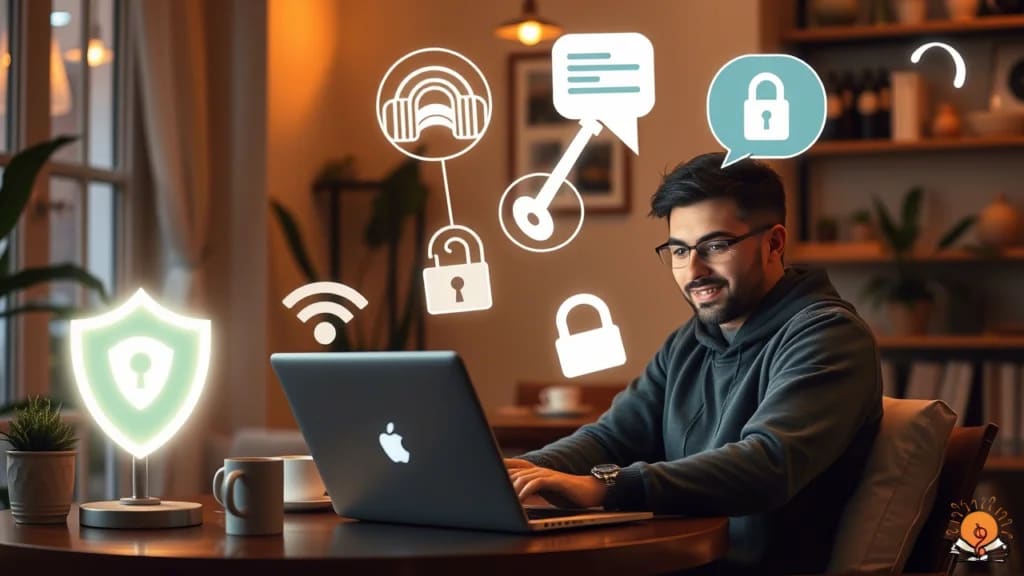
Whether you’re tapping away at home, sipping coffee in a café, or working from a sunny beach, keeping your digital world safe is a big deal. As a freelancer, you’re managing your own projects and your clients’ sensitive info without a fancy IT team to back you up. Sounds stressful, right? No worries—I’m here to guide you with five must-have cybersecurity tools that’ll keep you protected. These are simple to use, and I’ll walk you through them in a way that’s easy to get, so you can focus on your gigs without fretting about cyber threats. Let’s dive in! Curious about other remote work tips? Check out remote work jobs for introverts for more ideas.
The Five Must-Have Cybersecurity Tools
Here’s the scoop on each tool, why it’s a lifesaver, and some top picks to check out. These are tailored for the challenges you face as a remote freelancer—like sketchy Wi-Fi or guarding client secrets.
1. Antivirus Software for Freelancers
Think of antivirus software for freelancers as a shield for your device. It hunts down viruses, malware, and sneaky threats that could mess up your computer or swipe your data. Since you’re always downloading files, checking emails, or surfing the web, you’re a prime target. A solid antivirus keeps everything running smoothly and your work secure.
Why It Matters: Picture this—a virus trashes your project files or leaks client details. Total disaster! Antivirus software stops that cold.
Popular Options:
Norton Antivirus: Top-notch all-around protection with great support. Learn more at Norton’s official site.
- Kaspersky Internet Security: Packs extras like a VPN for added safety.
- Bitdefender Antivirus Plus: Easy on your system, tough on threats.
- Avast Free Antivirus: A freebie that covers the basics for tight budgets.
Tip: Update it regularly and steer clear of shady links to stay safe.
2. Virtual Private Networks (VPNs) for Remote Work
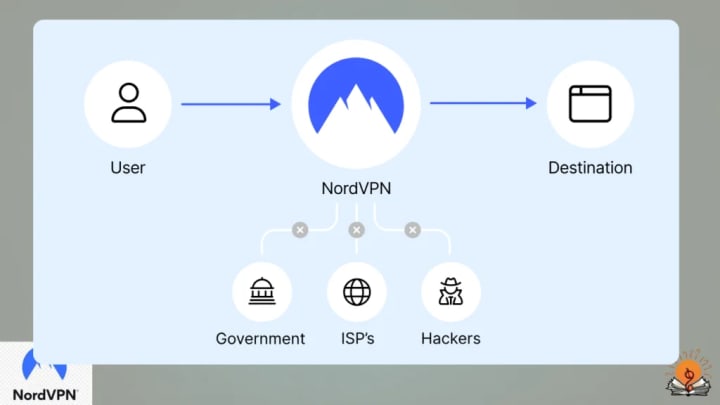
A virtual private network (VPN) for remote work is like a hidden pathway for your internet. It scrambles your connection and masks your location, so no one can peek at what you’re doing online. This is a must if you’re hopping on public Wi-Fi at a coffee shop or airport—those spots are hacker hotspots!
Why It Matters: Public Wi-Fi is handy but risky. A VPN keeps your data private, especially when you’re emailing client stuff.

Popular Options:
- Nord VPN: Rock-solid encryption and tons of servers worldwide. Visit Nord VPN’s site for details.
- Express VPN: Super fast and simple, ideal for video chats.
- TunnelBear: Offers a free plan with limited data—great to test out.
- Proton VPN: Free and open-source, from the Proton Mail crew.
Tip: Pick a VPN with a no-log policy, so your browsing stays your business.
3. Password Managers for Secure Logins
Passwords are your online gatekeepers, and weak or reused ones are like handing out spare keys. Password managers for secure logins whip up strong, one-of-a-kind passwords for every account and lock them away safely. You just need one master password to rule them all.
Why It Matters: Freelancers juggle tons of logins—client sites, banking, emails. A password manager keeps them locked tight and fills them in for you, saving time.

Popular Options:
- LastPass: Free version’s solid, with premium perks for more.
- 1Password: Smooth across all your gadgets, perfect for teams.
- Dashlane: Free basic plan, with paid extras if you need them.
- KeePass: Free and open-source, tweakable for tech lovers.
Tip: Turn on two-factor authentication for an extra layer of protection.
4. Data Encryption Tools for Protecting Sensitive Information
Data encryption tools for protecting sensitive information turn your files into a secret code only you can crack with a key. This is key for guarding stuff like client contracts or payment details, whether they’re on your laptop or in the cloud.
Why It Matters: If a hacker snags your device, encrypted files are gibberish to them. It’s like stashing your valuables in a vault.
About the Creator
Muhammad Raffay
Hi! My name Muhammad Raffay ali passionate web developer and SEO expert with three handsome experirnce. And also the CEO of everythingsblogs company that provide informational blogs or update about Technology or AI to people on google
Keep reading
More stories from Muhammad Raffay and writers in Education and other communities.
iOS 18.3.2 Update: Features, Security, and User Insights
This detailed report offers an in-depth look at the iOS 18.3.2 update, which Apple released on March 11, 2025, providing a comprehensive overview for iPhone and iPad users. This minor release focuses on security patches, bug fixes, and minor improvements, ensuring a safer and more stable user experience. Below, we explore each aspect, drawing from official Apple documentation, user feedback, and expert insights to deliver a thorough analysis.
By Muhammad Raffay10 months ago in Education
The Energy Pivot The State of Russia’s Oil and Gas in 2026
For decades, this was the "world's gas station": Russia's pipeline network to Europe was the veins of the world economy. By 2026, that aura is dull and those veins are rerouted out of Europe. Since the collapse of the Soviet Union, the Russian oil and gas sector is facing the largest structural change.
By Neeraj kumar5 days ago in Education
Do you really need to take 10,000 steps a day?
While most people avoid spending the night in jail, Jean Béliveau jumped at the opportunity. For the past three years, Béliveau had been walking from country to country, with the goal of circumnavigating the globe on foot. This required sleeping in tents, strangers’ homes, and the occasional jail cell along the way. But this morning, as Béliveau was ready to leave, the police chief, who had agreed to his sleeping arrangement, was nowhere to be found, and the guards weren’t buying his story. Few people have the time or desire to walk such extreme lengths.
By Munesh Yadavabout 16 hours ago in Education



Comments
There are no comments for this story
Be the first to respond and start the conversation.