
28 Javascript Array Methods: A Cheat Sheet for Developer
Javascript Array Methods: A Cheat Sheet for Developer

Array.map()
Returns a new array with the results of calling a provided function on every element in this array.

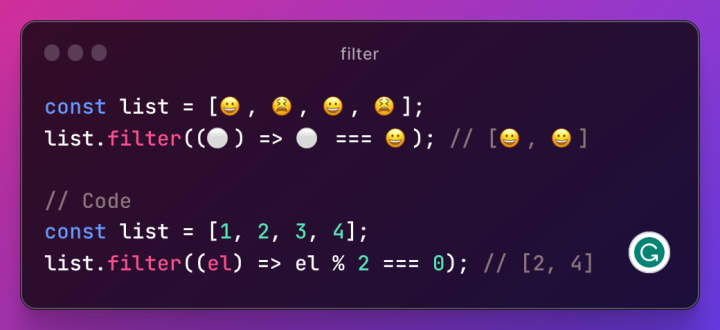
Array.filter()
Returns a new array with all elements that pass the test implemented by the provided function.
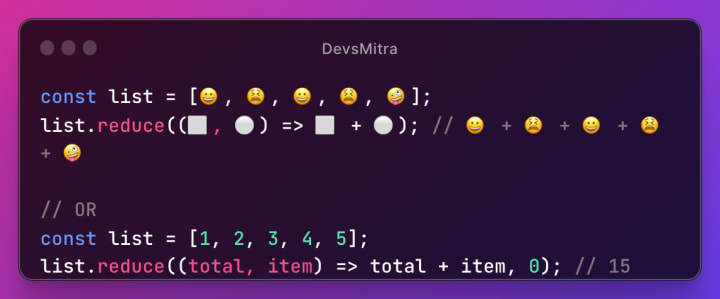
Array.reduce()
Reduce the array to a single value. The value returned by the function is stored in an accumulator (result/total).
Array.reduceRight()
Executes a reducer function (that you provide) on each element of the array resulting in a single output value(from right to left).

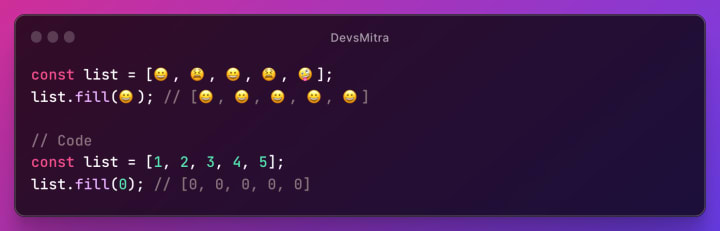
Array.fill()
Fill the elements in an array with a static value.
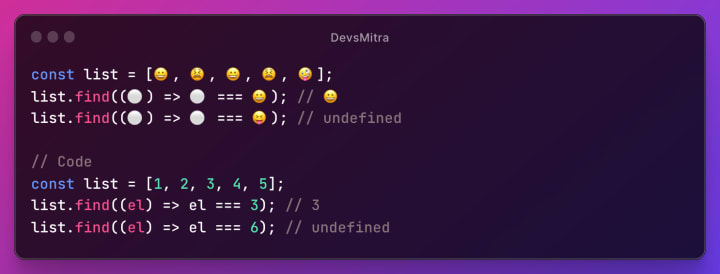
Array.find()
Returns the value of the first element in the array that satisfies the provided testing function. Otherwise undefined is returned.
Array.indexOf()
Returns the first index at which a given element can be found in the array, or -1 if it is not present.

Array.lastIndexOf()
Returns the last index at which a given element can be found in the array, or -1 if it is not present. The array is searched backward, starting at fromIndex.

Array.findIndex()
Returns the index of the first element in the array that satisfies the provided testing function. Otherwise, -1 is returned.

Array.includes()
Returns true if the given element is present in the array.
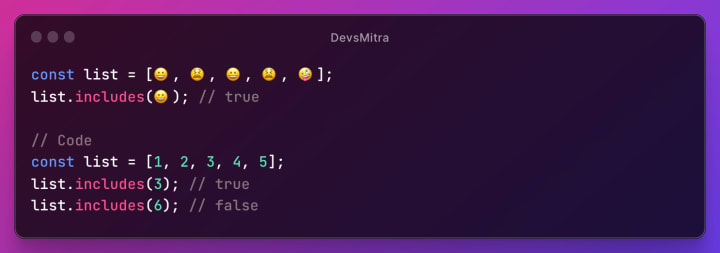
Array.pop()
Removes the last element from an array and returns that element.
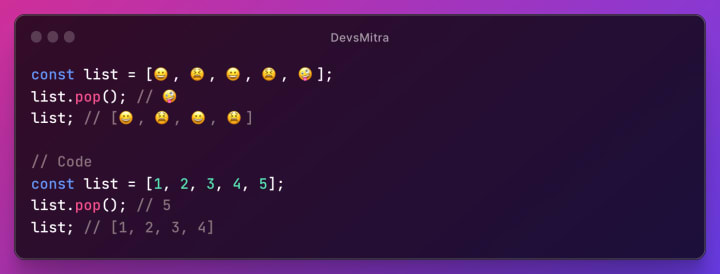
Array.push()
Appends new elements to the end of an array, and returns the new length.
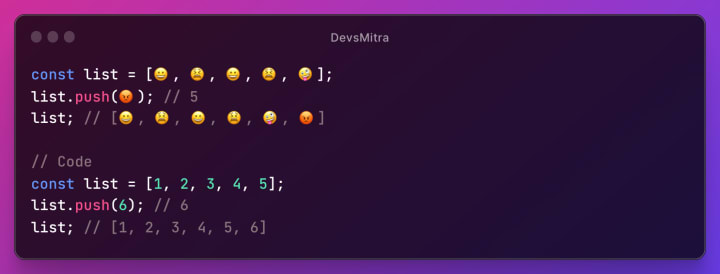
Array.shift()
Removes the first element from an array and returns that element.
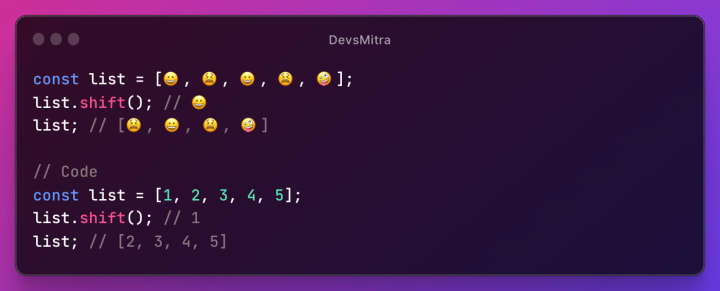
Array.unshift()
Adds new elements to the beginning of an array, and returns the new length.

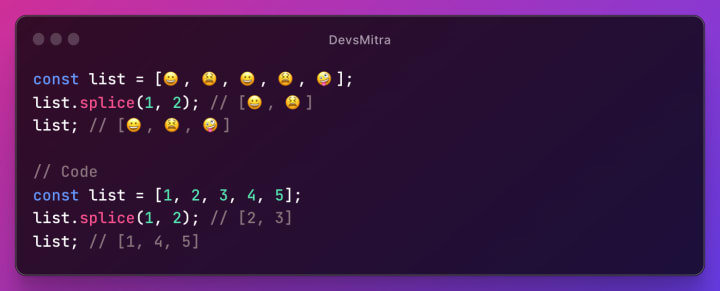
Array.splice()
Changes the contents of an array by removing or replacing existing elements and/or adding new elements in place.
Array.slice()
Returns a shallow copy of a portion of an array into a new array object selected from beginning to end (end not included). The original array will not be modified.

Array.join()
Joins all elements of an array into a string.

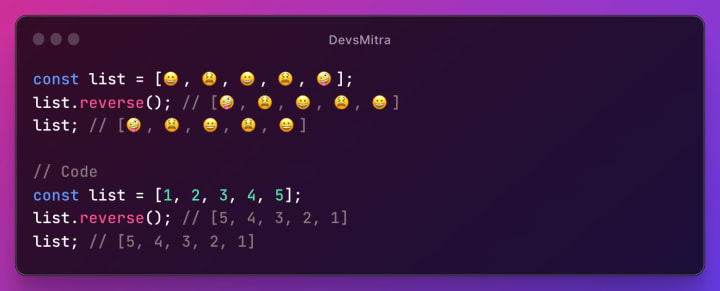
Array.reverse()
Reverses the order of the elements in an array.
Array.sort()
Sorts the elements of an array in place and returns the array. The default sort order is according to string Unicode code points.

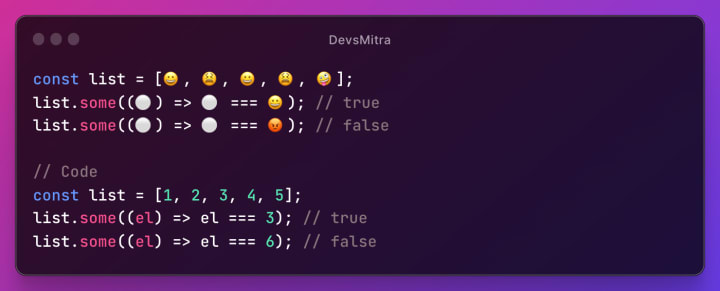
Array.some()
Returns true if at least one element in the array passes the test implemented by the provided function.
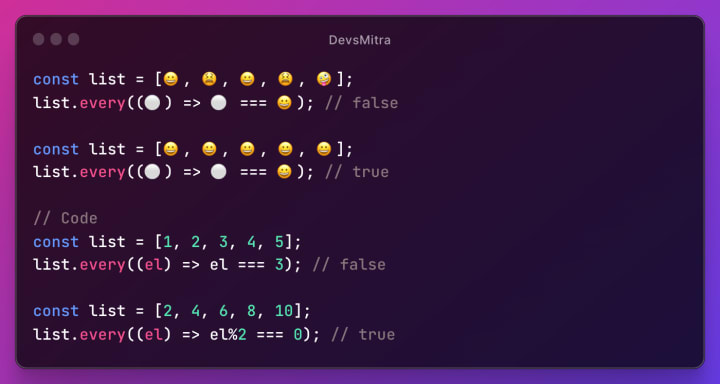
Array.every()
Returns true if all elements in the array pass the test implemented by the provided function.
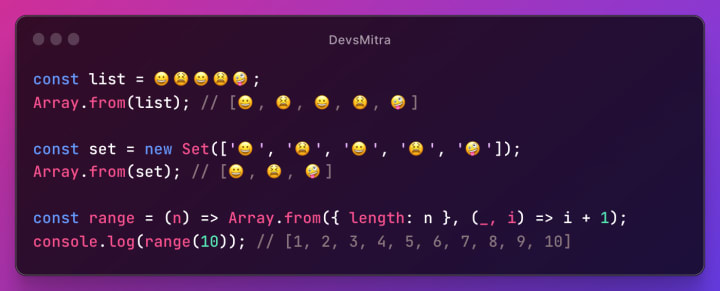
Array.from()
Creates a new array from an array-like or iterable object.
Array.of()
Creates a new array with a variable number of arguments, regardless of the number or type of the arguments.

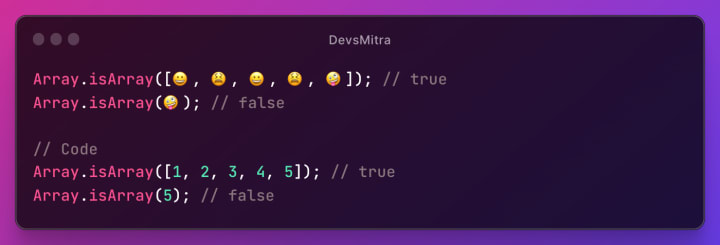
Array.isArray()
Returns true if the given value is an array.
Array.at()
Returns a value at the specified index.

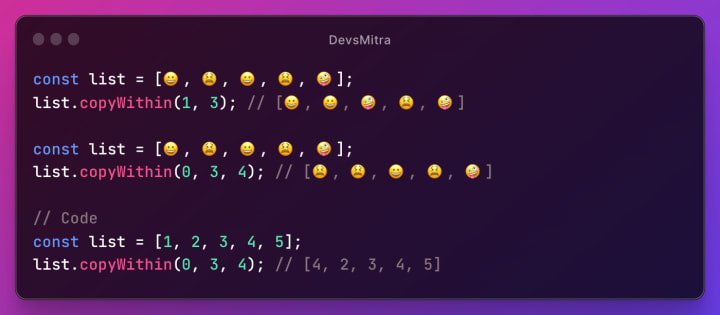
Array.copyWithin()
Copies array elements within the array. Returns the modified array.
NOTE: 🤔
- the first argument is the target from which to start copying elements.
- the second argument is the index at which to start copying elements.
- the third argument is the index at which to stop copying elements.
Array.flat()
Returns a new array with all sub-array elements concatenated into it recursively up to the specified depth.

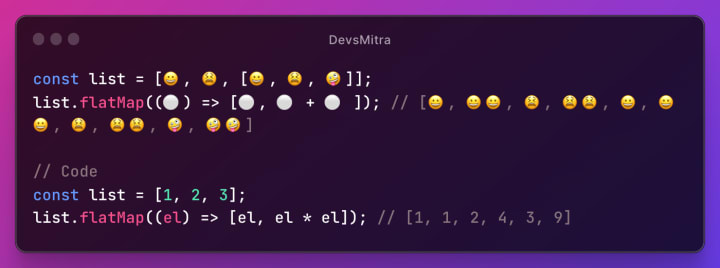
Array.flatMap()
Returns a new array formed by applying a given callback function to each element of the array,
Thank you for taking the time to read. If you have any questions or comments, please feel free to leave them below. We would love to hear your thoughts on this topic and help you in any way we can. Let's continue the conversation!
Catch me on YouTube, Github, Twitter, LinkedIn, Medium, Stackblitz, and Dev.to. I share content related to these topics, including tutorials, articles, and code samples. Don't hesitate to follow or reach out to me on any of these platforms if you have any questions or want to connect.
About the Creator
Rahul Sharma
I'm a technology enthusiast who does web development. Passionate to contribute to open-source projects and making cool products.
✔ I’m currently learning about Flutter
✔ Ask me anything you want, If I'm alive I will answer within seconds 😉
Keep reading
More stories from Rahul Sharma and writers in Education and other communities.
Portable Thickness Gauge Explained: Accurate Measurements Anywhere, Anytime
In modern industries, precision is not a luxury—it is a necessity. From ensuring product quality to maintaining structural safety, accurate thickness measurement plays a vital role. This is where portable thickness gauges come into focus. As the demand for on-site inspections grows, Portable Thickness Gauge Explained: Accurate Measurements Anywhere, Anytime becomes a topic every engineer, inspector, and technician should understand.
By Abdul Alim4 days ago in Education
Rabbi Shlomo Slatkin, M.S., LCPC on Imago Dialogue, Repair, and Relationship Safety
Rabbi Shlomo Slatkin, M.S., LCPC, is founder and therapist at The Marriage Restoration Project in the Baltimore area. An ordained rabbi and Certified Imago Relationship Therapist and workshop presenter, he guides couples through intensives, retreats, and counseling aimed at restoring safety, communication, and connection after conflict or crisis. He holds a master’s in Counseling Psychology from Loyola University Maryland and trained with the Imago Relationship Institute. Slatkin earned a B.A. in Middle Eastern Studies, with undergraduate study at George Washington University and Oxford, and authored The Five Step Action Plan to a Happy & Healthy Marriage. He also co-edited curricula.
By Scott Douglas Jacobsen8 days ago in Education
🅼🅸🅳🅽🅸🅶🅷🆃 🆂🅽🅰🅲🅺🆂
"It's 10 in Tuscon! We all know what that means... It's Time for Midnight Snacks with your man, Gerald Gee! Ready to spend the night together? Me too! I'm full of snacks and can't wait to regurgitate them all back into your hungry ears. Crack a brew! Pop some corn! Anything to get ready for one hell of a show where the talk maybe cheap but the words cut deep...
By Lamar Wiggins5 days ago in Fiction


Comments
There are no comments for this story
Be the first to respond and start the conversation.