
iPad Pro Users — Welcome To 1995?
What’s the big deal about windowing on iPad

tap tap Is this thing on?
Hi, it’s me Attila’s (definitely not imaginary) friend. It takes a lot to get me to come out of the woodwork, “it’s a miracle” you might say.
Well last night, as Attila and watched Apple’s WWDC keynote, a miracle did happen; let me tell you good news that is iPadOS 16!
While the keynote may have ended with a Hallelujah Chorus moment, it certainly didn’t start that way as the iPadOS segment just kept mentioning features that were also coming to iOS and macOS; hardly a way to distinguish a product — it’s time Apple earn that iPadOS name! Even I, a card carrying member of the church¹ of iPad, felt my faith wavering, but then it happened…
Earlier in the keynote, I called out that Apple’s new Stage Manager feature on macOS felt to me like a way they could feasibly handle windowing on iPad and here it was in all it’s 12.9" of glory. Finally, after what seemed like an obvious addition for, I’m going to guess, the best part of 5 years (but possibly even longer), iPad Pro users would be able to drag and resize multiple floating windows; welcome to 1995?
the iPad’s relative simplicity and ability to focus on doing “one thing well” and then another “one thing well” is part of why it became so popular in the first place
At this point non pro users of the iPad were probably rolling around the floor laughing; I know The Verge’s liveblog had some particularly salty hot-takes. But despite what may seem like an embarrassing limitation, the iPad’s relative simplicity and ability to focus on doing “one thing well” and then another “one thing well” is part of why it became so popular in the first place².
I’m not sure who said it originally, but an early sentiment around the iPad was that it just transformed into what you needed it to be.
Why then had we built up years of anticpation for a feature that seem antithetical to the concept of the iPad itself? We can only blame Apple for that. What started as a slow (re)introduction of “obvious” features has, over the past few years, a reimagining of what a computer’s operating system can be, built on decades of knowledge and experience and with the luxury of (too much?) time.
This is something that I want to write or talk more about, but I’m not even done with the reveals.
You see, as Craig Federighi carried his iPad Pro over to the demo table, something jumped out at me, there was a monitor sitting beside him. You heard me, a monitor; probably an Apple Studio Display, but I was too excited to check. Apple’s staging of events has always been very precisce and has gotten even more so with the pre-recorded keynotes of late, so seeing an errant display on a counter top was sending a message, to me at least; one of the other features we’d hope for, for years, was ~~better~~ external display support.
Plug it in!
“Plug it in! Do it!” I shouted at the screen — and he did! 🤯
We should probably make a TikTok out of my reaction, as the crowd (of one) went wild. Imagine your favourite sportsball teams scoring to win at the last moment…
“Home run!”
“Touchdown!”
“Goooooooaaaaaaal!”
In that moment, it’s exactly how I felt about a mobile operating system. To use another metaphor it felt like we’d wandering in the wilderness for a generation and finally reached the promised land.
External display support, driven by keyboard and mouse, windowing and one other incredible feature I forgot to mention, display scaling, add up to an OS release with some of the biggest changes to the iPad’s UI/UX, since launch.
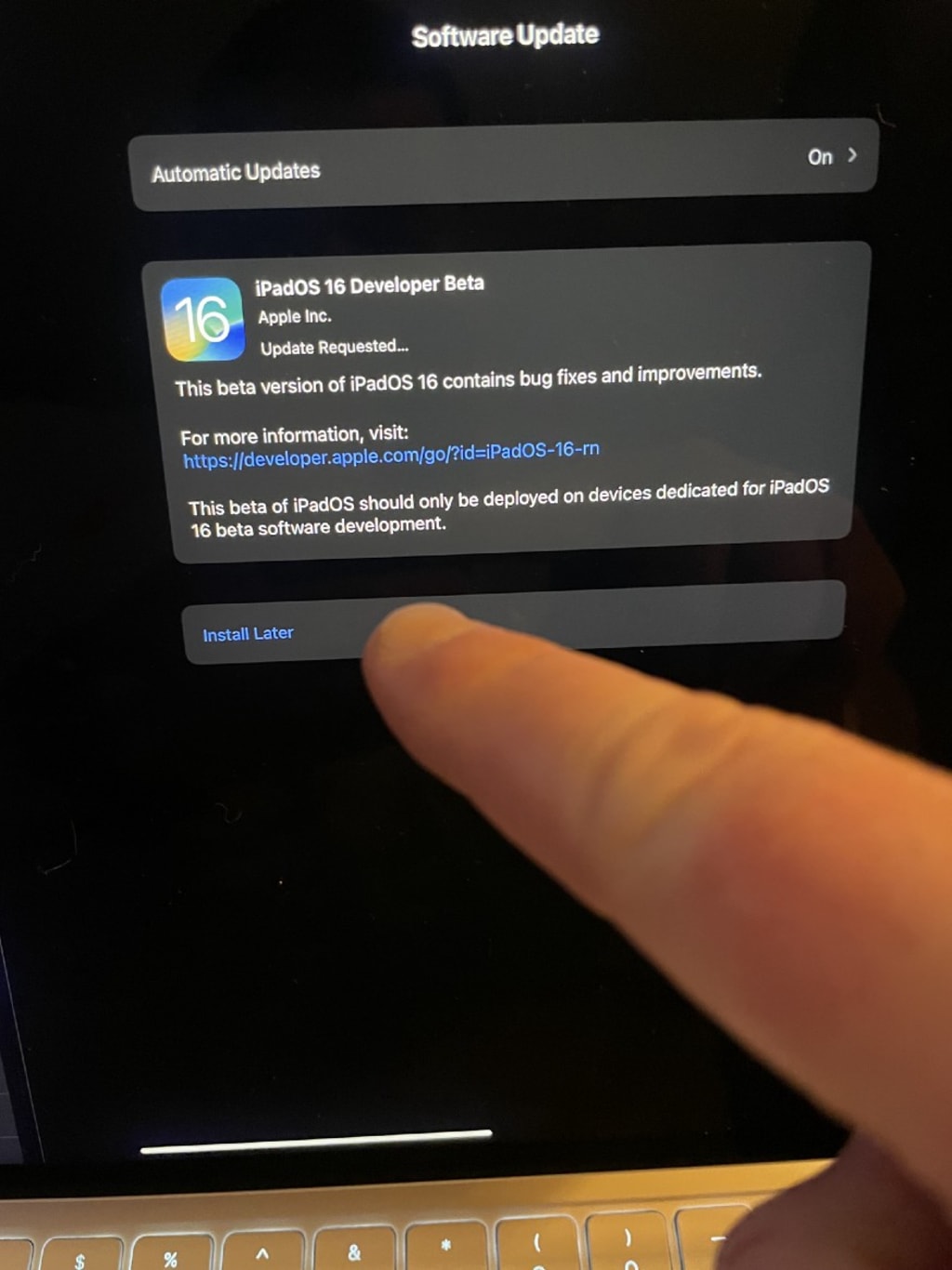
I for one can’t wait too see them rolled out in September. No literally, I can’t wait, so moments after the keynote had ended rushed to Apple’s Developer website, installed the iPadOS Beta profile and waited for iPad OS Beta 1 to install on my M1 iPad Pro.
Getting ready to press the Install Update button for iPadOS 16
No, install now!
How did go? We’ll I’m writing this on the iPad as we speak, so nothing has exploded at least. As far as betas go it seems pretty stable, although mileage may vary and depends on what apps you’re using.
Window management works great, it’s pretty natural (you can activate Stage Manager from the Control Center) and offers some smart snapping and swapping of windows, with seemingly a limite of 4 apps per stage (window). It’s quite gesture heavy for now and I can’t find any keyboard shortcuts, but if they’re not there I’m sure they’ll come, it is the first beta after all.
Display scaling options were exactly where I expected, in Settings>Display & Brightness>Display Zoom with a new “more space” option added, plus the ability from the Home Screen & Dock settings to retain the standard size for app icons, otherwise they look very small and spaced out; maybe we’ll get homescreen improvements next year…
I have a pretty full Thunderbolt 3 dock, connected to my Macbook Pro with a single cable and in Dankpods fashion, I plugged it straight into the iPad and everything just worked (except for my Razer Kiyo webcam, but incidentally one of this years WWDC sessions is about writing Thunderbolt device drivers for iPad, so who knows what the future may bring).
Thundebolt 3 dock with 4 USB connectors, DVI, Ethernet and SPDIF Audio
A fully armed and operational Thunderbolt 3 Dock
What can I say, external display support, is everything that I hoped for and then some. Years of incrementalimprovements to the iPad, such as keyboard and mouse support and features added to help developers make Catalyst apps and help with app scaling have coalesced into a form that now seems obvious in hindsight. Those Stage Manager features I mentioned previously, they’re all here on my 27" 4K display, the gestures I’m used to on my iPad’s magic keyboard work flawlessly from my magic trackpad and you can even set the physical location of your display, for maximum ergonomic points.
Manhandling a Thunderbolt 3 cable into an iPad Pro
Look out boys, he’s armin’ the nugget
I’ve been using iPadOS 16 Beta 1 all day and while I’ve had a few crashes, specifically to do with window placement, it’s nothing short of a game changer.
iPad Pro running multiple apps across two displays
Nothing but apps and windows, what could be better?
No, that’s a lie. I’ve written this whole post in Obsidian on an external display using an external keyboard and mouse, whilst listening to high-res lossless audio over the SPDIF connection in my DAC, all while connected to gigabit ethernet and with emails and messaging apps off to the side on the iPad’s internal display, now with more space than ever.
About the Creator
Keep reading
More stories from lupu alexandra and writers in Confessions and other communities.
Habits of Positive People
Some sort of a lot more packed with positive things together with it’s merely a subject of choice if you want to be able to notice them or perhaps not. A fine a lot even more made up involving positive habits of which help you give attention to the things of which matter. This kind of is the solution to men and women pondering positively and making the most of life.
By lupu alexandra4 years ago in Confessions
Violence Begets
"Any last words, cowboy?" "None you'd understand, sodbuster." "Funny. That's Marshall Sodbuster to you. But I meant some last nugget that would help us in the adjudication of the myriad offenses counted against you and your gang. I wasn't asking for penitence."
By Adam Diehl6 days ago in Fiction


Comments
There are no comments for this story
Be the first to respond and start the conversation.