
8 AI Presentation Software For 2026: A Practical Review
Practical tools that turn documents, ideas, and notes into clear slide decks


Creating a presentation used to mean hours of copying text, adjusting layouts, and fixing formatting issues that never quite looked right. Anyone who has tried turning a long document or research file into a short slide deck knows how frustrating the process can be. The problem isn’t ideas—it’s structure, clarity, and time.
In 2026, AI presentation tools have reached a point where they genuinely reduce that friction. Instead of starting with empty slides, many of these tools now understand documents, notes, and existing files, then shape them into coherent presentations. The real value lies in how well they handle real-world content—not how flashy their AI features sound.
This article looks at eight AI presentation makers based on hands-on exploration, focusing on how they perform in practical scenarios rather than marketing promises.
How These Tools Were Reviewed
Rather than relying on feature lists alone, each platform was tested using common starting points people actually have: written documents, PDFs, unfinished slide decks, and rough outlines. The goal was to see how well each tool handled structure, clarity, and usability after the initial AI generation.
The evaluation focused on:
- How easily existing content could be converted into slides
- Whether the generated structure made logical sense
- How much manual editing was still required
- The overall usability for individuals and small teams
1. Presenti.ai: Best for Converting Documents & Content into Presentations Fast

Presenti.ai stands out for one specific reason: it focuses heavily on transforming existing content into slides. Instead of forcing users to start from prompts, it works well with documents, PDFs, and even structured notes.
During testing, it handled long-form text better than most tools, producing outlines that required only minor adjustments. The slide structure was clear, though some longer sections needed trimming to fit visually.
Its unique "AI Beautify Slide" feature is a game-changer for refreshing outdated slides, and the platform is built for real teamwork. With shared brand templates and asset libraries, it ensures every presentation your team creates is polished and on-brand from the very first draft. For teams that need to move quickly from ideas or documents to professional presentations, it's an indispensable workflow accelerator.
This tool feels particularly useful for people who already have written material and want a faster way to turn it into presentations without rebuilding everything manually.
2. Gamma: Best for Visual Cohesion and Branding

Gamma focuses strongly on visual consistency. One noticeable advantage is that slides tend to look cohesive from the start, with fonts, spacing, and colors working well together.
The AI-generated content is generally clean, but the real strength is how polished the presentation looks immediately. While this reduces design effort, it may also require small tweaks to avoid presentations feeling overly uniform.
Gamma works best for users who value visual balance and want slides that feel professionally designed without deep customization.
3. Canva: Best All-in-One AI Design Platform

Canva is already widely known as a design platform, and its AI presentation features fit naturally into that ecosystem. Instead of acting as a standalone presentation tool, it offers AI assistance within a broader creative workspace.
The AI helps generate layouts and text, but the main advantage is flexibility. Once slides are generated, users can easily adjust visuals, animations, and layout elements using familiar tools.
This option is suitable for those who already rely on Canva for other design work and want presentations to live in the same environment.
4. Beautiful.ai: Best for Data-Driven and Smart Slides
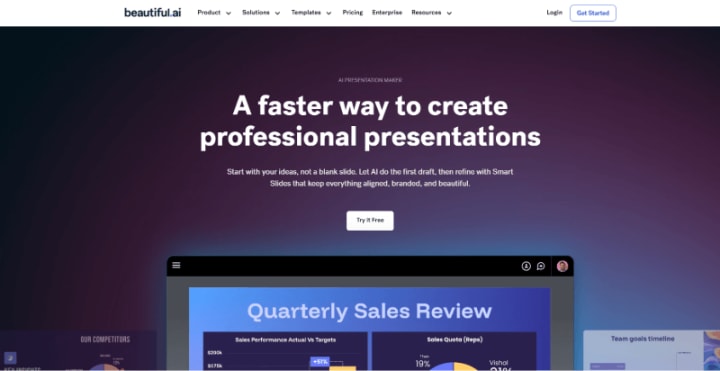
Beautiful.ai takes a more structured approach. Its design system automatically adjusts layouts as content changes, which reduces the need for manual alignment and spacing fixes.
This is especially noticeable when working with charts or structured data. Slides adapt smoothly when numbers or text are updated, helping presentations stay clean even after multiple edits.
It’s a good fit for business or reporting presentations where consistency and clarity matter more than creative freedom.
5. Pitch: Best for Sales Teams and Real-Time Collaboration
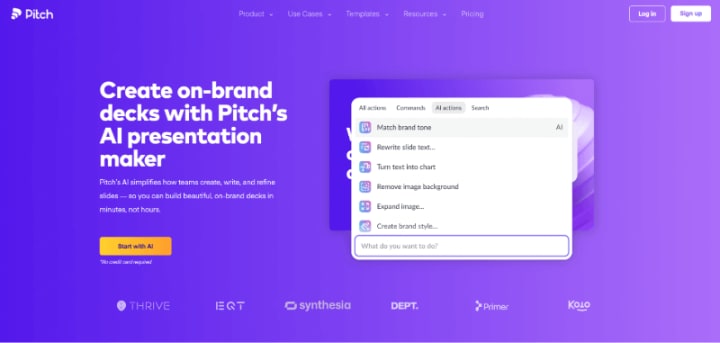
Pitch is designed with collaboration in mind. The platform supports real-time editing and works well for teams that need to update presentations frequently.
Its AI features help organize content, but the strength lies in how presentations evolve over time. Multiple contributors can review, comment, and refine slides without creating version confusion.
This makes Pitch useful for teams working on ongoing projects rather than one-time presentations.
6. Prezi: Best for Non-Linear, Zoomable Presentations

Prezi approaches presentations differently by focusing on non-linear storytelling. Instead of a traditional slide sequence, it creates a visual map that presenters navigate during delivery.
The AI helps structure content spatially rather than sequentially. While this format isn’t ideal for every situation, it can be effective for storytelling, education, or conceptual presentations.
It does require a mindset shift, but for the right use case, it offers a memorable alternative to standard slide decks.
7. Visme: Best for Versatile Visual Content Creation
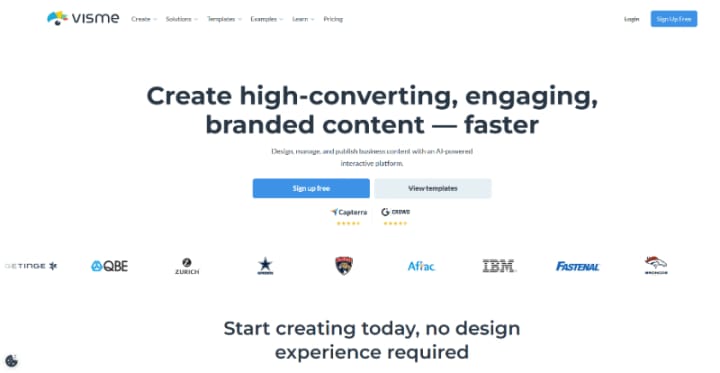
Visme combines presentation creation with other visual formats such as infographics and reports. Its AI helps generate initial layouts, but users still have strong control over final design.
This flexibility is helpful when presentations need to be repurposed into other formats later. The interface can feel dense at first, but it rewards users who want more control over visuals and data representation.
Visme works well for content creators who handle multiple visual outputs from the same source material.
8. Plus AI: Best for Google Workspace Users

Plus AI integrates directly into Google Slides, which removes the need to learn a new platform. It operates as an assistant rather than a replacement, helping with text generation, summarization, and slide structure.
Its strength is convenience. For users already working inside Google Workspace, it adds AI functionality without disrupting existing workflows.
While design options are limited by Google Slides itself, the simplicity makes it appealing for quick, collaborative work.
Final Thoughts
AI presentation tools are no longer just about speed—they’re about reducing repetitive effort. The most effective option depends on where your content already exists and how much control you want after generation.
Some tools focus on structure, others on design consistency, and some on collaboration. Choosing the right one is less about features and more about workflow fit.
For anyone who regularly creates presentations, these tools can significantly reduce the time spent on setup and formatting, leaving more room to focus on the message itself.
Content Disclaimer: This article is intended for informational and educational purposes only. The tools and platforms mentioned are discussed based on general usage experience and publicly available information at the time of writing. This content does not constitute professional, financial, or technical advice. Readers are encouraged to evaluate tools independently and choose solutions that best fit their individual needs and workflows.
About the Creator
The Guardian Chapter V
Alexander left his Coming of Age ceremony with Cronos and the elders with as many new questions as he had answers for his old questions. Cronos had confirmed his suspicions were correct. Not only was there a link between the Beast Masters and the inhabitants of the Citadel, but it was the Citadel's fault that the Beast Masters existed in the first place. Instead of banishing the law breakers which allowed them to wreak havoc on the rest of humanity, the Citadel elders should have stripped them of their powers before they became too strong. Now Alexander would need to battle the Beast Masters and the Jikininki. It would be difficult for him to forgive the Citadel Elders because their poor decisions led to the deaths of his parents and more than half the planet's human population.
By Mark Gagnon16 days ago in Chapters



Comments
There are no comments for this story
Be the first to respond and start the conversation.