techbabe stories
Bio
Hi, guys. Here you can find more articles about technology and other tech staff.
Stories (1)
Filter by community
Flash Drive Features and Design
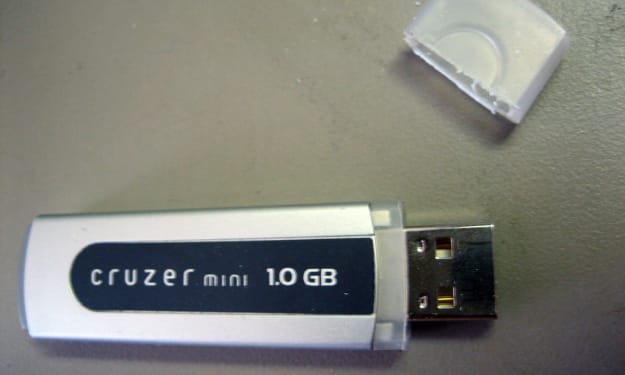
Flash Drive Features The waterproof case—will help to protect flash drive from spilled coffee or other damage. Write protection is a small switch on the flash drive body that blocks data recording. You can not be afraid of viruses when using on someone else's computer or accidentally erasing important information. Password protection is implemented using the program supplied with the USB flash drive. Fingerprint scanner—access to data on a flash drive is possible only if it coincides with the owner's fingerprint. Verification is done every time you connect a flash drive to any device. Data backup—used to restore lost information. This function works automatically (after installing the USB flash drive in the PC) or according to the schedule. In this case, the user independently determines the folder or drive to which files will be recorded from the drive. Copying is carried out by the program that comes bundled with a flash drive. Data compression—significantly reduces the size of files (by 20-80 percent), intended for copying to a USB flash drive. This option saves drive memory. Compression is implemented using a program installed on a flash drive. Hardware data encryption—reliably protects information from unauthorized access by unauthorized persons in case of loss or theft of a flash drive. Data transfer indicator—signals (blinks) about data exchange between a flash drive and a PC. Before removing the drive, you should make sure that the transfer of information is completed—in this case, the LED will simply light up. If the flash drive is removed when the indicator light is flashing, data loss is not excluded. U3 Smart Drive support—saves user work settings (settings, passwords, programs, and other data). This makes it possible to turn any computer into a full-fledged workplace and continue working independently of the “main” computer. This option is useful for people who are often traveling or working on multiple computers. Support Ready Bust—provides high-speed read and write flash drives. OTG support—allows you to connect a USB flash drive to mobile devices, such as a smartphone or tablet, which do not have a full-sized USB-port without an adapter. The connection is realized through the interface provided in the drive—micro USB, Lighting or USB Type-C. A flash drive that does not support OTG needs a special adapter to work with mobile devices. Built-in card reader—allows you to record, store and read data from memory cards that are used in iPods, mobile phones and other devices. The card reader makes it easier to work with information stored in the memory of such gadgets. Wi-fi-module—provides wireless communication between the USB flash drive and mobile devices (smartphone, laptop, tablet). The module works in different ways: Some solutions require connecting a USB flash drive to a PC, other devices have their own power sources and operate independently of the computer. Non-detachable cap—Attached to the body of the flash drive, which minimizes the likelihood of its loss. Neutralizes the only minus of the classic performance of a flash drive (with a cap). Shockproof case—Protects against accidental impacts and other mechanical effects.
By techbabe stories7 years ago in 01