
Tips for Carving Wood With CNC Router
Tips for Carving Wood With CNC Router

Meta Description: CNC router plays a key role in the caving of wood. However, there are some tips to note before using a CNC router for carving wood. Read this guide to learn!
Caving wood with a CNC router is a fascinating technique that combines artistry and precision engineering. CNC routers allow craftsmen to carve complex designs and shapes with remarkable accuracy. This process is especially popular in woodworking, sign-making, and furniture design.
Using a CNC router for caving offers several advantages, including the ability to replicate designs consistently, reduce manual labor, and create complex patterns that would be difficult or impossible to achieve by hand. In this guide, we'll explore essential tips for successfully carving wood with a CNC router. We will also discuss what CNC wood router is and the applications of CNC router wood.
What Is a CNC Wood Router?
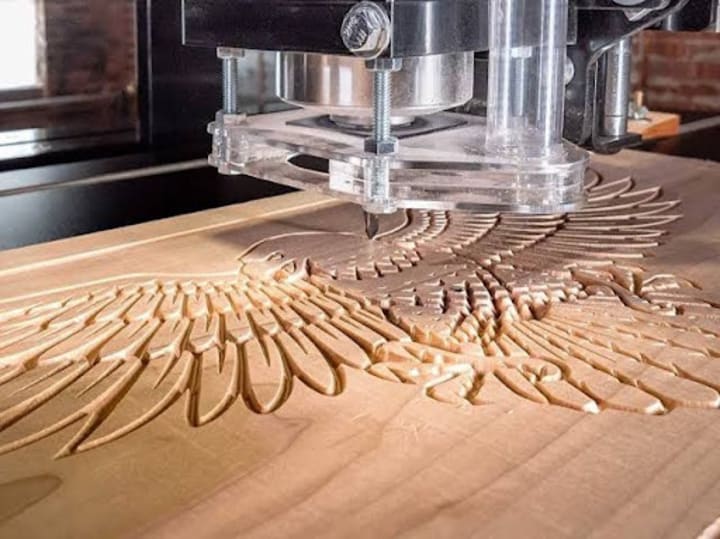
This is a computer-controlled cutting machine specifically designed for carving, engraving, and shaping wood with precision. It operates using a set of programmed instructions that direct the router's movement along multiple axes allowing for complex designs and precise cuts. The key component of a CNC wood router includes the CNC controller, which interprets design files and translates them into movement commands. It also consists of the router itself, which can be fitted with various bits and a worktable that securely holds the wood in place during the carving process.
It starts by creating a digital design using CAD software, followed by generating a toolpath with CAM software. The CNC router then executes the toolpath, carving out the design layer by layer. This technology offers numerous benefits, including high precision, efficiency in producing complex designs much faster than manual methods. CNC routers are quite versatile, as CNC routers can work with various materials beyond wood.
How to Carve Wood With CNC Router
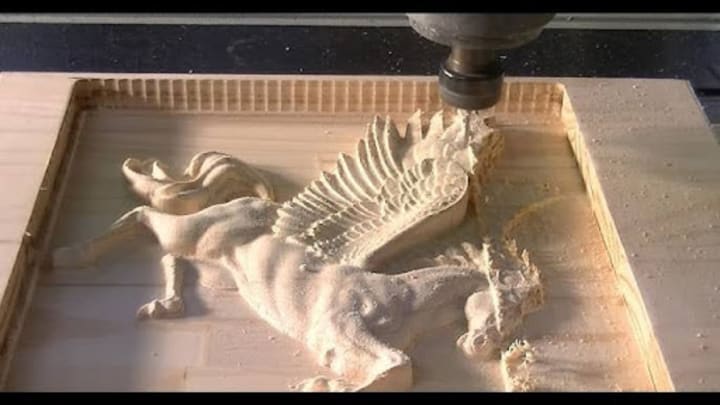
Here’s a detailed guide on how to effectively use a CNC router for wood carving:
Design Your Project
Start by creating a detailed design using CAD (Computer-Aided Design) software. This design should include all the intricate details and dimensions of the piece you want to carve. Make sure to consider the scale and orientation of your design, as this will impact the carving process.
Convert the Design to G-code
Once your design is complete, use CAM (Computer-Aided Manufacturing) software to convert it into G-code, which is the language that CNC machines understand. This step involves defining the toolpaths, selecting the appropriate cutting tools, and setting parameters like feed rate and spindle speed.
Prepare the Material
Choose the right type of wood for your project, considering factors like hardness, grain pattern, and finish. Secure the wood onto the CNC router's work table using clamps or a vacuum system to prevent any movement during the carving process. Ensure the surface is clean and free of any debris.
Set Up the CNC Router
Install the appropriate router bit for your design. Different bits serve various purposes, some are for detailed engraving, while others are for deeper cuts. Change the feed rate and spindle speed according to the material you’re working with to achieve optimal cutting performance.
Calibrate and Zero the Machine
Before starting the carving process, calibrate the machine and set the zero point. This involves positioning the router bit at the starting corner of the material and ensuring it’s at the correct height. Accurate zeroing is crucial for preventing any misalignments during carving.
Run a Test Carve
If you're working on a complex or large project, it's wise to run a test carve on a scrap piece of wood. This allows you to verify the settings, check the design's fidelity, and make any necessary adjustments before working on your final piece.
Begin Carving
With everything set up, initiate the carving process. Monitor the machine closely as it works, ensuring that there are no issues such as bit wear or material movement. Depending on the complexity of the design, the carving process may take some time.
Finishing Touches
Once the carving is complete, carefully remove the piece from the worktable. You may need to sand the surface to smooth out any rough edges or to achieve a desired finish. Additionally, consider applying stains, paints, or sealants to improve the wood's appearance and protect it from wear.
Applications of CNC Router Wood
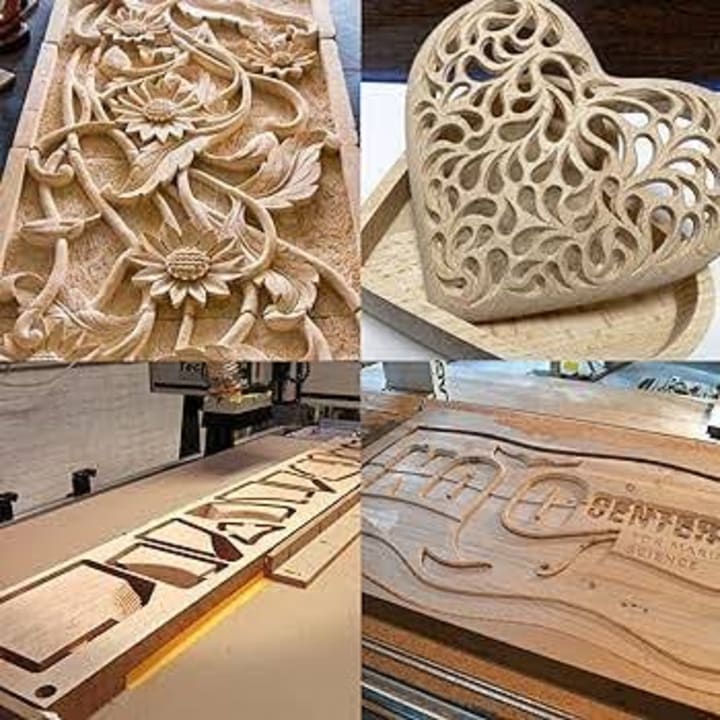
CNC routers have revolutionized the woodworking industry, enabling a wide array of applications that combine precision and creativity. Here are some of the primary applications of CNC routers in wood:
Furniture Manufacturing
CNC routers are extensively used in the production of custom furniture. They allow for the creation of complex designs, precise joinery, and consistent replication of components. Whether it's chairs, tables, or cabinets, CNC technology enhances both functionality and aesthetics.
Sign Making
Creating custom signs is another popular application. CNC routers can carve letters, logos, and intricate designs into various materials, including wood, making them ideal for business signage, decorative signs, and personalized gifts. The precision ensures that each sign is uniform and visually appealing.
Architectural Details
CNC routers are used to produce architectural elements such as moldings, decorative panels, and trims. They can carve detailed patterns and designs that add character to buildings, both inside and out. This application is especially beneficial for restoring historical buildings, where intricate details are essential.
Art and Sculpture
Artists and sculptors utilize CNC routers to create complex and detailed wood sculptures. The ability to program precise movements allows for the exploration of new artistic possibilities, enabling the creation of pieces that may be challenging to achieve by hand.
Toys and Games
CNC routers are used in the production of wooden toys and games, allowing for the precise cutting and engraving of components. This application is ideal for creating custom, educational, and eco-friendly toys that can be tailored to specific designs and themes.
Musical Instruments
CNC technology plays a key role in the production of musical instruments, particularly in crafting intricate designs and ensuring precise dimensions. Violins, guitar and other string instruments benefit from CNC routers’ ability to achieve consistent quality and resonance.
Cabinetry and Storage Solutions
Custom cabinetry and storage solutions often require precise cuts and fittings. CNC routers streamline the production process, ensuring that all components fit together seamlessly. This application is particularly valuable for kitchen remodels and built-in storage.
Prototyping and Model Making
CNC routers are invaluable in prototyping and model making, allowing designers and engineers to create accurate prototypes of their concepts. This capability accelerates the development process, facilitating quick iterations and adjustments based on feedback.
Laser Engraving and Etching
Many CNC routers are equipped with laser attachments, enabling them to engrave and etch detailed designs onto wood surfaces. This versatility gives an extra layer of customization for various projects, from decorative items to functional products.
Conclusion
Carving wood with a CNC router opens up a world of creative possibilities. It combines advanced technology with traditional woodworking techniques. By understanding the fundamentals of CNC routing, woodworkers can achieve complex, precise results that elevate their projects. The diverse applications of CNC routers demonstrate their versatility and value in the woodworking industry.
Employing a reliable wood CNC service will enhance productivity, streamline workflows, and enable you to bring all your design to life.
About the Creator
Keep reading
More stories from Waqar Anjum and writers in Art and other communities.
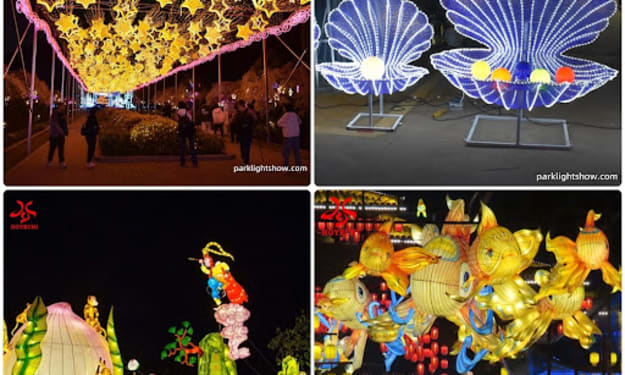
How Park Light Show Brings Lantern Magic to Life
Illuminate Your Festivals: How Park Light Show Brings Lantern Magic to Life In today’s immersive entertainment landscape, the shift from passive viewing to active, shared experiences is undeniable. Whether it’s a blockbuster film or a digital concert, audiences crave real-world magic. One company that’s mastering this transformation is Park Light Show, a leading provider of custom festive lantern displays, illuminated tunnels, and cultural lantern festivals. Their breathtaking installations are not only visually stunning—they create unforgettable moments that unite artists, brands, and audiences under one dazzling canopy of light.
By Waqar Anjum7 months ago in Art
2026 Commercial Space Design:How Fbierglass Sculpture Drives Traffic
Today, offline commercial spaces are facing continuous pressure. With e-commerce offering convenient and fast services, physical stores must showcase unique features to attract customers. In this context, fiberglass sculptures are no longer merely decorative items; they have become visual focal points in shopping malls, brand stores, pop-up shops, and mixed-use commercial projects, playing a crucial role in increasing foot traffic.
By Shenzhen Ruiheng Crafts3 days ago in Art
Why Strategic Branding Is Essential for Long-Term Business Growth
In today’s fast-paced digital environment, businesses face constant pressure to stand out. Consumers are exposed to endless choices every day, making attention harder to earn and trust harder to keep. While quality products and services are important, they are no longer the only factors that determine success. Strategic branding plays a key role in helping businesses grow steadily and remain relevant over time.
By Ayush Bagwari3 days ago in Art



Comments
There are no comments for this story
Be the first to respond and start the conversation.