
How to Create Mug Mockup for Your Etsy Store
How to Create Mug Mockup

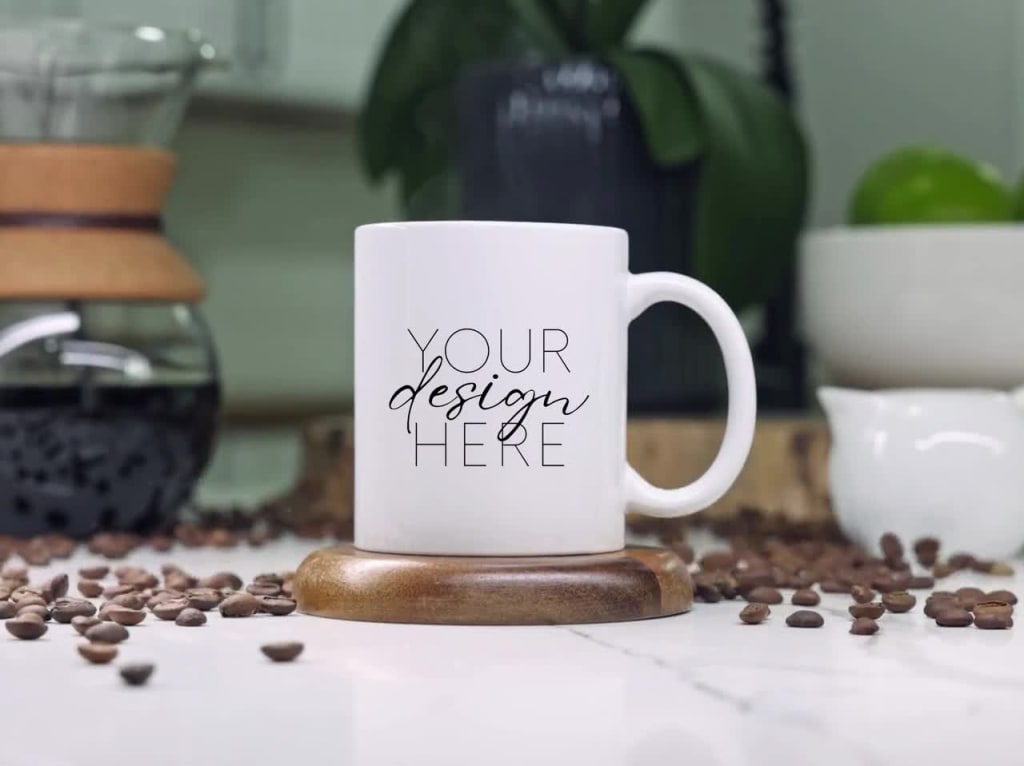
If you sell custom mugs on Etsy, having high-quality mockups is essential to showcase your products in the best light. A good mug mockup gives potential customers a realistic idea of how the design will look on an actual mug, helping them imagine it in their own homes. Today, I’ll walk you through how to create beautiful mug mockups using mug mockup generators that will help your Etsy listings stand out.
Why Use Mug Mockups for Etsy?
Before we dive into the steps, let’s talk about why mug mockups are so important for Etsy sellers. When selling online, customers can’t physically see or touch your products, so they rely heavily on images. A great mockup can make your product look professional and desirable, helping you convert more visitors into buyers.
How to Create Mug Mockups for Etsy
Follow these simple steps to create professional-looking mockups for your Etsy store using mug mockup generators:
1. Choose a Mug Mockup Generator
The first step is to find a mug mockup generator that fits your style and needs. Some popular options are:
Mockey: A simple yet powerful tool that allows you to generate mug mockups with ease. Mockey offers a variety of mug styles and templates that are perfect for Etsy listings.
Placeit: Known for its user-friendly interface, Placeit lets you create beautiful mockups by simply dragging and dropping your design onto a template.
Smartmockups: Offers high-quality, photorealistic mockups with customizable options for mug colors, shadows, and backgrounds. Perfect if you want to experiment with different mug styles.
2. Prepare Your Mug Design
Before you upload anything to a mockup generator, ensure your design is ready. You can create your mug designs using tools like Canva or Photoshop, keeping in mind the size and placement of the artwork. Export your design in a high-resolution PNG file for the best results.
3. Upload Your Design to the Mockup Generator
Once your design is ready, head over to your chosen mug mockup generator. Most platforms are super easy to use:
Mockey: Just upload your design, select a mug style, and let Mockey do the rest. You can choose from a variety of templates and customize the mockup as needed.
Placeit: Drag your design onto a pre-existing template. Placeit also offers lifestyle templates that can show your mug in real-world settings, like a kitchen or a cozy office.
Smartmockups: Upload your design and adjust the position, size, and colors. You can also add backgrounds or change the scene to match your Etsy store’s aesthetic.
4. Customize the Mug Mockup
To make your mug mockup truly stand out, take the time to customize it. Here are a few ways you can do that:
Backgrounds: Use a plain background to keep the focus on your design or choose a more styled background that fits your Etsy brand, like a cozy kitchen setting.
Lighting and Shadows: Many mockup generators allow you to adjust the lighting and shadows to give your mockup a more realistic feel.
Mug Styles: Choose different mug styles, like a classic ceramic mug, a travel mug, or even a color-changing mug, depending on what you’re selling.
5. Download and Upload to Etsy
Once you’re happy with your mug mockup, download the high-quality image from the generator. Be sure to follow Etsy’s image guidelines, which typically recommend at least 2000px for the shortest side of the image. Now, upload your new mug mockup to your Etsy listing. Use different angles and variations of the mockup to give potential buyers a full view of your product.
Tips for Creating Eye-Catching Etsy Mockups
Use High-Quality Images: Etsy is a visual platform, so make sure your mockups are crisp, clear, and high resolution.
Show Multiple Angles: Offer a variety of images in your listing, including different angles and close-ups of the design.
Add Lifestyle Mockups: If possible, include lifestyle mockups that show the mug in a real setting, helping buyers visualize the product in their own lives.
Stay Consistent: Use similar backgrounds, lighting, and styles across your listings to maintain a cohesive brand aesthetic.
Conclusion
Creating high-quality mug mockups for your Etsy store doesn’t have to be difficult or time-consuming. With the right mug mockup generator like Mockey, Placeit, or Smartmockups, you can quickly create beautiful, professional-looking mockups that help your listings stand out. Start using these tools to enhance your Etsy store, attract more buyers, and grow your business!
Also read:
How to Create Clothing Mockups: A Step-by-Step Guide for Beginners
Why Cap Mockups Are Essential for Print-on-Demand Businesses
About the Creator
ladali official
I am a content creator with a love for storytelling and turning ideas into visuals that captivate and connect. I focus on creating engaging, high-quality content that speaks to audiences across platforms
Keep reading
More stories from ladali official and writers in Art and other communities.
How to Create Clothing Mockups: A Step-by-Step Guide for Beginners
If you're a fashion enthusiast, designer, or just someone who wants to see their designs come to life, clothing mockups are a great way to visualize your ideas. Mockups let you place your design on t-shirts, hoodies, or any type of apparel, so you can see how they'll look in real life. The best part? You don’t need to be a pro! This guide will walk you through how to create clothing mockups using apparel mockup generators, apparel mockup templates, and even free clothing mockup online tools.
By ladali officialabout a year ago in Art


Comments
There are no comments for this story
Be the first to respond and start the conversation.