
How Do You Add an AI Mask to a Photo?
digital art and photography
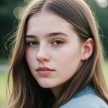

Artificial intelligence (AI) is revolutionizing the world of digital art and photography, making it easier than ever to enhance and edit photos with creative effects. One exciting application of AI in photo editing is the ability to add masks to images. AI-powered masking tools allow you to overlay intricate designs or artistic elements onto a photo, transforming it into a unique work of art. In this article, we will explore how to add an AI mask to a photo using cutting-edge tools like a1.
a1.art is a versatile platform offering advanced AI art tools, including an AI image generator and photo filters that allow users to manipulate images effortlessly. Here’s a step-by-step guide to help you get started with adding AI masks to your photos.
What is an AI Mask?
Before we dive into how to add an AI mask to a photo, let’s define what an AI mask is. In photo editing, a "mask" is a tool used to selectively apply effects or changes to specific parts of an image. Traditional masks are often applied manually, where the editor decides which areas to alter. AI masks, on the other hand, are generated by artificial intelligence, allowing the software to automatically identify subjects or areas in an image where the mask should be applied.
This process is significantly faster and more efficient than manual editing, and it enables creative possibilities like overlaying designs, artistic elements, or facial masks on photos. AI masking is often used in portrait photography, graphic design, and digital art creation.
Why Use AI for Adding Masks?
There are several benefits to using AI to add masks to your photos:
Precision and Efficiency: AI automatically detects edges and important elements within the photo, making the masking process more accurate and efficient. You don’t need to worry about spending time manually selecting parts of the image.
Creative Freedom: AI masking tools offer a wide range of creative options. From subtle enhancements like facial retouching to bold, artistic overlays, AI masks can transform a basic photo into something extraordinary.
Easy Customization: With AI-powered tools, users can easily customize their masks, adjusting parameters like color, texture, and opacity to achieve the perfect look.
User-Friendly: Modern AI tools are designed with ease of use in mind, so you don’t need to be an expert in photo editing to create professional-looking results.
Adding an AI Mask to a Photo with a1.art
If you’re looking for an easy and effective way to add an AI mask to your photos, a1 is an excellent platform to get started. Here’s how to do it:
Step 1: Visit a1.art
Begin by visiting the a1.art website, a free-to-use platform that offers a variety of AI-powered tools for image creation and editing. The site is intuitive and beginner-friendly, allowing you to dive right into your photo editing project without any hassle.
Step 2: Upload Your Photo
Once you’re on the a1.art homepage, look for the option to upload an image. You can either drag and drop a file or browse your computer for the photo you want to edit. a1.art accepts multiple image formats, so you shouldn’t have any trouble uploading your favorite photos.
Step 3: Use the AI Image Generator
After uploading your image, navigate to the AI image generator. This tool is designed to apply AI-powered effects to your image, including adding artistic masks. The AI image generator is highly flexible, allowing you to input text prompts to describe the type of mask or overlay you want.
For example, you can request the AI to add a "futuristic metallic mask" or a "floral mask" to your subject’s face. The AI will then analyze the image and apply the mask to the appropriate area, generating a new version of your photo with the specified effects.
Step 4: Customize Your AI Mask
One of the best features of a1.art is the ability to customize the results after the AI has applied the mask. You can adjust various parameters, such as the size, position, and color of the mask. For a more artistic or personalized effect, a1.art also provides additional photo filters that you can apply to enhance the overall look of your photo.
For example, you could apply a black-and-white filter to give the photo a classic, timeless feel, or add a vibrant color filter to make the mask stand out against the background. The combination of AI masks and photo filters can result in strikingly unique visuals.
Step 5: Download Your Edited Photo
Once you’re happy with how your AI mask looks, you can easily download the edited photo from a1.art. The platform allows users to download high-resolution images that are suitable for both online sharing and print projects.
Whether you’re creating digital art, enhancing your social media profile, or working on a graphic design project, a1.art makes it simple to download and use your AI-generated images.
Creative Ideas for Using AI Masks
The possibilities for AI masks are virtually limitless. Here are a few creative ways you can use AI masks in your photography or digital art:
Portrait Enhancement: Add subtle face masks or effects to enhance facial features. For example, you can add a digital mask that contours the subject’s face or highlights their eyes.
Fantasy Art: Create a surreal or fantastical look by adding creative masks to your subjects, such as animal masks, digital helmets, or nature-inspired designs like leaves and flowers.
Graphic Design Projects: Use AI masks to overlay geometric patterns, textures, or abstract designs on your photos, making them perfect for posters, album covers, or digital ads.
Photo Manipulation: Blend multiple masks with different photo filters to create an abstract art piece. AI-generated masks can help you build complex designs that would be difficult to achieve manually.
Social Media Content: If you’re looking to stand out on platforms like Instagram or TikTok, AI masks can give your selfies and photos an artistic edge that grabs attention. Pair the masks with the platform’s customizable filters for even more unique looks.
Why Choose a1.art for AI Masking?
There are several reasons why a1.art is a standout choice for adding AI masks to photos:
Free and Accessible: Unlike many other AI-powered tools that require subscriptions, a1.art is free to use, making it accessible to everyone.
High-Quality Output: Despite being a free platform, a1.art delivers high-quality images that can compete with those created using paid tools.
Customizable Photo Filters: The photo filters offered by a1.art give users the ability to enhance their AI-generated masks, making the platform incredibly versatile for a wide range of creative projects.
Easy to Use: Whether you’re a beginner or a seasoned artist, a1.art offers a simple and intuitive interface that anyone can navigate. No advanced technical skills are required to create stunning results.
Conclusion
Adding an AI mask to a photo is a creative and exciting way to enhance your images, whether you’re working on digital art, personal photography, or design projects. Thanks to platforms like a1.art, this process is now easier than ever. With its powerful AI image generator and customizable photo filters, you can quickly transform any photo into a unique, AI-enhanced masterpiece.
Whether you’re a professional artist or just looking to have some fun with your photos, a1.art provides a user-friendly, cost-free platform that opens up a world of creative possibilities. Give it a try and start adding AI masks to your photos today!
About the Creator
Emma
Passionate about AI art, enjoys using AI tools to explore works in various styles, from cyberpunk to impressionism, always open to experimentation.
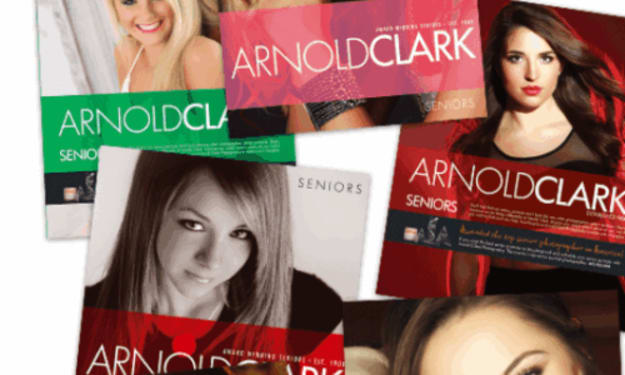
Arnold Clark Photography… The Pinnacle in High School Senior Portraits
Arnold Clark Photography sits on 24th Street in Omaha Nebraska, its front windows glowing softly long after most shops have gone dark. From the outside, it looks timeless with clean lines and framed portraits that hint at decades of stories. Inside, it is anything but stuck in the past.
By ArnoldClark Photography3 days ago in Art


Comments
There are no comments for this story
Be the first to respond and start the conversation.