
You Bought a New Laptop. Now You’re Stuck With the Old One.
How to Sell Your Old Laptop

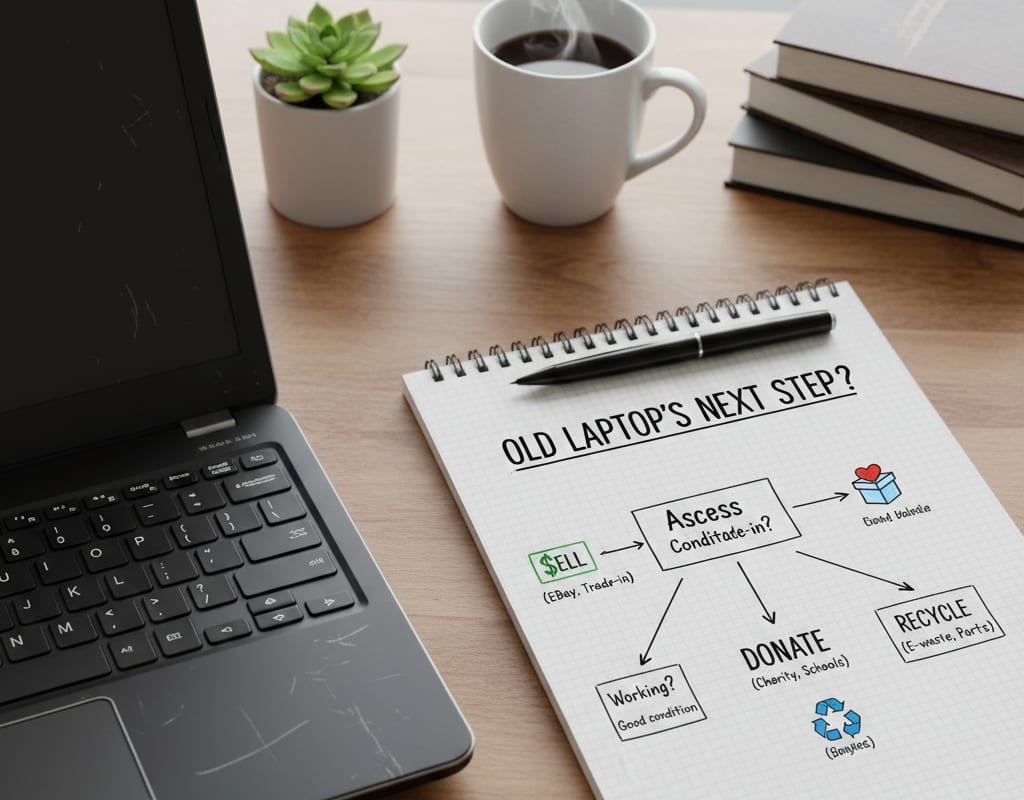
Buying a new laptop always feels like a clean break. Everything runs faster, the battery finally lasts a full day, and the screen doesn’t fight your eyes anymore. For a moment, it feels like you’ve upgraded your entire workflow.
Then the old laptop shows up again—usually when you’re deciding where to put it.
It still turns on. It still holds your files. It doesn’t feel broken enough to throw away, but not valuable enough to think about seriously. So it ends up in a drawer, a closet, or a corner of your desk where it quietly waits for a decision that never comes.
That limbo is where most laptops lose whatever value they have left.
I work with retired laptops professionally. My job is to decide what happens to them after companies finish using them—whether they get resold, donated, repurposed, or recycled. And even with that background, I’ve made the same mistake many people do: waiting too long because the decision didn’t feel urgent.
If you’re holding onto an old laptop and telling yourself you’ll “deal with it later,” this guide is meant to help you make a clear, realistic decision—without guesswork or guilt.
The Real Question Isn’t Whether Your Laptop Is Old
Most people judge laptops emotionally. They remember how well it used to perform or how much it originally cost. But professionals don’t think that way.
The real question is simple: does this laptop still function as an asset, or has it already become a liability?
That distinction matters more than age alone. I’ve seen six-year-old business laptops that still move quickly through resale channels, and three-year-old consumer models that struggle to find any interest. Build quality, reliability, and demand matter more than the calendar.
Before deciding what to do, you need to look at the laptop honestly—not optimistically.
What Actually Determines a Laptop’s Remaining Value
When companies retire laptops, they don’t guess. They look at a small set of factors that determine where the device can realistically go next. Individuals can apply the same logic.
Age still matters, but mainly in broad ranges. Laptops under five years old often have resale potential, especially if they’re well-built models. Between five and eight years, demand drops, but the device can still serve budget buyers or secondary users. Beyond that point, only certain machines—MacBooks or high-end workstations—retain meaningful interest.
Functionality is even more important. A laptop that boots consistently and works without random crashes still has options. The moment it becomes unreliable, its future narrows quickly. Buyers are far more tolerant of cosmetic wear than technical instability.
Cosmetic condition shapes expectations rather than eliminating value. Scratches and worn keyboards are normal. Cracked screens, hinge damage, or visible structural issues are what push a device toward parts or recycling.
Configuration matters more today than it used to. Solid-state storage is expected. Memory limitations are more noticeable with modern software. Any dedicated graphics, even modest ones, can make a laptop attractive to a specific audience. What feels slow to you may still be perfectly usable to someone else.
Once you understand where your laptop realistically sits, the next step becomes much clearer.
Why Doing Nothing Is Usually the Worst Choice
One of the biggest misconceptions about old laptops is that they remain “on hold” until you decide what to do with them. In reality, they are depreciating the entire time.
Operating systems lose support. Batteries degrade even when unused. Market demand shifts toward newer standards. A laptop that sits untouched for a year is almost always worth less than one that’s moved quickly—even if nothing visibly changes.
This is why organizations treat unused electronics as liabilities. They know that waiting rarely improves the outcome.
For individuals, the pattern is the same. “I’ll wipe it later” often turns into “it’s not worth much anymore.” Acting sooner preserves options.
Selling Your Laptop: When It Makes Sense—and When It Doesn’t
Selling is often the most financially rewarding option, but only if the laptop is still in good working condition and you’re realistic about the effort involved.
Peer-to-peer marketplaces can offer the highest returns, especially for popular models. They also require the most work. You handle testing, cleaning, wiping, photos, communication, shipping, and sometimes uncomfortable negotiations. For people who don’t mind the process, it can be worth it.
Trade-in programs are simpler. You get a fast, predictable outcome, usually in the form of store credit. The trade-off is value. Convenience always comes at a cost.
Professional buyers fall somewhere in between. They offer structure and safety, but they won’t overpay, and they won’t take laptops that are already near the end of their useful life. This approach works best when you want clarity and minimal hassle.
No option is universally “best.” The right choice depends on how much time you’re willing to invest and how much the laptop is realistically worth.
Donation Is Often the Most Overlooked Option
A laptop doesn’t need to feel fast to be useful.
For schools, nonprofits, and community programs, older laptops still serve important roles. Tasks like research, online learning, basic communication, and training don’t require cutting-edge hardware.
From a lifecycle perspective, donation is a strong outcome. It extends the device’s usefulness and delays the environmental cost of recycling. The only non-negotiable requirement is data protection. Even when donating to a trusted organization, the laptop must be wiped properly.
Good intentions don’t replace good security.
Repurposing Can Work—But Only With a Clear Purpose
Repurposing is often suggested as a creative solution, but in practice, it only works when there’s a specific need.
An older laptop can function well as a shared family device, a learning machine for Linux or programming, or a dedicated system for a particular task. Without a defined purpose, repurposing usually turns into another reason the laptop stays unused.
If you don’t already know how you’ll use it, that’s a sign the laptop is ready for a different path.
When Recycling Is the Right Answer
Sometimes reuse simply isn’t practical. A laptop that’s unreliable, physically damaged, or unsupported has reached the end of its viable life.
Recycling is not failure. It’s closure.
Certified e-waste programs exist to recover valuable materials safely, handle batteries responsibly, and keep electronics out of landfills. When reuse or resale is no longer realistic, recycling becomes the most responsible choice. That said, there’s one practical detail many people overlook: if your laptop contains upgraded or relatively modern components, you don’t have to recycle everything at once. In some cases, removing and selling hard drives separately can return more value than recycling—or even selling—the entire machine.
Data Security Comes Before Every Decision
No matter what path you choose, data security comes first.
Before selling, donating, or recycling, back up what matters, sign out of all accounts, deauthorize licensed software, and reset the system properly. Old laptops retain more personal information than most people realize.
If the device is non-functional, removing or destroying the storage drive adds an extra layer of protection.
This is one area where cutting corners is never worth it.
The Best Outcome Is the One You Choose Promptly
What you do with an old laptop depends on its condition, your priorities, and how much effort you want to invest. From a professional lifecycle standpoint, the order is clear: reuse when possible, donate when resale isn’t worthwhile, repurpose only with intent, and recycle responsibly when nothing else makes sense.
The only truly bad option is waiting indefinitely.
An old laptop doesn’t gain value with time. But handled thoughtfully, it can still provide value—financially, functionally, or socially—before it reaches the end of the road.
If you’re unsure what to do, that uncertainty is already costing you. Making a decision now is almost always better than postponing it again.
About the Creator
Jeff BSR
Computer Hardware Engineer
Saudi Arabia Outdoor LED Lighting Market Size and Forecast 2025–2033
Saudi Arabia Outdoor LED Lighting Market at a Glance The Saudi Arabia Outdoor LED Lighting Market is expected to reach US$ 957.4 million by 2033, rising from US$ 318.96 million in 2024, registering a strong CAGR of 12.99% during 2025–2033. This expansion is primarily driven by large-scale infrastructure development, mega smart-city projects such as NEOM, The Line, and Qiddiya, and the country’s accelerating transition toward energy-efficient and sustainable lighting systems. Supportive government regulations, declining LED prices, and growing public awareness about energy conservation are further strengthening market momentum.
By Renub Research2 days ago in 01
Sergey Brin Becomes World’s No. 3 Richest—Overtakes Jeff Bezos, Larry Ellison After Alphabet Hits $4 Trillion
Topline Sergey Brin leapfrogged Oracle’s Larry Ellison and Amazon’s Jeff Bezos on Tuesday to become the world’s third-richest person, ranking again behind fellow Google cofounder Larry Page as parent firm Alphabet stock rallied to its latest milestone.
By Dena Falken Esq4 days ago in 01




Comments (1)
Guess what? Since my expensive computer burned, I was working out of an old Raspberry Pi 2 for nearly a year. Then I switched to what I have been using for years, an old Samsung R580 laptop built in 2010, yes! A 15-year-old laptop has been my main workhorse, with Debian Linux of course, I got sick & tired of the slowness and requirements of Windows which stopped being a "productivity" OS long ago.