
Why Most Productivity Apps Fail to Improve Focus
How feature overload, cognitive load, and design incentives quietly sabotage deep work


Why Most Productivity Apps Fail to Improve Focus
Productivity apps promise clarity. They offer systems, dashboards, timers, checklists, and endless customization. Yet despite their abundance, distraction remains the defining condition of modern work. This failure isn't accidental—it's a design problem rooted in many, though not all, productivity tools.
The Feature Fallacy
Open almost any popular productivity app and you'll find the same pattern: more options, more integrations, more control. At first glance, this seems empowering. In practice, it often produces the opposite effect.
Every additional feature introduces a new decision. Every decision consumes attention. Research in cognitive psychology has demonstrated that "decision fatigue" is measurable—the more decisions you make, the lower the quality of subsequent choices and the more depleted your mental energy becomes.
Instead of reducing cognitive load, many productivity apps redistribute it.
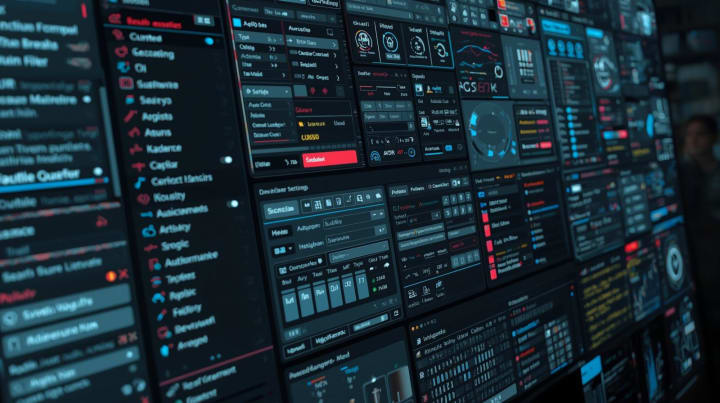
The user no longer struggles with disorganization but with configuration. Time that should be spent thinking or creating gets redirected toward maintaining the system meant to support that thinking.
This isn't a minor design oversight. It's the core reason many users abandon productivity tools after an initial phase of enthusiasm.
Organization Is Not Focus
A well-organized workspace doesn't guarantee a focused mind.
Task managers excel at externalizing memory: reminders, deadlines, priorities. Note-taking tools excel at storage and retrieval. These are undeniably valuable functions. But they operate on the surface of work, not its depth.
A University of California study found that it takes an average of 23 minutes to regain full focus after an interruption. Focus emerges when attention is sustained long enough to allow ideas to mature. No checklist can produce that state. At best, tools can remove obstacles. At worst, they become obstacles themselves.
The mistake lies in confusing control with concentration. Productivity apps often optimize for the former while quietly undermining the latter.
When Tools Become the Task
Apps like Notion or complex task managers illustrate this tension clearly. Their flexibility is their selling point—and their trap.
Users spend hours refining templates, optimizing workflows, and reorganizing dashboards. The system feels productive. The actual output doesn't necessarily follow.
This phenomenon isn't user failure. It's a predictable outcome of systems that reward maintenance over momentum. When managing the tool becomes indistinguishable from doing the work, focus collapses into administration.
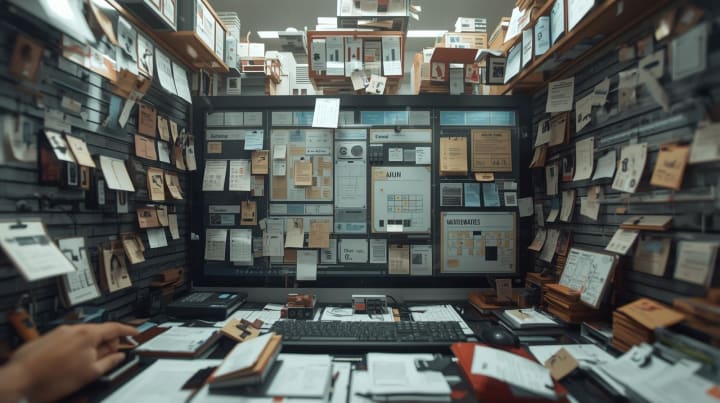
But this doesn't mean all complex systems are bad.A project manager handling ten clients, thirty interconnected tasks, and overlapping deadlines may genuinely need a sophisticated system. The problem isn't complexity itself—it's complexity that doesn't serve a real need.
The critical question: Does the system match your work's actual complexity, or are you complicating your work to match the system's capabilities?
The Attention Economy Inside Productivity Software
Ironically, many productivity tools replicate the same attention-fragmenting patterns found in social platforms: notifications, badges, progress metrics, visual noise.
These elements are justified as motivation. In reality, they fragment attention and encourage constant context-switching.
Individual differences become stark here. The Pomodoro Technique (25 minutes work, 5 minutes rest) is revolutionary for some people—catastrophic for others. A writer in a state of creative flow may have their immersion destroyed by interruptions every 25 minutes. An accountant reviewing invoices might benefit from regular breaks.
Focus requires continuity. Most apps encourage interruption. But "continuity" itself means different things to different people.
Focus Is a Constraint Problem, Not a Tool Problem
The most effective productivity systems are often the simplest: fewer inputs, fewer choices, fewer surfaces competing for attention.
Focus improves when constraints are introduced deliberately:
Limited task lists (3-5 daily tasks instead of 30), reduced notification channels, friction that discourages constant task-switching.
Good productivity tools respect this reality. They don't attempt to replace discipline with automation. They support conscious self-limitation.
This is why minimal writing apps, distraction-free modes, and linear workflows often outperform feature-rich platforms when it comes to actual output.
A Microsoft Research study found that knowledge workers switch between apps and windows an average of 13 times per hour. Each transition carries a cognitive "context-switching cost." Tools that reduce this switching through simplicity or focused design—protect concentration.
Tools Reveal More Than They Fix
Perhaps the most uncomfortable truth is this: productivity apps don't solve distraction. They expose it.
They reveal how easily attention fragments, how often avoidance masquerades as planning, how structure becomes a substitute for genuine engagement.
But exposure itself may have value.Discovering you spend two hours daily "reorganizing" your system might be the necessary shock for change. Some apps provide detailed usage statistics—and this self-awareness, however uncomfortable, can be a starting point for reform.
When an app fails to improve your focus, the temptation is to search for a better one. In many cases, the issue isn't the software—it's the assumption that software alone can compensate for cognitive habits.
But sometimes, the problem really is the software. An app that sends 40 daily notifications, forces you to watch ads, or hides basic functions behind tiered subscriptions—this is design serving the business model, not the user.
Designing for Focus, Not Control
Productivity tools that genuinely support focus tend to share specific traits:
Restrained feature sets - Every feature serves a clear purpose, nothing extraneous.
Clear primary workflows- Users know immediately what to do without a 50-page manual.
Minimal visual stimulation - No loud colors, no unnecessary animations.
Respect for uninterrupted time - Notifications are optional, and default settings lean toward quiet.
Seamless disappearance - The app becomes transparent when real work begins.
The goal isn't to feel productive—but to become absorbed enough to forget the tool entirely.
Context of Use Determines Success
A college student with 5 courses, some homework, and one extracurricular activity doesn't need Asana with 15 projects and 200 subtasks. A simple paper list might suffice.
An executive managing 3 departments, 50 employees, and multi-million dollar budgets needs a more sophisticated system. Excessive simplicity here would create chaos.
The real criterion: Does the tool reduce your total mental friction in your specific context?
If you spend 20 minutes daily updating your system while your actual work requires two hours of deep focus—the system has failed.
If the system consolidates your scattered work across 10 tools into one place and saves you an hour daily—the system has succeeded, even if it's complex.
Acknowledging Real Benefits
Despite all criticism, productivity apps provide genuine value:
- Reducing cognitive anxiety - Your brain doesn't need to remember 40 tasks. External storage frees working memory for actual thinking.
- Improving reliability- You won't miss important deadlines when the system reminds you.
- Facilitating collaboration - Teams need shared spaces to coordinate efforts.
- Comprehensive visibility - Seeing all your projects in one place helps strategic planning.
The problem isn't the existence of these tools—it's designs that sacrifice deep focus to maximize engagement and continuous usage.
Why Are Tools Designed This Way?
The missing question: Why do companies build tools that harm focus?
Subscription-based business models - The more you use the app, the less likely you'll cancel. An app that "disappears" when you work risks being forgotten.
Feature racing - In a crowded market, adding a new feature every month justifies keeping your name in the news.
Wrong success metrics - Companies measure "daily usage time" not "user's actual output."
Understanding these incentives helps you choose tools from companies with different business models—like one-time purchases or open source.
Practical Guide for Selection and Use
How to choose a tool that protects your focus?
**The First Week Test** - Use it for 5 days without reading guides or tutorials. If you don't understand 80% of its core functions intuitively, it's too complex.
The 80/20 Rule - Do 20% of the app's features solve 80% of your problems? Or do you use 100% of features to solve 30% of problems?
Creation Ratio Metric - Calculate the ratio of time spent creating actual content/work versus time spent "managing the system." If it's less than 5:1, there's a problem.
How to use tools without being consumed by them?
Set fixed planning time - 15 minutes in the morning, 10 in the evening for review. Outside this time, the app is for execution only, not reorganization.
**Three-Task Law** - Don't start your day with more than 3 primary tasks. The rest of the list is for context only.
Week of Silence - Turn off all notifications for a week. Only re-enable what you genuinely miss.
Monthly Review - Every 30 days, ask: Has this app improved my actual output? Or just my feeling of busyness?
Technical Validation
Let's verify these claims against established research:
**On decision fatigue**: Studies by Roy Baumeister and colleagues (2008) demonstrated that making repeated choices depletes mental resources. Each feature requiring configuration adds to this burden.
On context switching: Gloria Mark's UC Irvine research (2008) established the 23-minute refocus time. More recent studies (Leroy, 2009) identified "attention residue"—when switching tasks, part of your attention stays with the previous task.
On cognitive load: John Sweller's Cognitive Load Theory shows that extraneous load (system management) competes with germane load (actual learning/creating). Well-designed tools minimize the former.
On flow states: Mihaly Csikszentmihalyi's research shows that flow requires unbroken concentration for extended periods (typically 45+ minutes). Tools that interrupt this cycle prevent optimal performance.
Critical nuance: Not all interruptions are equal. Self-initiated breaks at natural task boundaries differ from external interruptions mid-task. Good tools respect this distinction.
Critical Value Assessment
Where this analysis succeeds:
- Identifies genuine design contradictions in mainstream productivity software
- Grounds critique in cognitive science rather than opinion
- Provides actionable selection criteria
- Acknowledges individual variation
Where readers should exercise caution:
- The "feature bloat = bad" equation isn't universal. Power users in complex domains (software development, research, multi-project management) may genuinely need advanced features.
- Some apps with many features maintain excellent UX through progressive disclosure—showing simple interfaces initially, revealing complexity only when needed.
- The critique focuses on individual productivity but undervalues collaborative features. Team coordination often requires complexity that individuals don't need.
- Survivorship bias exists: we hear about failed systems more than successful ones. Many people do use complex tools effectively.
The deeper question this article prompts:
Are we asking tools to solve what are fundamentally human attention regulation problems? The best productivity system won't help if you're burned out, working on meaningless tasks, or lacking clear goals.

Updated Conclusion
Most productivity apps don't fail because they're poorly built—but because many are built for the wrong problem.
Focus isn't a feature to be added. It's a condition to be protected.
But this doesn't mean rejecting all tools. It means choosing tools that respect cognitive reality, match your actual work context, and disappear when deep thinking begins.
Until the software industry reorders its priorities—from feature density and usage addiction toward cognitive clarity and actual output—distraction will persist, polished, organized, and meticulously tracked.
But individual choice still exists. You can choose simpler tools, disable noise, and design your system around your work—not the reverse.
In the end, the best productivity tool is the one you forget while working.
About the Creator
LUCCIAN LAYTH
L.LUCCIAN is a writer, poet and philosopher who delves into the unseen. He produces metaphysical contemplation that delineates the line between thinking and living. Inever write to tellsomethingaboutlife,but silences aremyway ofhearing it.
Keep reading
More stories from LUCCIAN LAYTH and writers in 01 and other communities.
Elon Musk called medical school "pointless," but Jeff Bezos wants Gen Z to finish college before starting their own companies — as AI threatens entry-level jobs
The job market is becoming volatile by the minute as generative AI becomes more prevalent and gains broad adoption across organizations worldwide. Last year, Salesforce CEO Marc Benioff revealed that the company is seriously debating hiring software engineers, citing "incredible productivity gains" from agentic AIs.
By Dena Falken Esq4 days ago in 01
How to Plan a Flawless SharePoint to SharePoint Migration?
SharePoint migrations might be complex, especially if you're not an IT expert or a professional user. Whether migrating from SharePoint to SharePoint Online or simply restructuring site collections between tenants, the process involves detailed planning and precision.
By Xanthe Claya day ago in 01


Comments (1)
Lol, I’m too scattered right now to focus on more than a mouthful of words that aren’t my own. Bookmarking for when I’m in a calmer space.