
Webcams for Virtual Classrooms & Video Conferencing
Essential Features for Seamless Communication
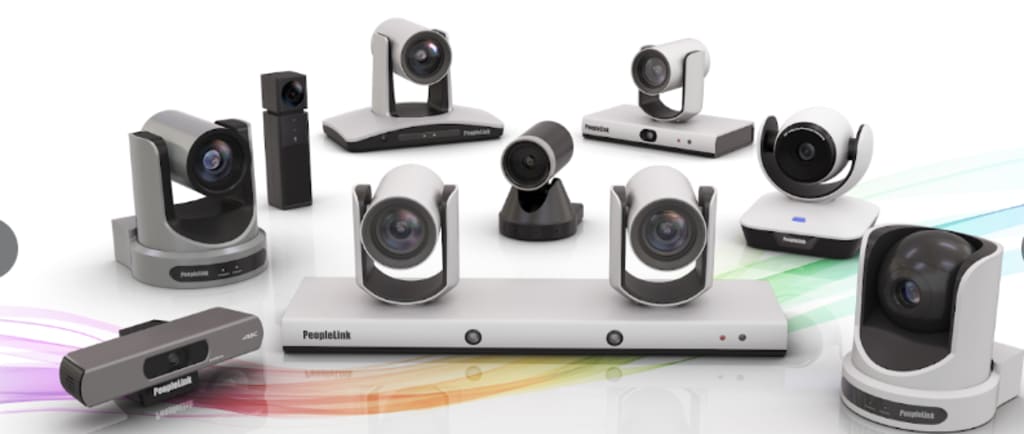
Webcams are an essential tool for communication and collaboration, allowing users to connect and engage effectively. Whether you're an educator leading a virtual classroom, a remote worker attending meetings, or a content creator streaming live, selecting the right webcam can significantly enhance your experience.
Why Are Webcams Important?
Webcams play a pivotal role in bridging the gap between remote participants, ensuring clear visuals and effective communication. With the rise of edtech tools and the growing demand for hybrid learning environments, having a high-quality webcam is crucial. Additionally, webcams are vital for telehealth consultations, virtual interviews, live streaming events, and online workshops. They allow for real-time interaction, foster engagement, and help maintain a human connection, even when participants are miles apart.
Types of Webcams
Built-in Webcams: Found in laptops and some monitors, these are convenient but often lack advanced features and high resolution.
External USB Webcams: Popular for their superior resolution, advanced features, and flexibility in positioning.
Professional Streaming Cameras: Designed for high-quality video production, often used by content creators and vloggers.
Document Cameras: Used in educational settings for displaying physical objects or documents during virtual lessons.
Key Features to Consider
Resolution and Frame Rate: A minimum of 1080p resolution and 30 frames per second (fps) is recommended for smooth video quality. For professional streaming or recording, 4K resolution can offer superior clarity.
Low-Light Performance: Essential for maintaining clarity in dimly lit environments or late-night sessions.
Field of View (FOV): A wider FOV allows more participants or background elements to be captured in the frame.
Built-in Microphone: Reduces the need for external audio devices and enhances audio quality.
Compatibility with Edtech Tools: Ensure seamless integration with popular platforms for virtual learning, such as Zoom, Microsoft Teams, and Google Classroom.
Autofocus and Background Blur: Helps keep the subject in focus and eliminates distractions from the background.
Privacy Shutter: Provides an added layer of security when the camera is not in use.
Advanced Technologies to Look For
AI-Powered Tracking: Follows the speaker’s movement automatically, ideal for dynamic presentations.
Noise-Canceling Microphone: Filters out background noise for clearer audio.
HDR Support: Enhances video quality in different lighting conditions.
Tips for Optimizing Your Webcam Setup
Positioning: Place the webcam at eye level to maintain natural eye contact.
Lighting: Use good lighting, such as a ring light or natural light, to enhance video quality.
Background Management: Utilize background blur or virtual backgrounds for privacy and professionalism.
Audio Check: Test your audio and video settings before joining a meeting or live event.
Stable Internet Connection: Ensures smooth streaming and reduces lag.
Common Webcam Issues and How to Fix Them
Blurry Image: Clean the lens and check autofocus settings.
Poor Audio Quality: Use an external microphone or check the webcam’s built-in mic settings.
Connection Issues: Ensure drivers are updated and the USB port is functioning.
Future Trends in Webcam Technology
With advancements in AI and machine learning, future webcams will feature improved facial recognition, real-time background removal, and enhanced virtual reality integration. These innovations will further enhance virtual learning and remote collaboration experiences.
Conclusion
Investing in the right webcam can elevate your virtual classroom experience, improve video conferencing sessions, and enhance live streaming quality. By considering factors such as resolution, audio quality, compatibility with edtech tools, and advanced technologies like AI tracking, you can make an informed choice that meets your specific needs. With the right setup and optimization, you can achieve professional-grade video quality for any virtual interaction.
About the Creator
Meeting Emission and Dust Standards: Environmental Upgrades and Concrete Batching Plant Cost
Environmental compliance has become a decisive factor in the modern concrete batching plant business. As governments tighten emission limits and dust-control requirements, batching plant operators must look beyond basic production capacity and consider the environmental performance of their facilities. While environmental upgrades inevitably influence concrete batching plant cost, they also play a critical role in long-term business sustainability, regulatory approval, and market competitiveness.
By consrtuctionmachinesa day ago in 01
AI Development Cost Explained: What Businesses Really Pay For (and Why)
Artificial intelligence has moved far beyond buzzwords and demos. Today, businesses are using AI to automate operations, personalize customer experiences, predict demand, and make smarter decisions at scale. Yet one question still causes hesitation at the boardroom table: how much does AI actually cost to build?
By alan michael4 days ago in 01




Comments
There are no comments for this story
Be the first to respond and start the conversation.