
Video Learning App Development - 2026 Feature Brief
A strategic roadmap for educational stakeholders building high-retention video platforms with AI and immersive technology.

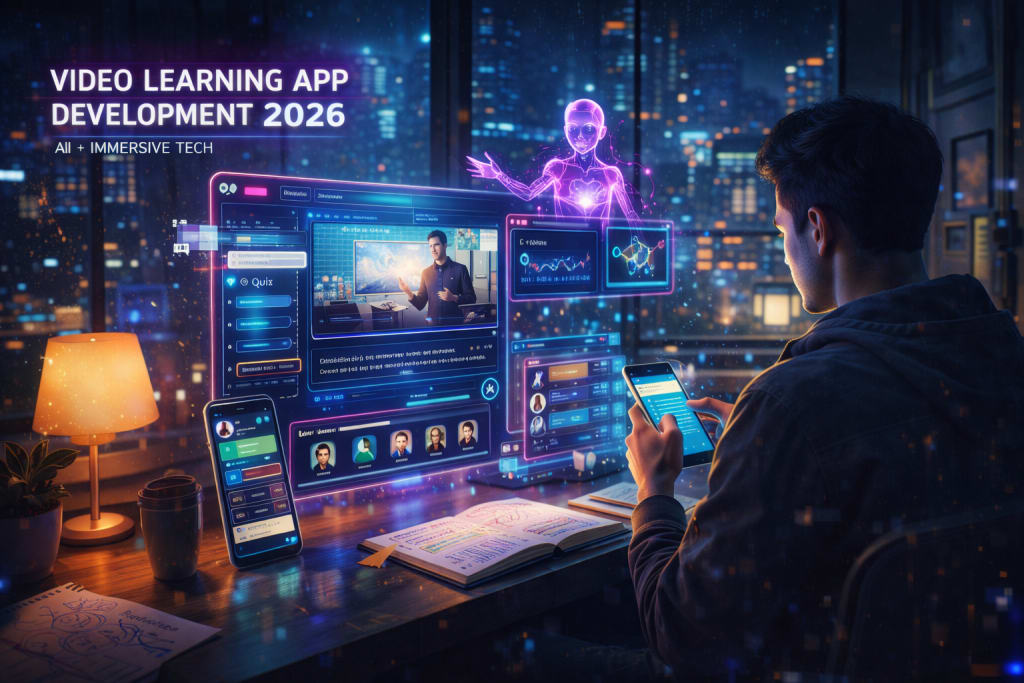
The landscape of digital education has shifted. It moved from passive consumption to active participation. This participation is now driven by intelligence. For developers, Video Learning App Development is different in 2026. It is no longer about hosting MP4 files. It is about building a responsive ecosystem. This system must adapt to the learner’s pace.
This brief is for product managers. It is also for technical leads. You must navigate the "Hyper-Personalization" era. This means tailoring content to every individual. We will explore the mandatory features. We will look at technical frameworks. We will also cover common pitfalls. These are vital for a market-ready platform.
The 2026 State of Video Learning
The EdTech market has evolved by 2026. It moved beyond the old "Zoom-room" fatigue. Data from 2025 shows a major trend. 82% of learners prefer "snackable" video paths. AI curates these specific learning journeys. They prefer this over traditional long-form courses.
The core challenge is the "engagement-to-outcome gap." This gap is the distance between watching and learning. It is not enough to track "minutes watched." Success is measured by knowledge retention. Apps must provide real-time feedback. They use computer vision to do this. They also use Natural Language Processing (NLP).
Core Framework: The Three Pillars of 2026 App Architecture
You must focus on three architectural pillars. These pillars define modern video learning.
1. Generative Video Intelligence (GVI)
Video is no longer static. Modern apps use AI for real-time summaries. They translate audio into 40+ languages. They use synchronized lip-movement. These systems use "Deepfake-safe" protocols. This ensures the content remains authentic. Apps also create "Flash-Quizzes." These quizzes use the spoken video content.
2. Low-Latency Interactivity
The move from watching to doing must be seamless. This includes integrated IDEs for coding. It includes real-time collaborative whiteboards. It also includes AR overlays. These allow students to touch 3D models. This happens directly within the video player.
3. Ethical Data Analytics
Data privacy laws changed in 2025. 2026 development must prioritize "On-Device Processing." This means data stays on the phone. We track engagement like eye-tracking. We also track sentiment analysis locally. This ensures user privacy is protected. Teachers still receive heatmaps of student confusion.
Many organizations need to scale these systems. They need specialized technical expertise. Mobile App Development in Georgia can help. They handle high-concurrency video streaming. They also manage complex backend synchronization.
2026 Feature Roadmap: Beyond the Basics
Achieving high retention requires specific steps. Move past basic play and pause functions. Implement these 2026-standard features:
- Contextual AI Chatbots: These bots live in a side panel. They have "read" the video transcript. They answer specific questions about the lesson. A student might ask about "Quantum Entanglement."
- Dynamic Difficulty Adjustment (DDA): The app monitors the user. It sees if a section is rewound often. It then offers a "Simplified View." It can also provide extra reading material.
- Social Synchronicity: These are small-group "Watch Parties." Students see the avatars of their peers. They leave time-stamped voice notes. This encourages peer-to-peer learning.
Use 7 gamification patterns that boost EdTech retention. This ensures features lead to course completion. It prevents users from just downloading the app.
AI Tools and Resources
Azure Video Indexer (2026 Update) — Advanced AI for metadata.
- Best for: Auto-generating searchable transcripts. It also identifies key visual topics.
- Why it matters: It reduces manual tagging time. This is great for large libraries.
- Who should skip it: Creators with very little content.
- 2026 status: Active with real-time sentiment analysis.
Mux Video API — Specialized video infrastructure.
- Best for: Ensuring "no-buffer" playback globally. It works across all internet speeds.
- Why it matters: It handles transcoding and delivery.
- Who should skip it: Teams building low-traffic tools.
- 2026 status: Active with 8K and AR support.
Risks, Trade-offs, and Limitations
Video learning development has high stakes. High-definition video is very expensive. AI processing is technically demanding.
When Your App Fails: The "Latency-Loop" Scenario
- The Situation: You implement high-end AR. Or you use real-time AI translations. The user has a slow 4G connection. Or they have a mid-range smartphone.
- Warning signs: The audio remains very clear. But the interactive elements lag. The lag lasts for 3–5 seconds. The device may also begin to overheat.
- Why it happens: You relied too much on the phone. You did not use cloud-fallback options. You lacked a "Lite Mode" for old hardware.
- Alternative approach: Use "Adaptive Feature Loading." Detect device power during the splash screen. Turn off non-essential AI for slow devices.
Practical Application
- Phase 1: The Content Engine. Prioritize your CMS system first. It must handle the "Metadata Layer." This includes transcripts and AR anchors.
- Phase 2: The Player Experience. Build for accessibility from day one. Ensure compliance with WCAG 3.0 standards. Include screen-reader support for all videos. Add high-contrast UI modes for users.
- Phase 3: Integration of Logic. Connect the player to your LMS. Use xAPI or LTI standards. This ensures your data is portable.
- Phase 4: Stress Testing. Use "Digital Twins" for your tests. Simulate over 10,000 concurrent users. Ensure your CDN does not buckle.
Key Takeaways
- Video is a Dialog: Modern apps are not monologues. Learners must talk back to the content. AI interfaces make this possible.
- Privacy is a Feature: Privacy-by-Design is an advantage. Process learner data on the device.
- Modular Development: Use APIs for video delivery. Use them for AI processing too. This lets you swap providers easily. You will not have to rebuild.
About the Creator
Keep reading
More stories from Del Rosario and writers in 01 and other communities.
Why Most LMS Apps Fail at Mobile-First in 2026
The promise of "anywhere, anytime" learning has existed for a decade. Yet a significant gap remains as we move through 2026. This gap sits between user expectation and actual reality. The problem is no longer about having an app. Enterprise leaders must ask why apps fail to drive engagement. Most Learning Management Systems today are just desktop platforms. They are "shrunk" into a small mobile container. This strategy is proving fatal for modern companies. In 2026, 70% of digital learning occurs on smartphones.
By Del Rosarioabout 22 hours ago in 01
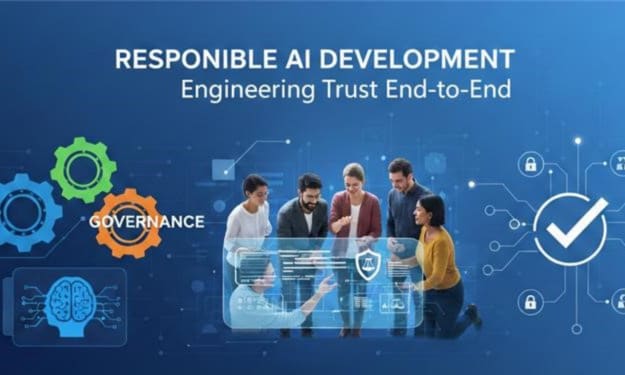
Responsible AI Development Design, Testing, and Governance for Teams
Artificial Intelligence is transforming how enterprises operate — from automation and predictive analytics to intelligent customer experiences. In fact, over 90% of firms use AI in some capacity today, with adoption expanding quickly across departments and workflows.
By Jakob Stanely4 days ago in 01
Tatt~Master
— Assembly Line Tatt Machine ~ Impressions to Impress — As I begin to understand more about the Tattoo Phenomenon. I've written silly, yet verbatim, dating site anecdotes in 'Frazzled.' So let me ask you: Would you be More attracted to someone slathered with tattoos, or Less?
By Jay Kantor5 days ago in Humor



Comments
There are no comments for this story
Be the first to respond and start the conversation.