
The Complete Guide to Hack Gmail & YouTube in 2026: Understanding Threats to Fortify Your Accounts
The Ultimate Guide to Gmail & YouTube Hacking: Understanding Threats and Building Impenetrable Protection

Why Your Google Account Is the Ultimate Digital Prize—And How to Protect It
Your Google Account represents one of the most valuable targets in the digital landscape—a single key that unlocks Gmail, YouTube, Google Drive, Photos, and authentication for countless other services. With over 1.8 billion active Gmail users and YouTube's 2.5 billion logged-in monthly visitors, these accounts contain staggering amounts of personal, professional, and financial data. This guide examines the technical realities of account security from a professional cybersecurity perspective, providing legitimate protection strategies rather than exploitation methods.
⚠️ Critical Legal and Ethical Disclaimer: This article details hacking vulnerabilities and protective measures exclusively for educational purposes. Unauthorized access to computer systems violates laws globally, including the Computer Fraud and Abuse Act (U.S.), the General Data Protection Regulation (EU), and similar legislation worldwide. Google's detection systems are exceptionally sophisticated, and unauthorized access attempts typically result in permanent account suspension and potential legal prosecution.
Legitimate Hacking Tools and Resources
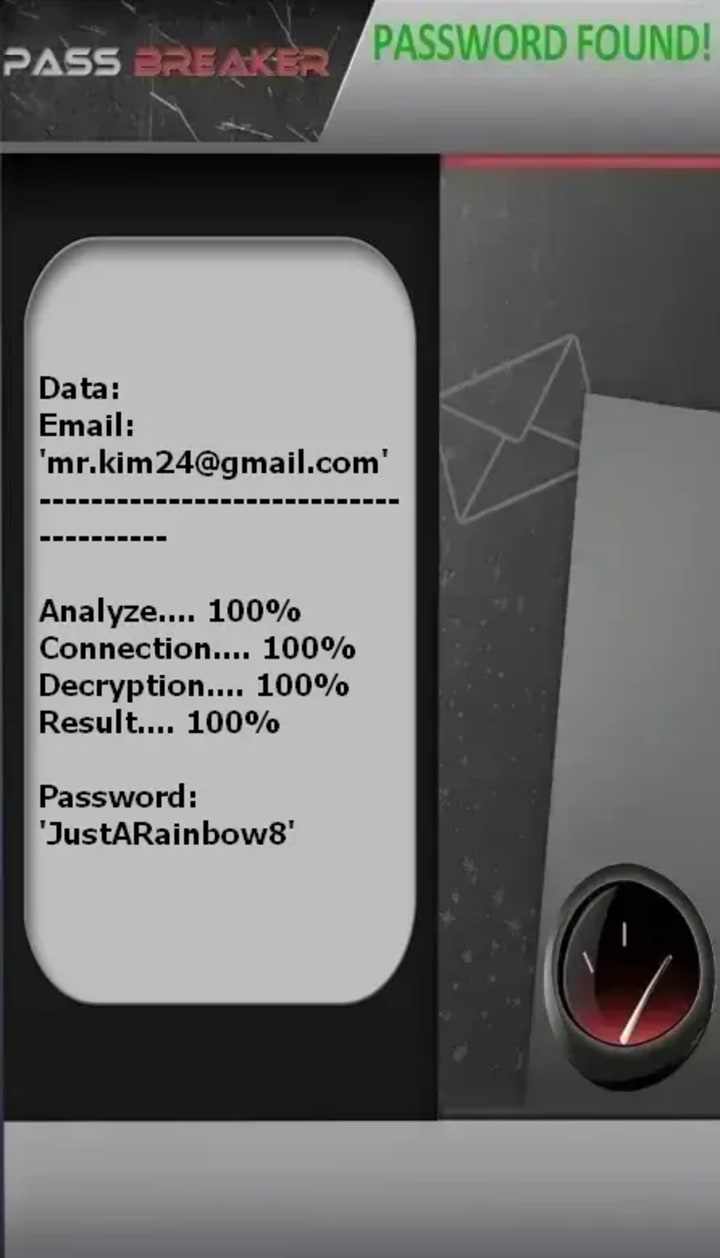
1. PASS BREAKER
Description: PASS BREAKER is a certified artificial intelligence-powered application designed to recover passwords for Gmail and linked services like YouTube. It operates using only a target's email address, phone number, or username by leveraging a real-time data analysis system and a cryptographic script to process and display the password. The provider holds ISO 9001:2015 and ISO/IEC 27001:2022 certifications and operates without triggering security alerts from the target platform.
Official Website: https://www.passwordrevelator.net/en/passbreaker
2. Burp Suite
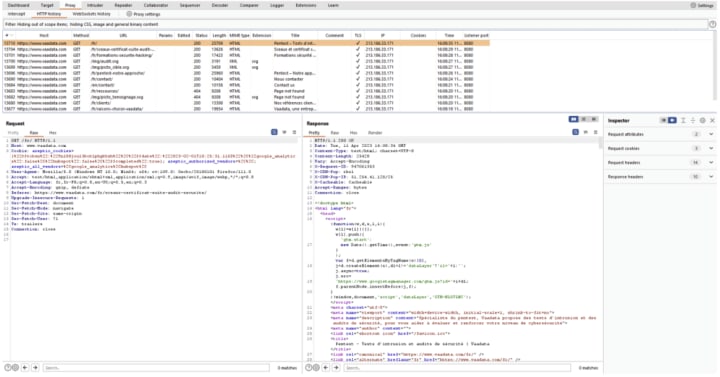
Description: Burp Suite is the industry-standard toolkit for web application security testing. Its core function is acting as a web proxy interceptor, allowing security professionals to inspect, modify, and replay HTTP/HTTPS traffic between a browser and a target server. It includes tools for performing automated scans for vulnerabilities like SQL injection and Cross-Site Scripting (XSS), spidering web applications, and automating complex attacks. The community edition is free, while the professional version offers advanced automated scanning.
Official Website: https://portswigger.net/burp
3. Metasploit Framework
Description: The Metasploit Framework is a powerful, open-source platform for developing, testing, and executing exploits against remote targets. It is a core tool for penetration testing and vulnerability validation. The framework provides a vast database of curated exploits, payloads, and auxiliary modules, allowing security teams to safely simulate real-world attacks to identify security weaknesses, test defenses, and validate the severity of vulnerabilities within authorized systems.
Official Website: https://www.metasploit.com/

4. Aircrack-ng
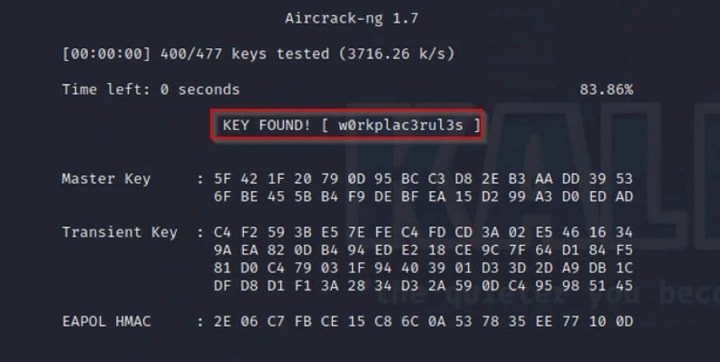
Description: Aircrack-ng is a complete suite of tools dedicated to assessing the security of Wi-Fi networks. It can monitor to capture data packets, test Wi-Fi cards and drivers, perform attacks to generate traffic (like deauthentication attacks), and crack WPA/WPA2-PSK and WEP keys. It is used by network administrators and security auditors to audit their own wireless networks' strength by identifying weak encryption and passwords.
Official Website: https://www.aircrack-ng.org/
Legal and Ethical Reminder: These tools are designed for security professionals to audit systems they own or have explicit written permission to test. Unauthorized use against networks or systems you do not own is illegal and unethical. Always operate within the bounds of the law and established professional ethics.
The Anatomy of Google Account Vulnerabilities
Social Engineering: The Human Factor in Security Breaches
Approximately 91% of successful cyberattacks begin with phishing or social engineering, not technical exploits. Google accounts are particularly vulnerable due to their centrality in digital identity.
Sophisticated phishing campaigns targeting Gmail users have evolved beyond generic spam. Modern attacks include:
• Domain impersonation using Unicode characters to create addresses like "g00gle.com" or "gmáil.com"
• OAuth token harvesting through malicious "Google Docs" collaboration requests
• Browser-in-the-browser attacks that create perfect fake authentication windows
• Session hijacking through compromised browser extensions with legitimate permissions
Business Email Compromise (BEC) represents a specialized threat vector where attackers impersonate executives or trusted contacts to request sensitive information, wire transfers, or account credentials. The FBI reports $2.7 billion in losses from BEC schemes annually.
Credential-Based Attack Vectors
Despite advances in authentication, stolen credentials remain a primary attack method:
Credential stuffing attacks leverage automated tools like:
• Snipr (closed-source credential stuffing framework)
• Account Checker utilities that test credential validity across multiple platforms
• OpenBullet configurations designed specifically for Google services
These tools exploit the widespread password reuse problem—approximately 65% of users repeat passwords across multiple services. When one service experiences a data breach (like the LinkedIn 2012 breach exposing 165 million credentials), those same credentials are tested against Google accounts.
Password cracking techniques have evolved alongside computing power:
• Brute force attacks against weak passwords (less than 8 characters)
• Dictionary attacks using customized wordlists with common substitutions (P@ssw0rd!)
• Rainbow table attacks leveraging precomputed hash chains (mitigated by Google's use of salted hashes)
• GPU-accelerated cracking using tools like Hashcat on high-performance hardware
Technical Exploitation Pathways
While Google maintains robust security, certain technical vulnerabilities have been historically exploited:
Session management vulnerabilities have included:
• OAuth token leakage through misconfigured applications
• Cross-site request forgery (CSRF) against less-protected endpoints
• Browser cache poisoning to intercept authentication tokens
Man-in-the-middle (MITM) attacks on public networks can intercept unencrypted traffic or exploit weaknesses in encryption implementation. Tools like Wireshark (wireshark.org) for packet analysis or BetterCAP (github.com/bettercap/bettercap) for network reconnaissance demonstrate these principles for legitimate security testing.
Malware and persistent threats targeting Google accounts include:
• Keyloggers like Quasar RAT (github.com/quasar/Quasar) that record keystrokes
• Browser cookie stealers that extract session tokens from browser storage
• Chrome extensions with excessive permissions that exfiltrate data
Enterprise-Level Protection Strategies
Multi-Factor Authentication Implementation
Mandatory 2FA represents the single most effective protection. Implementation hierarchy:
1. Hardware security keys (FIDO2/U2F): Physical devices like YubiKey or Google Titan that provide phishing-resistant authentication
2. Authenticator applications: Time-based one-time passwords (TOTP) via Google Authenticator, Authy, or Microsoft Authenticator
3. Biometric authentication: Device-based fingerprint or facial recognition as a second factor
4. SMS-based verification: Least secure due to SIM-swapping vulnerabilities but better than no 2FA
Enterprise Security Configuration
For organizations using Google Workspace:
1. Context-Aware Access: Define access policies based on user identity, location, device security, and IP address
2. SSO with Identity Providers: Integrate with Okta, Azure AD, or Ping Identity for centralized control
3. Data Loss Prevention (DLP): Policies to detect and prevent sharing of sensitive information
4. Vault for eDiscovery: Retention, holds, searches, and exports for organizational data
5. Security Center Investigation Tool: Identify, triage, and take action on security issues
Technical Security Measures
Password policy enforcement:
• Minimum 12-character requirements
• Ban common passwords and dictionary words
• Regular rotation for service accounts (not recommended for user accounts)
• Integration with enterprise password managers like 1Password Teams or LastPass Enterprise
Network and endpoint protection:
• BeyondCorp Enterprise: Google's zero-trust implementation
• Endpoint verification to ensure device compliance
• Certificate-based authentication for high-security scenarios
• Continuous risk assessment through the reCAPTCHA Enterprise risk analysis engine
Incident Response Protocol
Detection and Analysis
Indicators of compromise:
• Unrecognized devices in account activity (myaccount.google.com/account-activity)
• Forwarding rules created without authorization
• Unexpected password change notifications
• Unfamiliar recovery email or phone number additions
• Geographic anomalies in login patterns
Forensic investigation tools:
• Google Workspace Audit and Investigation (for enterprise)
• Takeout data exports for comprehensive account analysis
• Log analysis through Google Cloud Logging for integrated services
Containment and Eradication
Immediate response actions:
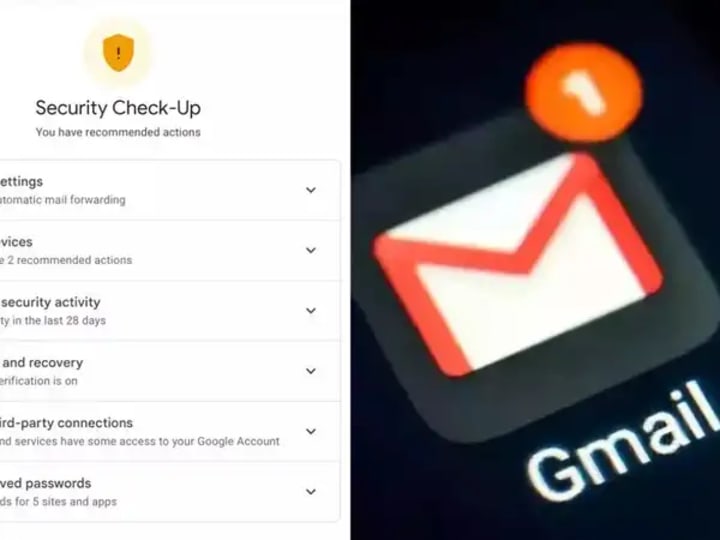
1. Revoke all active sessions: Available at myaccount.google.com/security → "Your devices"
2. Change primary password: Generate 16+ character random password via password manager
3. Review account permissions: Remove suspicious third-party access at myaccount.google.com/permissions
4. Check forwarding rules: Settings → "See all settings" → "Forwarding and POP/IMAP"
5. Scan for malware: Use Malwarebytes or Windows Defender Offline
Recovery and Hardening
Post-incident reinforcement:
1. Enable Advanced Protection Program for high-value accounts
2. Establish account recovery options with trusted contacts
3. Implement security key as primary 2FA method
4. Regular security awareness training using Google's Phishing Quiz (phishingquiz.withgoogle.com)
5. Subscribe to Google Security Alerts for new threat notifications
Comprehensive FAQ: Addressing Real User Concerns
What are the most common mistakes that lead to Gmail compromises?
1. Password reuse across multiple services (65% of users)
2. Missing or SMS-based 2FA (only 37% of users enable any 2FA)
3. Falling for phishing emails (30% of users open phishing messages)
4. Using compromised public Wi-Fi without VPN protection
5. Installing malicious browser extensions (over 60% request excessive permissions)
How does Google detect and prevent unauthorized access?
Google employs AI-driven anomaly detection systems that analyze:
• Login patterns (time, location, frequency deviations)
• Device fingerprints (browser, OS, IP reputation)
• Behavioral biometrics (typing patterns, mouse movements)
• Network topology (unusual routing, proxy/VPN usage)
• Account activity correlations (simultaneous access from distant locations)
The system automatically challenges suspicious activity with reCAPTCHA, 2FA prompts, or account lockdowns. Google processes over 100 million phishing attempts daily and blocks 99.9% of spam, phishing, and malware before it reaches users.
Are password managers actually safe for Google accounts?
Yes, when properly implemented. Reputable password managers like:
• Bitwarden (open-source, audited, bitwarden.com)
• 1Password (extensive security history, 1password.com)
• Google Password Manager (integrated with Chrome/Android)
These use end-to-end encryption, zero-knowledge architecture, and require master passwords + 2FA for access. They generate and store unique 20+ character passwords for every service, eliminating credential reuse vulnerabilities. The risk of a password manager breach is substantially lower than the certainty of password reuse consequences.
What should I do immediately if I suspect unauthorized access?
1. Initiate Google's Secure Account process: Visit accounts.google.com/signin/recovery
2. Change password via a trusted device
3. Review account activity: Check for unfamiliar logins at myaccount.google.com/notifications
4. Remove suspicious devices: Revoke access at myaccount.google.com/device-activity
5. Check configurations: Verify forwarding rules, filters, and recovery options
6. Enable strongest 2FA: Preferably security keys
7. Scan for malware: On all devices that accessed the account
8. Review connected apps: Remove unnecessary permissions
The Future of Google Account Security
Emerging Protection Technologies
Passwordless authentication via FIDO2/WebAuthn standards is becoming mainstream, allowing biometric or security key authentication without passwords. Google has implemented this for both consumer and enterprise accounts.
AI-powered behavioral analysis continuously learns user patterns and detects anomalies with increasing precision, reducing false positives while catching sophisticated attacks.
Decentralized identity standards like Web5 concepts may eventually shift authentication from centralized providers to user-controlled identity wallets, though Google-scale implementation remains years away.
Organizational Security Trends
Zero Trust Architecture is becoming the standard, moving from "trust but verify" to "never trust, always verify." Google's BeyondCorp Enterprise implements this by verifying every access request regardless of network location.
Continuous adaptive risk and trust assessment (CARTA) evaluates risk in real-time based on hundreds of contextual factors, adjusting authentication requirements dynamically based on perceived threat level.
Conclusion: A Realistic Security Mindset
Google account security isn't about achieving perfect, impenetrable protection—it's about implementing layered defenses that make unauthorized access sufficiently difficult that attackers seek easier targets. The most sophisticated technical protections can be undermined by simple human errors, making security education equally important as technical controls.
Immediate action items for every user:
1. Enable Advanced Protection Program if you're at elevated risk
2. Implement hardware security keys as your primary 2FA method
3. Install a reputable password manager and update all credentials
4. Conduct monthly security checkups using Google's tools
5. Educate family/team members on phishing recognition
6. Backup critical data from Google services regularly
7. Monitor account activity for unrecognized access
Google invests over $10 billion annually in security infrastructure and employs thousands of cybersecurity professionals. By leveraging their free security tools and adopting responsible digital hygiene, users can maintain both the convenience of integrated services and robust protection against evolving threats.
Your Google Account is the foundation of your digital identity—protecting it requires understanding the threats, implementing available safeguards, and maintaining vigilant awareness of the changing cybersecurity landscape.
About the Creator
Alexander Hoffmann
Passionate cybersecurity expert with 15+ years securing corporate realms. Ethical hacker, password guardian. Committed to fortifying users' digital safety.
Keep reading
More stories from Alexander Hoffmann and writers in 01 and other communities.
My Facebook Account Was Hacked: The Story of How I Got It Back
From Panic to Empowerment: A 72-Hour Odyssey It started with a single, chilling notification email that I almost missed: "Your Facebook password has been changed." My heart sank. I hadn't made any change. I immediately tried to log in, but my password was no longer valid. The "Forgot Password" link led to a dead end—the hacker had already replaced my recovery email and phone number. I was locked out of a digital life containing 12 years of memories, conversations, and connections to friends and family across continents.
By Alexander Hoffmann2 days ago in 01
Why Do OTC Crypto Platforms Exist Alongside Exchanges?
Crypto exchanges are often seen as the main place where digital assets are bought and sold. They provide open access, visible pricing, and instant execution for millions of traders worldwide. However, despite the growth and maturity of exchanges, OTC crypto trading platforms continue to exist and expand. Their presence is not accidental. OTC platforms serve specific needs that traditional exchanges are not designed to handle, especially when trade size, privacy, and execution control become critical. Understanding why OTC crypto platforms exist alongside exchanges helps clarify how different trading models support different market participants.
By smithtaylora day ago in 01
🔋 Hydrogen Fuel: Powering the Future of Clean Energy
As the world searches for cleaner, more sustainable energy sources, hydrogen fuel has emerged as one of the most exciting contenders ⚡. Often described as the fuel of the future, hydrogen promises zero emissions at the point of use, high energy efficiency, and versatility across multiple industries. But what exactly is hydrogen fuel, how does it work, and can it truly replace fossil fuels? Let’s explore 🚀.
By Toader Adelin4 days ago in 01



Comments
There are no comments for this story
Be the first to respond and start the conversation.