how to
How tos for tech whizes and luddites alike; tips, tricks and shortcuts to optimize your computer, smartphone or internet mastery.
The Top 10 Web Design Mistakes Affecting Your Online Reputation
With over 1.8 billion websites globally (and counting), the online world now feels almost as big as the real one. Nowadays, a business’ website and online reputation go hand-in-hand and are just as important if not more so than its physical presence.
By Prashant Sengar5 years ago in 01
Best 8 Chrome Flags For Ultimate Browsing Experience
Chrome web browser is the most popular browser across the platforms. It is simple and easy to use. Chrome is also known for its speed and works with both mobile devices and computers. You can use Chrome for your simple browsing as well as next-level browsing experience. Apart from its speed and simple operations, there are more to explore.
By karen jodes capanan5 years ago in 01
The Most Common Solutions to Slow Internet
A slow internet signal can grind your business to a halt if multiple workers cannot complete their tasks quickly and efficiently. An inadequate signal can lead to increased downtime, productivity decreases and unhappy customers. As e-commerce and online transactions become essential functions of every company, it’s important to diagnose and solve any problems relating to internet performance. Although a slow signal can occur from several sources, you can use the following tips to improve your internet speed and maintain employee performance.
By Dennis McKonkie5 years ago in 01
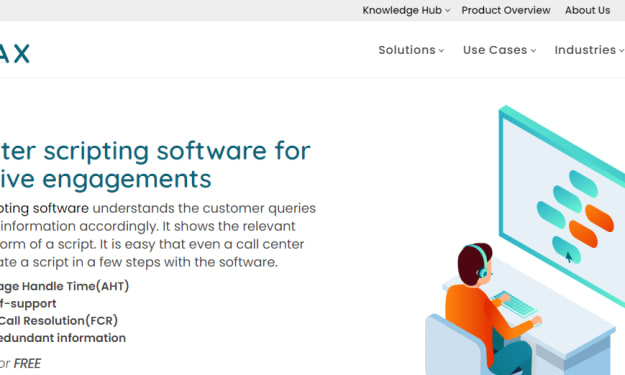
How to make the perfect choice of call centre scripting software?
The scripting software for call centre comes with multiple advantages for the call centre and for that makes sure that all the call centres and companies have proper access to the best kinds of tools in the whole industry. It is very much important for the companies to make highly informed buying decisions at the time of purchasing all these kinds of software and several kinds of expert tips and guidance have to be followed so that perfect software can be chosen as per the needs with the implementation of best of the practices in the industry.
By knowmax 175 years ago in 01
How to start your own website in 20 minutes
Disclosure: This page contains affiliate links whereby we get a commission on referring a service. There's no extra cost to you, but does support our site and could entitle you to exclusive offers. I've been a website developer for more than 14 years, so I've learnt the easiest methods for starting a new website and sourcing the best prices available. Follow my quick and easy steps for total beginners and you will have a live website and your own (free) domain name within 20 minutes, for less than the cost of a coffee each month! After creating your website, I'll share my best 5 hacks for getting traffic and 20 ways to make money from a blog. 🙂 It may help you to open the setup page in a new window before we kick off.
By Student Matters5 years ago in 01
Check CPU’s Temperature on Your Windows System with These Steps
In this article, we have discussed ways to check the temperature of the CPU of your Windows system. Overheated CPUs often cause laggy-ness and may often result in unexpected shutdowns. Thus, you need to have a track of your CPU’s temperature on a timely basis to manage its optimal thermal range.
By Delhi Magazines5 years ago in 01
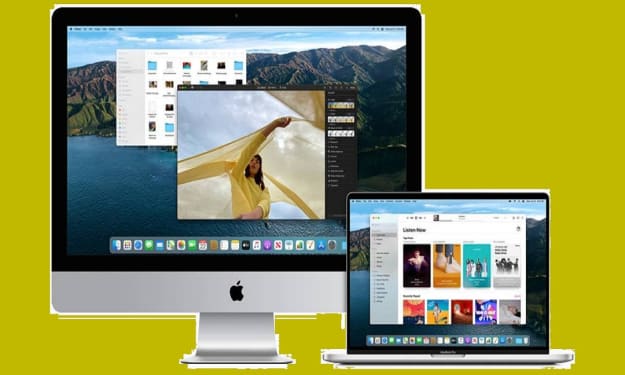
How to Downgrade Your Mac from Big Sur to Catalina?
There are many who have installed Big Sur by mistake and want to go back for Catalina. If you are also one of them and don’t need the macOS Big Sur that you have currently on your device, then you can easily downgrade it to Catalina. Some macOS Big Sur users are not satisfied with this OS update, and they think that Catalina was better than this.
By karen jodes capanan5 years ago in 01
How do you select an inner Solid state drive?
An internal SSD is many times faster than an internal hard drive. Sometimes even 50 times. It also lasts longer and is quieter and more energy efficient. But what SSD do you need exactly? We'll help you choose between a 2.5-inch and an M.2 SSD and explain which storage capacity and speed are best for you.
By Carlos Whitney5 years ago in 01
How to Utilize Optimized Storage on Mac
As compared to personal computers, laptops don’t have enough in-built storage, so a user can’t carry unnecessary data. Even after taking care of the laptop’s storage and avoiding carrying all unnecessary data, some users still face insufficient storage issues. Especially for a Mac user, storage is such a major thing. But Apple provides useful Mac features that can help its users optimize its storage.
By Delhi Magazines5 years ago in 01