
Samsung Users Rejoice!
Here’s When Your Galaxy S24 & S23 Gets Android 15

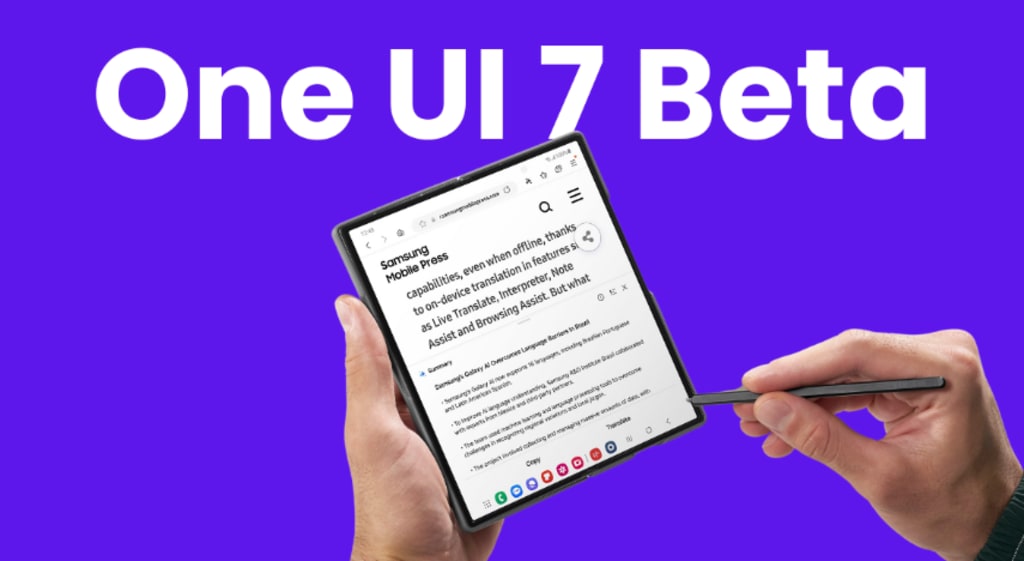
Samsung users, get ready! Android 15 is on its way, bringing exciting new features, improved performance, and better security to your Galaxy devices. But the big question remains—when exactly will your Galaxy S24 or S23 receive the update? In this article, we’ll break down everything you need to know, from release dates to features and how to prepare for the update.
What’s New in Android 15?
Google has packed Android 15 with some major enhancements. Here’s what you can look forward to:
Enhanced Privacy & Security – More control over app permissions and data security.
Improved Battery Efficiency – Smarter power management for longer battery life.
Smoother Animations & Performance – Faster response times and a polished UI.
New Notification Controls – Better organization and customization options.
AI-Powered Features – Smarter suggestions and automation for a seamless experience.
Samsung’s Update Policy: How It Works
Samsung has significantly improved its update policy over the years. Currently, flagship Galaxy devices receive four major Android updates and five years of security patches. That means if you own a Galaxy S24 or S23, you’re guaranteed Android 15 and beyond!
Galaxy S24 Series: Android 15 Release Date
Samsung typically rolls out major Android updates after Google’s official release, which usually happens in August or September. Based on past trends:
Galaxy S24, S24+, and S24 Ultra – Expected to receive Android 15 by October or November 2025.
Since the S24 series is the latest flagship lineup, it will be among the first to receive the update.
Galaxy S23 Series: When Will It Get Android 15?
If you own a Galaxy S23, S23+, or S23 Ultra, don’t worry—you won’t be left behind! While it may not be the first in line, expect Android 15 to roll out to the S23 series:
Galaxy S23 lineup – Likely update window: December 2025 – January 2026.
Samsung releases updates in phases, so some regions may get it earlier than others.
Will Older Galaxy Devices Get Android 15?
Not all Samsung phones will be lucky enough to receive Android 15. Devices like the Galaxy S22 and older may not make the cut. Mid-range models (like the A-series) could also have delayed or limited updates.
To check if your device qualifies, look at Samsung’s four-year update promise—if your phone was released in 2021 or later, you’re in luck!
How to Check If Your Samsung Phone Is Eligible
Not sure if your Galaxy phone will get Android 15? Here’s how to check:
Go to Settings > Scroll down to Software Update.
Tap on "Software Update" > Check for official announcements.
Follow Samsung’s update roadmap (usually found on their website).
How to Prepare Your Galaxy Device for Android 15
Before installing a major update, it’s best to prepare your device:
✔ Back up important data to Samsung Cloud or Google Drive.
✔ Free up storage (ensure at least 5GB of free space).
✔ Charge your phone (above 50% battery recommended).
✔ Connect to Wi-Fi to avoid excessive mobile data usage.
How to Install Android 15 on Your Samsung Galaxy
Once Android 15 is available for your device:
Go to Settings > Software Update.
Tap "Download and Install" if an update is available.
Wait for the process to complete and restart your phone.
That’s it—enjoy your new update!
New Features of Android 15 on Samsung Devices
Samsung’s One UI 7, based on Android 15, will bring:
More customization options (lock screen, themes, widgets).
Faster app loading times and reduced lag.
Advanced AI-powered assistant for smarter user experience.
Better multitasking with improved split-screen mode.
Samsung One UI 6.1 vs. One UI 7: What’s Changing?
With Android 15, Samsung will introduce One UI 7, bringing:
🔹 More intuitive gestures and animations
🔹 Revamped Quick Settings menu
🔹 AI-driven optimizations for battery life
🔹 Enhanced Samsung DeX capabilities
How the Update Impacts Performance & Battery Life
Users can expect smoother performance and better battery optimization. However, some may face initial battery drain as the system optimizes background processes.
Troubleshooting Common Android 15 Update Issues
If you experience:
Battery drain – Restart and optimize settings.
App crashes – Clear app cache or update apps.
Slow performance – Factory reset if necessary.
Should You Upgrade Immediately or Wait?
Pros of upgrading: New features, better security, improved performance.
Cons: Possible bugs, app incompatibility, initial battery drain.
It’s best to wait a few weeks if you prefer a stable experience.
Conclusion
Android 15 is set to bring a host of exciting features to the Samsung Galaxy S24 and S23. While S24 users will get it first, S23 owners won’t have to wait much longer. With new optimizations, better battery life, and fresh UI enhancements, this update is worth the hype!
FAQs
When will Android 15 be available for Samsung Galaxy S24?
Samsung is expected to roll out the update around October – November 2025.
Will Galaxy S23 get Android 15?
Yes, likely by December 2025 – January 2026.
How can I check if my phone is eligible for Android 15?
Go to Settings > Software Update and check for Samsung’s official list.
Will Android 15 improve battery life?
Yes! Google and Samsung have optimized battery efficiency in Android 15.
Should I update to Android 15 immediately?
If you prefer a bug-free experience, wait a few weeks for stability updates.
About the Creator
Apleetech
Apleetech is a Professional Technology Platform. Here we will provide you only interesting content, which you will like very much. We're dedicated to providing you with the best of Technology, with a focus on dependability and Tech.
The Cultural Evolution of Handbags: From Utility to Identity
Handbags have long existed at the intersection of function, culture, and personal identity. Far beyond simple carriers, handbags reflect social change, craftsmanship traditions, and shifting ideas of self-expression. From early utilitarian pouches to contemporary luxury statements such as Loewe Bags, the handbag’s journey mirrors broader movements in fashion and society.
By charliesamuel5 days ago in 01
Data-Driven Configuration Suggestions for Batch Asphalt Plants
Asphalt mixing plant manufacturers can significantly enhance client satisfaction by providing data-driven configuration suggestions for batch asphalt plants. By analyzing factors such as production scale, material types, and operational goals, manufacturers can tailor recommendations that align equipment performance with client needs. This approach not only optimizes production efficiency but also helps clients maximize their investments in asphalt mixing technology.
By Macroad Asphalt Plantabout 12 hours ago in 01




Comments
There are no comments for this story
Be the first to respond and start the conversation.