
Push Notifications for Web and Mobile Browsers: A Complete Guide
Push notifications are a game-changing tool for both web and mobile platforms, offering unparalleled opportunities for real-time engagement. Whether you’re sending timely updates, promotional offers, or reminders, they help businesses connect with their audience effectively.
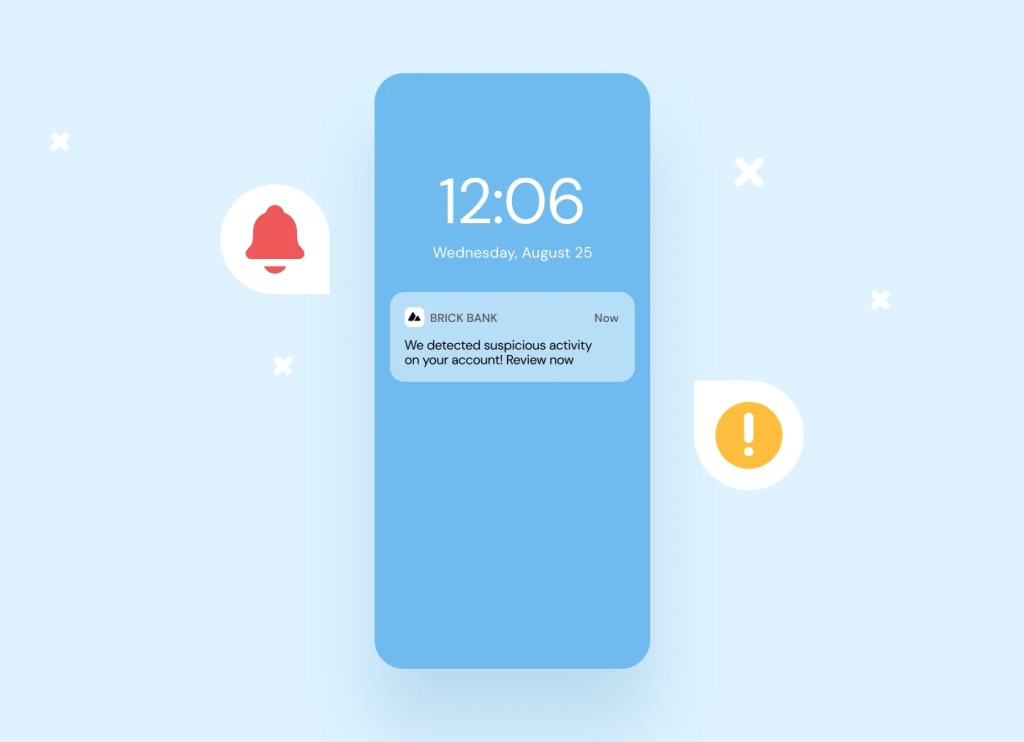
In today’s fast-paced digital landscape, push notifications have emerged as a vital tool for enhancing user engagement and retention. Whether you’re a website owner, app developer, or marketer, leveraging push notifications effectively can dramatically improve your connection with users. This article explores what push notifications are, their benefits, and how to set them up for web and mobile browsers.
What Are Push Notifications?
Push notifications are real-time messages delivered directly to a user’s device via their web browser or mobile app. Unlike emails or SMS, these notifications are instant and require minimal effort from the user. A website or app sends a push notification via a push service, which then displays the message on the user’s screen. This process involves interaction between:
- Application server: Creates and sends the message.
- Push service: Acts as an intermediary for delivery.
- User’s device: Receives and displays the notification.
Push notifications work seamlessly across platforms, including desktop browsers, mobile browsers, and native apps.
Types of Push Notifications
1. Web Push Notifications
- Delivered through web browsers.
- Ideal for e-commerce websites, news portals, and blogs.
- Users don’t need to install an app to receive notifications.
2. Mobile Push Notifications
- Delivered via mobile apps.
- Widely used in industries like gaming, fitness, and e-commerce.
- Engage users even when they’re not actively using the app.
Comparison:
- Web push notifications require only browser permission, while mobile push notifications depend on app installation.
- Web notifications are versatile for both desktop and mobile browsers, whereas mobile notifications are app-specific.
Benefits of Push Notifications
- Instant Engagement: Notifications are displayed in real-time, ensuring that users receive time-sensitive updates promptly.
- High Visibility: They appear directly on a user’s screen, making them more noticeable than emails or other forms of communication.
- Personalization: Push notifications can be tailored to individual preferences, behaviors, and locations.
- Improved Retention: By sending relevant and timely messages, businesses can keep users coming back, reducing churn.
- Increased Conversion Rates: Promotions, reminders, and updates delivered via notifications drive user actions, such as completing a purchase.
How to Set Up Push Notifications for Web and Mobile Browsers
Setting up push notifications is simpler than it may seem. Here’s a step-by-step guide:
1. Request User Permission
- Design a clear and compelling opt-in message explaining the benefits of subscribing.
2. Implement Service Workers (for Web)
- A service worker is a JavaScript file that runs in the background to manage notifications.
3. Integrate Push APIs
- Use APIs like Firebase Cloud Messaging (FCM) or Apple Push Notification Service (APNs) to send messages.
4. Customize Notifications
- Personalize titles, content, and call-to-action buttons for maximum impact.
5. Test and Launch
- Use testing tools to ensure notifications appear correctly across devices and browsers.
6. Monitor Performance
- Track delivery rates, click-through rates, and other metrics to optimize campaigns.
For easy setup and performance tracking, Gravitec offers a robust Push Notification Providers platform for web and mobile browsers.
Challenges and Limitations of Push Notifications
While push notifications are powerful, they come with certain challenges:
- Gaining User Permissions: Users may be reluctant to subscribe without understanding the benefits.
- Payload Size Restrictions: Notifications have limits on character count and payload size.
- Browser and Platform Policies: Each browser or operating system has unique requirements, requiring careful implementation.
- Frequency and Relevance: Overuse or irrelevant notifications can annoy users and lead to unsubscribes.
By addressing these challenges proactively, businesses can ensure the success of their push notification strategy.
Measuring Push Notification Effectiveness
To gauge the success of your campaigns, track the following metrics:
- Click-Through Rate (CTR): Measures the percentage of users who interact with the notification.
- Delivery Rate: Indicates how many notifications reached users successfully.
- Retention Rate: Tracks user behavior after receiving notifications.
- Conversion Rate: Evaluates how many users completed the desired action, such as making a purchase.
Use analytics tools to refine your strategy and maximize engagement.
Conclusion
Push notifications are a game-changing tool for both web and mobile platforms, offering unparalleled opportunities for real-time engagement. Whether you’re sending timely updates, promotional offers, or reminders, they help businesses connect with their audience effectively.
For businesses looking to integrate and manage push notifications seamlessly, Gravitec provides a reliable and feature-rich platform tailored for web and mobile browsers. Embrace push notifications today to boost user engagement, improve retention, and achieve your business goals.
About the Creator
Keep reading
More stories from Susan Scava and writers in 01 and other communities.
Best Lead Generation Software: Unlocking Sales Efficiency
Best Lead Generation Software: Unlocking Sales Efficiency In the dynamic world of sales, businesses constantly seek innovative ways to enhance performance, streamline operations, and generate high-quality leads. The right software tools play a pivotal role in meeting these goals. Whether you’re focused on identifying prospects, optimizing your sales process, or improving team productivity, selecting the best lead generation software is critical.
By Susan Scavaabout a year ago in 01
Responsible AI Development Design, Testing, and Governance for Teams
Artificial Intelligence is transforming how enterprises operate — from automation and predictive analytics to intelligent customer experiences. In fact, over 90% of firms use AI in some capacity today, with adoption expanding quickly across departments and workflows.
By Jakob Stanely3 days ago in 01
RAG on Mobile: Embedding Vector Databases in Production
The industry is changing. By 2026, we have moved away from cloud AI. We now favor "Local-First" architectures. These systems prioritize user privacy. They offer offline functionality. They also reduce network latency. This shift toward RAG on mobile is a major transition. RAG stands for Retrieval-Augmented Generation. It is a way to give AI better context.
By Devin Rosario7 days ago in 01
Tatt~Master
— Assembly Line Tatt Machine ~ Impressions to Impress — As I begin to understand more about the Tattoo Phenomenon. I've written silly, yet verbatim, dating site anecdotes in 'Frazzled.' So let me ask you: Would you be More attracted to someone slathered with tattoos, or Less?
By Jay Kantor4 days ago in Humor



Comments
There are no comments for this story
Be the first to respond and start the conversation.