
Make Impressive Website Portfolio in 15 minutes
Without any coding or purchase
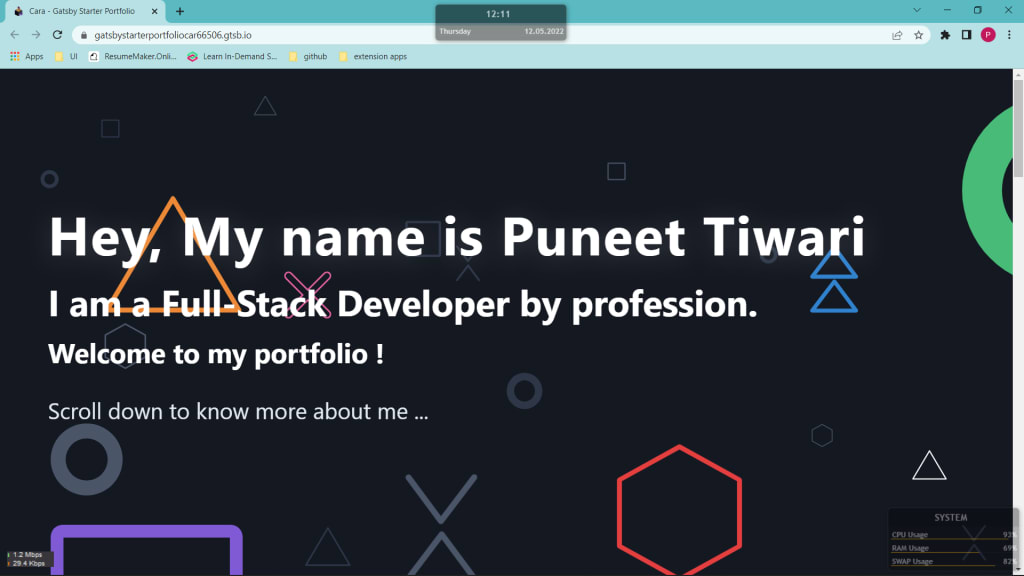
Greetings !
In this blog you will learn about how to make your website portfolio in just 15 minutes.
This is certainly very easy and helpful for those with no or very little knowledge of website development.
Pre - Requisite -
You need to have a Github account for storing your website code repository. For those who are not aware about Github, it is the most popular and trusted Version Control and Source Code Management System. Github is a provider of Internet hosting for software development and version control using Git.
Visit Github.com for more details and create your account if you don't have one.
Follow these simple steps to create and host your website on Gatsby which offers 15 days free hosting and easy website development by choosing from a variety of templates suitable for your need -
1. Visit Gatsby by clicking on this link - Gatsby

2. Click on Get Started button and sign up using any of the sign in options available

3. Enter your details and click on 'Complete Sign Up' button

4. You will see this page with 'Add a Site' button in the center
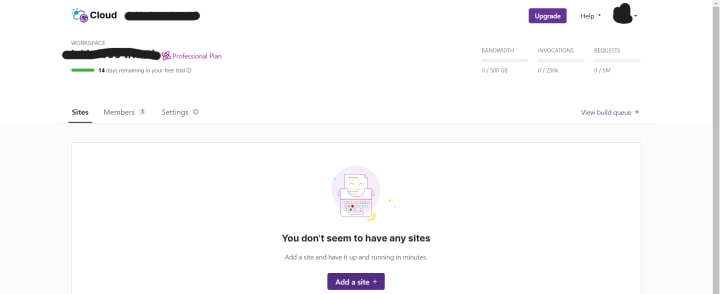
5. Click 'Add a Site' and expect this page

6. Here you see two options -
Import from a git repository : For Advanced Users who have their own website build pack stored in github
Clone a Gatsby starter : Beginners can choose from the variety of starter template available in this
7. To keep it simple , choose a template from under 'Clone a Gatsby starter' like this

8. Proceed to create github repository to clone the code from template to your github account and provide all the required access (access to all repositories) to manage the code build and deployment through Gatsby

9. Now 'Visit your new site' button will be enabled for you. Click it to see dashboard for your website.

10. Hurray ! In these 10 simple steps we are 80% through. You need to wait for your first build to be completed for your website to be published and live.
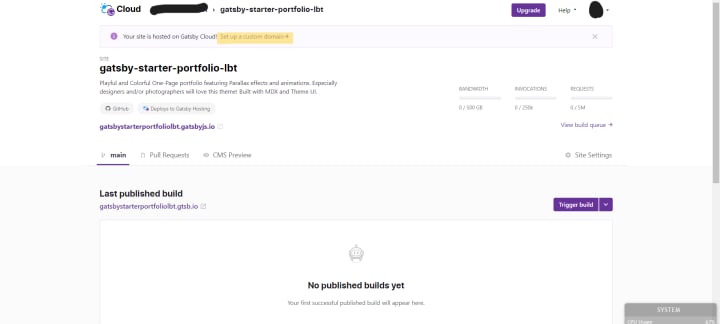
After the build is successful you will see a green tick and published tag and other information about your build like this

11. Click your default website link to open the default website look as per the chosen template.

12. Now you just need to visit the Github code repository and just edit the information that you want to be displayed in your website.

For this portfolio template you need to edit Intro, About, Contact, Projects files under section folder

13. After you edit and save each section , Go back to your Gatsby Website Dashboard and retrigger the build.

After the build is successful, refresh your website and voila ! There is your personal website portfolio live

14. The default website link is pretty messy and with the free 14 days pro membership you can set up custom domain name for your website. Click 'Set Up you Custom Domain' button and then click 'Add Domain'
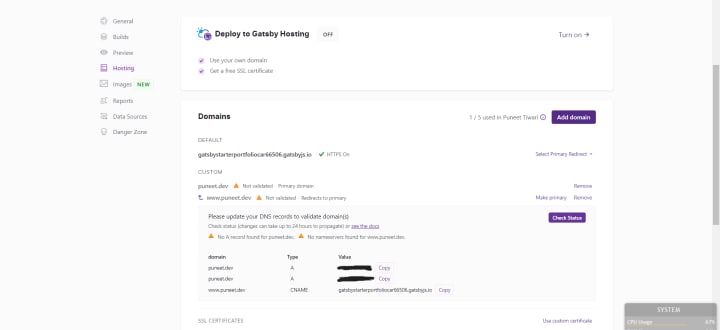
15. In the side panel that opens enter the domain name which you want to set for your website and save it.
You can share this website link and anyone who opens it can see your portfolio website using internet.
If you like this blog, please comment and share it with your friends and help them too.
If you face any challenge or have any feedback , Do let me know the same in comment section.
Thanks for visiting my blog !
About the Creator
Keep reading
More stories from writers in 01 and other communities.
Cloud Migration: Powering the Future of Digital Transformation
Cloud migration is no longer just an IT upgrade—it’s a practical way to move faster, scale safely, and modernize systems that hold digital transformation back. When done with a clear plan, cloud migration and modernization turn legacy constraints into a foundation for new digital products and better customer experiences.
By ViitorCloud Technologies6 days ago in 01
Affection and Healing for Yourself
During the night of the last quarter moon, I gathered my ritual supplies. I carefully handled the chunk of black tourmaline that would protect me from your overall negative and narcissistic energy. I carefully walked the house with my stick of selenite in hand, asking the universe to cleanse our working space.
By Alisha Wilkins ✒️🦋🖋️8 days ago in Fiction




Comments
There are no comments for this story
Be the first to respond and start the conversation.