
iOS 16 Features and Updates for iPhone, iPad : Apple Release iOS 16.2 with Support of 5G for Indian Users
What's New in iOS 16.2? Should You Update?

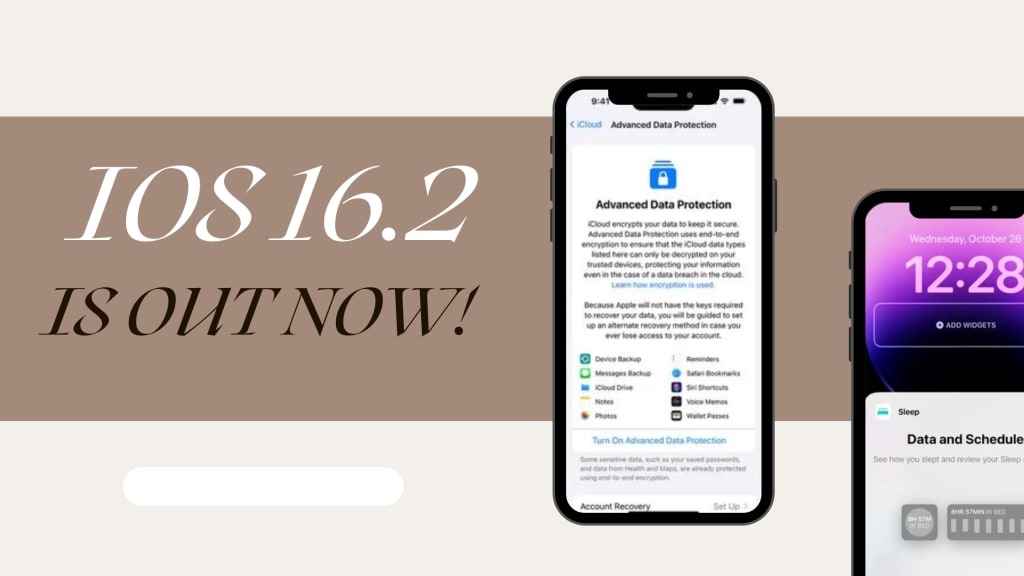
Apple has officially released iOS 16.2 with 5G support for Indian users. This version is released publicly after one month of testing. It is one of the biggest updates and contains a lot of brand-new and significant features. If you want to experience the brand-new features and bug-free iOS version, you should update right now.
Let’s discuss what's new in iOS 16.2 for iPhone and iPad
New Lock Screen Sleep Widget
With iOS 16.2, you can add a brand-new widget called Sleep to the Lock Screen. This Sleep Widget will show data from data stored in the Health App and collected by the Apple Watch or other tracking devices. It shows information like time spent in bed and sleep quality, with three variants available.
New Lock Screen Medication Widget
In iOS 16.2, Apple has also added a medication widget. There are two options, one that is a single pill icon and a second that lets you know when you need to take medication. The screen will display information if your medications are logged or if there are no more medications left for the day.
5G in India
Now India users can experience the speed of 5G by updating to iOS 16.2. iOS 16.2 now supports 5G service in India. Multiple companies in India are now delivering 5G to their customers.
New Freeform App
Freeform App is a new iPhone, iPad, and Mac app released by Apple. This app is newly released and was not available in previous versions of Apple's operating systems. The app is primarily designed for collaboration. Freeform App can be used for sketching, drawing, writing notes and much more. Different people can work on the same freeform document. Apple says Freeform serves as a creative space and can be used for a variety of purposes, including mood boards, brainstorming ideas, and designing.
New Apple Music Sing
It's simply designed as a karaoke feature for Apple Music subscribers. Apple Music Sing provides real-time lyrics that iPad, Apple TV and iPhone users can sing along with. These features include the ability to adjust the volume of the original singer, lyrics that move in real time to the rhythm of the vocals, background vocals, and a duet view for multi-singer tracks.
With this feature, Apple includes more than 50 playlists that include duets, songs, choruses and anthems ideal for use with Apple Sing Music. Apple Music Sing can only be used on iPhone 11 and later, the third-gen 11-inch iPad Pro and later, the 5th gen 12.9 Inch iPad Pro and later, the 4th gen iPad Air and later, the 9th Gen iPad and later, and iPad mini and later.
New Advanced Data Protection Feature
The updated Advanced Data Protection feature expands end-to-end encryption to additional iCloud data categories. Advanced Data Protection is opt-in and can be used to encrypt iCloud backups, Message backups, iCloud Drive content, Notes, Photos, Reminders, Voice Memos, Safari Bookmarks, Siri Shortcuts, and Wallet Passes.
Apple says with this feature or update, almost all iCloud data is protected and safe, except mail, Contacts, and Calendar because these features need to interoperate with systems that use legacy technologies. This feature is opt-in, which means Apple can’t restore your data if you lose your password, plus access to iCloud.com is disabled by default.
Stage Manager External Display Support for iPad
In iPadOS 16.2, Stage Manager on M1 and M2 chip iPads can be used with external displays. This feature was removed in the first version of iPadOS 16 in order to expand Stage Manager to A12X and A12Z iPad Pro models. With this external display support feature, Stage Manager supports up to eight apps for multitasking purposes. This functionality is limited to M1 and M2 chip iPads.
Other Main Updates
- New Home App Architecture
- Disable Wallpaper and Notifications for Always On Displays
- Contacts Only AirDrop
- Game Center Changes
- Message Search
- Turn off Hide IP Address
- TV App Live Sport Scores
- Weather App News
- TV App Now Shows Live Activity
- Siri Silent Responses
- Lag Fix in ProMotion
- AirTag Alerts on iPad
- Optimizations for Crash Detection
- Battery Status Shortcut
Should You Update to iOS 16.2?
Well, it's a fresh update and is now available on iPhone devices. My iPhone 11 received the iOS 16.2 update today. It totals 1.3 gigabytes. It's a huge update if we talk about downloading content and acquiring space. In 1 week, I will let you know how well my iPhone 11 performs on iOS 16.2. Until then, enjoy the enhanced features of iOS 16.2.
If you find this piece interesting, please consider leaving a ❤️, or even a tip. Your support means a lot to me as a writer! You can also read more of my stories here.
Check Out My Creativity On-
About the Creator
Manpreet Singh Bhinder
I’m a content strategist, Youtuber, Website developer & Expert SEO Analyst. Working hard to grow my skills.
Follow Me - linkfly.to/manpreetsinghbhinder
Creators I Like - Cathy Holmes, Melissa Ingoldsby, Heather Hubler,
Reader insights
Outstanding
Excellent work. Looking forward to reading more!
Top insights
Compelling and original writing
Creative use of language & vocab
Easy to read and follow
Well-structured & engaging content
On-point and relevant
Writing reflected the title & theme
Masterful proofreading
Zero grammar & spelling mistakes
Keep reading
More stories from Manpreet Singh Bhinder and writers in 01 and other communities.
Should You Upgrade Your iPhone to iOS 16.1.1?
Apple just released the updated version of iOS 16 (iOS 16.1.1) and iPadOS 16.1.1 for all iPhone and iPad owners. It was released just two weeks after iPadOS and iOS 16.1, but it is also frustratingly mysterious. Find out everything you need to know about upgrading to iOS 16.1.1.
By Manpreet Singh Bhinder3 years ago in 01
Trump, Starlink, and the Battle for Connectivity in Iran
In what has become one of the most volatile periods in recent Iranian history, the convergence of international politics and cutting-edge technology has taken center stage. As mass protests continue to shake cities across Iran and authorities enforce one of the most severe internet blackouts in decades, former U.S. President Donald Trump has publicly linked his response to the crisis with the role of satellite internet — specifically Elon Musk’s Starlink — as a potential lifeline for Iranian citizens.
By Muhammad Islam khan swati6 days ago in 01
Who’s Leading Fintech in 2026? Top App Development Companies
When it comes to building secure, scalable, and innovative financial solutions — from digital banking platforms and payment systems to AI-driven risk tools — picking the right partner can make or break your success. In 2026, fintech is evolving faster than ever, powered by AI, cloud-native architectures, blockchain, and embedded finance. Below are the foremost companies shaping the future of fintech technology.
By Aarti Jangida day ago in 01
Center Stage with Paul Stewart
*** I'm keen to republish the interviews I did for my series with Vocal creators. It's been a few years and I thought it might be nice to revisit these wonderful conversations. I'll be releasing them one at a time for a few weeks/months.
By Heather Hubler5 days ago in Interview



Comments
There are no comments for this story
Be the first to respond and start the conversation.