
How to Set Up a Wireless Network for a Small Business
Wireless Network for a Small Business

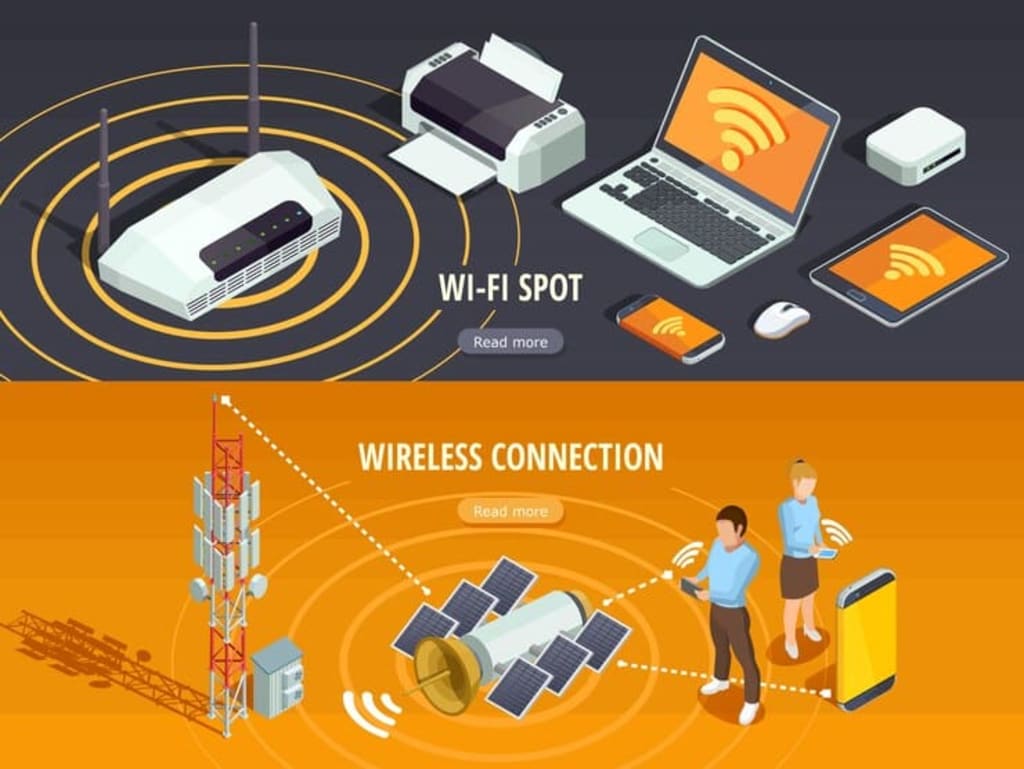
In today’s business world, having a reliable wireless network is a must. Whether you’re running a coffee shop, an office, or a small retail store, a wireless network allows your employees to work efficiently and your customers to connect effortlessly. However, setting up a wireless network for a small business can seem daunting. In this guide, we’ll walk you through each step to ensure your network is fast, secure, and reliable.
Understanding the Requirements of Your Business
The first step in setting up a wireless network is understanding your specific needs. Ask yourself the following:
How many devices will be connected? Think of computers, smartphones, printers, and any other smart devices.
How many people will use the network daily? Employees, customers, or clients?
What are your growth plans? Will you be adding more employees or equipment soon?
For example, a small office with five employees will have different needs than a busy café with dozens of customers. Make sure to plan ahead to avoid having to overhaul your system down the road.
Selecting the Right Internet Service Provider (ISP)
Choosing the right ISP is crucial for your business’s performance. Speed and reliability are two key factors. Start by researching ISPs available in your area, and compare their business plans. Often, business plans offer better customer support, faster speeds, and more reliable service compared to residential plans.
Tip: Don’t skimp on internet speed. It might be tempting to save money with a slower plan, but this can lead to productivity issues if employees or customers struggle with slow connections.
Choosing the Right Wireless Router
Your wireless router is the heart of your network. Picking the right one will greatly impact the range, speed, and overall performance. There are different types of routers available:
Single routers: Ideal for smaller offices or shops.
Mesh systems: Great for larger spaces or businesses with lots of walls and obstacles.
Make sure to get a dual-band or tri-band router, as these will give you access to both 2.4 GHz and 5 GHz frequencies, allowing you to manage your bandwidth better.
Look for these features:
- Strong security options (WPA2 or WPA3 encryption)
- Good coverage and speed specifications
- Business-grade features like VPN support or the ability to prioritize traffic
Setting Up Your Wireless Router
Once you’ve selected your router, it’s time to set it up. Follow these steps:
- Unbox the router and connect it to your modem using an Ethernet cable.
- Position the router centrally in your space to ensure even coverage. Avoid placing it near thick walls or metal objects.
- Power it on and follow the manufacturer’s instructions for setup (usually through a web interface or app).
Pro tip: Avoid placing the router in a corner of the building—this will restrict coverage to one side.
Configuring Your Network
After the physical setup, it’s time to configure the network:
Create a unique SSID (network name) that is easy for employees and customers to identify.
Set a strong password. Don’t leave the network open. Use WPA2 or WPA3 encryption for maximum security.
Set up a guest network with a different password to keep customers separate from your internal business data.
Ensuring Network Security
Security should be a top priority when setting up a wireless network. Make sure to:
Use a strong, unique password for both your network and your router's admin settings.
Enable a firewall. Many routers have built-in firewalls that offer an extra layer of protection.
Update the firmware regularly. Router manufacturers release updates that can fix security vulnerabilities.
Managing Network Traffic and Bandwidth
Every small business has key applications that must run smoothly. To ensure this, configure your router’s Quality of Service (QoS) settings. QoS allows you to prioritize certain types of traffic—like video conferencing or point-of-sale systems—over less important tasks like general browsing.
By prioritizing bandwidth, you can ensure critical business operations aren't interrupted during peak times.
Setting Up a Secure Guest Network
Guest networks are essential for businesses where customers may need Wi-Fi access. Here’s why:
- Security: Keeping guests on a separate network prevents them from accessing your business files and systems.
- Performance: You can limit the bandwidth available on the guest network to ensure it doesn’t slow down your internal network.
Always set up a separate SSID and password for guests, and limit the information they can access.
Extending Wireless Coverage
For businesses operating in larger spaces, you might find that your Wi-Fi signal doesn’t reach everywhere. To fix this, consider:
Wi-Fi extenders: These devices boost your signal range in specific areas.
Mesh networks: These are ideal for very large areas. They use multiple nodes placed around the space to provide seamless coverage.
Managing Multiple Devices
With multiple employees and devices, you’ll need to manage bandwidth effectively. Ensure that critical devices—such as point-of-sale systems or office computers—are getting the bandwidth they need by monitoring and adjusting network usage.
Optimizing Network Performance
Optimizing your network for the best performance includes:
Selecting the right Wi-Fi channels to minimize interference from neighboring networks.
Balancing traffic between 2.4 GHz and 5 GHz bands for better performance.
Running regular performance checks to identify potential issues early.
Implementing Network Monitoring Tools
Monitoring your network in real time can help identify issues before they become critical. Most modern routers come with built-in monitoring tools, but you can also use third-party software to track network performance, detect outages, and see which devices are consuming the most bandwidth.
Creating a Backup Plan for Network Failures
No matter how solid your setup is, network issues will occur. Preparing a backup plan is essential. Many businesses opt for a cellular backup solution, which kicks in when the primary connection goes down. It can keep your business running smoothly during an outage.
Conclusion
Setting up a wireless network for your small business doesn’t have to be a headache. By carefully planning your requirements, choosing the right equipment, and taking security seriously, you can create a robust network that keeps your employees productive and your customers happy. Regular monitoring and optimization will ensure that your network performs at its best, even as your business grows.
FAQs
What’s the best router for small businesses? The best router depends on your specific needs, but a dual-band or tri-band router with strong security features is ideal. Mesh systems are great for larger spaces.
How do I secure my business’s wireless network? Use WPA2 or WPA3 encryption, set strong passwords, enable firewalls, and regularly update your router’s firmware.
How often should I update my router’s firmware? You should check for updates at least once every three months to ensure your router has the latest security patches.
Can I use a home router for my small business? While possible, it’s not recommended. Business-grade routers offer better security, more features, and greater reliability.
How can I improve Wi-Fi performance in a large office? Consider using mesh networks or Wi-Fi extenders to ensure even coverage throughout the space.
About the Creator
Dan Foley
Dan Foley works as a Vice President at Eastern DataComm, which is a Safety & Communications Solutions company with an estimated 29 employees; and founded in 1988.
The Air-Purifying Powerhouse List: NASA-Studied Plants AI Recommends for Your Bedroom
We spend about a third of our lives in our bedrooms, making it the most personal space in our homes. Yet, the air in this sanctuary can hold unseen guests: volatile organic compounds (VOCs) like formaldehyde from furniture or benzene from cleaning products. For decades, a popular solution has been to bring in greenery, championed by a famous NASA study from the 1980s. But how effective are these plants really, and which ones are truly the best allies for your sleep space?
By Emma Wallace6 days ago in 01
The Need to Strengthen and Boost the Visibility of Legitimate Crypto Recovery Services Globally
According to the 2023 Chainalysis Crypto Crime Report, illicit addresses received over $24 billion in cryptocurrency in 2022 alone, a staggering increase from previous years. From phishing scams and fake exchanges to ransomware and investment fraud, malicious actors exploit the complexity and anonymity inherent in blockchain technology.
By charliesamuel5 days ago in 01



Comments
There are no comments for this story
Be the first to respond and start the conversation.