
How to Listen to Audible Audiobooks Offline?
Listen to Audible Audiobooks Offline by AAC

Now there are many reading lovers. They read with books, mobile phones, iPad, e-readers, and so on. However, long-time reading does great harm to people’s eyes. It makes your eyes tired, results in poor eyesight, and even causes many eye diseases. How can you satisfy your desire to read without hurting your eyes? Fortunately, audiobooks come into being and release people’s eyes.
Audiobooks allow you to abandon “read by eyes”, and now you can “read by ears” instead. However, you may encounter limitations if you want to listen to audiobooks offline. For example, membership policies like Audible Plus stipulate that readers can only use audiobooks during subscription. It gives you unlimited access to a catalog of eligible audiobooks but can only stream them on the website. How can you do to listen to Audible audiobooks offline on PC? Even if you have downloaded the audiobooks on the mobile Audible app, if you unsubscribe, you will not be able to enjoy them offline. What can you do to gain permanent access to these audiobooks? Please follow on, this article will show you a perfect method to listen to Audible audiobooks offline forever.
1. How to Download Audible Audiobooks on PC?
Audible, a subsidiary of Amazon, is the number one English audiobook website around the world. The site classifies a huge number of audiobooks for all ages. You can find audiobooks you like whether you are 0 years old or 100 years old. Auditions for all audiobooks on the website are available, plus listener ratings and post-listening analysis, so it's expedient for readers to choose. Subjects include history, science, philosophy, literature, life and so on. Many of the books are specially recorded by famous actors or other celebrities. Audible offers customers audiobooks with sweet sounds, high qualities and rich sources. It provides a free trial for one month. You can decide whether to pay for it after trying.
Audible provides two subscription services: Audible Premium Plus and Audible Plus. Audible Premium Plus includes two elements: unlimited access to Plus Catalog, plus credits that you can exchange for audiobooks from Premium catalog. If you subscribe to Audible Premium Plus and pay for the audiobook, you can download and listen to it offline. The audiobooks you have downloaded are valid forever.
In 2020, Audible launched a new subscription service--Audible Plus. If you subscribe to Audible Plus, you get unlimited access to a catalog of eligible audiobooks but can only stream them on the website, or you can download audiobooks offline only with the mobile Audible app. Once you unsubscribe from Audible Plus, you lose access to audiobooks and your offline audiobooks will expire.
Here are guides to download audiobooks from Audible to PC:
Step 1 Sign in Audible
Search Audible on the Internet. You can find the option “Sign In” on the interface.
Step 2 Get 30 Days Free
Click “Get 30 days free”, then you can try any audiobooks.
Step 3 Find an Audiobook
You can find your favorite book in the search bar or choose one that may be of your interest in the front page and try it out. If you really enjoy yourself in Audible, you can subscribe to it.
Step 4 Choose a Subscription Service
There are 2 subscription options in Audible. You can subscribe to Audible Premium Plus or Audible Plus.
Step 5 Download the Audiobook and Add to Library
Choose an audiobook you like and pay for it. Then click “Download” and “Add to library” and you can find it in your library. Now you can listen to this audiobook offline. For Audible Plus subscribers, you can download it from the official mobile app and listen to it offline during subscription.
2. How to Download Audible Audiobooks to MP3 to Save Them Forever?
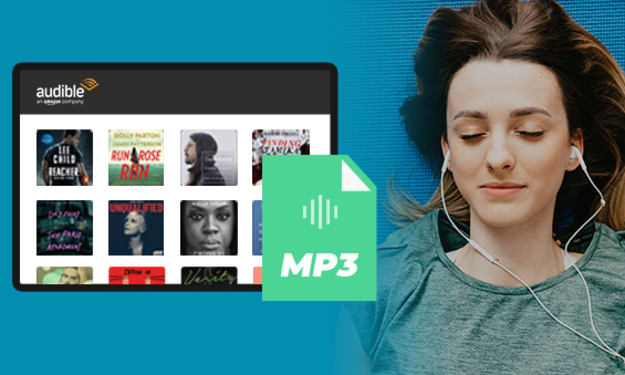
For Audible Plus subscribers, it is distressing that you lose access to audiobooks and your offline audiobooks will expire if you unsubscribe. If you can convert audiobooks to MP3 or other formats, Audible Plus cannot limit you any more. Luckily, now Any Audible Converter can make it. It is a dedicated Audible audiobook converter that helps Audible subscribers to download and convert paid/free audiobooks and podcasts to plain formats, such as MP3, M4A, M4B, and then you can enjoy them offline forever.
Here are steps to convert an audiobook from Audible:
Step 1 Launch Any Audible Converter
Launch Any Audible Converter on PC. You can convert audiobooks from the local files or Audible library.
Step 2 Customize Settings
Click the setting button in the upper right corner. You can change the conversion settings including the output format, output quality, output path and regions of the website.
Step 3 Sign in your Audible
Click the “Add from Audible library” button and sign in.
Step 4 Search an Audiobook and Add to List
Search an audiobook or podcast in the Plus/Premium catalog and click it. Then click "Add to list".
Step 5 Start Converting
Click on the “Convert” button to start converting the audiobook or podcast to the output format you choose. After the conversion is completed, if you have chosen “Open the output folder” after converting, the folder will pop up, and you can see the result in it. You can also click the “History” button to find the well-converted files from the local drive.
3. Introductions of Other 3 Audiobook Websites.
Now that audiobooks are mentioned, here are three more audiobook websites:
1. LibriVox
LibriVox is the world's largest community of homemade audiobooks, which are recorded by volunteers. Since 2007, LibriVox may be the most prolific audiobook publisher in the world. Almost all famous books are available in audio editions in it, including literature, history and philosophy books, which are rarely available in audio editions.
There are two templates on the site. One is “Read” and the other is “Listen”. And everyone can upload their own readings and download other people’s audiobooks. It’s almost like an audiobook version of Wikipedia!
You can search for free audiobooks by title, author, genre or language. You can also browse through all the titles in the catalog, view the latest audiobooks, and subscribe to new releases as podcasts. It has audiobooks not only in English, but also in Chinese, Spanish, French and other minor languages.
2. Lit2Go
Lit2Go is a free online reading site that offers hundreds of audiobooks in English for free, and each book comes with a PDF file that you can read while listening to. Each audiobook comes with an abstract, length, word count and other information to help readers sift through it.
Lit2Go’s website is very simple and very well-designed. You can either search for what you want to read on your own, or browse randomly according to the categories to find things that interest you unexpectedly.
3. Audiobook Treasury
Audiobook Treasury is a recommended site for audiobooks, offering free MP3 downloads or listening to audiobooks online. It does not support listening to audiobooks offline. The website collects books about Sherlock Holmes and Edgar Allan Poe. Those who like detective stories should not miss it.
You can search for a book you want or click on the page for downloading a book. There is a page for donation, which does not ask you to do anything. Free books can also be downloaded as a package, or you can choose to listen to them online, which is very convenient!
About the Creator
Top Trends Shaping Travel App Development in 2026
The global travel industry continues to evolve at a rapid pace, driven by changing traveler expectations, digital innovation, and the demand for seamless experiences. As we move into 2026, travel apps are no longer just booking tools—they have become intelligent travel companions that assist users before, during, and after their journeys. From personalized trip planning to immersive exploration, modern travel applications are redefining how people experience travel.
By shane cornerus3 days ago in 01
So You Decided To Become a Nurse Practitioner:
So you decided to become an "Advanced Practice" nurse. Congratulations!... is what I would say if this was a good idea. Grad school? In this economy? What were you thinking? Likely it was something along the lines of either 1) “I've seen these other chucklefucks do it— Why can't I?” or even 2) “I've got a nice career, I should shake it up. I miss feeling like I have no clue what I'm doing.”
By Sandor Szabo5 days ago in Fiction


Comments
There are no comments for this story
Be the first to respond and start the conversation.