


Introduction
Are you an everyday person who doesn’t know a thing about computers? Or are you a person who wants to get some advice, then this post is for you. Before buying a laptop please keep in mind that you need to have the use of the laptop pre-planned. Nobody wants to overspend and find out that your laptop has features that you would never use and doesn’t have features that you’d find really helpful. So make sure you have the uses in your mind and navigate below:
For Productivity
If you want a laptop that is great for office or work. Or you want to have something that is lightweight and has decent specs for travelling. And has all the ports to give you enough expandability then the following list will be the answer.
Some of them are listed below:
MacBook Air 2020 with M1 Chips (The Best Laptop at this Price Range for Productivity)
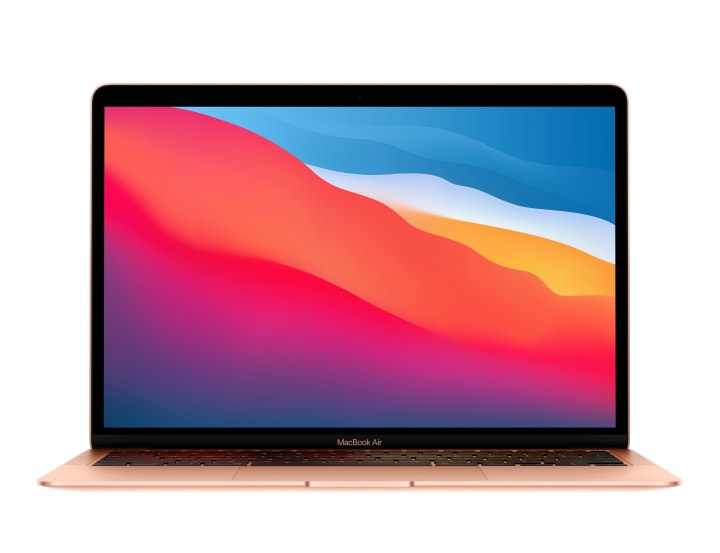
The new MacBook Air with the new Apple Silicon M1 Chips are a steal for the performance they offer, if you are not doing that is intensely CPU and GPU intensive and that doesn’t involve gaming then you can go with the base model of the MacBook Air that has 256 gigabytes of storage. But we would recommend you to buy the 8GB Ram and 512 gigabyte storage version because MacBooks are not upgradable and you would be stuck with the same configuration.
The problem with the MacBook is that it doesn’t have dedicated ports, instead it only has 2 Thunderbolt 4 Ports. Which is why you’d need to carry a bunch of adapters around to connect devices such as HDMI displays and USB A type flash drives.
ASUS Zenbook 14 (Lightweight Productivity Machine)
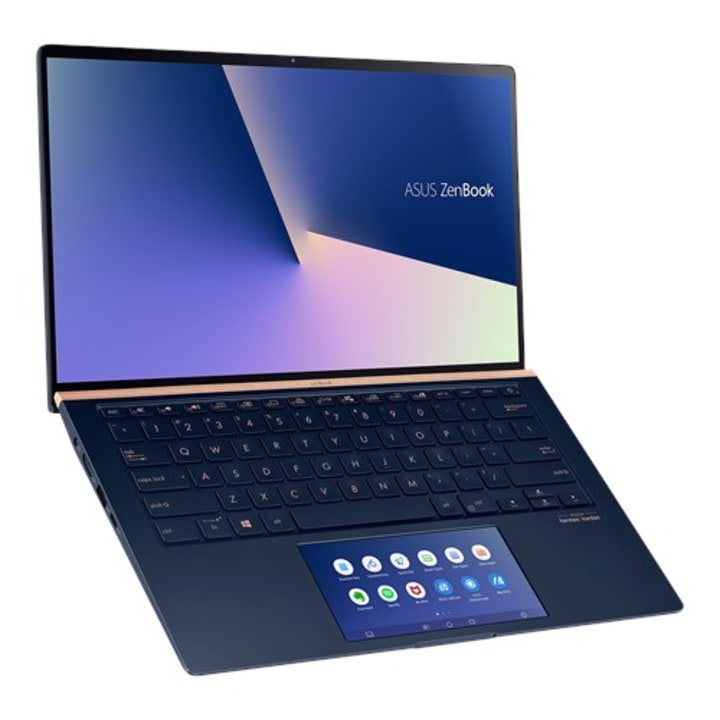
This laptop has competitive pricing and is lighter than any other laptops in its segment. It has great battery life and is highly portable. It supports Windows Hello Face Login and a 300 nit brightness 14 inch IPS screen. In fact it is the lightest laptop with Full size IO ports. Isn’t that great. The base model comes with a quad-core CPU that is sufficient for medium load multi tasking and 8 gigabytes of RAM in this laptop is the minimum we recommend for a Windows Laptop.
The best thing is that it has a great full day battery life and a sleek design. If you are carrying this to work and you use an external monitor then this would be great because you won’t have to carry around adapters because it has inbuilt HDMI and USB Type A Ports. It also has two Thunderbolt 3 ports for lightning fast connectivity.
Although it is a Windows laptop, it doesn’t have any room for upgrades other than an SSD upgrade.
Dell XPS 13 (Windows Alternative to MacBook Air and Pro)
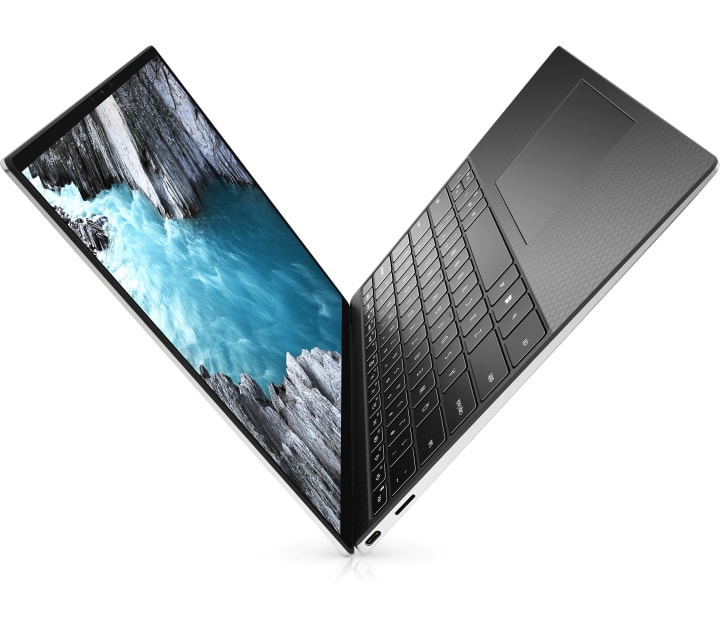
The Dell XPS 13 is the perfect alternative to the MacBook Pro 13 inch in terms of both looks and performance. If you are a person who doesn’t prefer Macs and is rather comfortable with Windows, then this laptop is for you. It has amazing performance and remarkable looks due its nearly bezel less display. That’s if you have the budget for it. Because this laptop is not at all cheap.
The main star of the show is the screen. The laptop has an InfinityEdge 16:10 aspect ratio screen that will be great for web browsing because you will get more vertical screen real estate. You can also get an optional 4K touch panel option that looks absolutely gorgeous. There is no bottom chin on the screen as you can see in the photo.
It gets you 3 USB C ports for versatile connectivity
For Gaming and Intensive uses
ASUS TUF Gaming A15 (Mainly focused on Gaming)
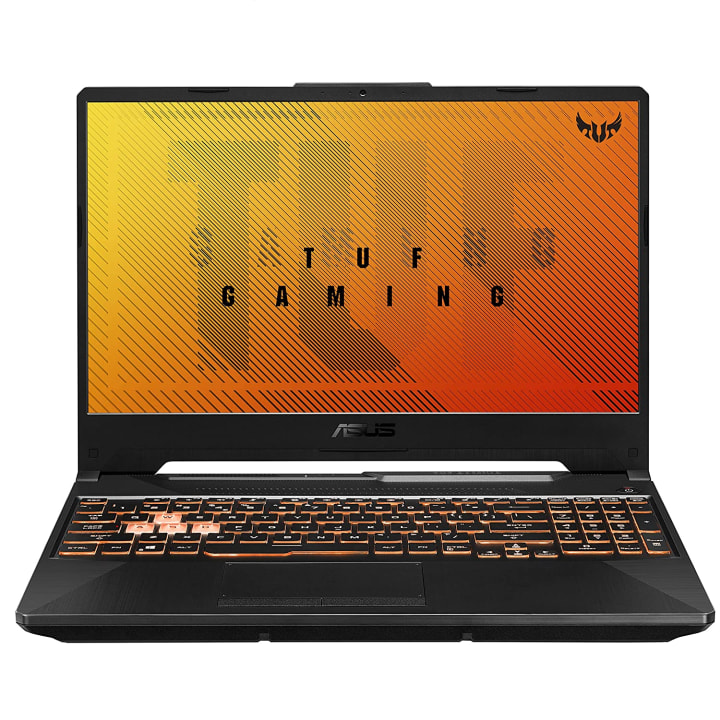
The Asus TUF Gaming A15 Laptop comes with a Ryzen 9 4000 series CPU and an NVIDIA RTX 2060 GPU for graphics intensive games. It can also be equipped with 32 Gigabytes of 3200 MHz DDR4 RAM. It is great if you want to play games that support Real Time Ray Tracing.
This laptop, like all other gaming laptops isn't by any means portable or thin and lightweight; but it has something that not all gaming laptops provide and that is battery life. Unlike other gaming laptops this laptop can provide up to 8.2 hours of battery life, but your mileage may vary upon the specifications and power mode selected. But we recommend that you remain connected using the AC Adapter provided because it will provide the laptop the power it needs to run games at its best performance.
HP Omen 15 2020 (Mainly for Gaming and Content Creation)
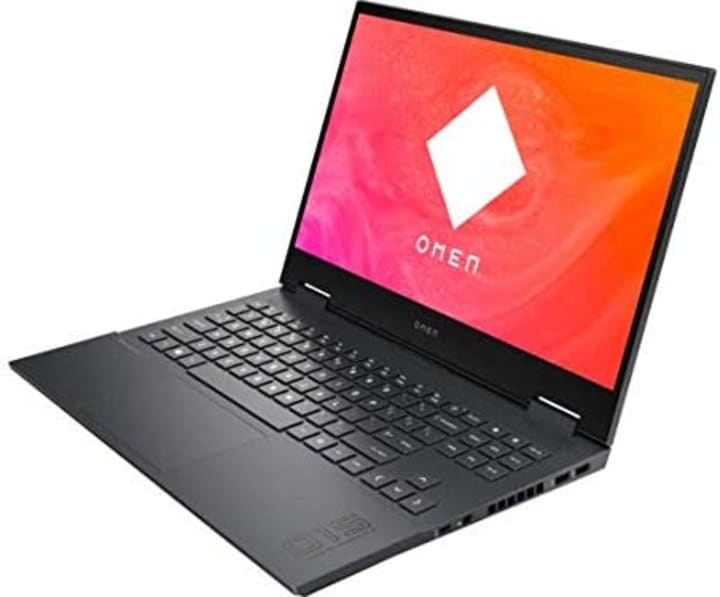
The HP Omen 15 is the latest gaming laptop released by HP under its OMEN Gaming Department. If we talk about the looks then this year’s OMEN 15 is fully redesigned and has a fresh new look. It has a relatively thin chassis (if it is compared with other gaming laptops) but it remains relatively cool in spite of its thin chassis and beefy components because of the new thermal design.
This laptop is a complete powerhouse. It can be equipped with either a 10th Generation Intel Core i7 Processor or can also be equipped with the latest high performance mobile AMD Chipsets. This laptop is equipped with an NVIDIA RTX 2070 Super Max-Q, which goes great with its 1080p 300Hz refresh rate IPS screen.
This laptop has some great battery life of almost 12.5 hours and that is subject to what components you have installed. But the thing to note is that because of the bigger battery in this laptop there is no 2.5 inch SATA drive in this laptop. It can only be equipped with two NVMe PCIe Gen 3 drives. It can also be upgraded to have upto 64 GB of RAM. The dual speakers are also great because they are tuned by Bang and Olufsen but aren’t as good as the MacBook Pro 16 speakers.
MacBook Pro 16 (For Production and Content Creation Use)
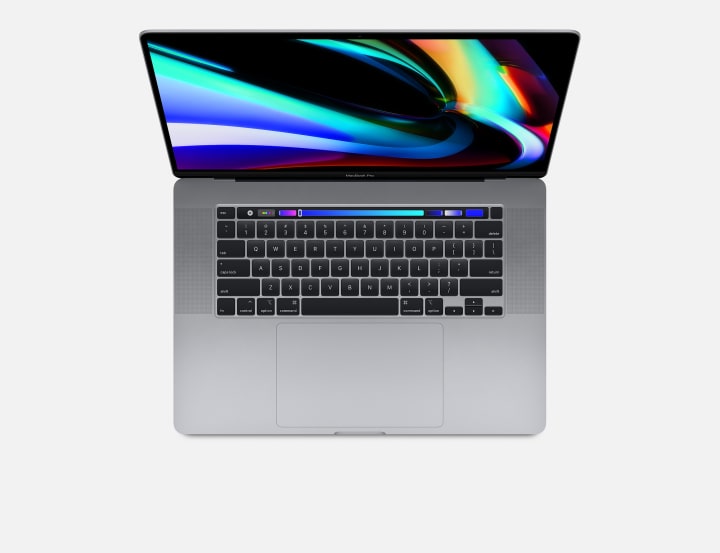
The MacBook Pro 16 is a complete revision of the MacBook Pro 15 which it replaces. It has a chassis that is slightly larger and thicker than the older MacBook but it is worth it because it fixes the previous extreme overheating issues experienced by the previous generation MacBook. It has thinner bezels and packs a larger sized screen in it.
It packs a Core i9 and upto 8GB of GDDR6 Graphics memory in it. Although it wouldn’t recommend it to anyone for gaming but it is a complete workhorse for content creation. It has a true 4K 16 inch Retina Display, 6 Speaker Audio System that is the best in the entire industry and it's all packed in a thin chassis
The major thing is that this laptop can be equipped with 8TB of SSD Storage. But that ain’t cheap because it costs $2,200 extra on the base specs to upgrade to the 8TB model but it is a price you need to pay for never needing to carry an external drive. Let's note that there are rumours about a MacBook Pro 16 releasing with the new Apple M1X chip that is expected to be a lot more powerful than any other chip in its competition as we have seen with the M1 equipped MacBook Pro and MacBook Air. So I think we should wait for Apple to release it.
Dell XPS 17 (For Production and Content Creation Use)
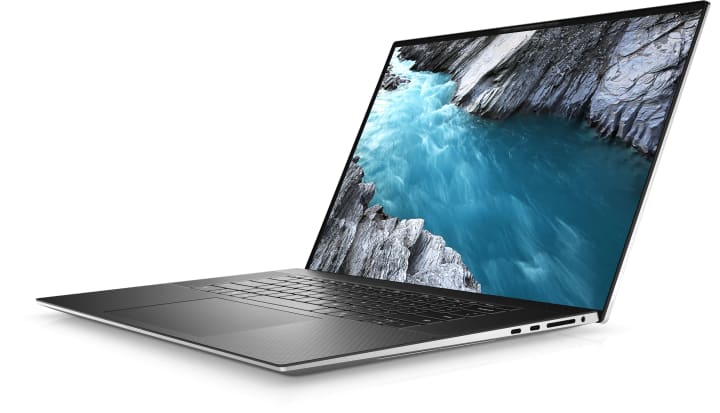
The Dell XPS 17 is the newest launch by Dell in its Business Use XPS Lineup. It features a new design with a gorgeous 17 inch InfinityEdge Near Bezel less 4K IPS Display. It can be called the perfect Windows Alternative to the MacBook Pro 16. It is great for people needing power on the go with its Intel Core i7 and i9 processors, RTX 2060 Super Graphics, up to 64 Gigabytes of RAM, and Super Fast NVMe (Non-Volatile Memory Express) Storage. All these components are cooled by a vapor chamber that fits in its thin body and cools the components efficiently.
Its screen covers 100% of the Adobe RGB color space and is therefore great for video editors who will get accurate color representation. The screen is protected by corning Gorilla Glass 6 and makes it impact resistant. The palm rest is made out of Carbon Fiber that makes it a lot more comfortable to rest your hands on than other plastic bodies. It has studio quality speakers and four Thunderbolt 3 Ports just like the MacBook Pro 16.
Conclusion
Now the decision is up to you. The MacBook are great for content creators and the HP OMEN is great for gamers. Go ahead and take a call.
About the Creator
Shivam Dave
Am a passionate writer and am writing about Tech, Education and Science. Also love animals and wildlife and hate creepy insects.
Keep reading
More stories from Shivam Dave and writers in 01 and other communities.
Best Macs in 2022-23
Which is the best Mac depending upon your use case? Let's find out: MacBook Air M2 The MacBook Air M2 comes with a price bump from its predecessor, the MacBook Air M1 which started at $999. The new starts from a price of $1199. It comes in 4 new colors - midnight, starlight, space gray and silver.
By Shivam Dave3 years ago in 01
2026 Career Reality How You Become a Mobile App Developer
In 2026, the question how do you become a mobile app developer is no longer answered by learning a stack and shipping an app. A tectonic shift inside the Google ecosystem has tied developer relevance to AI Retrieval, Zero Click behavior, and entity-level trust, creating direct career risk for those who build without authority awareness.
By Mike Pichai6 days ago in 01
Ludacris and Nelly draw backlash over bookings at MAGA-coded music festival
Ludacris and Nelly headlining a mostly right-wing event is good for them. It’s also great for the genre of hip hop. The two rap veterans have showcased their talents on other stages. Why can’t they perform for mostly MAGA folks and grab that bag?
By Skyler Saunders5 days ago in Beat



Comments
There are no comments for this story
Be the first to respond and start the conversation.