
How to Build a Food and Grocery Delivery App Similar to UberEats
UberEats clone app | App like UberEats

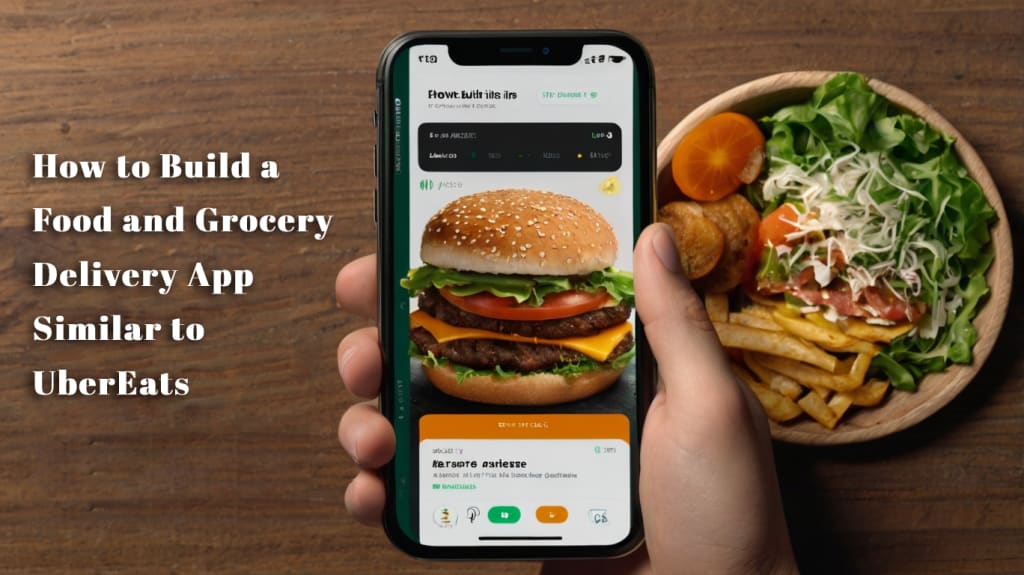
The online food delivery market is thriving, with a projected annual growth rate of 10.5% through 2030, making it an opportune time to enter this dynamic industry. Developing a food delivery app modeled after UberEats can provide a streamlined way to tap into this growing market. By leveraging a ready-made framework inspired by UberEats, businesses can launch a robust platform without building from the ground up. This article outlines the process of creating a food and grocery delivery app, exploring its features, development steps, benefits, challenges, and cost considerations.
Understanding UberEats and Its Functionality
UberEats is a leading online food delivery platform operating in over 6,000 cities worldwide, connecting customers with a wide range of restaurants, cafes, and bars. Available on iOS, Android, and its official website, UberEats allows users to browse menus, place orders, and track deliveries seamlessly. Its user-friendly interface and efficient logistics have made it a dominant player, holding a significant share of the global food delivery market.
The platform’s workflow is straightforward:
App Installation and Account Creation: Users download the UberEats app from the App Store or Google Play, create an account, and customize their preferences for a tailored ordering experience.
Browsing Restaurants: Users explore restaurant menus, complete with prices, ratings, and reviews, to make informed choices.
Order Placement: Customers select items, customize orders based on dietary needs, and add them to their cart.
Payment: The app supports multiple payment methods, including credit and debit cards, for secure transactions.
Order Processing: Restaurants receive and prepare orders once payments are confirmed.
Order Tracking: Real-time updates inform users about food preparation, pickup, and delivery status.
Delivery: Delivery personnel use the app to access customer addresses and contact details for efficient delivery.
Feedback and Ratings: Post-delivery, customers can rate and review their experience, aiding other users in decision-making.
The UberEats model generates revenue through commissions on orders, subscription fees for premium features, and advertising partnerships.
What Is a Food Delivery App Clone?
A ubereats clone is a customizable software solution that mirrors the core functionalities of UberEats. Designed for restaurant owners, cloud kitchens, and entrepreneurs, it provides a pre-built framework to launch a food delivery service efficiently. By adopting a proven model, businesses can save time, reduce development costs, and focus on customization to meet specific market needs.
Key Features of a Food Delivery App Clone
A robust food delivery app clone includes distinct modules for administrators, customers, restaurants, and delivery personnel, each tailored to streamline operations and enhance user experience.
Admin Panel Features
Customer Management: Track customer data, order history, and preferences.
Restaurant Management: Add, remove, or update restaurant listings and menus.
Feedback Oversight: Monitor customer reviews and responses from restaurants and delivery personnel.
Revenue Tracking: Manage payments and financial transactions seamlessly.
Offer Management: Create and manage promotions, discounts, and deals.
Database Security: Store user and business data securely.
Notifications: Send app notifications, emails, and updates to stakeholders.
Customer App Features
Menu Browsing: Explore restaurant menus with pricing and reviews.
Order Placement: Select and customize orders easily.
Cart Management: Review and modify items before checkout.
Restaurant Search: Filter restaurants by location, cuisine, or operating hours.
Real-Time Tracking: Monitor order status from preparation to delivery.
Payment Options: Choose from secure payment methods like cards or digital wallets.
Feedback System: Rate and review services to share experiences.
Security Measures: Protect user data with advanced encryption.
Restaurant App Features
Profile Setup: Create and manage restaurant profiles to build customer trust.
Menu Customization: Update menus to reflect offerings and pricing.
Order Management: Track incoming, in-progress, and completed orders.
Notifications: Receive alerts for new orders.
Payment Tracking: Monitor payments to delivery personnel.
Order History: Access records of past orders.
Social Offers: Promote deals and discounts to attract customers.
Feedback Response: Address customer reviews to improve service.
Third-Party Integration: Connect with external platforms for streamlined operations.
Rider App Features
Profile Creation: Set up profiles with personal and contact details.
Order Notifications: Receive alerts for new delivery assignments.
Delivery Details: Access customer locations via GPS.
Order History: Review completed deliveries for record-keeping.
Real-Time Alerts: Stay updated on new orders and app changes.
Advanced Features to Stand Out
To differentiate your app, consider incorporating advanced features:
Group Ordering: Enable multiple users to order together and split costs.
Order Scheduling: Allow pre-orders for specific dates and times.
Subscription Plans: Offer recurring delivery options for frequent users.
Personalized Recommendations: Use AI to suggest meals based on user preferences and order history.
Steps to Develop a Food Delivery App
Creating a food delivery app involves a structured approach to ensure functionality, scalability, and user satisfaction. Here’s a step-by-step guide:
Analyze the Business Model: Study UberEats’ structure, focusing on its customer, restaurant, and rider components. Understand how orders are processed, payments are handled, and deliveries are coordinated.
Define Requirements: Identify the features your app needs, such as real-time tracking or multi-payment options, while considering what sets it apart from competitors.
Choose a Development Platform: Decide between iOS, Android, or cross-platform frameworks like React Native or Flutter to balance cost and compatibility.
Identify Your Target Audience: Research your ideal customers—consider demographics, dietary preferences, and behaviors—to tailor the app’s offerings.
Select a Tech Stack: Choose technologies for front-end (e.g., React), back-end (e.g., Node.js), and database management (e.g., MongoDB) based on scalability and team expertise.
Design the User Interface: Create an intuitive, visually appealing interface that simplifies navigation and enhances user engagement.
Develop the App: Write code to implement features, integrate APIs (e.g., payment gateways, GPS), and ensure performance and security.
Test and Deploy: Conduct thorough testing to eliminate bugs, then deploy the app to app stores after ensuring compliance with platform guidelines.
Provide Ongoing Support: Offer maintenance, updates, and customer support to keep the app reliable and competitive.
Benefits of a Food Delivery App Clone
Building an app inspired by UberEats offers several advantages for businesses entering the food delivery market:
Cost-Effective: Pre-built frameworks reduce development costs compared to custom solutions.
Operational Efficiency: Automate order management, driver assignments, and tracking to streamline processes.
Time Savings: Leverage existing templates to accelerate development and market entry.
Customization Flexibility: Tailor the app to align with your brand and market needs.
Reliable Support: Benefit from ongoing maintenance to ensure smooth performance.
Proven Framework: Adopt a tested business model to minimize risks and enhance success potential.
Cost Factors for Development
The cost of developing a food delivery app varies based on several factors:
Feature Complexity: Basic apps with core features (ordering, tracking) cost less than those with advanced functionalities like AI recommendations.
Platform Choice: Developing for both iOS and Android increases costs compared to a single platform.
Team Expertise: In-house teams may be pricier than outsourced developers, with costs varying by region.
Design Needs: Simple designs are more affordable than highly customized interfaces.
Third-Party Integrations: APIs for payments or mapping add to expenses.
Maintenance: Budget for ongoing updates and support.
Estimated costs include:
Basic App (Single Platform): $20,000–$50,000
Mid-Range App (Both Platforms): $50,000–$150,000
Advanced App (Custom Features): $150,000+
Challenges and Solutions
Developing a food delivery app presents challenges that require strategic planning:
Competition: Established platforms like DoorDash and Grubhub dominate the market. Solution: Offer unique features like niche cuisine options or superior user experience.
Logistics Management: Coordinating restaurants, drivers, and customers is complex. Solution: Implement robust systems for order tracking and driver dispatching.
Customer Expectations: Users demand reliability and seamless experiences. Solution: Prioritize intuitive design, real-time updates, and responsive support.
Conclusion
Building a food delivery app inspired by UberEats offers a strategic entry into the booming online food delivery market. By understanding the platform’s model, incorporating essential and advanced features, and following a structured development process, businesses can create a competitive app. Despite challenges like competition and logistics, a focus on user experience, customization, and operational efficiency can drive success. With careful planning and execution, a food delivery app clone can position your business to thrive in this fast-growing industry.
About the Creator
Ashish Sudra
Ashish Sudra is the founder of Deonde, with over 16 years of experience in IT and On-demand Solutions. He is also an accomplished Business Consultant specializing in delivering Online Food Ordering and Delivery System for startups and SMEs.
Keep reading
More stories from Ashish Sudra and writers in 01 and other communities.
Build a 10-Minute Grocery Delivery App like Zepto?
Thinking About Building a 10-Minute Grocery Delivery App Like Zepto? You’re not alone. With consumers craving convenience more than ever, grocery delivery app development has become a hot trend—especially with 10-minute delivery models gaining serious traction.
By Ashish Sudra10 months ago in 01
Cracking a Gmail Account: Here Are the Hackers’ Methods
Every year, millions of Gmail accounts fall victim to cyberattacks, exposing personal, professional, and financial data to critical risks. According to Google’s annual security report, over 100,000 accounts are reported as compromised each month — and this figure represents only a fraction of actual incidents.
By Alexander Hoffmann3 days ago in 01
Saudi Arabia Outdoor LED Lighting Market Size and Forecast 2025–2033
Saudi Arabia Outdoor LED Lighting Market at a Glance The Saudi Arabia Outdoor LED Lighting Market is expected to reach US$ 957.4 million by 2033, rising from US$ 318.96 million in 2024, registering a strong CAGR of 12.99% during 2025–2033. This expansion is primarily driven by large-scale infrastructure development, mega smart-city projects such as NEOM, The Line, and Qiddiya, and the country’s accelerating transition toward energy-efficient and sustainable lighting systems. Supportive government regulations, declining LED prices, and growing public awareness about energy conservation are further strengthening market momentum.
By Renub Research2 days ago in 01



Comments (1)
The projected growth makes this a great time to enter. Leveraging a ready-made framework can speed up app development. Following UberEats' model simplifies the process. Understanding its workflow helps create a user-friendly app.