
How to Activate Snapchat Dark Mode on iPhone and Android?
Snapchat is one of the popular apps for sharing photos and short videos. It also allows you to chat within the app. Currently, Snapchat has more than 319 million users worldwide. Of those 300+ million users

Snapchat is one of the popular apps for sharing photos and short videos. It also allows you to chat within the app. Currently, Snapchat has more than 319 million users worldwide. Of those 300+ million users, India alone has more than 74 million users, just behind the United States. Which leads with 108 million users. While these numbers are still far behind those of its competitors such as Facebook, Instagram and TikTok. Snapchat is very popular among youngsters because it offers a bunch of features like Snaps, Stories, Custom Stories, Swipe, Filters, Lens, Geofinder, Hidden Messages, and much more.
Table of Content
1. What is Dark mode in Snapchat?
2. Activate Dark Mode in the SNAPCHAT IOS App
3. ENABLE DARK MODE ON SNAPCHAT FOR ANDROID
What is Dark mode in Snapchat?
Before you start your work regarding how to activate the dark mode in Snapchat? Let's
Explore the cool features that Snapchat dark mode has. However, the first thing straight away
In lighting mode is the glare of an all-white screen, it uses an all-white background all over
The screen. Meanwhile, the dark mode or dark theme in Snapchat uses a black and dark
.background all over the screen. And unlike all other apps
Activate Dark Mode in the SNAPCHAT IOS App
When developers apply dark mode to their iPhone apps, they automatically add a condition to enable it with the iOS dark theme. Follow the steps below to enable dark mode on Snapchat for iPhone.
Step 1: Open Snapchat app on iPhone.
Step 2: Click on the account image above.
Step 3: Find Gear Setting
Step 4: From the Account list, scroll down to Appearance.
Step 5: Find It's Always Dark
Note:
Basically, if you select "always light" it will enable the light function in Snapchat. If you
Activate "Always Dark", the app will work in a dark theme. By choosing Match System, the
App will sync with the framework and preferences on your iPhone. So, choose and enable and
Disable accordingly.
However, now is the time to have a more comfortable Snapchat user interface at night?
Furthermore, you won't get dark circles or eye bags when you wake up after a long night of
Conversation. Check out the steps to activate the dark mode in Snapchat.
ENABLE DARK MODE ON SNAPCHAT FOR ANDROID
Snapchat has yet to implement dark mode support on Android. This feature is currently part of the beta. The Snapchat Android open beta group is full and the company is not accepting new users.
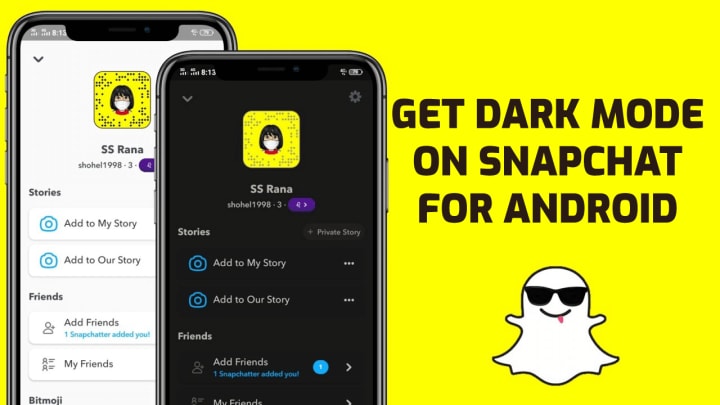
However, there is a workaround. By making a setting in the developer options menu, you can force a dark theme for all installed apps on your phone, including Snapchat. Let's show you how.
Step 1: Swipe down to open notification center.
Step 2: Click on the settings gear.
Step 3: Scroll down to the About Phone menu.
Step 4: Scroll down and find the build number. Click on it five to six times and enable developer mode on your Android phone.
Step 5: Go back to the "Settings" menu and look for "Developer options". Turn on the switch.
Step 6: Find the "Hardware Accelerated Rendering" option. Turn on the forced-dark Override switch.
The OS activates the dark theme in all applications. Open Snapchat to view it in dark mode.
However, if you've updated Snapchat to the latest version, you won't see the change in action. We have a solution for this problem, but it requires you to install an APK file from a third party source. So proceed with caution.
Step 1: Go to APKmirror and download the Snapchat APK file.
Download Snapchat
Step 2: Before installing the APK file, you need to uninstall the current Snapchat app on your phone.
Android will not replace the current app with an old build of Snapchat. After you uninstall the current app and install the APK file, open the app.
You will see that Android OS overrides the dark mode in Snapchat. Some of the new features, like Maps, won't work with the old build of the app. You may see some broken UI elements due to Snapchat's forced dark theme.
About the Creator
Keep reading
More stories from writers in 01 and other communities.
The Evolving World of Startup Funding in Canada
Canada’s startup ecosystem has matured significantly over the last decade. What once felt like a small, tightly knit community has expanded into a diverse, nationwide network of founders, investors, accelerators, and policymakers. Alongside this growth, the way startups access funding has changed—sometimes quietly, sometimes dramatically.
By Mentoria Teamabout 2 hours ago in 01
Top Enterprise Software Development Companies in 2026
The use of enterprise software has become imperative in the efforts by businesses to optimize, become more efficient, and grow in a safe digital competitive space. The adoption of cloud technology, artificial intelligence, automation, and data technologies, especially within the current digital era, means that businesses are seeking the help of skilled software partners.
By Olivia Carter6 days ago in 01
So You Decided To Become a Nurse Practitioner:
So you decided to become an "Advanced Practice" nurse. Congratulations!... is what I would say if this was a good idea. Grad school? In this economy? What were you thinking? Likely it was something along the lines of either 1) “I've seen these other chucklefucks do it— Why can't I?” or even 2) “I've got a nice career, I should shake it up. I miss feeling like I have no clue what I'm doing.”
By Sandor Szabo4 days ago in Fiction



Comments