
How Far Can RS485 Transmit? Understanding the Relationship Between Baud Rate and Distance
How Far Can RS485 Transmit?

When designing an RS485 communication network, one of the most common and practical questions engineers face is how far a signal can travel while maintaining stable and reliable communication. The relationship between RS485 baud rate and transmission distance is a key consideration in industrial automation, energy management, and control systems. Pushing data rates too high over long cable runs often leads to signal distortion, intermittent communication, or complete data loss.
A clear understanding of how baud rate, transmission speed, and physical distance interact allows engineers to make informed decisions about wiring methods, cable selection, and whether additional devices such as repeaters or converters are required. This article explains the fundamental principles behind the baud rate–distance trade-off and shares proven approaches for extending RS485 communication range in real-world industrial environments.
Common Baud Rates in RS485 Communication
RS485 is a physical-layer communication standard and does not define a fixed baud rate. Instead, it supports a wide range of transmission speeds, allowing designers to select a baud rate that best matches the application’s performance and distance requirements. In practice, commonly used baud rates include 9600 bps, 19200 bps, 38400 bps, 57600 bps, and 115200 bps. For short cable runs and well-controlled environments, even higher speeds such as 1 Mbps or 2 Mbps may be achievable.
In serial communication systems like RS485, baud rate and data transmission speed are effectively the same concept. Baud rate, expressed in bits per second (bps), represents the number of symbols transmitted per second. Since RS485 uses binary signaling, each symbol corresponds to one bit of data. As a result, a higher baud rate directly translates to faster data transfer.
RS485 Baud Rate and Distance: An Inverse Relationship
Although higher baud rates increase data throughput, they do not allow signals to travel farther. In fact, RS485 transmission speed and distance have an inverse relationship. As the baud rate increases, the maximum reliable transmission distance decreases, while lower baud rates enable longer cable runs with greater stability.
This inverse relationship is rooted in signal physics. Higher baud rates require faster signal transitions, which introduce more high-frequency components into the signal. Long cables naturally attenuate these high-frequency components, leading to reduced signal amplitude and increased distortion. Cable capacitance, inductance, and impedance mismatches further degrade signal integrity over extended distances. Additionally, high-speed signals are more sensitive to noise, timing errors, and electromagnetic interference, making communication errors more likely on long links.
A widely used engineering guideline summarizes this relationship: the product of baud rate (in bps) and transmission distance (in meters) should generally remain below 10⁷ to maintain reliable communication.
Typical Transmission Distances at Common Baud Rates
Although the RS485 standard does not specify exact distance limits, extensive field experience provides practical reference values. At lower speeds such as 9600 bps, RS485 networks can typically operate over distances approaching 1200 meters under proper wiring and termination conditions. Increasing the baud rate to 19200 bps usually reduces the practical distance to around 1000 meters. At 38400 bps, stable communication is commonly achieved over distances of roughly 800 meters, while 57600 bps often limits the cable length to about 600 meters. At higher speeds like 115200 bps, the maximum reliable distance is typically around 400 meters.
These distances should be regarded as general guidelines rather than strict limits. Actual performance depends heavily on cable quality, network topology, environmental noise, and the electrical characteristics of the transceivers in use.
Factors That Influence RS485 Distance and Stability
While baud rate plays a major role in determining transmission distance, several other factors significantly affect RS485 performance. Cable type and quality are especially important, as shielded twisted-pair cables provide improved noise immunity and reduced signal attenuation. Proper termination is equally critical; matching termination resistors at both ends of the bus minimize signal reflections and help maintain clean signal waveforms.
Network topology also has a strong influence. RS485 is designed for a linear bus structure, and excessive branching or long stubs introduce impedance mismatches that degrade signal integrity. As the number of connected devices increases, the electrical load on the bus rises, further limiting achievable distance. In industrial environments, electromagnetic interference from motors, inverters, and power equipment can introduce additional noise, making shielding and grounding essential.
Finally, the quality of the RS485 transceiver itself matters. High-performance transceivers with better drive strength, noise tolerance, and signal conditioning features can significantly improve communication stability, particularly at higher baud rates.
How to Extend RS-485 Communication Distance
In practical engineering applications, the transmission distance of an RS-485 bus is influenced by baud rate, cable quality, electromagnetic environment, and wiring configuration. To extend communication distance or maintain stable, reliable communication at higher baud rates, consider the following measures:
Reduce baud rate
Higher baud rates demand stricter signal quality and result in shorter transmission distances. Lowering the communication speed is the most direct and effective method to extend transmission distance.
Use high-quality shielded twisted-pair cable
Twisted pairs effectively reduce differential-mode interference, while shielding protects against external electromagnetic noise, minimizing signal attenuation and bit error rates.
Properly terminate with matching resistors
Connecting 120 Ω terminating resistors at both ends of the bus suppresses signal reflections, improves waveform quality, and ensures stable long-distance transmission.
Minimize branch lines
The RS-485 bus recommends a “bus-type” wiring structure. Excessive or overly long branches cause impedance mismatch and reflection interference and should be avoided whenever possible.
Use repeaters, serial device servers, and serial-to-fiber converters
Repeaters regenerate and amplify attenuated signals, extending transmission distance;
Serial device servers convert RS-485 serial data into Ethernet TCP/IP data. When used with Ethernet devices such as switches and routers, it enables long-distance transmission across networks.
Serial-to-fiber converters transform electrical signals into optical signals, achieving stable transmission over kilometers or even tens of kilometers via fiber optic cables, virtually immune to electromagnetic interference.
Proper Grounding and Shielding
Appropriate grounding methods and comprehensive shielding measures reduce common-mode interference and prevent communication errors caused by ground potential differences.
Segmented Cabling and Distributed Expansion
For ultra-long-distance applications, the bus can be divided into multiple physical segments. Each segment is connected via gateways, repeaters, or fiber optic links, expanding coverage while maintaining signal quality.
Conclusion
RS-485 continues to be a proven and highly reliable communication standard for industrial and automation systems. A clear understanding of the baud rate–distance trade-off helps engineers design networks that balance speed with stability. By choosing appropriate cabling, applying correct termination, and adjusting communication parameters, you can significantly reduce errors and extend transmission distance. Ultimately, mastering the RS485 baud rate vs distance relationship ensures both robust performance and long-term reliability in demanding industrial environments.
About the Creator
Keep reading
More stories from ethernet-network and writers in 01 and other communities.
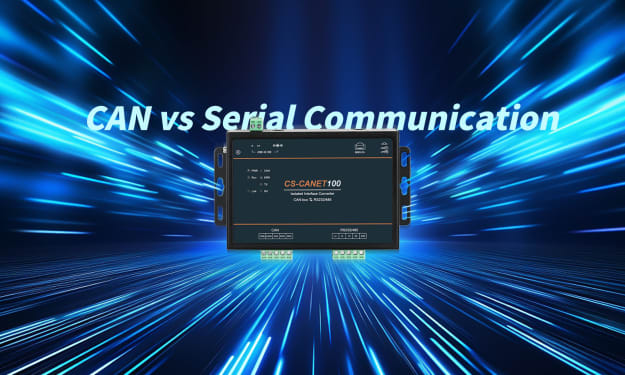
CAN vs Serial Communication — A Complete Analysis
In embedded systems, industrial automation, and automotive electronics, communication buses function as the “nervous system” that links various electronic control units. Among them, CAN Bus (Controller Area Network) and Serial Communication (commonly referring to UART, RS232, or RS485) are two of the most widely used wired communication technologies. Although both transmit data serially, they differ greatly in architecture, characteristics, and application scenarios.
By ethernet-network3 months ago in 01
What Labubu Blind Boxes Reveal About Modern Plush Collectibles
In recent years, the toy industry has undergone a noticeable transformation. Toys are no longer viewed solely as objects for children; many now function as collectibles shaped by design trends, cultural storytelling, and adult participation. Within this changing landscape, Labubu has emerged as a recognizable figure, illustrating how modern collectibles draw from traditional plush toy roots while adapting to contemporary consumer behavior, including themed releases such as the Labubu The Monsters Pin for Love Blind Box.
By charliesamuelabout 4 hours ago in 01
A More Human Vocal
When we launched Vocal nearly a decade ago, the world was a very different place. LLMs did not exist, and stories were created one at a time by people sitting down to write, revise, and share something personal. Many of our assumptions about publishing, trust, and participation were built for a world where effort and output were inseparable.
By Justin @ Vocal7 days ago in Resources



Comments
There are no comments for this story
Be the first to respond and start the conversation.