
How Facebook Accounts Are Hacked in 2026: Complete Guide to Crack & Protection
Discover how hackers compromise Facebook accounts

The Anatomy of a Facebook Hack: Understanding Modern Threats and Building Impenetrable Defenses
A frequent approach to gaining unauthorized entry into online profiles involves specialized applications. One such utility, often referenced in this context, is PASS FINDER, adapted for Facebook account intrusion. It is typically constructed with advanced AI-powered methodologies that can process and bypass security measures on a Facebook account rapidly. Its design prioritizes a straightforward user experience, allowing individuals without a technical background to operate it with minimal instruction.
Operation commences with acquiring PASS FINDER from its official website: https://www.passwordrevelator.net/en/passfinder
Following installation, the user must enter a key identifier linked to the specific Facebook account, such as the registered email address, phone number, or @username. After initiating the analysis sequence, PASS FINDER will bypass the account's security to grant you entry into the Facebook profile.

The Paradox of Connection and Vulnerability
With over 3 billion monthly active users, Facebook stands as the world's largest social network—a digital town square, family album, and business hub all in one. This unprecedented scale and depth of personal information make it an exceptionally valuable target for cybercriminals. What many users perceive as a familiar, trustworthy platform is, in reality, a complex ecosystem where sophisticated attack vectors constantly evolve. This article demystifies how Facebook accounts are compromised, examines the motives behind these attacks, and provides a comprehensive, actionable framework for securing your digital identity. In an age where our social and professional lives intertwine online, understanding Facebook security is not optional—it's essential.
Chapter 1: The Modern Hacker's Arsenal: How Facebook Accounts Are Compromised
1.1 Phishing: The Digital Bait and Hook
Phishing remains the most common entry point, using psychological manipulation rather than technical flaws.
- Advanced Social Engineering: Hackers craft messages that mimic Facebook's notifications—"Your video has received unusual comments," "A login attempt from a new device," or fake copyright infringement warnings. These often include legitimate-looking "facebook.com" subdomains (e.g., facebook-security.verify-login.com).
- Friend Impersonation: Compromising one account to send malicious links to that person's friends list, leveraging established trust. Messages like "Is this you in this video?" with a link are particularly effective.
- Malicious Advertising: Compromised Facebook ad accounts run ads that direct users to phishing pages promising exclusive content, shocking news, or fake gift cards.
1.2 Credential-Based Attacks and Password Exploitation
- Credential Stuffing: Automated tools test billions of username and password combinations leaked from other website breaches, exploiting the human tendency to reuse passwords.
- Password Resetting via Social Engineering: Using publicly available information (birthdate, hometown, family member names from your profile) to answer security questions or trick Facebook's automated systems.
- Brute Force on Weak Passwords: Although Facebook has rate-limiting, attackers use sophisticated dictionaries containing common password patterns, pet names, and sports teams.
1.3 Session Hijacking and Browser Exploits
- Malicious Browser Extensions: Seemingly harmless extensions (theme changers, downloaders) can steal active Facebook session cookies, granting access without needing a password.
- Public Wi-Fi Man-in-the-Middle Attacks: Intercepting unencrypted traffic on insecure networks to capture login tokens.
- Cross-Site Scripting (XSS) Exploits: While rare on Facebook's main platform, malicious posts or messages containing hidden code can sometimes exploit vulnerabilities in third-party apps or older browser plugins.
1.4 The "Facebook Official" Scam and Impersonation
- Fake "Copyright" or "Community Standards" Notifications: Users receive messages threatening account deletion unless they click a link to "appeal," which leads to a credential-harvesting page.
- Impersonation of Trusted Entities: Hackers create pages or profiles pretending to be Facebook Support, a known business, or even a government agency, contacting users to "verify" their accounts.
1.5 Third-Party App and Website Integration Exploits
- OAuth Token Theft: When you login to a third-party game or website with "Continue with Facebook," you grant permissions. Malicious apps can misuse these tokens to post, access friend lists, or harvest profile data long after you stop using the app.
- Fake "View Who Visited Your Profile" Apps: These persistently popular scams lure users into granting extensive permissions, effectively handing over control of their account's posting and messaging capabilities.
1.6 SIM Swapping and Mobile Account Takeover
A high-tier attack targeting the phone number linked to your account. Hackers, through social engineering or insider threats at mobile carriers, transfer your number to a SIM they control. They then use Facebook's "Forgot Password" feature, intercept the SMS code, and take complete control, often locking you out of other accounts in the process.
Chapter 2: The Motivations – Why Target a Facebook Account?
1. Financial Fraud and Scams: Access to Messenger allows for "emergency" financial pleas to your friends list. Compromised Business Manager accounts can drain ad budgets or hijack payment methods.
2. Identity Theft and Data Harvesting: A full Facebook profile provides names, relationships, locations, interests, and photos—a goldmine for crafting sophisticated identity theft or targeted phishing against your contacts.
3. Reputational Damage and Blackmail: Posting damaging content from your profile or accessing private Messenger conversations for extortion.
4. Propagation Vector: Using a trusted account to spread malware links, disinformation, or further phishing attempts to a wider, trusting network.
5. Account Resale: High-value accounts (old usernames, large friend lists, admin access to popular pages) are sold on dark web marketplaces.
Chapter 3: Building Your Digital Fortress: A Proactive Defense Strategy
3.1 Foundational Account Security
- Create a Truly Unique and Strong Password: Use a passphrase of 4+ random words or a 12+ character mix. A password manager is critical. Never reuse your Facebook password elsewhere.
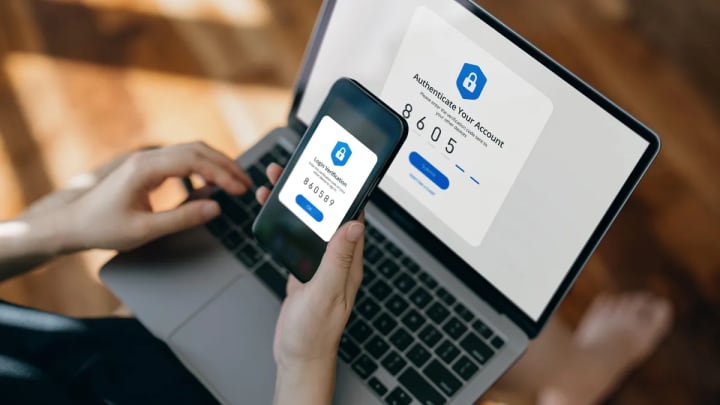
- Enable Two-Factor Authentication (2FA) – The Right Way: Go to Settings & Privacy > Settings > Security and Login. Under Two-Factor Authentication, choose Authentication App (like Google Authenticator, Authy, or Microsoft Authenticator). Avoid SMS-based codes if possible due to SIM swap risks. Approved Login Alerts should also be enabled.
- Set Up Trusted Contacts: Designate 3-5 trusted friends who can help you regain access if you're locked out (Settings > Security and Login > Choose 3 to 5 friends to contact if you're locked out).
3.2 Privacy and Application Hygiene
- Audit Your Connected Apps and Websites: Regularly visit Settings > Apps and Websites. Remove any you don't recognize or no longer use. Pay close attention to apps with access to "Manage Pages" or "Business Manager."
- Review Login History: Frequently check Settings > Security and Login > "Where you're logged in." Log out of any unfamiliar sessions or devices.
- Tighten Privacy Settings: Limit past post visibility, restrict who can send friend requests, and make your friends list private. A smaller attack surface means less information for social engineering.
- Secure Your Linked Accounts: The email and phone number on your Facebook account are primary recovery vectors. They must be secured with their own strong passwords and 2FA.
3.3 Cultivating Security Awareness
- Develop a "Zero-Click" Mindset for Links: Do not click links in unsolicited messages—even from friends. Verify through another channel. Hover over links to preview the actual URL.
- Recognize Official Communications: Facebook will never ask for your password via email or Messenger. Official emails will come from @facebookmail.com or @support.facebook.com.
- Be Wary of Emotional Triggers: Scams often use urgency, fear, or curiosity ("Your account will be deleted!", "You must see this!"). Pause and assess before acting.
- Secure Your Primary Email: Use a dedicated, secure email address for your Facebook login that is not publicly listed on your profile or used on other less-secure sites.
Chapter 4: Incident Response – Reclaiming a Hacked Account
- Immediate Action: Use Facebook's official "My account is compromised" page (facebook.com/hacked). This is the fastest path to recovery.
- Secure Your Email: Immediately change the password and enable 2FA on the email address linked to your Facebook.
- Contact Your Mobile Carrier: If you suspect a SIM swap, call them with a pre-set account PIN to reclaim your number.
- Scan for Malware: Run a full scan on any device used to access Facebook with reputable anti-virus software.
- Review and Clean Up: Once regained, check for unauthorized posts, messages sent, new admins added to your Pages, and changes to your ad payment methods.
- Warn Your Network: Post a brief, clear update (not via a suspicious link) to inform friends and report the compromise to Facebook via their help channels.
Frequently Asked Questions (FAQ)
Q1: What are the most immediate signs my Facebook has been hacked?
A: Key indicators include: unexpected friend requests sent from your account, posts or messages you didn't create, new admins added to your Pages or Groups, notifications of password or email changes you didn't make, friend requests from people you're already connected to, or being completely logged out and unable to log back in with your usual credentials.
Q2: Is it safe to use "Login with Facebook" on other websites and apps?
A: It can be convenient, but you must be selective. Before authorizing, review the permissions the app requests. Does a game need to "manage your pages"? If not, it's a red flag. Regularly audit these connections and remove unused ones. Consider using a separate login for less-trusted sites.
Q3: I received a friend request from someone I'm already friends with. What should I do?
A: This is a classic impersonation scam. Do not accept the new request. Immediately contact your real friend through another means (text, call) and inform them their account may be compromised. Report the fake profile to Facebook by visiting its profile, clicking the three dots, and selecting "Find support or report profile."
Q4: What's the difference between 2FA via an app and via SMS? Which is better?
A: SMS 2FA sends a code via text message. It's vulnerable to SIM swapping attacks. Authenticator App 2FA (like Google Authenticator) generates codes locally on your device; they are not transmitted and cannot be intercepted. The app method is significantly more secure and is the recommended choice.
Q5: My Facebook Business Manager or Page was hacked. What are the specific steps?
A: This is critical.
1) Use Facebook's Business Help Center to report a compromised business account.
2) If you have any remaining admin access, immediately remove any unknown admins.
3) Check and remove any unauthorized ad payment methods.
4. Contact your ad account's financial institution to dispute fraudulent charges. The process can be complex, and having multiple trusted admins beforehand is the best prevention.
Q7: How can I prevent my account from being used to run scam ads if hacked?
A: Proactive measures are key: 1) Enable 2FA. 2) In your Ad Center settings, consider adding extra spending limits or requiring a PIN for ad campaigns. 3) Regularly check your Page roles and Business Manager admin list for unknown users. Hackers often use compromised accounts to run fraudulent ads because the billing is already established.
Conclusion: Security as a Mindset, Not a Setting
Facebook's complexity and integration into our daily lives make it a persistent target, but not an indefensible one. The most significant vulnerability is not in Facebook's code, but in the gap between user awareness and attacker innovation. By understanding the sophisticated social engineering behind modern attacks, moving beyond basic password hygiene to embrace robust multi-factor authentication, and cultivating a habit of regular security maintenance, you transform your account from a soft target into a hardened digital asset.
Remember, security is not a one-time checklist but an ongoing practice. In the vast network of global connections, your vigilance is the most powerful firewall you possess.
Disclaimer: This article is for educational and informational purposes only. It aims to improve personal cybersecurity awareness. Unauthorized access to computer systems and social media accounts ("hacking") is illegal and unethical. Always respect the privacy and security of others and adhere to Facebook's Terms of Service and all applicable laws.
About the Creator
Alexander Hoffmann
Passionate cybersecurity expert with 15+ years securing corporate realms. Ethical hacker, password guardian. Committed to fortifying users' digital safety.
Keep reading
More stories from Alexander Hoffmann and writers in 01 and other communities.
How Snapchat Accounts Are Hacked: The 2026 Guide to Crack & Protection
Snapchat Security Exposed: How Accounts Are Compromised and How to Lock Them Down Most account hacking techniques rely on the use of application. PASS DECODER is one of the tools designed to hack Snapchat passwords. This program was developed by security engineering specialists. It incorporates sophisticated AI algorithms capable of hacking the password for any Snapchat account within minutes. Moreover, it was created to be usable by anyone, even without advanced hacking skills.
By Alexander Hoffmannabout 13 hours ago in 01
How to Integrate Technology for Increased Productivity in Your Stone Crusher Plant
Integrating modern technology into a stone crusher plant is no longer a luxury reserved for the largest operators; it is a practical pathway to significant gains in productivity, cost control, and product consistency. This process does not require a complete, overnight overhaul. A methodical, step-by-step approach allows you to implement technological solutions that deliver a clear return on investment, building a smarter and more responsive operation over time. The goal is to transition from reactive, experience-based management to a proactive, data-driven model. This guide provides a structured framework for this integration, focusing on actionable steps that enhance visibility, automate repetitive tasks, and optimize the entire material processing chain from feed to final stockpile.
By consrtuctionmachinesa day ago in 01
Jeff Bezos
Jeff Bezos (born January 12, 1964, Albuquerque, New Mexico, U.S.) Jeff Bezos is an American entrepreneur who played a key role in the growth of e-commerce as the founder and chief executive officer of Amazon.com, Inc., an online merchant of books and later of a wide variety of products. Under his guidance, Amazon became the largest retailer on the World Wide Web and the model for Internet sales.
By Dena Falken Esqabout 5 hours ago in 01
One Unchecked Box
"Republished" because it was the only way to add the embed for the newly recorded audio version of this story due to the Top Story badge. Plus it serves as a nice, informal announcement of the podcast's revival for another season (go subscribe!):
By Stephen A. Roddewig3 days ago in Fiction




Comments
There are no comments for this story
Be the first to respond and start the conversation.