
How does Pinterest Search Algorithm Works
Pinterest Search Algorithm


Pinterest is a visual discovery tool where you can find ideas for all your projects and interests, hand-picked by people like you. The Pinterest search engine is one of the most important ways in which people discover new content on the platform.
The Pinterest search algorithm ranks your pins depending on their popularity and engagement. The more popular a pin, the higher it will rank on search results (which will give it even more visibility and increase its chances to get repinned).
How does Pinterest Search Algorithm work?
Pinterest uses an image-matching technology that indexes all the images uploaded to their platform so that they're properly categorized for future use in searches. When someone searches for a term, Pinterest associates those keywords with similar images using this index. The text descriptions associated with those images are also taken into consideration when ranking pins within search results: if you’re looking for ideas related to “weddings”, Pinterest will display pins related to “wedding dresses” or “bridal makeup” as well as content that includes all these terms in the description.

Pinterest search algorithm ranks your pins depending on their popularity and engagement.
Pinterest search algorithm is not like Google that ranks you because of keywords and popularity. Pinterest ranking system works by looking at the engagement your content gets. How many views, saves, comments and clicks your pins are getting. The higher number of engagements a pin receives, the more likely it will be displayed in the feed and search results of other Pinterest users and vice versa.
Think about it this way - if you have 10 000 followers but only one person likes your pin, you are going to have lower ranking than someone with 100 followers who received 50 dozen likes on their pin. Engagement of your pins matters most when it comes to Pinterest algorithm rankings.
The Pinterest search engine is one of the most important ways in which people discover new content on the platform.
Pinterest is a visual discovery tool that users can use to find ideas for their different projects and interests.
For example, if you are planning your wedding, you can search for "wedding cake" to find ideas and inspiration on how to decorate your cake.
Or if you want to redecorate your living room, you can search for "living room design." This will show you different interior designs that may give you some good ideas on how to decorate your own living room.
How do you increase the engagement of your Pinterest pins so they rank higher in search?
Pinterest is an excellent tool for sharing visual inspiration, but if you want to rank in search results, you need to be more attentive to the algorithm used by Pinterest Search.
Pinterest has a well-established algorithm that ranks pins based on their relevance and quality. That's not to say there are no factors involved with the algorithm; rather, these factors play a huge role in determining which pins get top position in search results. In order for your pin to rank higher in search results, it must meet the following criteria:
- The more relevant your pin is with respect to the query string, the better it will perform
- original content (pins from profile users might not be as reliable as those from business profiles because of how people tend to curate content)
It is important to note that each pin is ranked differently based on its relevance to each individual user’s interests.
It's important to note that each pin is ranked differently based on its relevance to each individual user's interests. These interests are determined by the user's previous pin engagements, such as likes and pins. Pinterest also uses social media signals, such as the number of repins and likes a pin receives, to determine its ranking in search results.
To start with, Pinterest looks at keywords in your pin descriptions and titles as well as the names of boards where you have pinned them.
To start with, Pinterest looks at keywords in your pin descriptions and titles as well as the names of boards where you have pinned them. This is because each time a keyword is entered into the Pinterest search field, the platform will look for pins that contain that word or phrase.
For instance, if you add a pin about rocking chairs to your ‘Living Room’ board, the descriptive words ‘living room’ and ‘rocking chair’ will be taken into account when someone searches for these terms. Getting this right means they are more likely to find your pin when they do their search.
If a pin proves popular with multiple users, then it will rank higher in search results, giving it more exposure.
A pin's popularity is measured by these factors: how many comments/likes a pin receives, how many times users click on it, and how often users save it. The more popular the pin (in terms of these actions), the more likely it will rank higher in search results, giving it more exposure. This means the algorithm favors pins that are highly engaging and sharable.
In addition to this information, Pinterest also looks at how much traffic a pin generates from external sources such as websites, blogs and other social networks. Pins that generate significant traffic from external sources will rank higher in search results.
Let’s say you have written an article on how to use Instagram for business. You should allow users to save your pins to their boards and include Pinterest share buttons on your website, blog and other social network accounts. You should also pin your content to community boards that are relevant to your content so that it can be found by more people.
There are many things that you can do to improve the visibility of your pins.

There are many things that you can do to improve the visibility of your pins. For example, you should:
- Optimize your pin descriptions. Pinterest's algorithm looks at the full description text and not just the first few words when it is determining where to rank a pin in search results. Make sure that you use keywords in your pin descriptions that accurately describe what is shown in the image and what users will find when they click through to your website.
- Use keywords in titles for your boards. Pinterest's algorithm also uses board names as a ranking signal, so make sure that these include some related keywords as well.
- Pin content to multiple boards within a single profile (this is also called "grouping"). This will help increase exposure of your content by making it visible on more than one page of results while making it clear to Pinterest which boards are related to each other and therefore most relevant if someone searches for something similar.
About the Creator
How to Hire a Mobile App Developer in St. Louis 2026
The regional tech landscape has shifted significantly. The decision to hire a mobile app developer in St. Louis 2026 is now a strategic choice. St. Louis has evolved from a traditional manufacturing hub. It is now a center for agtech and geospatial technology. Financial services also drive the local economy forward.
By Del Rosario2 days ago in 01
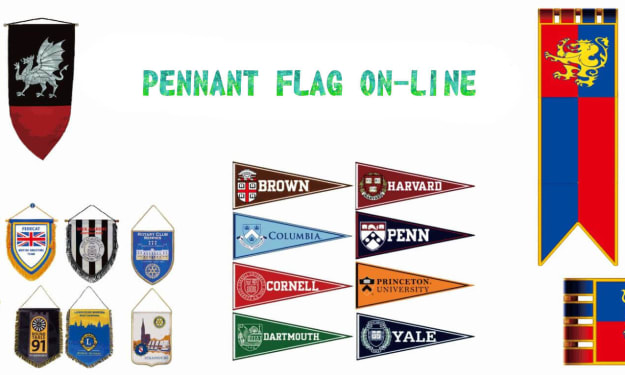
The Enduring Appeal of Pennant Flags in Sports Culture
Sports traditions are often expressed through small but meaningful objects. Jerseys, scarves, and banners help fans show their loyalty, but few items have remained as recognizable as the classic pennant flag. For more than a century, these triangular banners have been associated with team pride, sporting milestones, and the emotional connection between fans and their favorite games.
By charliesamuelabout 19 hours ago in 01



Comments
There are no comments for this story
Be the first to respond and start the conversation.