
How Anyone Can Start Creating Their Own Browser Game
A beginner-friendly guide to turning simple game ideas into reality
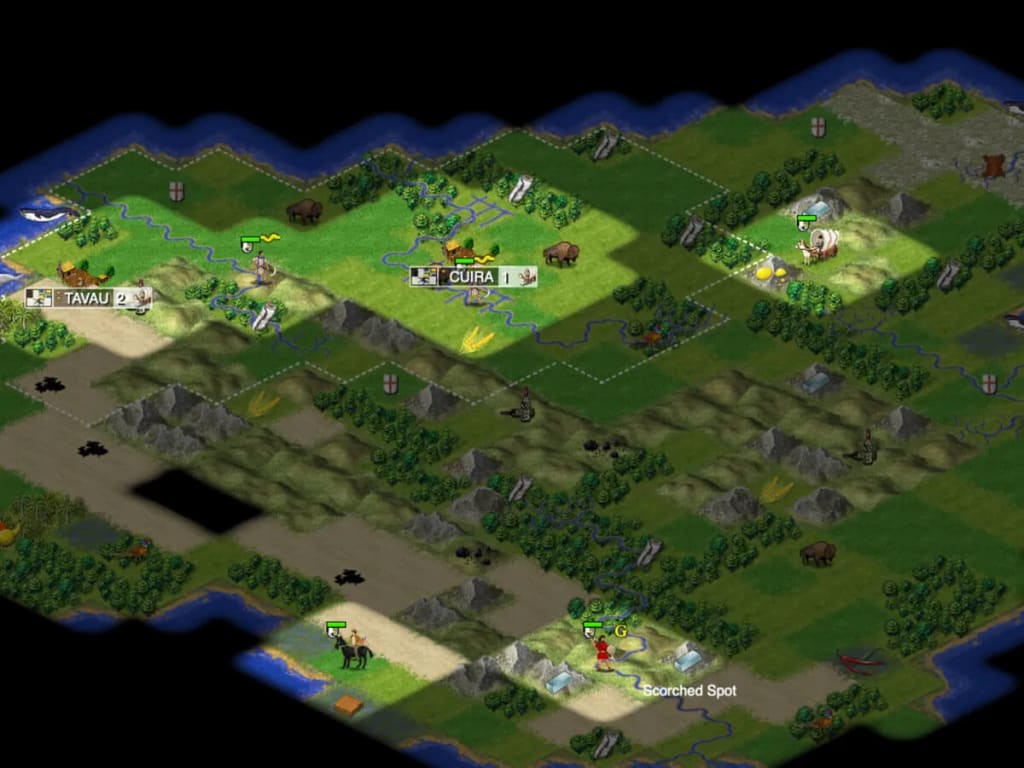
For most of us, games were something we consumed, not something we created. We grew up playing titles in browsers, on consoles, or on mobile phones without really questioning how they were built. But in today’s world, the line between “player” and “creator” has blurred. Thanks to modern tools, frameworks, and a supportive online community, anyone with curiosity and persistence can create a browser game — even without years of professional coding experience.
This guide is for the dreamers who have an idea in their heads and want to see it come alive on the screen. We’ll explore the journey of turning a game idea into a playable browser-based project, highlighting the essentials you need to know as a beginner.
Why Browser Games?
Before diving into the how, it’s worth asking: Why browser games?
Accessibility: Unlike mobile or console games, browser games run on almost any device with an internet connection. No downloads, no app store hurdles.
Low Barrier to Entry: Many engines and libraries designed for browser game development are beginner-friendly. You can start small and grow into more advanced concepts.
Shareability: You can send a link to friends or publish it online instantly. Distribution is as simple as sharing a URL.
Community-Driven Growth: Developers of all levels contribute to forums, tutorials, and open-source projects, meaning help is always a click away.
For hobbyists, indie creators, or students, browser games offer the perfect mix of creativity and practicality.
Step 1: Shaping Your Idea
Every game starts with an idea. It doesn’t have to be groundbreaking — in fact, the simpler, the better for beginners. Instead of designing a massive open-world RPG, focus on a game you can realistically complete.
Some starting points include:
- A puzzle game with unique rules
- A simple platformer where characters dodge obstacles
- A quiz game with fun categories
- A turn-based battle game
Ask yourself: What’s the core experience I want players to have? Clarity at this stage will save you time later.
Step 2: Choosing the Right Tools
You don’t need to reinvent the wheel. There are powerful game frameworks and engines designed specifically for building browser-based projects. A few popular options include:
Phaser: A 2D game framework that’s extremely beginner-friendly with excellent documentation.
Three.js: Perfect if you’re excited about 3D graphics and want to experiment with immersive gameplay.
Babylon.js: Another robust 3D engine for web games, with support for physics, animations, and rendering.
Construct & GDevelop: No-code/low-code platforms that let you drag-and-drop elements to build a game without writing heavy code.
Each of these tools has a vibrant community, meaning you’ll never be stuck alone when you run into issues.
For a more in-depth breakdown of tools, coding languages, and processes behind making browser games, you can explore this detailed guide on how to make a browser game
Step 3: Understanding the Basics of Game Development
Even if you’re not an experienced programmer, knowing the fundamentals of game design will give your project structure. Some key elements include:
Game Loop: The heartbeat of any game, responsible for rendering visuals and updating player actions.
Assets: The artwork, sounds, and animations that bring your game to life.
Collision Detection: Making sure objects in your game interact properly (e.g., a ball bouncing off walls).
User Input: Handling keyboard, mouse, or touchscreen controls so players can interact.
You don’t need to master these concepts overnight. Start small and expand as your confidence grows.
Step 4: Build a Prototype
Don’t aim for perfection at first. Instead, create a minimum playable version of your game. For instance, if you’re making a platformer, focus on getting the character to move, jump, and interact with obstacles. Graphics and polish can come later.
Prototyping allows you to test whether your idea is actually fun before investing too much time in the details. Think of it as building the skeleton before adding muscles and skin.
Step 5: Playtest and Improve
One of the best things about browser games is how quickly you can share them. Show your prototype to friends, classmates, or online communities. Gather feedback about gameplay, controls, and difficulty.
Playtesting will uncover things you didn’t notice — perhaps the controls feel too stiff, or the levels get boring too quickly. Every piece of feedback is an opportunity to improve.
Step 6: Adding the Polish
Once the gameplay feels right, you can focus on polish:
Graphics & Art: Even simple pixel art can look charming if it matches your game’s style.
Sound Effects & Music: Audio creates immersion and makes the game feel alive.
UI Elements: Menus, scoreboards, and buttons make your game user-friendly.
Performance Optimization: Ensure the game loads quickly and works across different devices.
Polish doesn’t mean making it perfect, but rather making it playable and enjoyable.
Step 7: Publishing Your Game
The best part? Getting your game into the world. Hosting browser games is easier than ever. Options include:
GitHub Pages: Free hosting for static websites (ideal for Phaser or Three.js projects).
itch.io: A beloved platform for indie developers to share their games with a global audience.
Personal Website/Portfolio: Great if you want to showcase your work to potential collaborators or employers.
With a live link, you can share your game instantly on social media, forums, or even pitch it to game development communities.
Lessons You’ll Learn Along the Way
Creating your first browser game isn’t just about the end product. It teaches you valuable skills:
Problem-Solving: Every bug forces you to think logically.
Creativity Under Constraints: Simplicity often sparks innovation.
Community Building: By sharing your work, you connect with like-minded creators.
Confidence in Technology: Even basic coding builds confidence to tackle bigger projects later.
And remember, every professional game developer once started with something small.
Final Thoughts
Making your own browser game is more achievable than you might think. You don’t need expensive software or years of programming knowledge. What you need is an idea, persistence, and a willingness to learn by doing.
The magic of browser games lies in their accessibility — both for players and for creators. If you’ve ever dreamed of turning your imagination into something others can interact with, there’s no better time to start than now.
Take your idea, pick a framework, and build your first prototype. Along the way, use resources like this step-by-step guide to building browser games
to deepen your knowledge and solve practical challenges.
Who knows? The small game you build today might be the seed of a bigger creative journey tomorrow.



Comments
There are no comments for this story
Be the first to respond and start the conversation.