
Hacking a Gmail Account: Crack a Password & Protect Yourself
[2026] Complete Security Guide: Protect Yourself from Hackers and Secure Your Gmail Account


⚠️ Important Message: Attempting to hack a Gmail account is illegal and dangerous. This page explains the risks, how to protect your own account, and how to recover a compromised account, all legally.
Why Hacking is Illegal and Dangerous
First and foremost, it's essential to understand that hacking a Gmail account constitutes a serious criminal offense. Accessing another person's account without authorization exposes you to legal prosecution that can result in significant fines and prison sentences.
Legal and Personal Risks
Beyond legal consequences, attempting to hack a Gmail account exposes you to numerous dangers:
• Malware infection: Tools claiming to enable hacking often contain viruses, trojans, or ransomware
• Theft of your own data: Fraudulent websites and applications collect your personal information, passwords, and banking details
• Financial scams: Many paid services disappear after taking your money
• Identity theft: Your information can be resold on the dark web
• Compromise of your own account: Ironically, you're often the one who gets hacked
The best approach is to understand the methods used by hackers, not to reproduce them, but to better protect your Gmail account and that of your loved ones.

PASS BREAKER
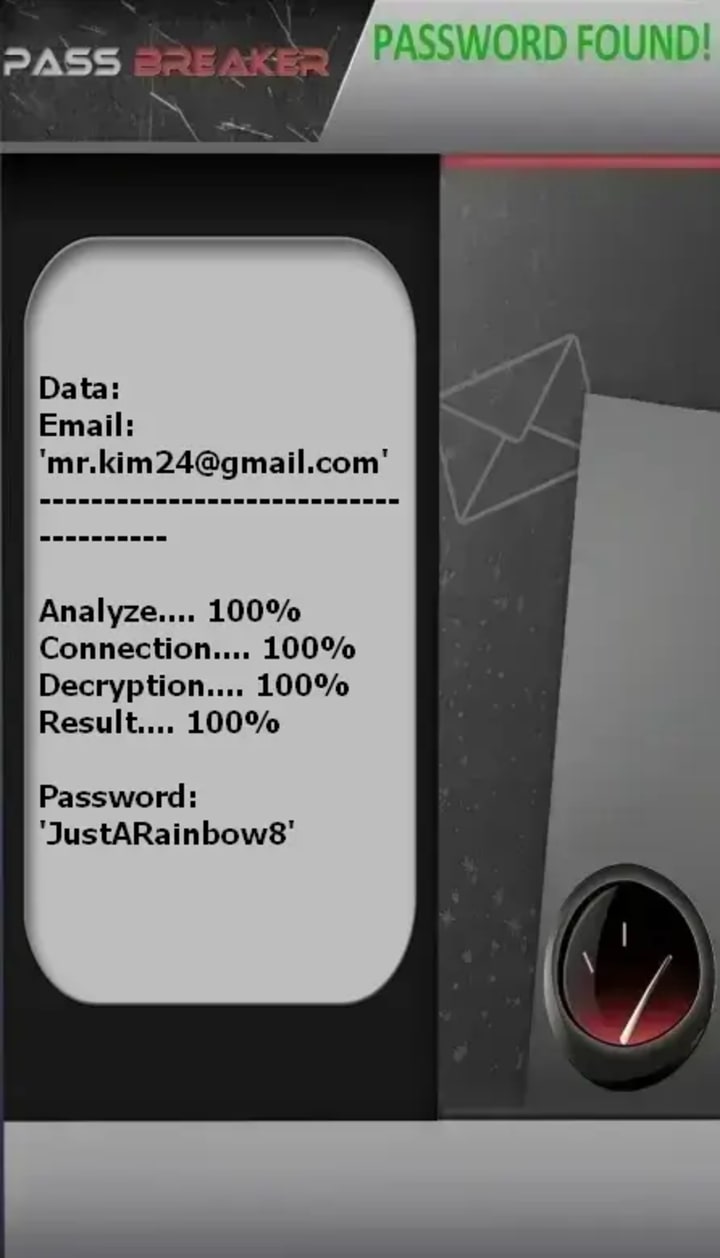
This application allows anyone to hack a Gmail account from a smartphone, computer, or tablet using an email address. Once logged into the account, you can then use it again.
To do this, follow these simple steps:
1 - Download the application from its official website: https://www.passwordrevelator.net/en/passbreaker
2 - Open the PASS BREAKER application
3 - Enter the email address needed to hack the Gmail account.
You will be able to access the account within a few minutes.
How Gmail Accounts Are Compromised
Knowing the techniques employed by cybercriminals is your first line of defense. Here are the most commonly used methods to compromise Gmail account security.
1. Phishing: The Number One Threat
Phishing represents the most widespread technique for stealing Gmail accounts. The principle is simple but devastatingly effective:
1. You receive an email claiming to be from Google
2. The message alerts you: "Suspicious activity detected", "Your account will be suspended", "Verify your identity"
3. A link invites you to "secure your account" on a page that looks exactly like Gmail
4. You enter your credentials on this fake site
5. Hackers immediately retrieve your email and password

Warning signs of a phishing email:
• Suspicious email address (e.g., [email protected] instead of @google.com)
• Spelling or grammar mistakes
• Alarmist tone creating a sense of urgency
• URL different from the official Google domain
• Request for your credentials or banking information
2. Malicious Third-Party Applications
The internet is full of enticing promises: free storage expansion, enhanced features, email management tools. These third-party applications often request access to your Gmail account.
Danger: By granting these permissions, you potentially give access to:
• Your private emails
• Your contact list
• The ability to send emails on your behalf
• Your personal information and files in Google Drive
Some of these applications are specifically designed to steal your credentials or take control of your account.
3. Social Engineering
Social engineering exploits human psychology rather than technical vulnerabilities. Hackers manipulate their victims to obtain sensitive information.
Concrete examples:
• A "friend" contacts you urgently asking for your verification code
• Someone impersonates Google support and asks for your credentials
• A fake job opportunity asks you to prove your identity by providing personal information
• A message with a flattering offer accompanied by a link "to see something interesting"
The golden rule: Google will never ask for your password or verification codes via message, email, or phone call.
4. Weak or Reused Passwords
Using simple passwords like "password123", "qwerty", or your birth date makes hackers' work much easier. Even worse, reusing the same password across multiple sites creates a catastrophic domino effect.
Worst-case scenario:
1. A poorly secured website where you're registered gets hacked
2. Your email and password are compromised
3. Hackers automatically test these credentials on Gmail, Facebook, Amazon, etc.
4. All your accounts using the same password are compromised simultaneously
4. Access to Recovery Email or Phone

Your Gmail account is directly linked to your recovery email address or phone number. If either of these is compromised, your Gmail account is too.
A hacker with access to your recovery email can:
• Request a password reset for your Gmail
• Intercept verification codes
• Modify your account's security settings
Hence the crucial importance of also securing your recovery methods with a strong password and two-factor authentication.
5. Fake Messages from Hacked Friends
A particularly insidious technique involves exploiting already compromised accounts. You receive a message from a friend whose account has been hacked:
"Hey! I lost access to my account, can you send me the code you'll receive via text?"
In reality, the hacker is attempting to reset the password for your account and needs the verification code to finalize the operation. By transmitting it, you're giving them the keys to your account.
6. Data Breaches and Password Leaks
Large-scale data breaches occur regularly. When a company's database is compromised, millions of email addresses and passwords can be leaked online.
How this affects you:
• Your credentials may be available on hacker forums
• Automated tools test these leaked credentials across multiple services
• Even old passwords can provide clues to your current password patterns
Protection: Use unique passwords for every service and check if your email has been compromised at haveibeenpwned.com.
Protecting Your Gmail Account: Best Practices
Now that you know the threats, here's how to build a fortress around your Gmail account.
1. Enable Two-Factor Authentication (2FA)

Two-factor authentication is your most effective shield. Even if your password is compromised, a hacker cannot access your account without the second authentication factor.
How to enable 2FA on Gmail:
1. Go to your Google Account (myaccount.google.com)
2. Select Security from the left menu
3. Under "Signing in to Google", click on 2-Step Verification
4. Click Get Started
5. Follow the on-screen instructions
6. Choose your preferred method:
o Authenticator app (recommended): Google Authenticator, Authy, Microsoft Authenticator
o SMS: Code sent via text message (less secure but better than nothing)
o Security key: Physical USB key (most secure option)
7. Complete the setup process
Tip: Save the backup codes in a safe place (password manager, digital vault). They'll allow you to access your account if you lose access to your 2FA method.
2. Create Strong and Unique Passwords
A strong password is your first line of defense. Here are the characteristics of a truly secure password:
Essential criteria:
• Minimum 12 characters (ideally 16+)
• Mix of uppercase and lowercase letters
• Numbers and symbols
• No dictionary words
• No personal information (name, birth date, etc.)
• Unique for each service
Recommended solution: Use a password manager
Password managers like Bitwarden, 1Password, or LastPass generate and store ultra-secure passwords. You only need to remember one master password.
Example of a strong password: K7$mPq2&nL9@xR4w (impossible to guess, impossible to remember without a manager)
3. Monitor Suspicious Activities
Gmail offers several tools to detect unauthorized access:
Check recent connections:
1. Go to your Google Account → Security
2. Scroll to "Your devices" section
3. Click "Manage all devices"
4. Review the list of devices and locations
5. If you notice an unknown connection, select it and click "Don't recognize this device?"
Check third-party app permissions:
1. Go to your Google Account → Security
2. Scroll to "Third-party apps with account access"
3. Review all apps and revoke access to those you no longer use or don't recognize
Enable security alerts: Google can alert you by email or notification when a connection from a new device is detected or when critical security changes are made.
4. Regular Software Updates
Updates to your browser, operating system, and devices include security vulnerability fixes. An account using outdated software is more vulnerable to attacks.
Best practices:
• Enable automatic updates on your devices
• Regularly check for new version availability
• Keep your browser up to date
• Update your smartphone and tablet regularly
Caution with Links and Unknown Messages
Vigilance remains your best weapon against phishing and scams.
Golden security rules:
• Never click on suspicious links, even if the message seems to come from a friend
• Always verify the URL before entering your credentials (must be google.com or accounts.google.com)
• Google will never ask for your password via email
• When in doubt about an email, access Gmail directly through your browser
• Never download suspicious files received via email
• Hover over links before clicking to see the real destination
Review Third-Party Application Permissions
Regularly clean up applications that have access to your Gmail account.
Revocation process:
1. Google Account → Security → Third-party apps with account access
2. Examine each listed application
3. Remove those you no longer use
4. Be particularly wary of apps promising miraculous features
Precautionary principle: If you don't remember authorizing an application, immediately revoke its access.
Use Gmail's Built-in Security Features
Gmail includes powerful security features:
Confidential Mode:
• Set expiration dates for sensitive emails
• Revoke access to sent messages
• Require SMS passcode to open emails
Advanced Protection Program:
• For high-risk users (journalists, activists, business leaders)
• Requires physical security keys
• Provides the strongest account protection available
Security Checkup:
• Regular security health check of your account
• Identifies potential vulnerabilities
• Provides personalized recommendations
My Account Has Been Hacked: What to Do?
Despite all precautions, no one is immune to hacking. Here's what to do if your Gmail account is compromised.
Immediate Steps to Recover Your Account
If you still have access to your account:
1. Change your password immediately
o Go to myaccount.google.com → Security → Password
o Choose a strong and unique password
2. Review recent account activity
o Security → Recent security events
o Look for suspicious activities and mark them as "This wasn't me"
3. Sign out of all other sessions
o Security → Your devices → Manage all devices
o Sign out from all suspicious devices
4. Enable two-factor authentication if not already done
5. Review and revoke third-party applications with access to your account
6. Check email forwarding rules
o Settings → See all settings → Forwarding and POP/IMAP
o Delete any unknown forwarding addresses
If you no longer have access to your account:
1. Try account recovery
o Go to accounts.google.com/signin/recovery
o Enter your email address
o Click "Forgot password?"
o Follow the recovery steps
2. Answer security questions
o Google will ask various questions to verify your identity
o Provide as much accurate information as possible
3. If your recovery email/phone was changed by the hacker
o Complete the account recovery form
o You may need to provide:
Previous passwords you remember
When you created the account
Frequently contacted email addresses
Labels you created
Any other information proving account ownership
Report a Hacked Account to Google
Google provides a specific process for compromised accounts:
1. Visit the Google Account Help Center
2. Select "Hacked or compromised account"
3. Follow the guided recovery process
4. Google may request:
o Proof of identity
o Information demonstrating account ownership
o Details about recent account usage
Response time: Google typically processes these requests within 24-72 hours, but it may take longer depending on case complexity.
Contact Google Support

In addition to automated reporting, you can attempt to contact support:
• Via the Help Center: support.google.com/mail
• Via Google Account Help on Twitter: @GoogleHelp
• Via the Google Community Forums (other users and experts can help)
Advice: Be patient but persistent. Don't hesitate to follow up if you don't receive a response within a week.
Secure Your Recovery Methods
The hacker likely gained access to your account through your recovery email or phone. It's crucial to secure these as well:
1. Change the password for your recovery email
2. Enable 2FA on your recovery email account
3. Update your recovery phone number if compromised
4. Check for email forwarding rules (the hacker may have created a redirect)
5. Review deleted emails to find Gmail notifications
6. Update security questions if your recovery email uses them
Notify Your Contacts
Once your account is recovered, inform your contacts:
• Send an email to important contacts explaining that your account was compromised
• Warn them via other means (phone, text, other social media)
• Ask them to report any suspicious emails sent from your account during the hack
• Alert them about potential phishing attempts using your identity
• Advise them to change their passwords if they clicked on any links you may have sent while hacked
The hacker may have sent malicious links to your contacts. Warning them quickly can prevent other accounts from being compromised.
Check for Data Theft
After recovering your account, investigate what data may have been accessed:
1. Review sent emails for anything you didn't send
2. Check Google Drive for accessed or stolen files
3. Review Google Photos for downloaded images
4. Check Google Calendar for added events or shared calendars
5. Examine Google Docs/Sheets for accessed or modified documents
6. Look at browsing history if Chrome sync was enabled
Document everything for potential legal action or identity theft reports.
________________________________________
Conclusion: Security is an Investment Worth Making
Protecting your Gmail account requires only a few minutes of initial setup but potentially saves you hours or even days of nightmare if hacked.
The three pillars of Gmail security:
1. Two-factor authentication: Enable it now
2. Strong and unique password: Use a password manager
3. Constant vigilance: Be wary of suspicious links and unusual messages
Cybersecurity is an ongoing process, not a one-time action. Take a few minutes each month to:
• Review authorized third-party apps
• Examine recent connections
• Update your passwords
• Review privacy settings
• Check security recommendations in Google Account
Your Gmail account contains your conversations, documents, memories, and access to countless other services. It deserves to be protected with the utmost care. Rather than seeking to hack others' accounts (which is illegal and dangerous), invest your energy in protecting your own.
When in doubt, the rule is simple: If something seems too good to be true (free hacking tools, easy account access, miraculous features), it's a scam. Stay vigilant, stay secure.
Remember: The best defense against Gmail hacking is education, strong security practices, and healthy skepticism. Share this knowledge with friends and family to help them stay secure too.
Keywords: Gmail security, account hacking prevention, phishing attacks, two-factor authentication (2FA), password management, account recovery, cybersecurity education, social engineering, malware risks, Google account protection, illegal hacking risks, password managers, email security, data breaches, identity theft protection, suspicious activity monitoring, third-party app permissions, security best practices.
About the Creator
Alexander Hoffmann
Passionate cybersecurity expert with 15+ years securing corporate realms. Ethical hacker, password guardian. Committed to fortifying users' digital safety.
Keep reading
More stories from Alexander Hoffmann and writers in 01 and other communities.
How to "Really" Hack a Snapchat Account? Methods to Protect Your Password
Important Legal Notice: This article is written strictly for educational purposes within the field of cybersecurity. Unauthorized access to any account is illegal in virtually every jurisdiction worldwide and can result in criminal prosecution, fines, and imprisonment. The information provided here aims to inform users about existing threats so they can better protect themselves.
By Alexander Hoffmann4 months ago in 01
Layer-1 Maturity, Staking Economics, and Governance: Defining the Next Phase of Smart Contract Platforms
The cryptocurrency market has moved well beyond its early experimental phase. Today, Layer-1 blockchain networks compete in a far more complex environment shaped by institutional capital, regulatory scrutiny, developer adoption, and long-term sustainability metrics. For experts in the crypto industry, evaluating smart contract platforms now requires a structured framework that goes deeper than price charts and short-term sentiment.
By Muhammad Irfan Afzal3 days ago in 01




Comments
There are no comments for this story
Be the first to respond and start the conversation.