
Garmin GPS Watches Crash and Enter Reboot Loop, Users Frustrated
Garmin users worldwide are experiencing significant issues with their GPS watches.

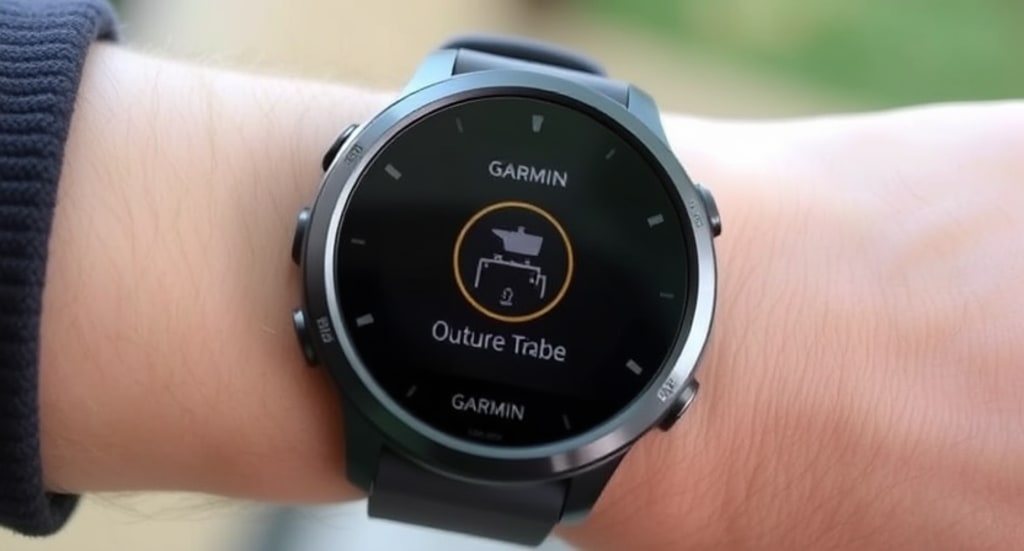
Garmin users worldwide are experiencing significant issues with their GPS watches, as devices crash upon accessing GPS-reliant apps and subsequently become trapped in a reboot loop, displaying only a blue triangle logo.
Since early this morning, thousands of affected customers have taken to social media to report their frustration over their now-unusable Garmin devices. The issue appears to be widespread, affecting multiple watch series, including the Garmin Descent, Forerunner, Epix, Fenix, Instinct, Tactix, Vivoactive, and Venu models.
Garmin Acknowledges the Issue
- Garmin responded swiftly by updating its system status page, confirming that the problem is under investigation. The company has issued an advisory for affected users to power off their devices and attempt resyncing them using the Garmin Connect or Garmin Express apps.
- “We are aware of an issue causing some devices to be stuck on the startup screen or a blue triangle,” Garmin stated on its status page. “To resolve this, press and hold the power button until the device turns off, then power it back on, and sync with the Garmin Connect app or Garmin Express.”
- Garmin has also provided instructions for users whose devices remain stuck, recommending a factory reset. However, this fix comes with drawbacks, as it will erase Connect IQ content (including watch faces, apps, and data fields), Body Battery data, Garmin Wallet information, and customized shortcut and hotkey settings.
Root Cause and Potential Explanations
- At this time, Garmin has not disclosed the underlying cause of the sudden crashes and reboot loops. However, industry experts speculate that a faulty firmware update affecting the watches’ GPS subsystems could be responsible.
- Firmware updates are often released to improve functionality, enhance security, and fix bugs, but they can sometimes introduce unintended issues. In this case, a software glitch may be preventing the watches from properly initializing GPS functions, leading to an infinite reboot loop.
- A Garmin spokesperson was not immediately available for comment when contacted earlier today. The company has yet to issue an official statement regarding a timeline for a permanent fix.
Impact on Garmin Users
- For many Garmin users, their watches serve as essential fitness and navigation tools. Athletes, hikers, divers, and outdoor enthusiasts rely on their Garmin devices for tracking exercise, mapping routes, and monitoring key health metrics. The widespread failure of these watches is causing significant inconvenience, with some users voicing concerns over losing crucial workout data and navigational capabilities.
- Social media platforms and online forums are flooded with complaints from frustrated users. Some have reported temporary success by attempting repeated resets, while others claim their devices remain unresponsive even after following Garmin’s recommended steps.
- I just started my marathon training plan, and now my Fenix is completely bricked. This is unacceptable!” one user posted on Reddit.
- My Instinct watch is stuck on the blue triangle no matter what I try. I have an ultra coming up this weekend, and now I’m scrambling to find a backup device, another user commented.
Factory Reset: A Frustrating Last Resort
- Garmin’s recommendation to perform a factory reset has left many users hesitant. While it may restore the watch to working condition, the process erases critical data, including:
- Watch faces, widgets, and third-party apps installed via Connect IQ.
- Body Battery and stress tracking history.
- Garmin Pay (Wallet) data.
- Customized shortcut and hotkey settings.
- This means users will need to reconfigure their devices from scratch, reinstall apps, and potentially lose months of stored data.
A Recurring Issue?
This is not the first time Garmin has faced widespread technical difficulties. In July 2020, the company suffered a devastating ransomware attack attributed to the WastedLocker malware. The incident forced Garmin to shut down multiple services, including Garmin Connect, Strava synchronization, inReach communication, and flyGarmin navigation, causing a global disruption for users.
Although the current issue appears to be unrelated to cybersecurity threats, the incident has reignited concerns about Garmin’s software reliability and overall system stability.
Next Steps for Affected Users
- For now, users experiencing the reboot loop are advised to:
- Perform a soft reset Press and hold the power button until the watch turns off, then turn it back on.
- Attempt to sync with Garmin Connect or Garmin Express If the device powers on normally, syncing may resolve the issue.
- Perform a factory reset as a last resort Instructions for resetting devices can be found on Garmin’s support page.
- Monitor Garmin’s status updates The company is actively investigating the problem and may release a software fix soon.
Awaiting a Permanent Fix
As of now, Garmin has not provided a concrete timeline for resolving the reboot loop issue. Customers are encouraged to check the Garmin system status page for real-time updates. If the problem is indeed firmware-related, Garmin may need to push an emergency software patch to affected devices.
For many users, this incident serves as a stark reminder of the vulnerabilities associated with modern wearable technology. While firmware updates aim to improve device performance, unexpected software issues can leave users without functional devices when they need them most.
For now, Garmin owners experiencing issues will have to decide whether to wait for an official fix or attempt the frustrating process of factory resetting their devices.
About the Creator
WIRE TOR - Ethical Hacking Services
WIRE TOR is a Cyber Intelligence Company that Provides Pentest & Cybersecurity News About IT, Web, Mobile (iOS, Android), API, Cloud, IoT, Network, Application, System, Red teaming, Social Engineering, Wireless, And Source Code.
Keep reading
More stories from WIRE TOR - Ethical Hacking Services and writers in 01 and other communities.
DeepSeek Suspends Registrations Following Massive Cyberattack
Chinese AI platform DeepSeek has temporarily suspended new user registrations for its DeepSeek-V3 chat platform, citing a “large-scale” cyberattack targeting its services. This disruption has raised concerns as the platform rapidly gained popularity over the past week, thanks to its advanced AI model.
By WIRE TOR - Ethical Hacking Servicesabout a year ago in 01
How Startups Are Planning Successful KOL Campaigns in 2026?
Influencer marketing continues to evolve rapidly, and 2026 is no exception. Traditional influencer strategies have shifted to focus on deeper audience trust, niche relevance, and measurable business outcomes. Key Opinion Leaders (KOLs) are now central to strategic brand growth especially for startups aiming to build credibility, establish authority, and acquire loyal customers from day one. In this blog, we explore how startups are planning and executing successful KOL campaigns in 2026 from strategy formulation to analytics and future trends.
By Jack santoa day ago in 01
me, me, me
when i read back my poetry it screams “me, me, me” on my screen in bold letters and i can’t shut it up — most days, i cannot make any other words out; i want to throttle a thousand versions of the me gone by, i want to throw myself from a figurative balcony, i want to sink a sword into every pen i’ve held
By angela hepworth7 days ago in Poets



Comments (1)
Hello, just wanna let you know that if we use AI, then we have to choose the AI-Generated tag before publishing 😊