
Disaster Recovery Solutions Across Azure and AWS: A Comparative Guide
This blog explains disaster recovery solutions

In this digitally-enabled world, business needs to prepare for the unthinkable—be it a natural disaster, a cyber attack, or human error. For business resilience, it is advisable to leverage DR strategies that would minimize downtime and data loss and prevent a halt in business. Two of the leading cloud service providers, Azure and AWS, offer robust disaster recovery solutions that help organizations plan better for the worst.
In this blog, we will discuss disaster recovery solutions in Azure and AWS as well as their comparisons and best practices. Knowing cloud-based DR solutions is an integral part of the DevOps course in building disaster-handling resilient systems.
What is Disaster Recovery?
Disaster Recovery refers to strategies and technologies that help an organization recover its data, applications, and infrastructure after a disruptive event has occurred. A well-designed DR plan ensures minimal downtime, protects critical business operations, and maintains customer trust.
Critical Metrics in Disaster Recovery
RTO (Recovery Time Objective): The maximum acceptable downtime after a disaster.
RPO (Recovery Point Objective): The maximum acceptable loss in data measured in time or stated, it is a point in time up to which the data may be recovered.
Both the terms - RTO and RPO are very important factors that need to be considered before choosing a cloud-based disaster recovery solution.
Azure Disaster Recovery Solutions
Azure offers a number of disaster recovery tools and services to help an organization protect its workloads and ensure business continuity.
Azure Site Recovery, or ASR, is a disaster recovery service on Azure. It will automatically replicate virtual machines from on-premises environments, other Azure regions, or even AWS. In this way, ASR will allow businesses to failover their applications to a secondary location and fail back once the primary location is restored.
Key Features:
Cross-region replication within Azure
Continuous virtual machine and database replication
Azure Backup integration for complete recovery
Both Windows and Linux VMs
RTO/RPO: near real-time replications with low RTOs and RPOs in minutes to hours, depending on the configuration.
2. Azure Backup
Azure Backup is a cloud-based service offering data protection and recovery services to on-premises workloads, as well as to Azure VMs, databases, and storage. Most of the time, it is used in combination with ASR to form a complete disaster recovery plan.
Critical Features
Automated Azure VM and SQL database and file share backups
SQL and SAP application-consistent backups
Long-term retention
Backup encryption and security
RTO/RPO: The point of Azure Backup is a long recovery back to data, offering configurable backup schedules, but RTO will depend on the size of the data being restored.
3. Azure Availability Zones and Regions
Availability zones within a region provide high availability and disaster recovery as supported by Azure. Through the spreading of resources across physically different data centers in the same region, Azure creates workloads that survive local failures.
Key Features:
Cross-data center fault isolation
Low-latency synchronous replication
Zone-redundant services, or ZRS, for availability
AWS Disaster Recovery Solutions
Amazon Web Services (AWS) offers a number of solutions to assist organizations in being better prepared for and recovering from disasters, which can allow the continued running of business.
1. AWS Elastic Disaster Recovery (AWS DRS)
AWS Elastic Disaster Recovery (AWS DRS) is the disaster recovery service from AWS that makes the process of replicating and recovering applications in the cloud painless. Like Azure Site Recovery, it continuously replicates servers across AWS regions or from on-premises to AWS and allow for near-instant failover.
Key Features:
Continuous replication of on-premises servers to AWS or across AWS regions.
Failover in minutes with automatic DNS redirection
Supports a workload across physical, virtual, and cloud-based platforms
Supports AWS Management Console for point-and-click central management
RTO/RPO: AWS DRS has very low RTO and RPO, measured in minutes of recovery time.
2. AWS Backup
AWS Backup is a fully managed service that automates and centralizes the backup of AWS resources such as EC2 instances, RDS databases, DynamoDB, and more. It supports cross-region backups to make it a key component of a multi-region disaster recovery strategy.
Key Features:
Cross region and cross account backups
Long-term retention with lifecycle policies
Centralized management of backups for multiple AWS services
Point-in-time recovery for databases
RTO/RPO: AWS Backup is great for data recovery with customizable schedules for backup, but the recovery time depends on the size of the backup.
3. AWS Regions and AZs
AWS regions with AZs are also part of high availability and disaster recovery. AWS regions are geographically isolated, and each region consists of multiple availability zones.
Key Features:
Multi-AZ deployment for high availability and fault tolerance
Multi-regional failover for services like Route 53, Global Accelerator
Synchronous replication across AZs for disaster recovery and low latency
Comparison of Disaster Recovery in Azure vs. AWS
Criteria Azure AWS
DR Service Azure Site Recovery (ASR) AWS Elastic Disaster Recovery (DRS)
Backup Solution Azure Backup AWS Backup
RTO/RPO Low (minutes to hours) Low (minutes)
Cross-Region Replication Yes with ASR Yes, using AWS DRS and AWS Global Accelerator
Multi-Zone/Region Availability Availability Zones, Availability Sets Availability Zones, Multi-AZ Deployments
Pricing Based on resource replicated and storage Based on replication, storage, and failover costs
Support for Hybrid Workloads Full support with ASR and Hybrid Cloud Full, with DRS for hybrid workloads
Best Practices for Implementing Disaster Recovery in Azure and AWS
1. Design for Redundancy
Use Availability Zones and Regions to deploy your resources in a redundant manner. In Azure and AWS, configure services such as load balancers and auto-scaling groups across multiple zones or regions to provide failover options.
2. Periodically test Disaster Recovery Plans
You should regularly test failover and failback processes to ensure that your disaster recovery strategy works as anticipated. Both Azure Site Recovery and AWS Elastic Disaster Recovery enable you to simulate disaster recovery scenarios without disturbing the production environment.
3. Use Backup and Restore Alongside DR
Integrate backup tools such as Azure Backup and AWS Backup into your DR plan so that you always have a protected dataset. For databases use point-in-time recovery to minimize data loss.
4. Automate Recovery Operations
Automate the disaster recovery process as much as is possible. Use the likes of Azure Automation and AWS Lambda to trigger failover, failback and any other DR workflows when the disaster strikes.
5. Monitor and Optimize
Implement solutions like Azure Monitor and AWS CloudWatch to monitor and alert on real-time network performance, replication status, and potential problems that may lead to downtime.
Conclusion
Both Azure and AWS deliver large disaster recovery solutions that ensure businesses reduce spending of time, as well as losing data when disasters strike. While Azure Site Recovery (ASR) and AWS's Elastic Disaster Recovery (DRS) provide similar capabilities, the choice lies with your specific use case, budget, and the existing cloud infrastructure.
For the DevOps professional or one simply taking a DevOps course, the subtleties of disaster recovery in Azure versus AWS reinforce how building a resilient cloud architecture will be possible to stand up against unplanned disruptions. They will, therefore, ensure business continuity and protect their operations during disaster events by having the appropriate DR strategy in place.
About the Creator
Keep reading
More stories from Fizza Jatniwala and writers in 01 and other communities.
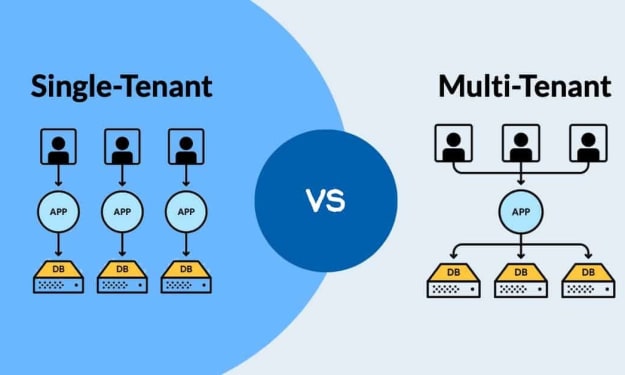
Multi-Tenant vs. Single-Tenant Cloud: Pros and Cons for Your Business Needs
With the rise of cloud computing and the chaos it has created in the operations of businesses, the multi-tenant and the single-tenant cloud architectures become absolutely imperative for any organization to choose from. Both the models have their respective advantages but also bring their own set of trade-offs. Understanding the concept of these models helps businesses make the right infrastructure investment not only in line with their needs but also budgetary requirements coupled with security.
By Fizza Jatniwalaabout a year ago in 01
Jeff Bezos vs. Jane Austen: Amazon will deliver its packages to English gardens
The e-commerce giant begins testing the use of drones for order delivery in the UK Amazon has decided to eliminate not only all the businesses on the streets of our towns and cities, but also one of the quintessentially English traits: gardening, which is more than just a hobby; it's a way of life idealized by much of the islands' literature. Among others, and perhaps the most captivating, is that of Jane Austen. Examples abound throughout her work. The very essence of the garden. Austenian It would be the garden of her home in Chawton, a village in Hampshire, in southern England, about 95 km southwest of London. The writer lived there for seven years, and in the garden she cultivated flowers and vegetables.
By Dena Falken Esq5 days ago in 01



Comments
There are no comments for this story
Be the first to respond and start the conversation.