
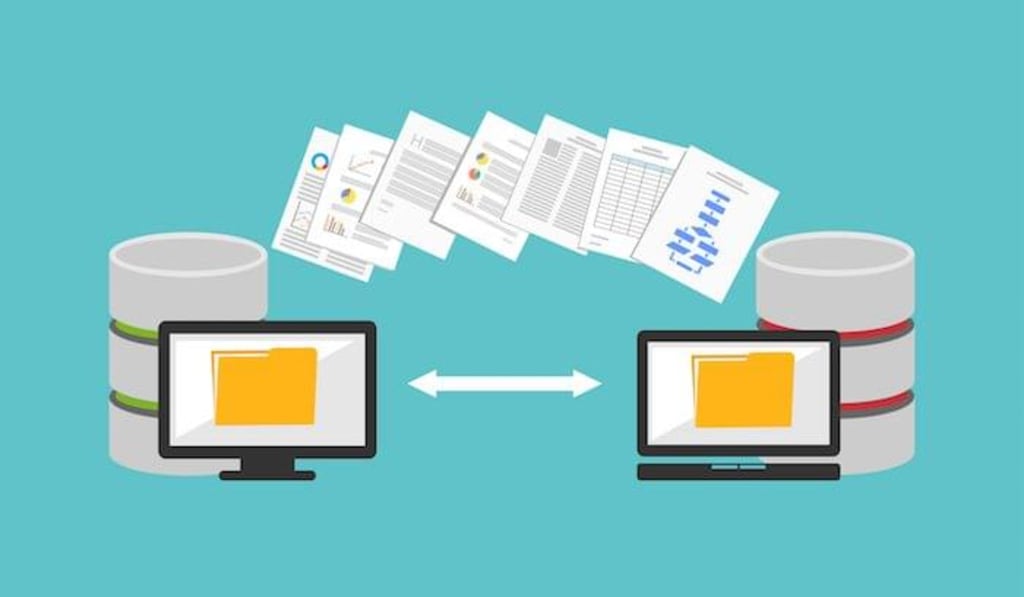
What is Data Migration?
Data migration is the process of moving data from one location to another, one format to another, or one application to another.
Types of Migration
There are four main data migration types:
1. Storage Migration: This involves moving physical blocks of data from one type of hardware (such as tapes or disks) to another.
2. Database Migration: This kind of migration is used for moving an entire database from one vendor to another, or to upgrade the software currently being used for the database.
3. Application Migration: When an application vendor needs to be changed, it will result in the need for a substantial transformation, since almost every application operates on a specific data model.
4. Business Process Migration: This relates directly to a company’s business practices, often orchestrated by business management tools that will need to be replaced or updated in the event of a merger or acquisition. For this, movement of data can be required for anything from one store, database or application to another.
Steps to Data Migration
Whatever your reasons for desiring data migration, and whatever type of migration is required, you will need to implement the following procedure to ensure efficient transfer of data:Identify and explore the source systems by grouping customer names, addresses and similar kinds of company data types based on the target model.
Assess the quality of the source data to ensure that the new system does not fail due to incorrect or duplicate data or inconsistencies in operation style.
Define the architecture and design requirements of the migration process while also specifying the testing process and the method for transitioning them to the new system.
Determine whether there will be a parallel run, a zero-downtime migration and whether, once the migration is complete, the old system will be decommissioned.
Prepare subsets of data and then test each category of data one at a time. If the project is vast, several categories can be tested in parallel. The reason for this testing is to build a scalable, reliable method of data migration within a specified time frame.
Now is the time to execute the migration, after shutting the source system down. Time taken for this step varies depending on the amount of data that needs to be transferred.
Review the audit trails and logs to ensure data has been correctly migrated, and determine the appropriate time to retire the old system.
Now that the migration is complete,
it is time to manage ongoing improvements and monitor the data quality of the new system"
Benefits of Data Migration:
1.Greater agility
2.Free up employee time.
3.Improved operational efficiency.
4.Easier compliance
5.Power of data analytic
6.Easier restructuring.
Steps To A Successful Database Migration
A successful database migration is one that results in minimal downtime and risk. There are four main steps involved in the database migration process, including the following:
1. Schema Build
The first step in a successful database migration involves the creation of database tables. Businesses must also define integrity constraints and any necessary programming code, such as database triggers. In some cases, it may be necessary to perform a schema migration manually. If there is an upgraded packaged application, the application vendor should provide the schema definition and programming code for the new database.
2. Initial Data Load
database migration services migrating data The next step in the database migration process is the initial data load. To complete this step, disable any database triggers and referential integrity constraints. Later on, an outage on the source system may be necessary to acquire a consistent image of all data tables.
3. Change Data Capture
It can take several days to perform the initial data load, depending on the size of the database and the available system resources. During this time, it may be difficult, or not possible, to take some mission-critical application data offline for more than a few minutes at a time. Ongoing change data capture on the application can be performed to prevent major disruption to the business.
4. Data Validation & Repair
Finally, it is important to ensure that the destination system is in sync with the source database before the cut over. It is wise to address any data abnormalities discovered before switching databases.
Campaignburst gives industry level standards and efficient Data's it enhance your Business level.
About the Creator
Keep reading
More stories from writers in 01 and other communities.
How Much Does App Development Cost in Colorado?
You are probably staring at a napkin sketch thinking you’ve found the next big thing. Good for you. Truly. But I reckon your first real hurdle isn't the code. It is the cold, hard cash required for app development cost in Colorado.
By Sherry Walker5 days ago in 01
How to Choose a Mobile App Development Company in 2026
The Google ecosystem is currently undergoing a structural realignment that fundamentally changes how mobile applications are discovered and validated. We are witnessing a tectonic movement away from traditional index-based search toward a unified Trust Graph where Entity Signals dictate market survival.
By Devin Rosario3 days ago in 01
Thoughts on Vocal and the way the world is
"Death cannot stop true love, only delay it." – Wesley in The Princess Bride. I decided to come back to Vocal on a very cold and dark night at the end of December. I had been, and still am, convalescing from a horrible staph infection that had gone misdiagnosed for months. This, paired with the increasing challenges of being healthy, making the best choices for my co-parented child, being a wife, and being a director at a new job, was a lot to manage.
By Jazzy 7 days ago in Confessions


Comments
There are no comments for this story
Be the first to respond and start the conversation.