
Complete Guide to Cloud App Development
What is cloud app development? Learn about stages, app types, potential challenges and costs.

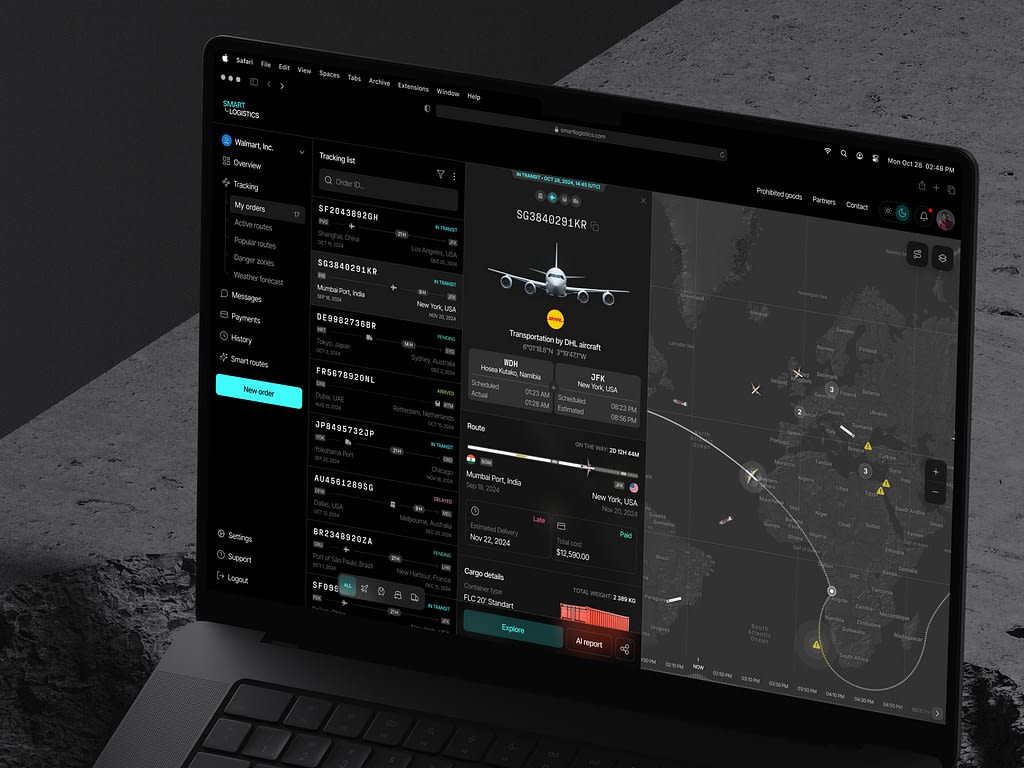
Being a startup, you are in an endless cycle of balancing many obstacles, such as restricted resources and satisfying consumer requests. Well, imagine deploying your application more quickly without losing quality, simply expanding to meet customer demands, and lowering your operational costs without sacrificing quality. This is not a fantasy, though. The answer to your headaches is cloud app development.
We will speak about how this approach might take away your pain, power your company, and get you on the road to success. Be it accelerating the development cycle, collaboration enhancement, or unleashing data's true potential, the cloud holds answers that could help make your idea become a great product.
What are cloud-based applications?
These work over the internet, not on your computer or mobile device. All data and software files are stored on remote servers by a cloud provider, not on your local workstation. That is why you can access your app and its data from any place that has an internet connection.
You're probably already utilizing cloud applications if you utilize services like Google Drive or Dropbox, where you can easily store and share files without having to worry about storage capacity on your device or possibly losing them in case of a computer crash. It also enables team members to access and manage files, working efficiently from several locations.
Why opt for cloud app development?
It comes with several benefits, which enhance development and user experience in many ways. For instance:
- Scalability: The project scales easily to cater to more users or higher transaction processing. Meeting fluctuating demand, resources change without large infrastructure upgrades.
- Cost-effectiveness: Cloud infrastructure reduces initial costs of hardware and maintenance. Most cloud services provide a pay-as-you-go approach, which enables better budgeting and expense control.
- Accessibility: The customers can use the program from any place with an active internet connection, offering remote work and collaboration.
- Automatic Updates: Most cloud service providers update the software and do the maintenance work themselves so their clients can always have access to the latest features and security enhancements without any hassle.
- Data Backup and Recovery: Cloud-based applications mostly come with an auto-backup solution that saves the data from losses. It provides recovery facilitation in case of an outage or data damage.
- Security: Providers usually invest extensively in security measures such as encryption, firewalls, and intrusion detection systems, often beyond what one firm might implement on its own.
- Integration: Your project can easily be integrated with other cloud-based services and APIs, making the workflow much easier and adding functionality across a variety of platforms.
- Cloud computing adopts powerful servers and resources that enable great application performance, fast responses, and the best user experience.
- Greener: You can reduce the carbon footprint for energy consumption and waste of hardware by using shared resources from the cloud.
These benefits make cloud app development appealing to many firms seeking to innovate, decrease expenses, and enhance overall operational efficiency.
Types of cloud-based applications
Each type serves a specific purpose. In the selection of a business plan, find a type that best suits your business model and project goals; it should target whom it is intended for.
Following are some common types along with examples:
Infrastructure as a Service (IaaS)
These types of cloud applications allow virtualized computing resources over the internet, where organizations rent out servers and storage. Amazon Web Services operate virtual servers, enabling hosting your websites and applications.
Software as a Service (SaaS)
These are comprehensive packages stored in the cloud and accessible via a web browser. You’ve probably used Google Docs, Sheets, and Gmail as a part of Google Workspace. It’s a SaaS where you can create, edit, and collaborate on documents online.
Platform as a Service (PaaS)
It’s a service that allows you to develop, test, and deploy web applications without necessarily having to manage infrastructure. For instance, in Heroku, you build applications completely on the cloud.
Cloud-based accounting software
Such applications enable businesses to handle their funds online. For example, QuickBooks Online allows you to manage accounting, invoicing, and payroll from any device.
Cloud-based CRM
These apps help organizations monitor consumer interactions and streamline procedures. Salesforce's features cover sales management, customer care, and marketing automation.
Cloud storage solutions
Cloud-based file storage and management services, as opposed to local hard drives. Dropbox is a popular cloud storage option that allows you to upload files and retrieve them from any device with an internet connection.
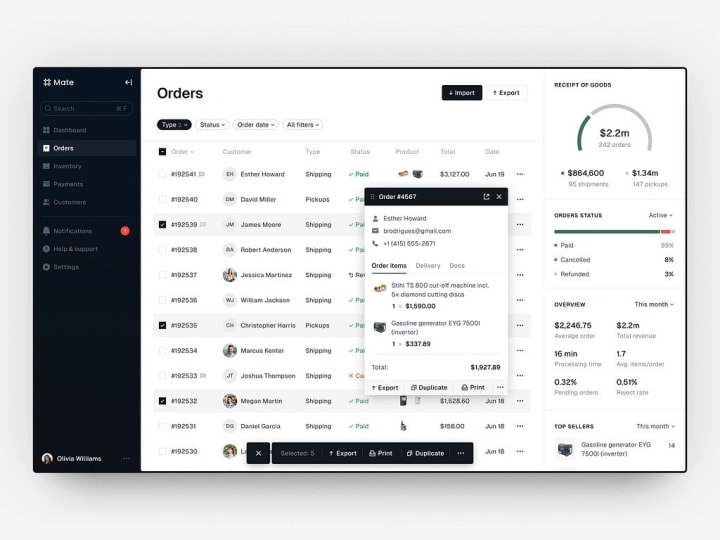
How to build a cloud-based application?
If you opt to create something like that, you simply will need a solid plan with plenty of significant stages, a budget, and a team of professionals to ensure this is done; the procedure is very complicated, since you have to make considerations about numerous factors simultaneously.
These are general steps:
Define the goal
Start by clearly and concisely defining the problem your app will address. Define the user you were targeting. If you can't get going, a good approach might be to look at the potential competition for what you are targeting. After that, list the key features and functions you'll be required to put in place, given your previous research.
Remember, at this moment, you are on quite a meager budget. You had better select an MVP that just provides for the very basics. This way, you remain resourceful at best and better the current toolkit rather than stretch efforts in many areas.
Pick the cloud service model
Determine if your cloud application will be SaaS, PaaS, or IaaS. This will guide your technological decisions. Based on this decision, select a reputable cloud service that meets your requirements. Consider things like cost, scalability, security features, and support alternatives. Some well-known cloud services include AWS, Microsoft Azure, Google Cloud, and others.
Build the architecture
Architecture design for your possible project when you have some idea about it. Consider elements such as microservices, databases, and front-end technologies. Let one factor complement the other. Prepare for scalability and storage choices because in the future, your company may be expanding.
Just translate your ideas into low-fidelity wireframes. Iterate your thoughts from input after running through some user testing to develop high-fidelity prototypes. Creating detailed documentation ensures consonance while working on the UI/UX design.
Choose the technology stack
Choose the best programming languages and frameworks for the app, maybe Node.js; React; Django. You would like a database system using either SQL, like MySQL; PostgreSQL, or NoSQL, like MongoDB, for storage from users. If in doubt, look towards experience, and the type of skill that already exists, in your team.
Develop the project
Begin coding from your design documents.
Emphasize backend (server) and frontend (client) development. Expose APIs for communication between so many different services and components.
Secure the user's data from the best practices in security regarding cloud application development. Mention user authentication, encryption of data, and secure APIs. Make sure your services are compliant with the in-force regulation (for example, GDPR).
Use agile techniques to demonstrate better-managed resources and to streamline work on the ground.
Test and iterate
Rigorously test the app after building: from unit testing, through integration testing and finally into UAT in a working manner. Performance testing may also be necessary to see how the app will perform under heavy demand. Kind of helps make sure you call out most problems and possible launch hiccups.
Deploy and maintain
Once you deploy your cloud app, utilize CI/CD pipelines to automate application deployment and updates. Next, set up monitoring tools to monitor app performance and user behaviors. Finally, ensure to regularly update the cloud app frequently in order to patch security vulnerabilities and debug any current application bugs.
Collect user feedback, and scale
Continue to collect user input to enhance and add new features. Iterate according on user insights and behavior trends. Plan to expand your firm and release new tools.
Practices for creating cloud apps
There are many practices to make cloud-based applications efficient, scalable, secure, and user-friendly. Some of the best practices are:
- Design for Scalability:Design your application in such a manner that its instances can be increased for scaling across horizontally, rather than increasing power on a single server. Use load balancers to distribute incoming traffic among instances of your application. With this, it is easier to handle increased workloads.
- Microservices Architecture: This is the process of breaking down an application, creating smaller independent modules, and then being able to deploy and scale them independently. It enables maintainability and agility. Communicate across microservices using the APIs, which avail greater integration and flexibility.
- Security: To secure sensitive information, it should be encrypted while on transit and at rest. Role-based access control for access to resources will limit access to resources based on user roles. In this regard, perform the routine security auditing and penetration testing at the same period.
- Automation and CI/CD: Automate building and testing application to deployment with management of cloud resources and provisioning technologies, such as Terraform or CloudFormation.
- Cost Management: Monitor all your cloud resources and scale resources down automatically when idle to keep your expenses at bay. Analyze and optimize your cloud expenditure with tools like AWS Cost Explorer and Google Cloud Billing Reports.
- Use Cloud Provider Services: Leverage cloud platform built-in services, such as AWS Lambda, Azure Functions, and Google Cloud Functions, for faster development on authentication, databases, and storage. Depending on the needs and considerations emanating from the application and compliance of your organization, you could opt for public, partial public, or partial private cloud architectures.
- Optimize Performance: Use technologies in caching, such as in-memory storage with Redis, to make low-latency and faster for building cloud apps. Adopt CDNs that make static material available faster through scattered servers placed near users.
- DevOps Culture: Emphasize cooperation and communication between frontend and backend teams in order to enhance efficiency and shorten time to market. Develop a culture of shared responsibility for quality, security, and compliance among all team members.
In Conclusion
Technologies always gear up towards efficiency and changing business requirements.
Serverless computing is in trend these days since it keeps the focus on the code one writes, without bothering about administering the servers. It leads to saving money and bringing in better scalability, with resources getting allocated just at the time of necessity.
Hybrid and multicloud solutions are on the rise, enabling organizations to pick the best of cloud services from varied cloud providers without losing flexibility and being latched in by one vendor. AI and machine learning find their way into cloud applications more and more, enabling better data analytics, personalized user experiences, and automated processes.
Low code and no-code platforms democratize application development for nonspecialist developers, thus radically accelerating it and cutting dependence on traditional coding.
One of the main directions today for edge computing is to process a significant volume of data close to their source. This reduces latency and improves cloud application performance.
Cloud technologies facilitate faster time-to-market, greater scalability, and cost-efficiency. Benefits of remote accessibility, strong data security, and AI integration help meet users' ever-changing demands.
About the Creator
Shakuro
We are a web and mobile design and development agency. Making websites and apps, creating brand identities, and launching startups.
Global Energy Transitions and Renewable Initiatives in 2026: The Shift Towards Sustainable Power
1. Global Energy Landscape in 2026 As of 2026, global energy consumption continues to rise, fueled by population growth, urbanization, and technological development. Key statistics include:
By shahkar jalal3 days ago in 01
What Really Drives Cryptocurrency Prices Over Time?
Cryptocurrency markets often appear unpredictable at first glance. Prices surge dramatically, correct sharply, and sometimes move sideways for months. While headlines frequently focus on short-term fluctuations, the long-term drivers of digital asset prices are usually far more structural. Understanding these forces can help investors move beyond daily volatility and focus on bigger-picture trends.
By Muhammad Irfan Afzal6 days ago in 01



Comments
There are no comments for this story
Be the first to respond and start the conversation.