
Class and ID Selectors: Targeting Elements with Precision in CSS
This article is part of a free full CSS Course: Beginner to Expert


When building websites, the key to crafting visually appealing and functional designs lies in your ability to target and style specific HTML elements effectively. In CSS, class and ID selectors are two of the most powerful tools for achieving this precision. They allow you to apply styles to individual elements or groups of elements, ensuring your design is both flexible and maintainable.
In this article, we’ll dive deep into class and ID selectors, exploring how they work, when to use them, and best practices for applying them to your web projects. By the end, you’ll be equipped with the knowledge to use class and ID selectors effectively, helping you create more organized and scalable CSS.
1. Understanding Class Selectors
Class selectors are one of the most commonly used tools in CSS. They allow you to target one or multiple elements by applying a specific class name. This makes class selectors incredibly versatile, enabling you to group elements that share the same styling while maintaining flexibility in your design.
1.1 The Basic Syntax of Class Selectors
To use a class selector, you first need to define a class in your HTML by adding the class attribute to an element. Here’s an example:html

In your CSS, you target this class using a period (.) followed by the class name:
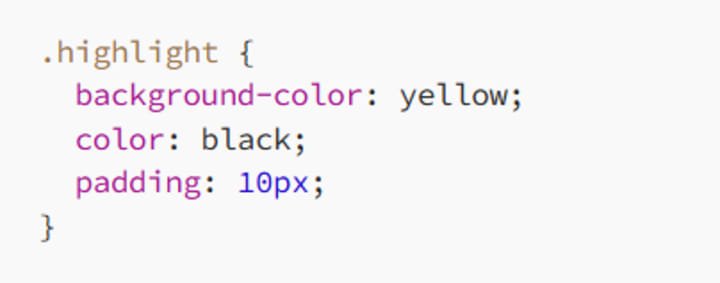
In this example, any element with the class highlight will have a yellow background, black text, and 10 pixels of padding. This approach allows you to apply the same style to multiple elements simply by adding the highlight class to them.
1.2 Why Use Class Selectors?
Class selectors are perfect for applying styles to groups of elements that share the same characteristics. They’re particularly useful when you want to reuse styles across different parts of your site, ensuring consistency without duplicating your CSS code.
1.2.1 Grouping Elements
One of the key advantages of class selectors is their ability to group elements for styling. For example, if you want to style multiple buttons across your site with the same look and feel, you can define a button class and apply it wherever needed:
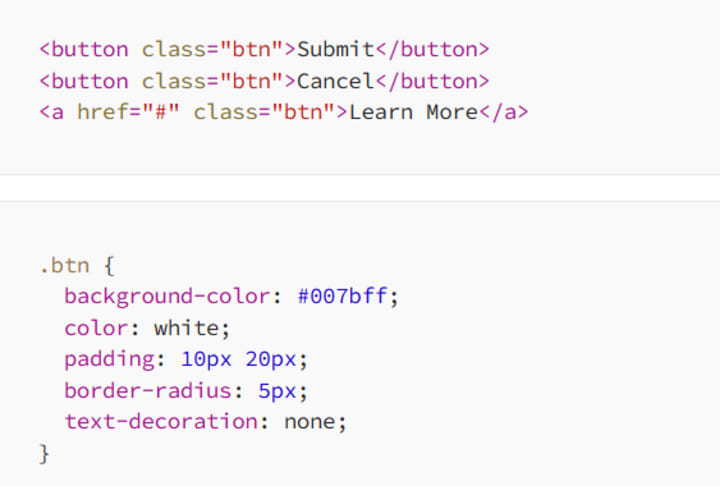
Here, the btn class ensures that all buttons, regardless of their element type (button or a), share the same style.
1.2.2 Flexibility and Reusability
Class selectors are highly reusable, allowing you to apply the same class to multiple elements across different contexts. This not only saves time but also keeps your CSS DRY (Don’t Repeat Yourself), making your styles easier to manage.
For instance, you can create utility classes like .text-center or .margin-top that can be applied to any element:
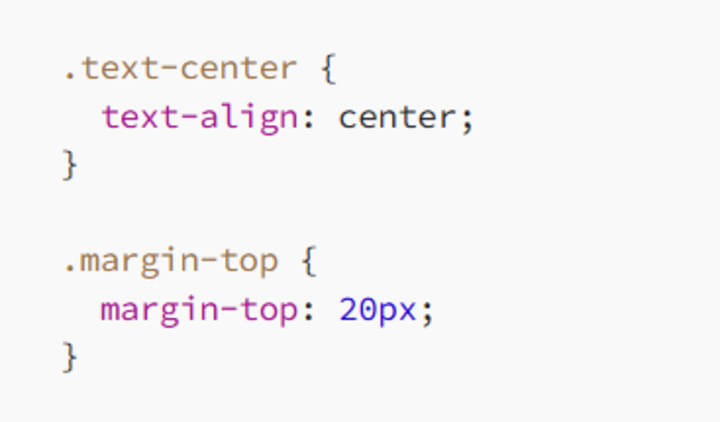
You can then apply these classes to various elements:

1.3 Multiple Classes on One Element
Another powerful feature of class selectors is the ability to apply multiple classes to a single element. This allows you to mix and match styles to create complex designs with minimal code duplication:
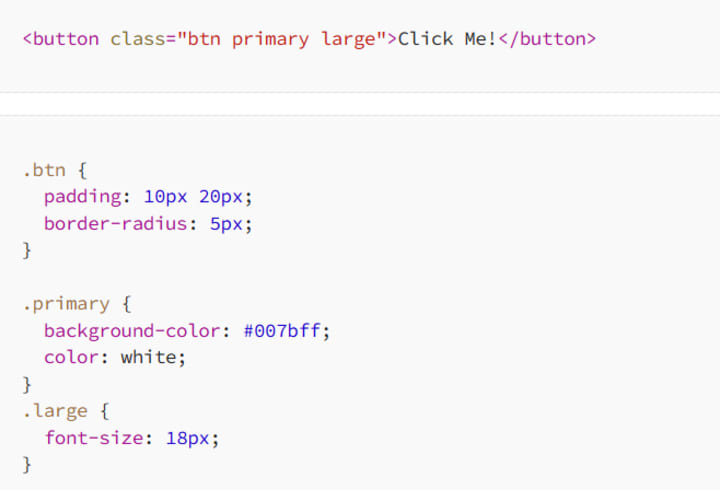
In this example, the btn, primary, and large classes combine to style the button with padding, a specific background color, white text, and a larger font size. This modular approach to styling is efficient and scalable.
1.4 Specificity of Class Selectors
In the CSS cascade, class selectors have a higher specificity than element selectors but lower than ID selectors. This means that if a style conflict arises, the class selector will override element selectors but be overridden by ID selectors:
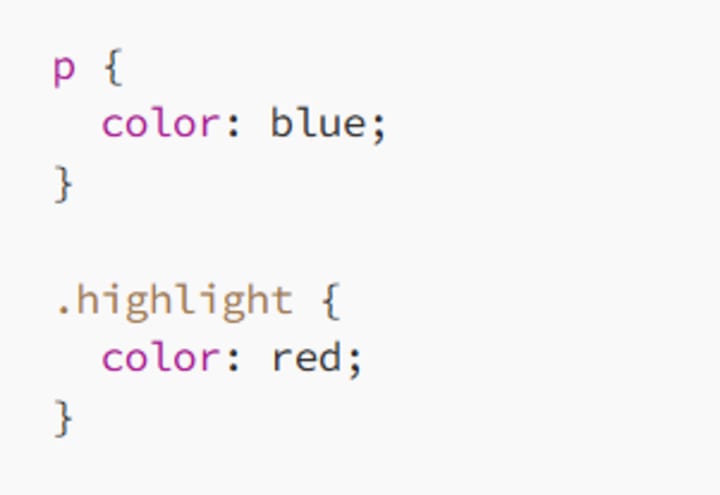
In this case, any paragraph with the highlight class will be red, overriding the p element selector’s blue color.
2. Understanding ID Selectors
ID selectors target elements based on their unique ID attribute. Unlike class selectors, which can be applied to multiple elements, an ID should be unique within a document. This makes ID selectors ideal for targeting specific elements that need a unique style or functionality.
2.1 The Basic Syntax of ID Selectors
To use an ID selector, you first assign an ID to an element in your HTML using the id attribute:
<h1 id="main-title">Welcome to My Blog</h1>
In your CSS, you target this ID using a hash (#) followed by the ID name:

In this example, the main-title ID applies a font size of 36px and a text color of #333 to the h1 element. Since IDs are unique, this style will only apply to that specific element.
2.2 Why Use ID Selectors?
ID selectors are best used for elements that require unique styles or when you need to target a specific element with JavaScript. Here are some scenarios where ID selectors are particularly useful:
2.2.1 Targeting Unique Elements
When you have an element that is unique within a page and requires distinct styling, an ID selector is the way to go. For example, if you have a single navigation bar that needs specific styles, you can assign it an ID:
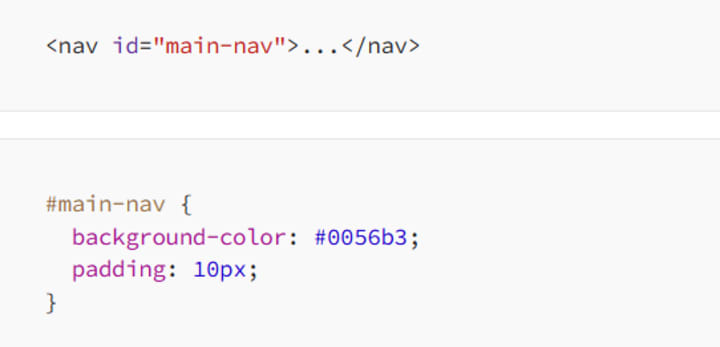
This ensures that your navigation bar is styled consistently, and you avoid applying these styles to other elements.
2.2.2 JavaScript Interactions
ID selectors are also commonly used when interacting with elements via JavaScript. Since IDs are unique, they make it easy to select and manipulate specific elements in the DOM:

In this example, the getElementById method is used to select the element with the main-title ID and change its text content.
2.3 Specificity of ID Selectors
ID selectors have a higher specificity than both class and element selectors. This means that if there’s a conflict, the ID selector will take precedence:
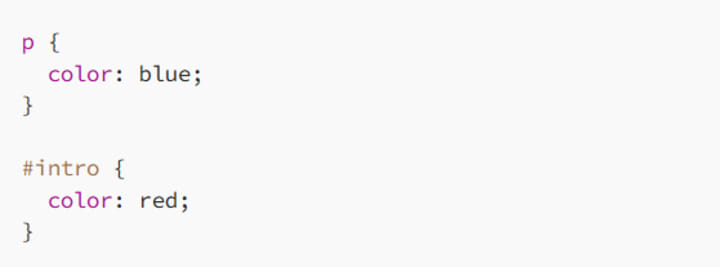
In this example, the paragraph with the intro ID will be red, overriding the default blue color applied by the element selector.
2.4 The Pitfalls of Overusing ID Selectors
While ID selectors are powerful, they should be used sparingly. Overusing IDs can lead to specificity wars, where increasingly specific selectors are needed to override previous styles. This can make your CSS difficult to manage and debug.
In general, reserve ID selectors for elements that genuinely need unique styling or when they are necessary for JavaScript interactions. For most styling purposes, class selectors are more flexible and easier to work with.
3. Practical Examples of Class and ID Selectors
Let’s explore some practical examples to see how class and ID selectors can be used effectively in your CSS.
3.1 Styling a Unique Element with an ID Selector
Consider the following HTML:

Here’s how you might style these elements with ID selectors:
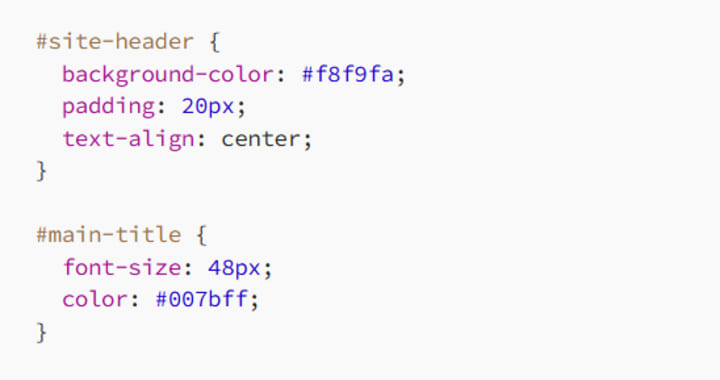
In this example, the site-header ID styles the header section with a light background, padding, and centered text. The main-title ID applies a large font size and a specific color to the header’s title.
3.2 Reusing Styles with Class Selectors
Now, let’s look at how class selectors can be used to style multiple elements consistently:
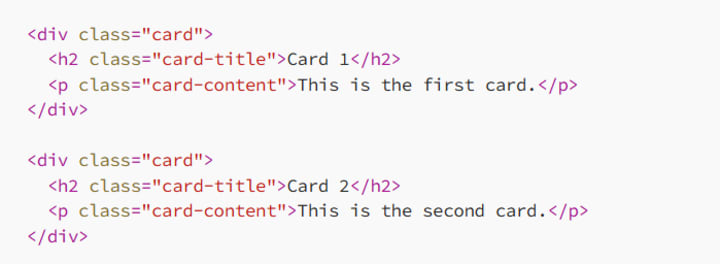
And the corresponding CSS:
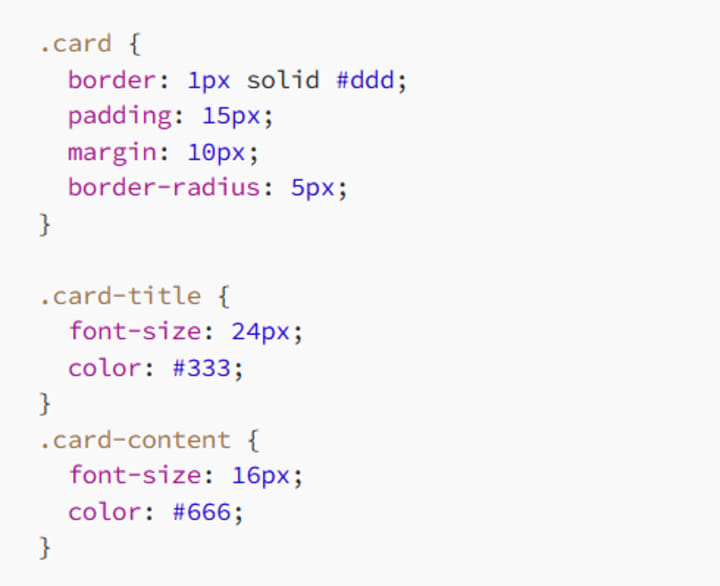
In this example, the card class is used to style both card containers consistently. The card-title and card-content classes ensure that the titles and content within each card are styled similarly, creating a cohesive design across multiple elements.
4. Best Practices for Using Class and ID Selectors
To make the most of class and ID selectors, follow these best practices:
4.1 Favor Classes Over IDs for Styling
Whenever possible, use class selectors for styling. Classes are more flexible, reusable, and easier to override. Reserve ID selectors for unique elements that require special attention or JavaScript interactions.
4.2 Keep Your Selectors Simple
Avoid overcomplicating your selectors. Simple class and ID selectors are easier to maintain and reduce the risk of specificity conflicts. If you find yourself adding too many classes or using overly specific selectors, consider refactoring your CSS.
4.3 Use IDs for JavaScript, Not for Styling
ID selectors are great for targeting elements with JavaScript, but they can create issues when used heavily for styling. By keeping your styling and JavaScript concerns separate, you’ll create cleaner, more maintainable code.
4.4 Test and Optimize Your CSS
Always test your CSS across different browsers and devices to ensure consistent rendering. Optimize your selectors to avoid unnecessary specificity and reduce the chances of unexpected style conflicts.
Conclusion: Mastering Class and ID Selectors
Class and ID selectors are fundamental tools in CSS that allow you to target and style elements with precision. By understanding how and when to use these selectors, you can create clean, efficient, and scalable styles for your web projects.
Class selectors offer flexibility and reusability, making them ideal for applying consistent styles across multiple elements. ID selectors, on the other hand, are perfect for targeting unique elements that require special styling or interaction with JavaScript.
By following best practices and using these selectors wisely, you’ll be well-equipped to create beautiful, maintainable websites. So, go ahead, experiment with class and ID selectors in your next project, and see how they can enhance your CSS. Happy coding!
About the Creator
MariosDev
Hi, I’m Marios! I’ve been a developer for over 9 years, crafting cool stuff and solving tricky tech puzzles. I’m a total tech enthusiast and love sharing my thoughts and tips through blogging. Also, in love with my bike!
The Politics of Playing Dress-Up
Well, to start off I'd like to say a happy world book day to all who celebrate. I know I haven't really posted anything on my socials about it but I'm not a jubilant kind of person. I lay low most of the time. Let's start off with a popular anecdote from the vaults...
By Annie Kapur7 days ago in Geeks




Comments (1)
Class selectors are super useful in CSS. I like how they let you group elements with the same style. The basic syntax is easy to grasp. You define the class in HTML and target it in CSS with a period. It's great for making buttons or other repeated elements look the same. But I wonder, when dealing with a large site, how do you keep track of all the different classes without getting confused? ID selectors seem more unique. They're for single elements. It makes sense for things like a page's main header. But how do you decide when to use an ID over a class? And are there any drawbacks to relying too much on one or the other?