
Canon Printer Ink Cartridges: The Complete Guide
Canon Printer Ink Cartridges

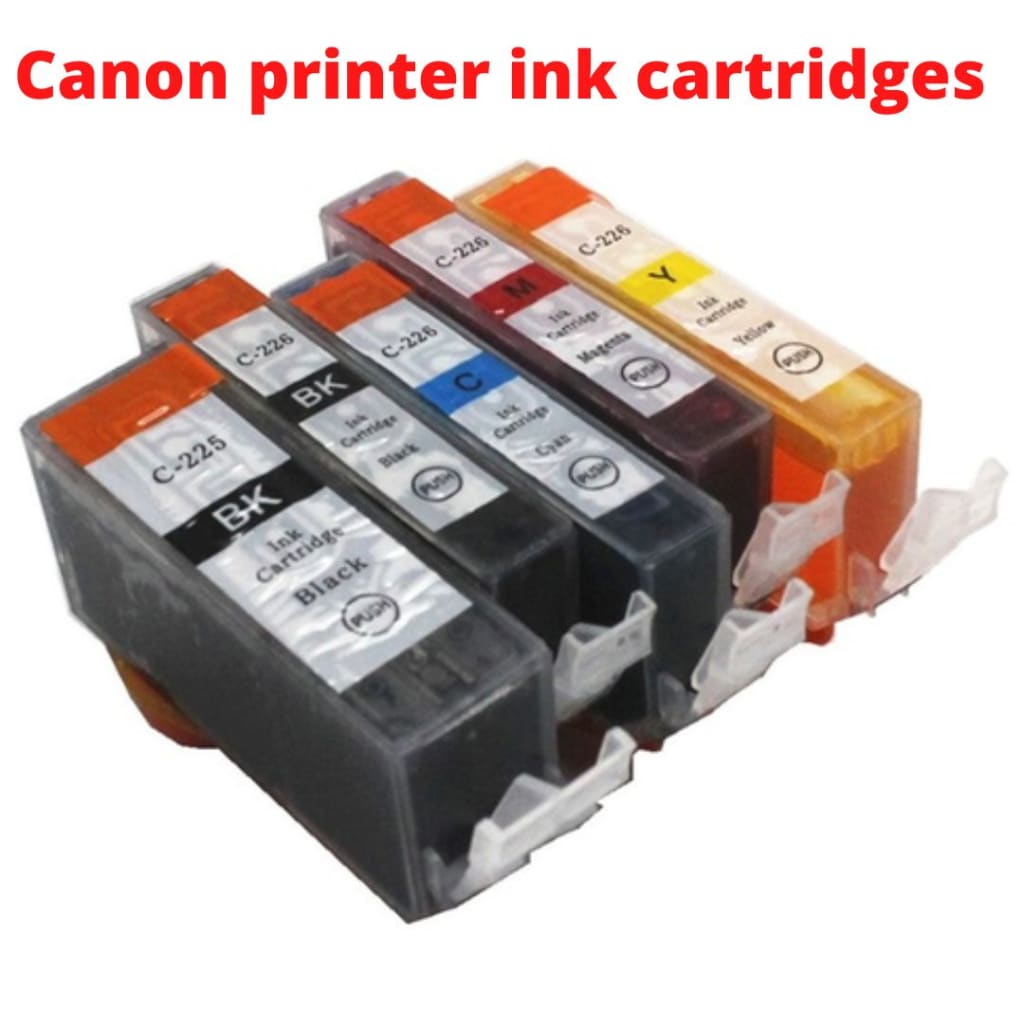
Shop for Canon printer ink cartridges can be confusing a bit as there are different ink options to buy. So, in this blog, we tried to educate you about the Canon printer ink cartridges. The Canon sells mainly two types of ink cartridges: black and tri-color cartridge and individual ink cartridge.
The Canon printers use either of these ink cartridges. Although both types of cartridges provide the expected print quality, many users prefer individual ink cartridges as they are more flexible and offer long-term savings.
Black and tri-color Canon printer ink cartridges
The Canon printers that use black and tri-color cartridges are usually inexpensive. They are also known as integrated printer cartridges as they have a built-in printhead and are costly to replace if you print often. Then, you may spend more on replacing the Canon printer ink than the printer itself. The black cartridge uses only black ink, while the tri-color cartridge has three distinct chambers for cyan, magenta, and yellow ink.
However, the tri-color cartridges are inefficient. If any one of the cartridges starts getting low, you have to change the entire cartridge to continue printing. Hence, the replacement adds a big amount if you print often.
Individual Canon printer ink cartridges
This is the second Canon printer ink cartridge that includes four cartridges: black, cyan, magenta, and yellow. Many Canon photo printers yield more vibrant prints that require additional colors, for example, an additional black cartridge to print photos. However, most printers use just a set of four cartridges.
The printers using individual Canon printer ink cartridges are a better option than the black and tri-color cartridges, as they can be replaced when required. Hence, compared to the individual ink cartridges, the black and tricolor cartridges are less efficient and will cost you more.
The printers using individual ink cartridges are smart as they need replacement as needed. There is no need to replace the whole cartridge for that. If your magenta cartridge is on low, just change it separately and continue printing. But your Canon printer should have all the cartridges installed to print. If any one of the four cartridges is missing, your printer won’t be operated.
Like the black and tri-color cartridges, individual ink cartridges don’t support an integrated printhead. Instead, they use the inside printer head to take the prints. However, none of the printer head compromises with printing and delivers the same results. But they differ in replacement. The built-in printer head will be expensive to replace. This is why it’s recommended to buy a new printer instead of replacing a printerhead.
Therefore, to get longer results from the Canon printer ink cartridge, you must run the printerhead cleaning function on your printer timely. So that your printer can easily escape drying out in between printing.
How long does the Canon printer ink last?
After knowing about the types of Canon printer ink cartridges, let’s discuss the life of Canon printer ink. So, the Canon printer ink can last for up to two years in sealed packing. Possibly, you can get even more than two years from the ink. However, the life of ink varies according to the print jobs and how frequently you do the printing.
Every cartridge has a page yield capacity, the maximum number of pages it can print. Your printer will notify you when the cartridges are running low with the message “low cartridge.” And it’ll remind you to fill the ink or replace the cartridge. In order to extend the cartridge life, you can run the printer head cleaning function on your printer. It will clean the nozzles in the printerhead and make it ready for a few extra prints.
To enable this function, go to the maintenance section on the printer’s screen. Once you finish the cleaning, take a test print to check the print quality. If the prints are not up to the mark, run the cleaning function again. If nothing changes, it’s time to buy another Canon printer ink cartridge.
Can I use a different brand of ink in my printer?
The answer is yes; you can use a different brand of ink in your printer. There are some compatible third-party ink brands that you can use. These third-party companies provide the lower-priced printer cartridges for almost every popular printer brand and prevent you from expensive printing costs every year.
The LD brand cartridges from LD products are one example of a low-cost alternative cartridge brand.
Conclusion
I hope you have explored something about Canon printer ink cartridges in this blog. The Canon printer uses mainly two types of ink cartridges: black and tri-color and individual ink cartridges. Comparatively, the individual ink cartridges are more secure as they are replaced when needed. In contrast, the black and tri-color ink cartridges demand the entire replacement of the cartridge if any one of the cartridges is low from the set.
Source URL- Canon printer ink cartridges
About the Creator
Antonio wright
Canon printers suit the choice of those who want an excellent printer for their home or office use. Canon printers are designed to meet professional printing needs.
Keep reading
More stories from Antonio wright and writers in 01 and other communities.
Canon MX890 Printer Review: Is It Worth The Hype?
Have you been wondering whether the Canon MX890 printer is worth all the hype? In this blog, you will get all the necessary information related to this flawless and easy-to-use Canon MX890 printer. Canon is world-famous for offering a wide range of reliable printers for homes as well as offices. The two most popular Canon wireless inkjet technology printer lines in the market are the MAXIFY series and the PIXMA series. Both the lines include a wide range of printers; out of the Maxify line, today will be discussing the Canon MX890 printer.
By Antonio wright4 years ago in 01
Top 10 SEO Experts in Pakistan 2026
Pakistan continues to establish itself as a key contributor to the global digital marketing industry. By 2026, the country has developed a mature SEO ecosystem that extends well beyond traditional keyword optimization.
By SEO EXPERT IN PAKISTAN 20254 days ago in 01
Best AR15 Rail Systems for Home Defense, Duty & Range Use
The AR15 platform is renowned for its modularity, and choosing the right rail system—also known as an AR15 handguard or AR15 rail—can significantly enhance performance for specific applications. For home defense, the Aero Precision ATLAS S-ONE stands out as a lightweight, slim M-LOK option that allows quick accessory mounting like lights for low-light scenarios. In duty use, the Midwest Industries Combat Rail excels with its rugged quad-rail design for heavy attachments. For range sessions, the STNGR HWK M-LOK handguard offers excellent value, balancing weight and versatility for extended shooting.
By Ar15handguard5 days ago in 01
Affection and Healing for Yourself
During the night of the last quarter moon, I gathered my ritual supplies. I carefully handled the chunk of black tourmaline that would protect me from your overall negative and narcissistic energy. I carefully walked the house with my stick of selenite in hand, asking the universe to cleanse our working space.
By Alisha Wilkins ✒️🦋🖋️4 days ago in Fiction


Comments
There are no comments for this story
Be the first to respond and start the conversation.