
Beware of Fake Updates: FrigidStealer Malware Targets Mac Devices
Malware Targets Mac Devices

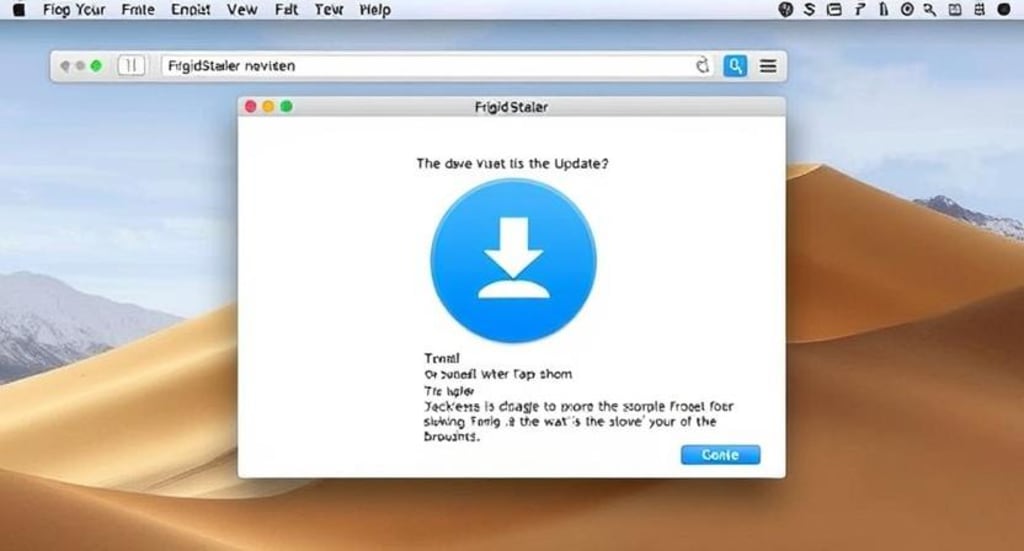
The FakeUpdate malware campaigns are becoming increasingly complex, with two additional cybercrime groups, TA2726 and TA2727, now involved in delivering a new macOS infostealer malware called FrigidStealer. These threat actors are running campaigns that distribute malware via fake browser update notifications, affecting not only Mac users but also Windows and Android users.
Discovery of the Campaign
Researchers at Proofpoint discovered the new campaign, noting that malicious JavaScript used to display fake browser update messages is being adopted by a growing number of threat actors. This widespread adoption has made tracking and analysis of these campaigns increasingly difficult.
In this campaign, TA2726 and TA2727 collaborate, with TA2726 acting as the traffic distributor and facilitator and TA2727 as the malware distributor.
TA2726 has been active since at least September 2022, selling traffic to other cybercriminals. It frequently utilizes Keitaro TDS, a widely abused legitimate traffic distribution service.
TA2727 is a financially motivated threat group first identified in January 2025, deploying Lumma Stealer for Windows, Marcher for Android, and FrigidStealer for macOS.
The Fake Update Campaign
FakeUpdate campaigns involve attackers breaching websites and injecting malicious JavaScript into the HTML of web pages. This JavaScript displays fake notifications that inform users they need to install a browser update.
These web injects profile website visitors through a Traffic Distribution System (TDS), which determines whether a visitor qualifies for infection based on their location, device, operating system, and browser type.
From the user's perspective, the fake update alert appears to be from Google or Safari, instructing them to install a browser update to continue viewing the site. However, clicking the "Update" button downloads a malicious executable disguised as a legitimate update.
How Different OS Users Are Targeted
- Windows users receive an MSI installer that loads Lumma Stealer or DeerStealer.
- Mac users receive a DMG file that installs FrigidStealer.
- Android users receive an APK file containing the Marcher banking trojan.
- Mac users must manually launch the downloaded file by right-clicking on it and selecting "Open." They will then be prompted to enter their password to bypass macOS Gatekeeper protections.
How FrigidStealer Targets macOS Users
FrigidStealer is a Go-based malware built using the WailsIO framework. This framework allows the installer to appear legitimate, reducing the likelihood of detection during infection.
Once installed, FrigidStealer performs the following malicious activities:
Credential Theft: It extracts saved cookies, login credentials, and password-related files from Safari and Chrome browsers on macOS.
Cryptocurrency Theft: The malware scans for cryptocurrency wallet credentials stored in the macOS Desktop and Documents folders.
Apple Notes Exploitation: It reads and extracts Apple Notes containing passwords, financial information, and other sensitive data.
Data Collection: The malware collects documents, spreadsheets, and text files from the user's home directory.
Data Exfiltration Process
The stolen data is bundled into a hidden folder within the user's home directory, compressed, and then exfiltrated to the malware’s command-and-control (C2) server at 'askforupdate[.]org.'
The Growing Threat of Infostealer Malware
Infostealer campaigns have become a massive global threat, leading to significant cyberattacks on both individual users and organizations. These attacks often result in:
- Financial Fraud: Stolen credentials can be used to gain unauthorized access to banking and payment accounts.
- Privacy Risks: Sensitive personal data can be exploited for identity theft and blackmail.
- Data Breaches: Compromised corporate credentials can lead to severe security incidents.
- Extortion and Ransomware Attacks: Stolen information is sometimes leveraged in ransom demands.
How to Protect Yourself from Infostealers
- To avoid infection by infostealer malware like FrigidStealer, follow these security best practices:
- Never download browser updates from pop-up alerts. Always update browsers through official channels, such as the browser's settings menu or the official website.
- Be cautious of websites prompting you to install fixes or updates. Cybercriminals often disguise malware as necessary updates or security patches.
- Enable security features on macOS. Keep Gatekeeper and XProtect enabled to block unverified applications from running.
- Use a strong, unique password for every online account. This minimizes the damage if one of your credentials is stolen.
- Enable two-factor authentication (2FA) wherever possible. Even if an attacker steals your password, 2FA can prevent unauthorized access.
- Regularly back up your data. In case of an infection, having recent backups can help restore your files without paying a ransom.
- Run security software. Use reputable antivirus and anti-malware solutions to detect and block potential threats.
- Stay informed. Follow cybersecurity news to stay aware of the latest threats and protection strategies.
What to Do If You Get Infected
If you suspect that your Mac is infected with FrigidStealer or another infostealer, take immediate action:
Disconnect from the internet. This prevents further data exfiltration.
Run a full security scan. Use a trusted antivirus solution to detect and remove malware.
Change all your passwords. Assume that all saved credentials have been compromised.
Check for unauthorized transactions. Monitor your financial accounts for suspicious activity.
Enable 2FA on all important accounts. This adds an extra layer of security to prevent unauthorized access.
Reinstall macOS if necessary. If the infection is severe, performing a clean OS reinstall may be the best solution.
Conclusion
The emergence of FrigidStealer as part of FakeUpdate campaigns targeting macOS users underscores the growing sophistication of cybercriminal tactics. By exploiting users’ trust in browser update notifications, attackers can trick victims into installing malware that steals sensitive data.
Staying vigilant and practicing good cybersecurity hygiene is essential to preventing these attacks. Always verify software updates through official sources, use strong security measures, and keep yourself informed about the latest cyber threats to stay protected.
About the Creator
WIRE TOR - Ethical Hacking Services
WIRE TOR is a Cyber Intelligence Company that Provides Pentest & Cybersecurity News About IT, Web, Mobile (iOS, Android), API, Cloud, IoT, Network, Application, System, Red teaming, Social Engineering, Wireless, And Source Code.
Keep reading
More stories from WIRE TOR - Ethical Hacking Services and writers in 01 and other communities.
Cybercriminals Use Invisible Unicode to Mask JavaScript in Phishing Attacks
A new JavaScript obfuscation technique leveraging invisible Unicode characters to represent binary values is actively being used in phishing attacks. This novel method, first disclosed in October 2024, has been quickly adopted by threat actors targeting affiliates of an American political action committee (PAC).
By WIRE TOR - Ethical Hacking Services11 months ago in 01
The Devil's Cut
“Comrade, finally you’re awake.” The voice was smooth, sensual. A flickering incandescent bar was all that lit the white, sterile room. All Vladimir remembered was everything going black. He tried to move his arms and found them strapped to the gurney.
By Matthew J. Fromm5 days ago in Fiction


Comments
There are no comments for this story
Be the first to respond and start the conversation.