
8 Best Free DVD Burning Software You Can't Miss [2025]
Want to make your own DVDs? Read this post to find the best free DVD burners.

Because of its excellent display and storage capacity, DVDs are still widely used today. Videos, files, games, software installations, and more can all be stored on a DVD if you have a DVD burner. This roundup explores eight top choices, analyzing their advantages, disadvantages, and special features from the viewpoints of both technical and general users, whether you're looking for the best DVD burning software for Windows 10, Mac, or a feature-rich free DVD maker.
1. DVDFab DVD Creator
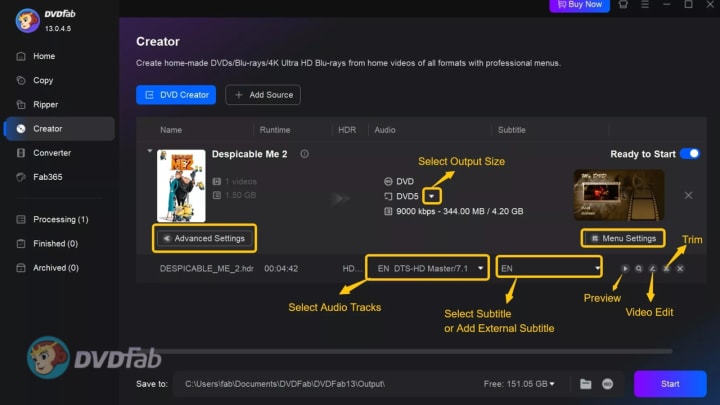
DVDFab DVD Creator is a powerful free DVD burner and expert DVD making program that can be used by both novices and experts. One of the greatest DVD authoring software alternatives available is this program, which supports more than 200 video formats and lets you make DVDs with attractive, editable menu layouts. Content can be burned to local folders, ISO files, DVD-5, or DVD-9, providing flexibility for a range of applications. While capabilities like multi-track audio management, aspect ratio selection (NTSC/PAL), and subtitle import make it appropriate for consumers looking for all-inclusive DVD creating solutions, GPU acceleration guarantees rapid and steady burning. DVDFab DVD Creator is available for Windows 7/8/10/11 and macOS. It has a 30-day free trial period, after which a paid license is needed to continue using it. This program is a top option if you want strong, adaptable DVD creation.
- Pro: Extensive file type support, built-in video editor and menu templates
- Con: Not available on Linux
2. PowerISO
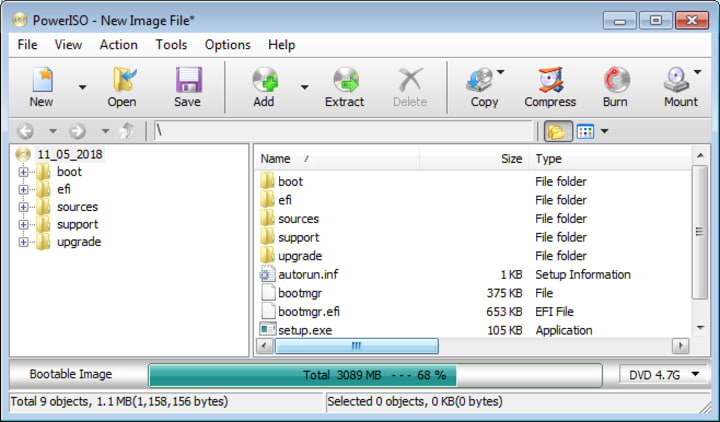
PowerISO is a lightweight, and free DVD burner software solution that does more than just burn. Through an easy-to-use interface, users may manage ISO image files, burn data, audio, and video discs, and make bootable DVDs. One of the greatest DVD burning software choices for both home and business use is PowerISO because of its drag-and-drop capabilities, compatibility with numerous formats, and quick burning rates. Despite several restrictions (such prompt panels or file size limits), the free version of the DVD burner is still widely used for Windows 10 and later. PowerISO is particularly useful for people looking for all-in-one disc management and burning because it can mount and modify disc images, produce bootable USB devices, and work with Blu-ray.
- Pro: Effective ISO extraction and mounting
- Con: The free version occasionally asks for payment and restricts the size of saved images
3. DVD Flick
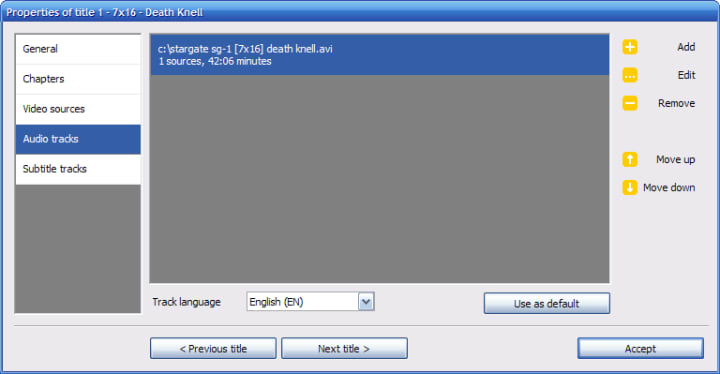
DVD Flick is considered the greatest free DVD burner and DVD making software for users who want simple and efficient DVD video burning. With compatibility for more than 45 file types and 60 video codecs, this open-source program specializes in converting films to readable DVDs. With the ability to add numerous audio tracks, menus, and custom subtitles, DVD Flick is a great DVD maker for customizing project presentations or home videos. The UI has been simplified for ease of use, making it perfect for both novice and expert users looking for a simple yet powerful free DVD creator for Windows. DVD Flick is a free DVD authoring program that is difficult to beat for vintage DVD projects, even though it does not support Blu-ray or advanced data disc burning.
- Pro: Offers custom subtitles and the ability to add multiple audio tracks
- Cons: There are no regular updates, thus compatibility with the latest codecs or Windows versions may be patchy.
4. AnyBurn
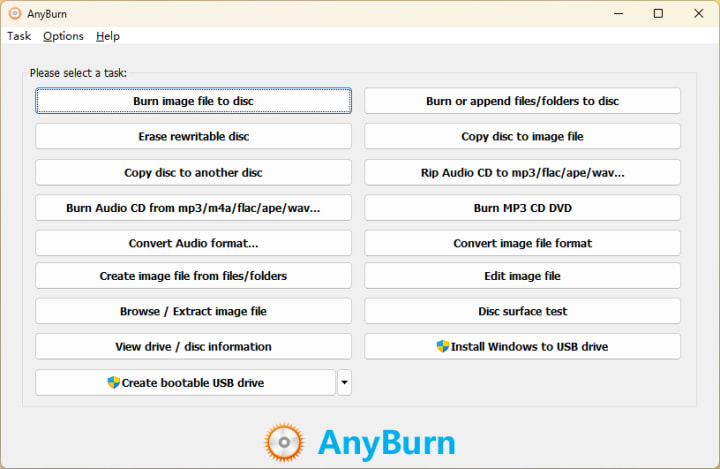
AnyBurn offers expert dependability in a small, straightforward package. This free DVD burner software can be used to create or convert ISO images as well as burn CDs, DVDs, and Blu-ray discs. Its interface, which emphasizes quick, distraction-free use, is exceptionally clean. AnyBurn allows disc-to-disc copying, wiping rewritable discs, and burning audio, data, and video CDs. AnyBurn is one of the top free DVD burner software choices for Windows for those who appreciate stability and cross-format compatibility without the need for needless extras. It is a must-have for any DVD burning toolkit due to its multi-format support and small installation size (less than 5MB), even though it lacks menu authoring when compared to some competitors.
- Pro: Very light and doesn't use a lot of system resources
- Con: Discontinued; may have compatibility quirks on modern Windows
5. BurnAware Free
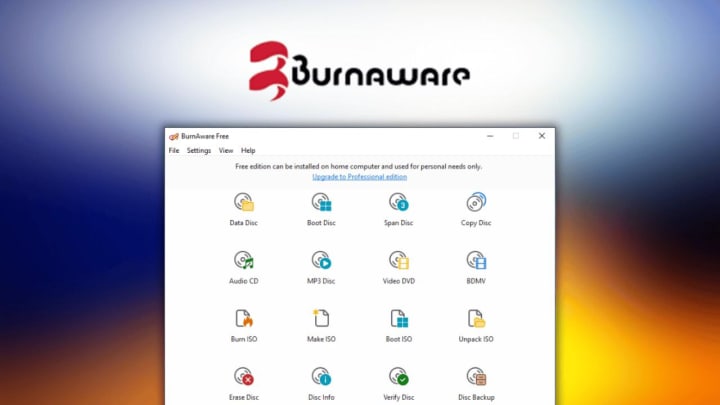
BurnAware Free is praised for its clean, simple interface and wide range of format compatibility, making it a top free DVD burner for users of all skill levels. It burns data, multimedia, and bootable discs—including DVD-Video—on Windows 10/11 PCs, making it a viable Windows DVD maker alternative. BurnAware Free also includes tools for erasing rewritable media, creating ISOs, and verifying burned data, which are extremely useful for archival purposes. The software is notable for its stability, ease of use, and decent performance, while advanced functionality (such as disk spanning or hidden file compatibility) are limited to the paid premium edition. Still, as the finest free DVD burning software for general usage, BurnAware Free is quite useful for regular disc burning jobs.
- Pro: Disk verification feature ensures data integrity after burning
- Con: Some critical operations, such as disc-to-disc copying and complex burning settings, require upgrading to the Pro edition
6. CDBurnerXP
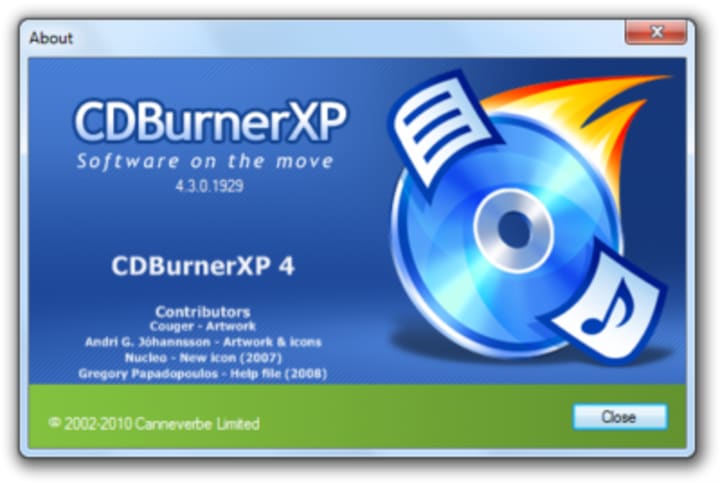
CDBurnerXP, known for its blend of simplicity and capability, is a timeless DVD burner for Windows 10 and older systems. Beyond simple disc burning, it also supports Blu-ray media, bootable disk creation, audio CD authoring, and ISO image generation/burning. CDBurnerXP's UI is available in various languages, and the comprehensive verification procedure ensures that every burn is reliable—an important feature for customers preserving sensitive material. Notably, CDBurnerXP is a free DVD burner software that contains no nagware or bloatware, which is becoming increasingly rare. The only drawback is a slightly archaic UI, but for those who value performance over form, CDBurnerXP is the greatest DVD burner alternative and a must-have for many customers.
- Pro: Supports CD/BD/DVD burning for free
- Con: Some third-party software may be packaged in the installer; pay care during setup
7. DVDStyler
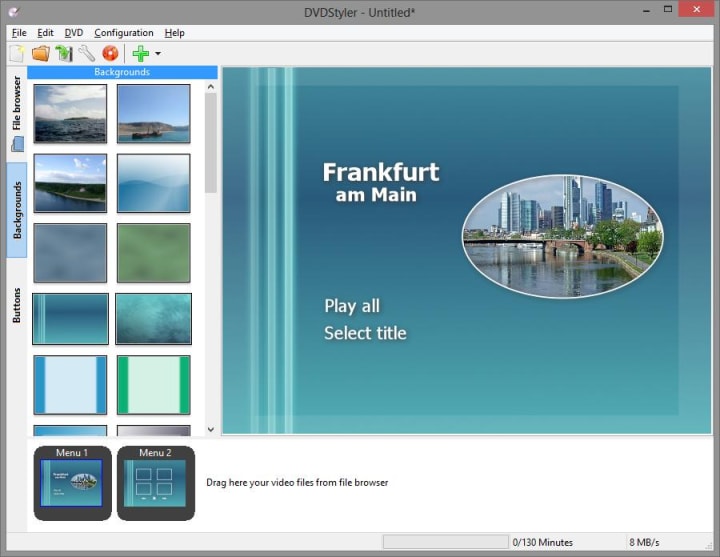
DVDStyler is a free open-source DVD maker for Windows and Mac that focuses on artistic menu design. This finest free DVD making software enables you to create fully interactive DVD menus, backdrop pictures, and button placements—ideal for hobbyists, educators, and anybody who wants their DVDs to appear professional. DVDStyler supports the majority of popular video files, offers drag-and-drop timeline editing, and allows you to burn directly or make ISO images for future duplication. It is aimed at consumers who see DVDs as more than just storage media, serving as a creative DVD production platform for memorable presentations or presents. DVDStyler is not as fast as some of its competitors, but it is an outstanding, completely free solution for creative DVD creating.
- Pro: Make DVD menu at no cost
- Con: Rendering and burning process can be slower than average, especially for complex menu projects.
8. Ashampoo Burning Studio Free
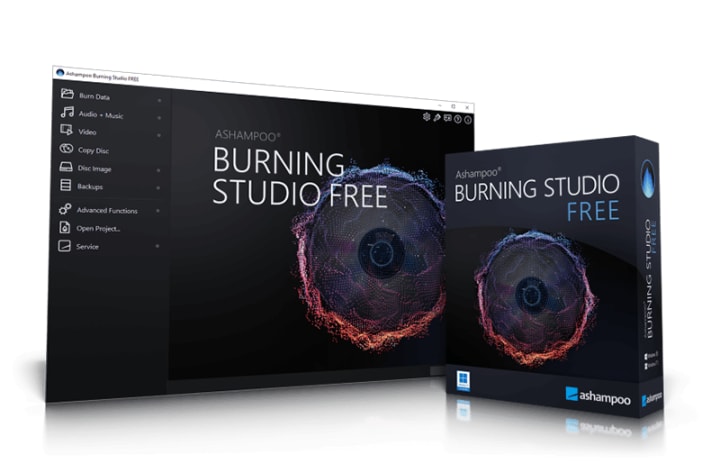
Ashampoo Burning Studio Free, which rounds off the list, is well-known for its user-friendly interface and reliable burning engine. Designed for Windows, this free DVD burning software choice includes all you need to burn and copy data, music, and movies, as well as create multi-session discs and securely back up files. Highlights include cover design tools, support for multiple burning modes (DAO, SAO, and TAO), and customizable buffer settings to reduce errors. Ashampoo Burning Studio Free is also a good alternative for beginners because it walks them through the burning process step by step. While advanced capabilities are reserved for the expensive version, the free edition remains a highly capable DVD creator for both casual and regular use.
- Pros: Burn data DVD with ease
- Con: DVD menu creation is limited to paid version
Conclusion
The best free DVD burner software relies on your individual requirements, such as professional DVD authoring, easy video-to-DVD transfers, data backups, or creative menu design. All eight options examined here excel in different areas, ensuring that both Windows and Mac users may find the best DVD burning software for free. DVDFab DVD Creator is the best solution for flexibility and power, while BurnAware Free, CDBurnerXP, and Ashampoo Burning Studio Free are great for simple burning and ease of use. Creative users may choose DVDStyler, although AnyBurn and DVD Flick provide lightweight, purpose-built options. Whatever your needs are, a free DVD burner is ready to help you save, share, and enjoy your digital entertainment for years to come.
About the Creator
Wenny
Hi there, I'm Wenny, a technical writer sharing multimedia solutions accessible for everyone. Read my articles to turn "how?" into "let's do it!"
Cost of Building a Scooter App Like Lime (2026)
I remember sitting in a cafe in Austin back in 2018. The streets were suddenly covered in green and bird-themed scooters. It looked like a silicon valley fever dream. Since then, the hype has settled into a real, profitable business model for those who survive.
By Sherry Walker2 days ago in 01
The History and Cultural Role of Custom Pennants in Sports
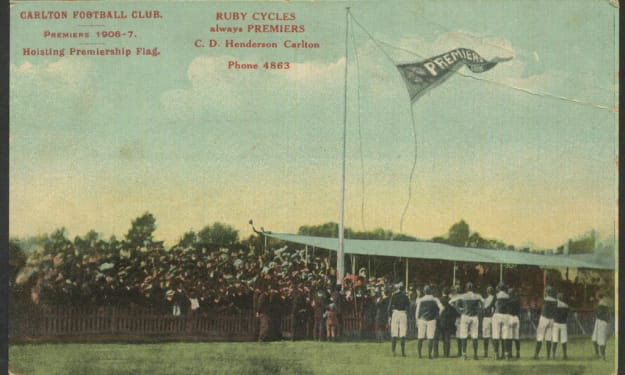
Pennants have been part of sports traditions for more than a century. These triangular banners are widely associated with teams, championships, and fan culture. In many sports, including soccer and baseball, pennants symbolize identity and pride for both players and supporters. Items such as soccer pennants, soccer club flags, custom pennant flags, and custom felt pennants are commonly used to represent teams, commemorate matches, and preserve sporting traditions.
By charliesamuela day ago in 01


Comments
There are no comments for this story
Be the first to respond and start the conversation.